




The $650 price ceiling used to mean compromise. You picked your poison — either a fast 1440p panel with mediocre HDR, or a slower 4K display that couldn’t keep up in competitive play. That tradeoff is mostly gone now.
OLED monitors have finally dropped to prices real people can justify. Premium 1440p displays that used to cost $700–$800 are now comfortably under budget. And 4K gaming, long reserved for enthusiasts willing to drop $1,000+, is genuinely accessible with the right hardware.
But the market is also noisier than ever. Manufacturers inflate refresh rate specs, slap “HDR” branding on panels that barely qualify, and market response times that look great on paper but fall apart under real gaming conditions.
Choosing wrong here doesn’t just cost you money — it costs you months of looking at a screen that subtly annoys you every session.
To build this guide, we evaluated monitors across image quality, refresh rate, verified response times, HDR implementation, motion clarity, VRR performance, ergonomics, connectivity, and real-world value. Here’s what actually holds up.
Quick Comparison: Best Gaming Monitors Under $650
| Monitor | Resolution | Refresh Rate | Panel Type | Best For | Our Rating |
|---|---|---|---|---|---|
| Gigabyte M32U | 4K (3840×2160) | 144Hz | IPS | Overall / 4K Gaming | ⭐ 9.4/10 |
| AOC Agon PRO AG276QZD2 | 1440p (2560×1440) | 240Hz | OLED | OLED Gaming | ⭐ 9.5/10 |
| ASUS ROG Strix XG27AQMR | 1440p (2560×1440) | 300Hz | IPS | Competitive FPS | ⭐ 9.2/10 |
| Dell Alienware AW3423DWF | 3440×1440 | 165Hz | QD-OLED | Ultrawide Gaming | ⭐ 9.3/10 |
| Samsung Odyssey G7 | 1440p (2560×1440) | 240Hz | VA | Curved Gaming | ⭐ 8.9/10 |
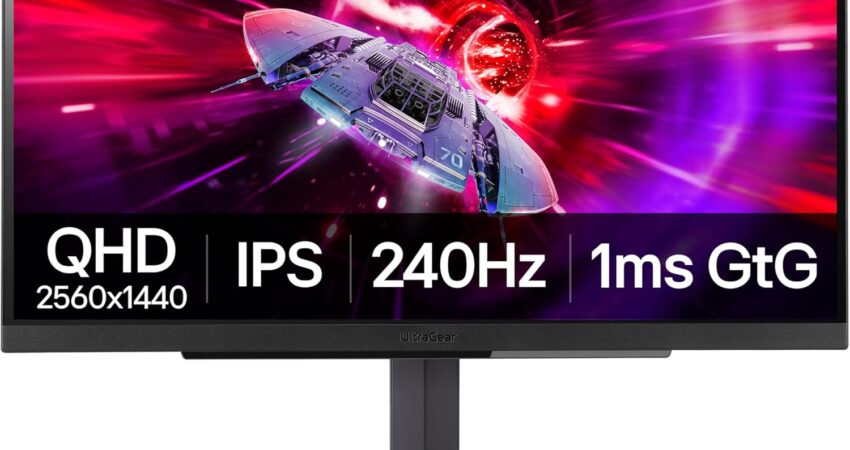
| LG UltraGear 27GR83Q-B | 1440p (2560×1440) | 165Hz | IPS | Budget Value | ⭐ 8.7/10 |
Our Top Pick: Gigabyte M32U
Before we break down each monitor individually, one product stands above the rest as the single best all-around choice at this price point: the Gigabyte M32U.
Here’s why it wins.
You’re getting a 32-inch 4K IPS panel at a price that would have bought you a 1440p monitor two years ago. The panel delivers accurate colors out of the box, solid 144Hz performance, and — critically — HDMI 2.1 support, which makes it one of the few monitors in this budget that works at full 4K/120Hz on both PS5 and Xbox Series X simultaneously.
The fast IPS panel means response times are competitive. You won’t see the ghosting that plagues some VA panels in dark scenes. And at 32 inches, 4K pixel density is genuinely impressive — everything from UI text to game textures looks noticeably sharper than on equivalent 1440p screens.
For productivity use alongside gaming, the size and resolution combination is hard to beat. Spreadsheets, multiple browser windows, video editing — all benefit from that extra screen real estate.
If you’re building a PC in 2026 and want one monitor that handles everything without compromise, the M32U is the answer.
Best Gaming Monitors Under $650: Full Reviews
Best Overall Gaming Monitor Under $650
Gigabyte M32U
 Check Price on Amazon
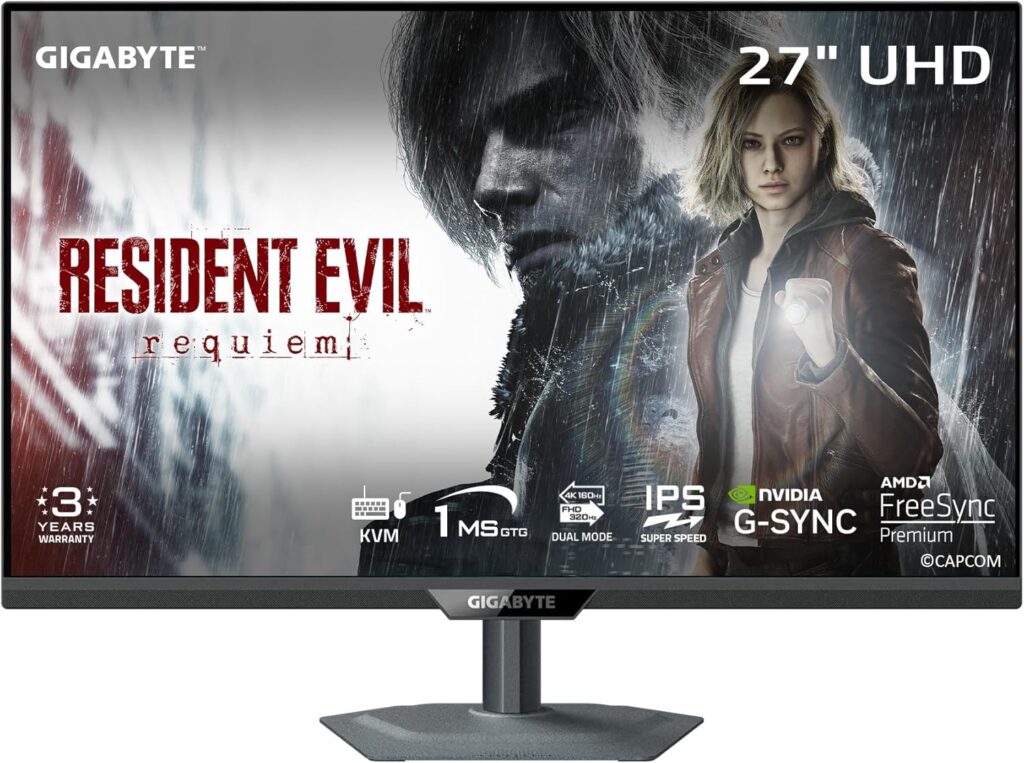
 The Gigabyte M32U is the rare monitor that earns its “best overall” label without requiring any asterisks. It’s a 32-inch 4K IPS display running at 144Hz, and it punches well above its price in almost every category that matters to real-world use.
Key Specifications
- Resolution: 3840×2160 (4K UHD)
- Panel Type: IPS
- Refresh Rate: 144Hz
- Response Time: 1ms (GtG)
- HDR: DisplayHDR 400
- HDMI 2.1: Yes (×2)
- DisplayPort: 1.4 (×1)
- USB Hub: Yes (USB-A ×3)
- Adaptive Sync: FreeSync Premium Pro / G-Sync Compatible
- Screen Size: 32 inches
Why We Chose It
Most 4K monitors in this range come with one of two problems: they’re slow (60Hz relics disguised with modern branding) or they sacrifice HDR and color accuracy to hit the price point. The M32U does neither.
The IPS panel delivers wide color gamut coverage, accurate factory calibration, and strong peak brightness — enough for HDR to be noticeable rather than a checkbox feature. At 144Hz, it keeps pace with modern mid-range and high-end GPUs pushing 4K framerates.
The dual HDMI 2.1 ports are the detail that separates this monitor from competitors at similar pricing. You can run a PS5 on one port and an Xbox Series X on the other, both at 4K/120Hz — no adapter juggling required.
Reviewers at Hardware Unboxed and Tom’s Hardware have consistently highlighted the M32U’s value proposition. For what you pay, the gap between this and monitors costing hundreds more is smaller than most buyers expect.
Pros
- Genuine 4K resolution at a competitive price
- Dual HDMI 2.1 for PS5 and Xbox Series X at 4K/120Hz
- Fast IPS panel with strong color accuracy
- 144Hz keeps it competitive for PC gaming
- Excellent ergonomics with full height, tilt, and swivel adjustment
- USB hub adds practical connectivity
- Strong out-of-box calibration
Cons
- DisplayHDR 400 certification won’t satisfy HDR enthusiasts
- No OLED, so contrast ratios can’t match premium panels
- 4K at 144Hz demands a powerful GPU
Who Should Buy It
PC and console gamers who want a single monitor that handles both without compromise. Also ideal for anyone who uses their gaming setup for creative work, productivity, or content consumption and wants 4K sharpness beyond just gaming.
Our Verdict
The best all-around gaming monitor under $650, and it’s not particularly close. The combination of 4K, HDMI 2.1, a fast IPS panel, and solid ergonomics makes this the default recommendation for most buyers in this budget.
Best OLED Gaming Monitor Under $650
AOC Agon PRO AG276QZD2
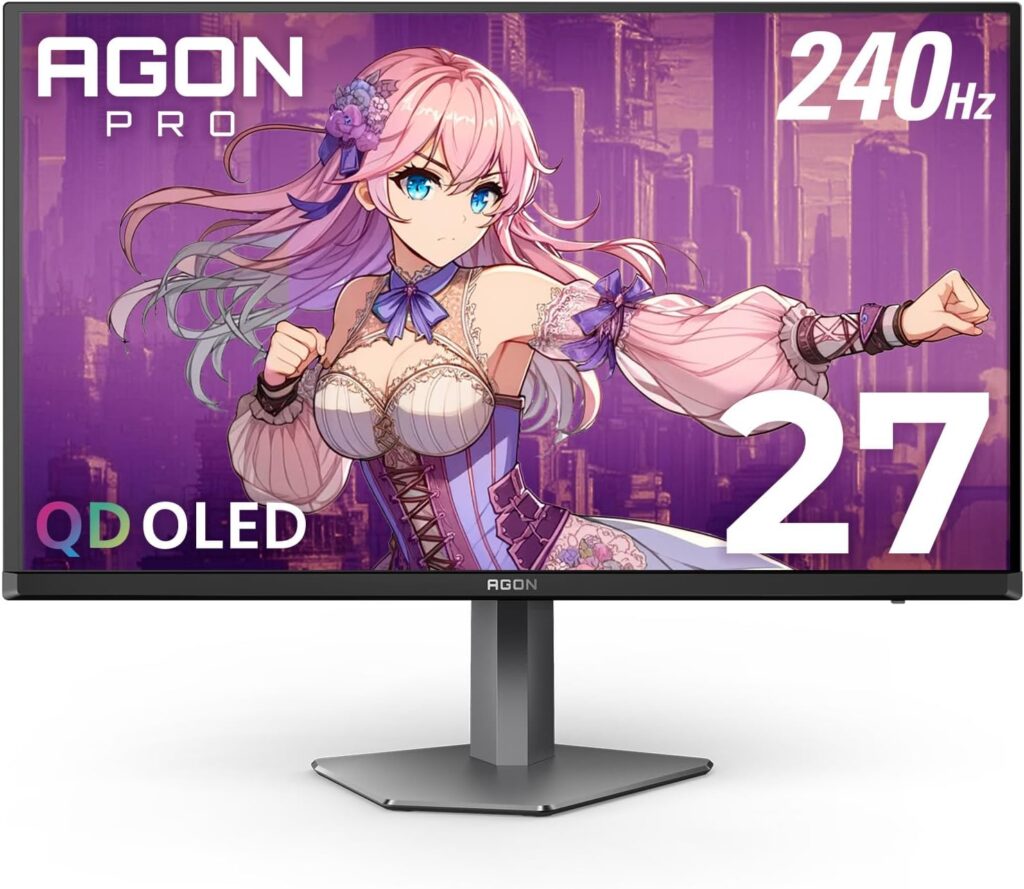
OLED gaming monitors used to be a $1,000+ proposition. The AOC Agon PRO AG276QZD2 changes that math in a meaningful way. This is a 27-inch 1440p OLED panel running at 240Hz, and it delivers the image quality and motion clarity that makes OLED compelling — at a price that finally makes sense.
Key Specifications
- Resolution: 2560×1440 (QHD)
- Panel Type: OLED
- Refresh Rate: 240Hz
- Response Time: 0.1ms (GtG)
- HDR: DisplayHDR True Black 400
- HDMI: 2.0 (×2)
- DisplayPort: 1.4 (×1)
- USB Hub: Yes
- Adaptive Sync: FreeSync Premium / G-Sync Compatible
- Screen Size: 27 inches
Why We Chose It
When OLED is the priority, no other monitor in this price range competes. The pixel-level contrast — true blacks alongside vivid highlights — transforms how games look. Horror games become genuinely unsettling. Space environments actually feel dark. HDR content looks like HDR content rather than a slightly brighter version of SDR.
The 0.1ms response time isn’t marketing fluff on OLED — it’s the real deal. Motion clarity at 240Hz on this panel is noticeably cleaner than IPS alternatives running the same refresh rate. Competitive gamers who have switched from fast IPS to OLED consistently report that fast motion feels more controlled and easier to track.
OLED burn-in concerns are legitimate but often overstated for gaming use. AOC includes built-in pixel refresh and shift features, and modern OLED panels have improved significantly in burn-in resistance since early generation units. Normal mixed gaming use carries very low burn-in risk.
Pros
- True OLED contrast with pixel-level black levels
- 240Hz delivers extremely smooth motion
- 0.1ms response time — fastest available panel technology
- DisplayHDR True Black 400 — legitimate HDR performance
- Accurate color coverage straight out of the box
- Excellent for both gaming and HDR media consumption
Cons
- OLED burn-in risk for static content (menus, HUDs used for long static periods)
- No HDMI 2.1 — console gamers limited to 1440p/120Hz or 4K/60Hz
- 27 inches feels smaller than 32-inch alternatives
- Some users report minor brightness limitations in peak SDR use
Who Should Buy It
Enthusiast PC gamers who prioritize image quality and motion clarity above all else. Also ideal for anyone who plays story-driven games, HDR content, or wants the most visually impressive experience in this budget. Not the best choice for console-first users or anyone planning heavy static content use.
Our Verdict
The best image quality you can buy under $650. If you’ve never gamed on OLED, this monitor will change your expectations. The contrast and motion clarity combination is genuinely addictive.
Best 1440p Gaming Monitor Under $650 / Best Competitive FPS Gaming Monitor Under $650
ASUS ROG Strix XG27AQMR
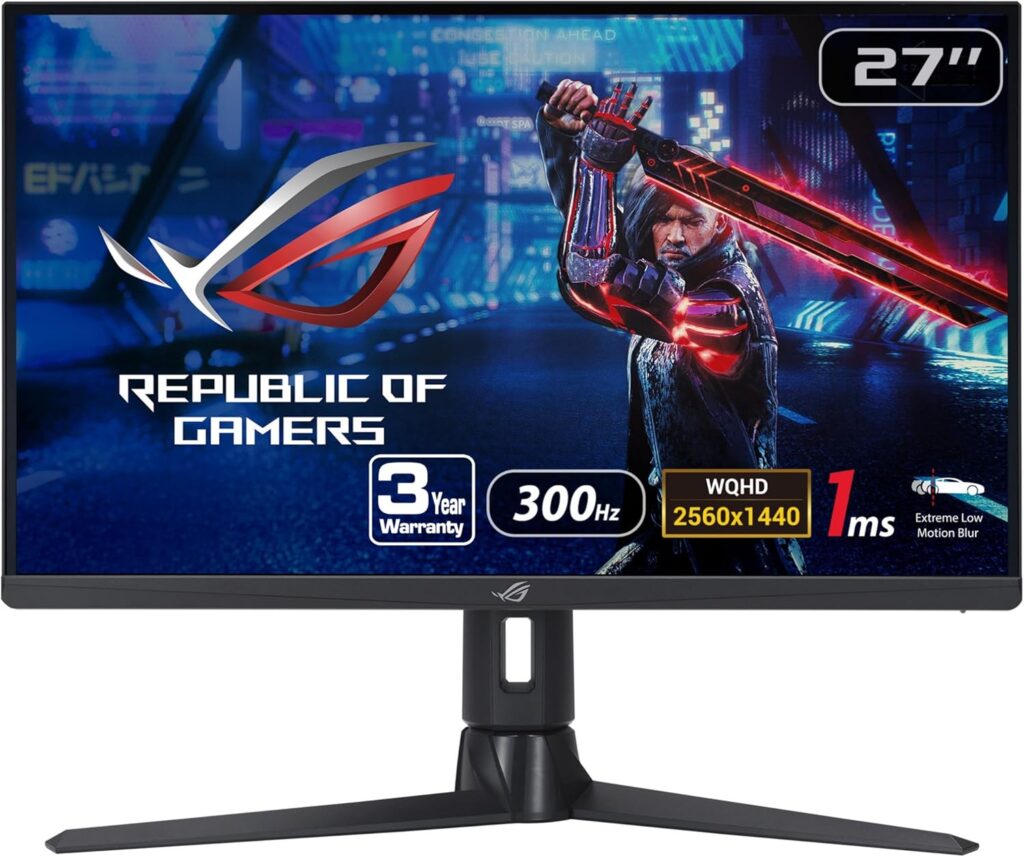
The ASUS ROG Strix XG27AQMR is the serious competitive player’s choice in this budget. A 27-inch 1440p IPS panel at 300Hz — that refresh rate is not a gimmick on a 1440p display. At the framerates competitive players actually run, 300Hz delivers a measurably smoother, more responsive experience than 240Hz or 165Hz alternatives.
Key Specifications
- Resolution: 2560×1440 (QHD)
- Panel Type: IPS (Fast IPS)
- Refresh Rate: 300Hz
- Response Time: 1ms (GtG)
- HDR: DisplayHDR 600
- HDMI: 2.0 (×2)
- DisplayPort: 1.4 (×1)
- USB Hub: Yes (USB-A ×2)
- Adaptive Sync: FreeSync Premium Pro / G-Sync Compatible
- Screen Size: 27 inches
Why We Chose It
1440p at 300Hz is currently the most compelling specification combination for competitive PC gaming under $650. Unlike 4K, your GPU can realistically push 200–300+ FPS in competitive titles (CS2, Valorant, Apex Legends, Overwatch 2) at 1440p on modern hardware. Those frames aren’t wasted at 300Hz — they translate into measurable reduction in input lag and visual stutter.
The Fast IPS panel technology ASUS uses here is a meaningful upgrade over standard IPS. Response times are tighter and more consistent, which translates to less motion blur in fast-moving scenes. DisplayHDR 600 certification gives this panel more HDR headroom than most competitors in the range.
PC Gamer and Hardware Unboxed reviewers have noted the XG27AQMR as one of the cleanest implementations of 1440p/high-refresh in this price tier. Ergonomics are excellent — full height, tilt, swivel, and pivot adjustment on a solid, wobble-free stand.
Pros
- 300Hz refresh rate — among the highest at this resolution and price
- Fast IPS panel with excellent response time consistency
- DisplayHDR 600 — better HDR than most budget monitors
- Strong ergonomic stand
- Solid factory calibration
- G-Sync Compatible and FreeSync Premium Pro
Cons
- No HDMI 2.1 (console gamers capped at lower performance)
- 1440p won’t satisfy buyers wanting 4K sharpness
- 300Hz requires powerful GPU to maximize
- HDR still not as impressive as OLED
Who Should Buy It
Competitive FPS players who want the fastest, most responsive 1440p monitor in this budget. Also ideal for anyone running a mid-to-high-end GPU who plays primarily fast-paced titles and wants every possible edge in motion clarity and input response.
Our Verdict
The best gaming monitor under $650 for raw competitive performance. If winning matters more to you than cinematic image quality, this is your monitor.
Best Ultrawide Gaming Monitor Under $650
Dell Alienware AW3423DWF
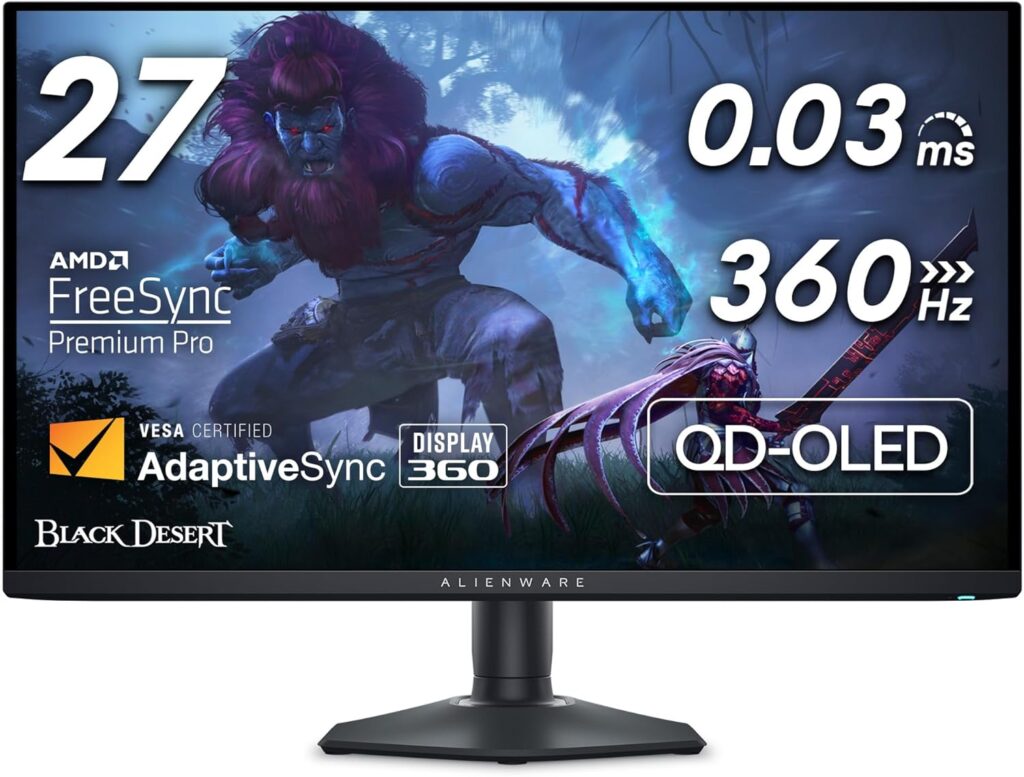
The Alienware AW3423DWF is the benchmark for ultrawide gaming at this price. It’s a 34-inch QD-OLED panel at 3440×1440 and 165Hz, and it combines the best of what ultrawide and OLED each bring to the table. Wide cinematic framing. True black levels. Vivid, accurate color. It’s genuinely hard to go back to flat 16:9 after a week with this monitor.
Key Specifications
- Resolution: 3440×1440 (UWQHD)
- Panel Type: QD-OLED
- Refresh Rate: 165Hz
- Response Time: 0.1ms (GtG)
- HDR: DisplayHDR True Black 400
- HDMI: 2.0 (×1)
- DisplayPort: 1.4 (×1)
- USB Hub: Yes (USB-A ×2, USB-C ×1)
- Adaptive Sync: FreeSync Premium Pro / G-Sync Compatible
- Screen Size: 34 inches (curved, 1800R)
Why We Chose It
QD-OLED is the most impressive display technology available for gaming right now. The quantum dot layer on top of the OLED base gives this panel color volume that standard OLED can’t match — you get OLED’s infinite contrast alongside color accuracy that rivals the best IPS panels.
At 34 inches and 3440×1440, the pixel density (109 PPI) is sharp enough to look clean at normal viewing distances without requiring a GPU-killing resolution. Open-world games, racing titles, and RPGs feel purpose-built for ultrawide — the wider field of view is a legitimate immersion upgrade, not just aesthetic preference.
Dell’s build quality here is above average. The stand is sturdy, the cable management is thoughtful, and the OSD is easier to navigate than many competitors. The three-year premium panel guarantee with Advanced Exchange covers dead pixels without the usual coverage thresholds.
Pros
- QD-OLED delivers exceptional color volume and contrast
- 34-inch ultrawide transforms immersive gaming
- 0.1ms response time maintains competitive viability
- 165Hz is well-matched to the resolution for modern GPUs
- Excellent build quality and Dell’s premium support
- 1800R curve reduces edge distortion for ultrawide content
Cons
- 165Hz is lower than flat 1440p alternatives in this budget
- HDMI 2.0 only — no HDMI 2.1
- Ultrawide isn’t universally supported in older titles
- QD-OLED still carries burn-in considerations for static content
- Wider footprint requires larger desk space
Who Should Buy It
Immersion-focused PC gamers who play open-world, RPG, racing, or single-player story games. Also excellent for anyone who wants the best possible visual experience and uses their desk for creative work, where ultrawide real estate genuinely improves workflow.
Our Verdict
The best ultrawide gaming monitor under $650, and among the most visually stunning monitors available at any price under $800. If your GPU can handle it and your desk can fit it, the experience is hard to walk back from.
Best Curved Gaming Monitor Under $650
Samsung Odyssey G7
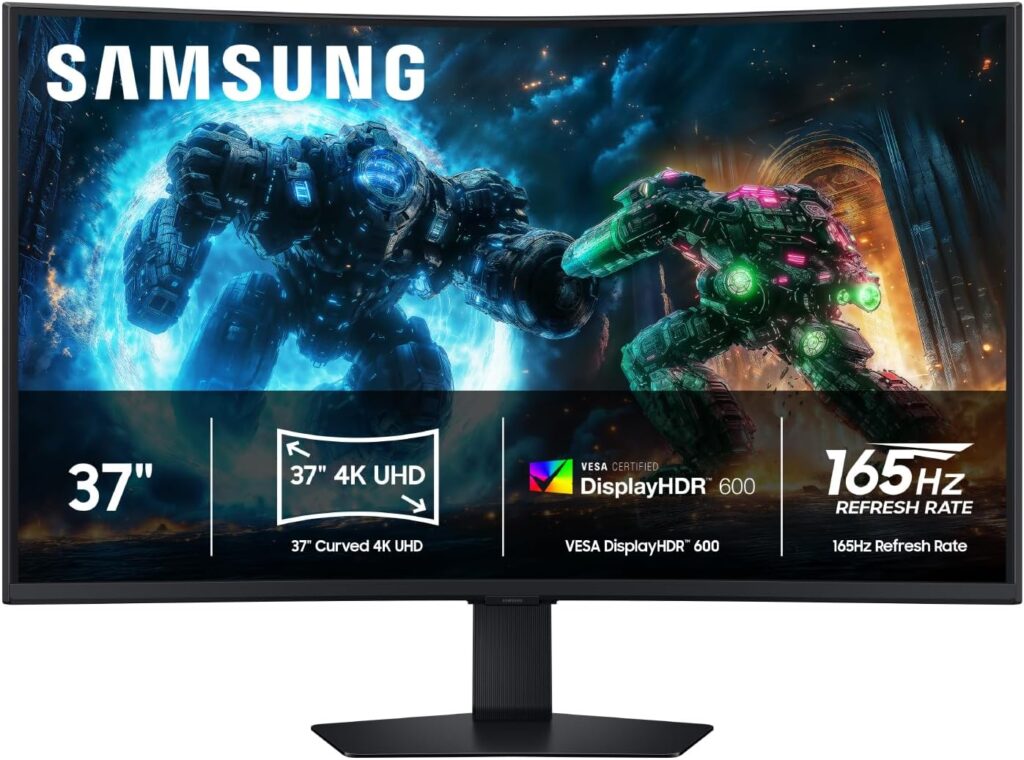
The Samsung Odyssey G7 has been a benchmark curved gaming monitor since its release, and it continues to hold up against newer competition. The combination of 240Hz, VA panel technology, and the aggressive 1000R curve gives it a character that IPS monitors simply don’t replicate. VA’s naturally deeper blacks make the curve feel more immersive — you notice the difference more than on a flat IPS display.
Key Specifications
- Resolution: 2560×1440 (QHD)
- Panel Type: VA
- Refresh Rate: 240Hz
- Response Time: 1ms (GtG)
- HDR: DisplayHDR 600
- HDMI: 2.0 (×1)
- DisplayPort: 1.4 (×1)
- USB Hub: Yes (USB-A ×2)
- Adaptive Sync: FreeSync Premium Pro / G-Sync Compatible
- Screen Size: 27 or 32 inches (1000R curve)
Why We Chose It
The Odyssey G7 earns its place here because it does something the other monitors on this list don’t: it delivers a genuinely premium curved experience at a price that makes sense. The 1000R curve is more aggressive than most curved monitors — you either love it or find it too much. For immersive single-player games and longer sessions, most users land firmly in the “love it” camp.
VA panels don’t get enough credit in gaming discussions because of their historical reputation for slower response times. Samsung’s implementation in the G7 is one of the better VA executions at this resolution and refresh rate — the response time performance is competitive with many IPS alternatives, and you gain contrast ratios that IPS simply can’t match.
DisplayHDR 600 certification combined with VA’s deeper blacks makes HDR more visually impactful than the same certification on IPS. Dark scene detail and HDR highlight separation look noticeably better here than on many IPS panels with equivalent specs on paper.
Pros
- VA panel delivers superior contrast versus IPS at this price
- 1000R aggressive curve enhances immersion in single-player titles
- 240Hz keeps it competitive for fast gaming
- DisplayHDR 600 certification with genuine HDR performance
- Solid ergonomic stand
- Strong overall build quality
Cons
- VA response times, while improved, still trail fast IPS in worst-case scenarios
- 1000R curve is polarizing — not ideal for flat-panel media or productivity
- Color accuracy not as strong as IPS out of the box
- Backlight bloom visible in high-contrast scenes
Who Should Buy It
Single-player and RPG gamers who want an immersive curved experience. Also well-suited to anyone who values deep blacks and high contrast over absolute response time metrics. Not recommended as a primary productivity monitor due to curve and VA color accuracy.
Our Verdict
The most immersive curved gaming monitor in this budget. The 1000R curve and VA contrast combination creates a display personality unlike any flat IPS on this list.
Best Value Gaming Monitor Under $650
LG UltraGear 27GR83Q-B
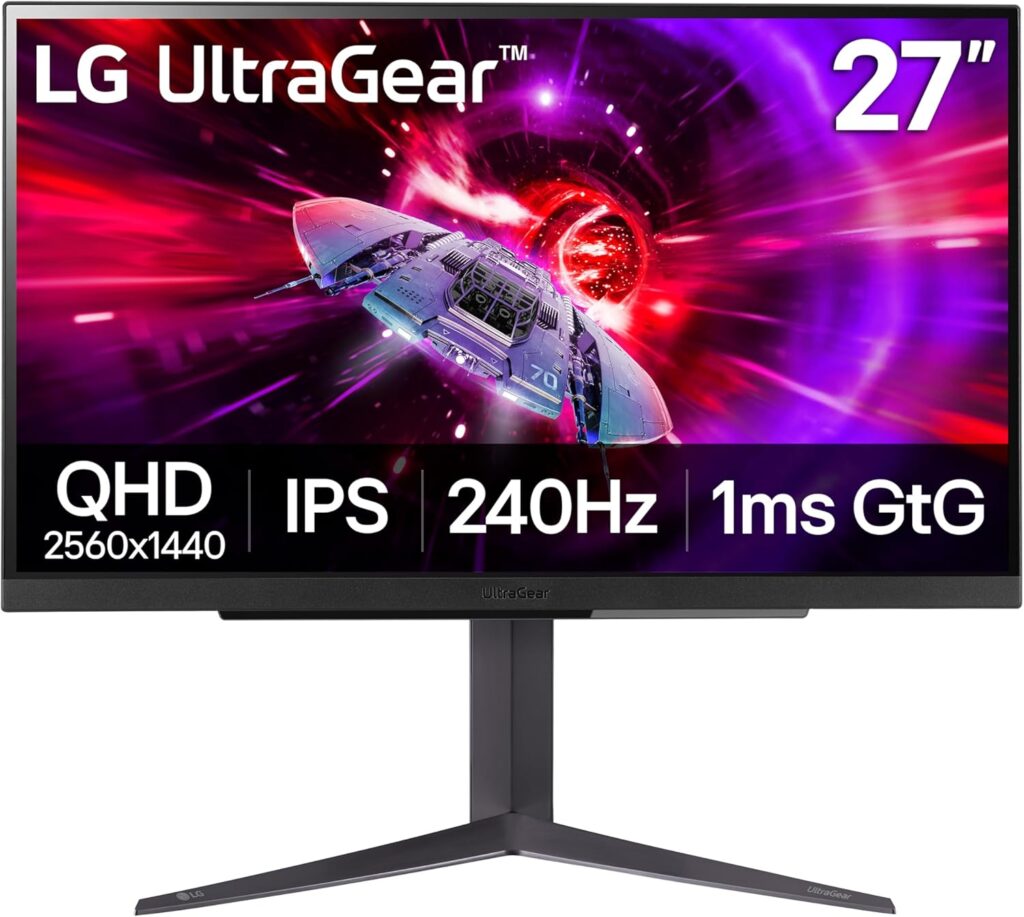
If your budget goal is to maximize performance per dollar and you don’t need all the bells and whistles of the more premium options, the LG UltraGear 27GR83Q-B delivers a strong core gaming experience without padding the price. It’s a 27-inch 1440p IPS panel at 165Hz, and it covers the fundamentals reliably.
Key Specifications
- Resolution: 2560×1440 (QHD)
- Panel Type: IPS (Nano IPS)
- Refresh Rate: 165Hz
- Response Time: 1ms (GtG)
- HDR: DisplayHDR 400
- HDMI: 2.0 (×2)
- DisplayPort: 1.4 (×1)
- USB Hub: No
- Adaptive Sync: FreeSync Premium / G-Sync Compatible
- Screen Size: 27 inches
Why We Chose It
Not everyone needs 240Hz, OLED, or 4K. The UltraGear 27GR83Q-B hits the resolution and refresh rate combination that suits the majority of gaming setups — 1440p at 165Hz is genuinely excellent for most game genres and GPU tiers.
LG’s Nano IPS technology delivers above-average color accuracy and wide viewing angles compared to standard IPS. The panel is well-calibrated from the factory, which means less time fiddling with settings before it looks right. For buyers who just want a monitor that works well without extensive setup, that matters.
PC gaming communities on Reddit frequently recommend the 27GR83Q-B as a straightforward, reliable choice for people building their first serious gaming setup or upgrading from 1080p/60Hz. It doesn’t win comparison tests on paper, but it doesn’t embarrass itself either, and the price-to-performance ratio is strong.
Pros
- Excellent price-to-performance ratio
- Nano IPS delivers above-average color for the price tier
- 1440p/165Hz is a strong everyday gaming specification
- Clean, minimal design that works with most setups
- Solid factory calibration
- G-Sync Compatible and FreeSync Premium
Cons
- No USB hub
- DisplayHDR 400 only — HDR is minimal
- 165Hz won’t satisfy high-refresh competitive players
- Stand ergonomics are more limited than premium alternatives
- No HDMI 2.1
Who Should Buy It
First-time 1440p upgraders, budget-conscious buyers who want reliable performance without premium pricing, and anyone who primarily plays slower-paced genres like RPGs, strategy, or adventure games where 165Hz is perfectly sufficient.
Our Verdict
The most sensible value purchase in this guide. If you don’t need the premium features, this monitor covers the fundamentals at a price that leaves room in your budget for other hardware.
How to Choose the Best Gaming Monitor Under $650
1440p vs 4K: Which Resolution Makes More Sense?
The honest answer depends entirely on your GPU and what you play.
4K (3840×2160) delivers noticeably sharper textures, cleaner UI text, and more detailed environments. On a 32-inch panel, the pixel density difference between 4K and 1440p is clearly visible. The trade-off: running 4K at high framerates demands an RTX 4070 Ti or RX 7900 XT at minimum to stay above 100 FPS in demanding titles.
1440p (2560×1440) is the GPU-friendly option. A mid-range card like the RTX 4070 or RX 7800 XT can push 140–200+ FPS at 1440p in demanding games. That headroom lets you take full advantage of 144Hz, 165Hz, or 240Hz panels — which is where you actually feel the difference in gameplay.
The short version: if you’re gaming primarily on PC with a high-end GPU, 4K at 144Hz is compelling. If you’re maximizing competitive performance or working with a mid-range GPU, 1440p at higher refresh rates is smarter.
OLED vs IPS vs VA: What Actually Matters for Gaming
OLED wins on contrast, response time, and HDR. Pixel-level blacks, 0.1ms response, and true-black HDR certification are things IPS and VA physically cannot replicate. The concerns — burn-in and peak brightness — are real but manageable with normal mixed gaming use. If image quality is your priority and you’re a PC gamer, OLED is worth the investment.
IPS is the versatile choice. Strong color accuracy, good response times (especially Fast IPS variants), and wide viewing angles make it work well for both gaming and productivity. It’s the default recommendation for most buyers because it handles everything competently without OLED’s maintenance considerations.
VA brings the deepest contrast ratios of non-OLED panels, which benefits dark environments and HDR content. The historical weakness — slower response times in dark-to-dark transitions — has improved considerably in modern high-refresh VA panels. Samsung’s Odyssey G7 is one of the better implementations. VA makes sense for immersive single-player gaming; it’s less ideal for fast competitive play.
Refresh Rate: How Much Do You Actually Need?
144Hz–165Hz is the entry point for smooth gaming and it’s genuinely excellent for most players. If you’re coming from 60Hz, the jump to 144Hz is the most dramatic perceptual improvement you’ll ever experience. For RPGs, strategy, adventure, and casual competitive play, 165Hz is entirely sufficient.
240Hz starts making a meaningful difference for competitive play. If you’re pushing 200+ FPS consistently in your games, 240Hz translates that into visible smoothness and reduced stutter. Most competitive players who have tried both 165Hz and 240Hz can feel the difference in fast, twitch-reaction scenarios.
300Hz+ is territory for dedicated competitive players. The perception gap between 240Hz and 300Hz is smaller than 165Hz to 240Hz, but in CS2, Valorant, or Apex at the highest skill levels, it’s measurable. It requires a powerful enough GPU to actually sustain the framerates.
Don’t buy a 300Hz monitor if your GPU can only push 150 FPS. The refresh rate only benefits you when your framerate can match it.
HDMI 2.1 Matters More Than Most Buyers Realize
If you game on PS5 or Xbox Series X — even occasionally — HDMI 2.1 is not optional. Both consoles support 4K/120Hz over HDMI 2.1, but they cap out at 4K/60Hz on HDMI 2.0. That’s not a minor limitation; it cuts your console gaming experience roughly in half.
Most gaming monitors only include HDMI 2.0, even expensive ones. The Gigabyte M32U is notable specifically because it includes two HDMI 2.1 ports — a practical advantage for anyone sharing a monitor between PC and console.
If you’re PC-only, HDMI 2.1 is less critical since you’ll primarily use DisplayPort. But if there’s any chance a console will connect to this monitor, prioritize HDMI 2.1 accordingly.
HDR: Marketing Gimmick or Real Upgrade?
Most monitors under $650 have HDR certifications that are technically accurate but practically disappointing. Here’s what the tiers actually mean:
DisplayHDR 400 requires 400 nits peak brightness. This is the entry-level certification and it’s barely noticeable versus a well-calibrated SDR display. The vast majority of budget “HDR monitors” carry this spec. It’s not a reason to buy or avoid a monitor — it’s essentially marketing.
DisplayHDR 600 requires 600 nits peak brightness and local dimming in many implementations. This is where HDR starts to look like HDR. Highlights in bright scenes genuinely pop, and dark areas have more separation. The ASUS ROG Strix XG27AQMR and Samsung Odyssey G7 both carry this certification and both deliver noticeably better HDR than 400-level panels.
DisplayHDR True Black 400 (OLED certification) is a different standard entirely. Because OLED pixels turn off individually, true black levels are 0 nits — infinite contrast. This is the only certification where HDR looks genuinely cinematic. The AOC Agon PRO AG276QZD2 and Dell Alienware AW3423DWF both carry this.
The practical takeaway: if HDR matters to you, target DisplayHDR 600 minimum on IPS/VA panels, or go OLED and skip the compromise entirely.
Build Quality and Long-Term Durability
Stands matter more than most buyers realize until they’ve lived with a poor one. A monitor with a budget stand that wobbles on every keystroke gets annoying fast.
The monitors on this list all have decent-to-excellent stand quality, but there’s a meaningful gap between the LG UltraGear’s more basic stand and the ASUS ROG or Gigabyte M32U’s fully adjustable units. If you type aggressively or sit close to your monitor, prioritize height, tilt, and swivel adjustment. Pivot (screen rotation) is useful if you work with vertical documents or code.
On warranty: the Dell Alienware AW3423DWF’s three-year premium panel guarantee with Advanced Exchange is genuinely better than the standard one-year coverage most monitors ship with. For a display you’ll use daily for years, that matters.
Dead pixel policies vary by manufacturer. Some cover a single dead pixel from day one; others require a minimum cluster before replacement. Check the specific policy for any monitor you buy before assuming you’re covered.
Connectivity Buyers Often Regret Ignoring
DisplayPort 1.4 is the standard for PC gaming at high resolutions and refresh rates. Every monitor here includes it. Use DisplayPort for your PC connection whenever possible — it handles bandwidth more reliably than HDMI for demanding specs.
USB hubs on monitors are genuinely useful. The Gigabyte M32U’s three USB-A ports reduce desk cable clutter significantly. If you have multiple peripherals to connect, a monitor with a built-in hub is a practical quality-of-life upgrade.
USB-C with DisplayPort alt mode is increasingly valuable if you want to connect a laptop with a single cable for both video and charging. Not all monitors in this range include it — worth checking if laptop compatibility is on your list.
KVM switches — only a few monitors here support built-in KVM for switching between multiple computers with a single keyboard and mouse. If you run both a work laptop and a gaming PC through one monitor, check KVM support before buying.
Curved vs Flat: When Each Makes Sense
Curved monitors (1000R–1800R) benefit from immersive single-player gaming, particularly racing and first-person open-world titles. The curve keeps the edges of wider monitors in natural peripheral vision range, reducing the need to scan. For 27-inch monitors, the curve benefit is subtle. For 32-inch and ultrawide panels, it’s more meaningful.
Flat monitors are better for productivity use, multi-monitor setups, and competitive gaming where screen geometry consistency matters. Artists and photographers prefer flat panels because the curve distorts color and alignment perception at the edges.
The Samsung Odyssey G7’s 1000R curve is the most aggressive available — it’s purpose-built for immersive single-player gaming and best treated as a dedicated gaming display rather than a do-everything monitor.
Common Mistakes Buyers Make
Buying refresh rate without GPU headroom. A 360Hz monitor connected to a GPU that only pushes 120 FPS is running at 120Hz. The extra headroom is meaningless. Match your refresh rate target to your GPU’s realistic output in the games you play.
Ignoring pixel density. A 27-inch 1080p monitor and a 27-inch 1440p monitor running the same refresh rate feel dramatically different. 1080p at 27 inches is noticeably soft at normal viewing distances. Always check PPI alongside resolution.
Trusting HDR certification without context. As explained above, DisplayHDR 400 and DisplayHDR True Black 400 are completely different levels of HDR performance. Don’t assume certification tier equals real-world performance.
Overlooking return policies for OLED. OLED monitors have nuances (peak brightness, burn-in risk) that IPS doesn’t. If you’ve never used one, buy from a retailer with a clear return policy so you can evaluate it for yourself before committing.
Prioritizing spec sheet refresh rates over tested response times. A monitor advertising 1ms GtG can still produce visible ghosting if the actual pixel response behavior at different shades is inconsistent. Tom’s Hardware and Hardware Unboxed both test response time curves in detail — worth checking before buying for competitive use.
What Most Gaming Monitor Reviews Never Tell You
Panel Quality Matters More Than Advertised Refresh Rates
Two monitors can both claim 1ms GtG and 240Hz, and one can feel dramatically better in motion than the other. This comes down to response time consistency — how uniformly fast the panel is across its entire grayscale range. Budget implementations often nail the best-case response time (which gets reported as the spec) while struggling with darker transitions where ghosting becomes visible.
The practical check: look for reviewer tests that include response time curves across multiple overdrive settings, not just peak numbers. Hardware Unboxed is particularly thorough here.
HDR Certifications Can Be Deliberately Misleading
The DisplayHDR certification system was created with good intentions but has been exploited by manufacturers gaming the minimum requirements. A monitor can earn DisplayHDR 400 by hitting 400 nits in a single small test zone while delivering noticeably lower brightness across the rest of the panel. Always cross-reference HDR certifications with measured full-screen and sustained brightness numbers from independent reviewers.
Console Gamers Have Different Priorities Than PC Gamers
The spec that matters most for PS5 or Xbox Series X users — HDMI 2.1 — appears in remarkably few gaming monitors at this price. Most reviews lead with refresh rates and response times, which are primarily PC gaming metrics. Console gamers don’t control their framerate the same way PC players do. For PS5/Xbox users, HDMI 2.1 and a resolution/refresh combination the console can actually output (4K/120Hz or 1440p/120Hz) should be the first filter, not the last.
Pixel Density Changes the Perceived Sharpness More Than Resolution Alone
Resolution numbers don’t tell you how sharp a monitor looks — pixel density (pixels per inch, PPI) does. A 4K display at 27 inches (163 PPI) looks noticeably sharper than a 4K display at 43 inches (102 PPI). A 1440p display at 27 inches (109 PPI) looks meaningfully cleaner than a 1440p display at 32 inches (92 PPI). When comparing monitors, check PPI alongside resolution, especially if screen sharpness matters for text or UI clarity.
Ergonomics Affect Every Long Session You’ll Ever Have
A monitor you physically can’t get into the right position will subtly degrade every session without your consciously connecting it to neck or eye strain. The minimum ergonomic requirements for a desk monitor are: height adjustment of at least 100mm, tilt adjustment front-to-back, and ideally swivel. Many budget monitors skip one or more of these. If you sit at a non-standard height, work unusual hours, or alternate between gaming and desk work, prioritize ergonomic range.
Frequently Asked Questions
What is the best gaming monitor under $650 overall?
The Gigabyte M32U is the best overall gaming monitor under $650. It combines 4K resolution, a fast IPS panel, 144Hz refresh rate, and dual HDMI 2.1 ports in a 32-inch form factor that works equally well for PC gaming, console gaming, and productivity. No other monitor in this budget matches that combination of features for most buyers.
Is OLED worth it for gaming?
Yes — if image quality and motion clarity are your priorities. OLED delivers infinite contrast, 0.1ms response time, and genuinely impressive HDR performance that IPS and VA panels can’t replicate. The burn-in concern is real but manageable: avoid leaving static content on-screen for extended periods and use the built-in pixel refresh features. For most gaming use cases, burn-in risk is low. If you’ve never gamed on OLED, the visual difference is genuinely striking.
Can I get a good 4K gaming monitor under $650?
Yes. The Gigabyte M32U delivers legitimate 4K/144Hz performance at this price point, including HDMI 2.1 for console compatibility. A few years ago, $650 wouldn’t get you a quality 4K gaming monitor. Today it’s one of the more competitive specifications available in the budget.
Is 1440p still the sweet spot for gaming?
For PC gaming on mid-range to high-end GPUs, yes. 1440p at 165–300Hz gives you resolution that’s meaningfully sharper than 1080p while keeping framerates high enough to benefit from a fast panel. For competitive play where maximizing FPS matters, 1440p remains the most practical balance between visual quality and frame rate headroom.
What refresh rate should I buy?
It depends on what you play. 165Hz is excellent for all genres and more than sufficient for casual to semi-competitive play. 240Hz is worth considering if you play competitive FPS titles and your GPU can sustain 200+ FPS at your chosen resolution. 300Hz is for dedicated competitive players who want every possible edge. Don’t pay for refresh rate your GPU can’t consistently reach.
Are curved gaming monitors better?
For immersive single-player gaming on larger panels (32 inches and above), a well-implemented curve improves the experience. For competitive gaming, multi-monitor setups, or productivity use, flat panels are generally preferable. The Samsung Odyssey G7’s 1000R curve is excellent for dedicated gaming but not recommended as a do-everything display.
Is HDMI 2.1 necessary?
It’s necessary if you connect a PS5 or Xbox Series X and want to game at 4K/120Hz or 1440p/120Hz. Both consoles cap out at 4K/60Hz over HDMI 2.0. If you’re PC-only and use DisplayPort, it’s less critical. Given that many households mix PC and console gaming on the same display, HDMI 2.1 is a feature worth prioritizing.
Which gaming monitor is best for PS5?
The Gigabyte M32U is the best monitor under $650 for PS5. It includes dual HDMI 2.1 ports, supports 4K/120Hz for PS5 games that enable it, and provides a large 32-inch canvas that suits living room and desk setups alike. For players who want the best visual experience from their PS5, nothing in this budget competes with it on the console-gaming checklist.
Conclusion: Which Monitor Is Right for You?
The gaming monitor market under $650 is genuinely excellent in 2026. Here’s the fast summary:
Best overall: Gigabyte M32U — 4K, HDMI 2.1, fast IPS, 32 inches. The default recommendation for most buyers.
Best OLED: AOC Agon PRO AG276QZD2 — Best image quality available at this price. Buy this if visual experience is your priority.
Best value: LG UltraGear 27GR83Q-B — Reliable 1440p/165Hz performance without premium pricing. Smart choice if you don’t need the extras.
Best for competitive FPS: ASUS ROG Strix XG27AQMR — 300Hz, fast IPS, 1440p. The choice for players who want the most responsive setup.
Best ultrawide: Dell Alienware AW3423DWF — QD-OLED, 34-inch, 165Hz. The most immersive display on this list for single-player and open-world gaming.
Best curved: Samsung Odyssey G7 — VA panel, 1000R curve, 240Hz. Purpose-built for immersive gaming sessions.
Match the monitor to how you actually game. No monitor here is a wrong choice — they’re all strong products that overdeliver at their price point. Pick the one whose priorities align with yours.








