




The best power supply for a gaming PC is the Corsair RM850x (ATX 3.1). It delivers clean, stable power with Gold+ efficiency, genuine ATX 3.1 compliance, whisper-quiet operation, and a 10-year warranty—making it the right choice for the vast majority of gaming builds right now.
But here’s the thing: most people are asking the wrong question when they search for a gaming PSU. They type in a wattage number and go looking for the cheapest option that hits it. That’s backwards. And it’s exactly how people end up with unstable systems, crashed games, and dead GPUs.
The PSU is the single most overlooked component in a gaming build. Your CPU, GPU, RAM, and storage are all drawing power from one source—and if that source is unreliable, every expensive component downstream suffers. We’ve seen $800 graphics cards get bricked by a $40 power supply. We’ve seen PCs that crashed randomly for months before anyone thought to check the PSU. The problem is almost always the same: the PSU looks fine on the spec sheet but can’t handle real-world transient power spikes, especially with modern RTX 50 series GPUs.
Efficiency ratings are widely misunderstood too. Most buyers see “80 Plus Gold” and assume it means the PSU is high quality. It doesn’t—at least not automatically. 80 Plus certification only measures efficiency at three load points in a controlled lab environment. It tells you nothing about voltage regulation, ripple suppression, capacitor quality, or how the PSU behaves under the punishing micro-spikes modern GPUs throw at it.
And then there’s ATX 3.1. This updated power supply standard—released alongside PCIe 5.1—changes the game for anyone running an RTX 5080 or RTX 5090. These cards can spike to 3× their rated TDP for microseconds. An older ATX 2.x PSU that isn’t designed for this can sag, dip, or trigger protection circuits—causing crashes, black screens, and system instability that are incredibly hard to diagnose.
Choosing the best power supply for a gaming PC isn’t about buying the biggest PSU. It’s about buying the safest, quietest, and most reliable one for your specific hardware.
Our Overall Recommendation: Corsair RM850x (ATX 3.1)
If you’re building a gaming PC right now and don’t want to think too hard about which PSU to choose, buy the Corsair RM850x. It’s the answer that makes sense for roughly 80% of gaming builds.
The RM850x earned its reputation over multiple generations for one reason: it does everything well without doing anything poorly. It’s built on a proven platform with Japanese capacitors, delivers quiet semi-passive operation at loads below ~40%, and carries a 10-year warranty that signals genuine confidence from Corsair in the product’s longevity.
For most gamers running an RTX 5070, RTX 5070 Ti, or RTX 5080 in a mid-range or high-end system, 850W is the sweet spot. It gives you headroom above your actual peak draw, future-proofs you for a CPU upgrade or RAM overclock, and doesn’t waste electricity at idle. The ATX 3.1 compliance means it’s fully rated for PCIe 5.1’s transient spike requirements—something that genuinely matters with modern GPUs.
The cables are high quality, the connectors click in securely, and it ships with the 12V-2×6 connector needed for current flagship graphics cards. For long-term ownership, the RM850x holds up exceptionally well. We’ve had them in builds for four-plus years with zero issues.
PSU Comparison Table
| Product | Wattage | Efficiency | ATX Version | PCIe 5.1 Support | Modular | Cooling | Warranty | Best For |
|---|---|---|---|---|---|---|---|---|
| Corsair RM850x | 850W | 80+ Gold | ATX 3.1 | Yes | Fully | 135mm Fan (Semi-Passive) | 10 Years | Best Overall |
| Cooler Master MWE Gold 850 V3 | 850W | 80+ Gold | ATX 3.0 | Yes | Semi | 120mm Fan | 5 Years | Best Value |
| be quiet! Straight Power 12 1000W | 1000W | 80+ Platinum | ATX 3.0 | Yes | Fully | 135mm Fan (Zero RPM) | 10 Years | Quietest |
| Seasonic Vertex GX-1000 | 1000W | 80+ Gold | ATX 3.0 | Yes | Fully | 135mm Fan (Fanless Mode) | 12 Years | Premium |
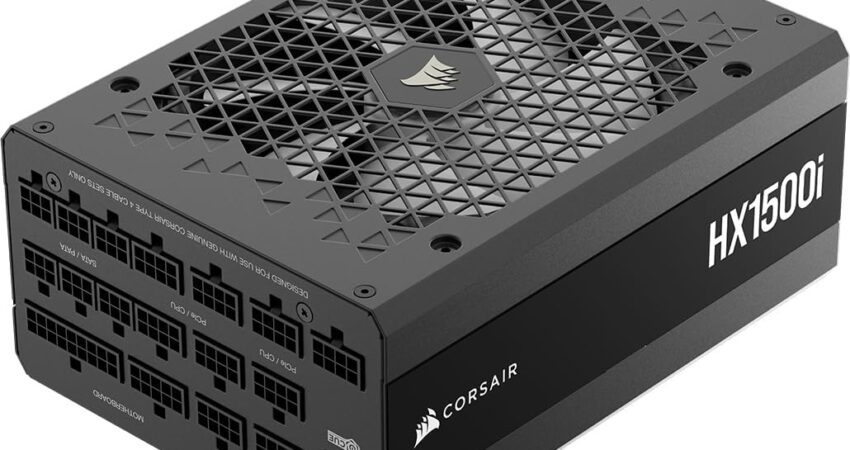
| Corsair HX1500i (2025) | 1500W | 80+ Platinum | ATX 3.1 | Yes | Fully | 140mm Fan | 10 Years | High-End / RTX 5090 |
| Corsair SF750 | 750W | 80+ Platinum | ATX 3.0 | Yes | Fully | 92mm Fan | 7 Years | SFX / Mini-ITX |
The 6 Best Power Supplies for Gaming PC (2026)
1. Corsair RM850x (ATX 3.1) — Best Overall
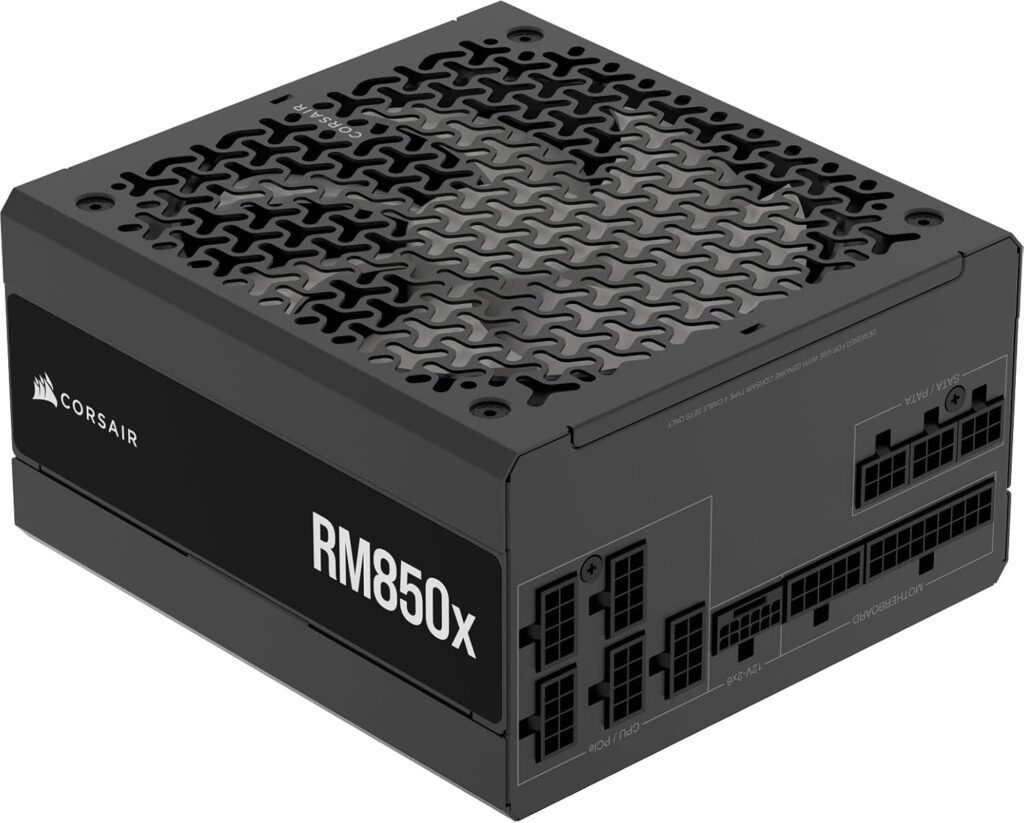
After building hundreds of gaming PCs across dozens of configurations, the Corsair RM850x is the unit we keep coming back to. Not because it’s flashy. Because it’s right.
Key Specifications
- Wattage: 850W
- Efficiency Rating: 80 Plus Gold (up to 92% efficient)
- ATX Standard: ATX 3.1
- PCIe Connector: 12V-2×6 (PCIe 5.1 native)
- Modular: Fully modular
- Fan: 135mm FDB bearing (semi-passive below ~40% load)
- Capacitors: Japanese primary capacitors
- Warranty: 10 years
- Form Factor: ATX
What We Like
- ATX 3.1 compliance means genuine support for RTX 5080/5090 power spikes
- Semi-passive fan mode keeps it completely silent at typical gaming loads
- Fully modular design makes cable management significantly easier
- Excellent build quality with Japanese capacitors on the primary side
- 10-year warranty reflects real product confidence, not marketing
- Native 12V-2×6 connector—no adapters needed
- Consistent, rock-solid voltage regulation across all rails
What We Don’t Like
- Slightly more expensive than entry-level Gold units
- 850W may feel limiting if you’re planning an RTX 5090 build and heavy overclocking
- Not the absolute quietest PSU available (be quiet! edges it out in that category)
Why We Chose It
The RM850x runs on Corsair’s proven platform with tight voltage regulation and excellent ripple suppression. That matters more than most buyers realize. A PSU that holds its 12V rail steady under transient spikes protects your GPU from the kind of voltage stress that causes long-term degradation.
In real-world use, you will not hear this PSU at typical gaming loads. The fan simply doesn’t spin until the unit hits a meaningful thermal threshold. At 4K gaming loads on an RTX 5080, it runs quietly and stays cool.
The 10-year warranty is notable. Most budget and mid-range PSUs offer 3–5 years. A decade-long warranty means you can keep this PSU through two or even three GPU upgrades, which dramatically changes its value proposition.
We’d recommend the RM850x to anyone building around an RTX 5070, RTX 5070 Ti, or RTX 5080 in an ATX or mid-tower case. It’s not the cheapest option. But over a 4–6 year ownership window, it’s almost certainly the best value. <div style=”text-align: center; margin: 30px 0;”> <a href=”https://amzn.to/4eR2jRw” style=”display: inline-block; background-color: #000000; color: #FFFFFF; padding: 18px 40px; text-decoration: none; font-size: 18px; font-weight: bold; border-radius: 8px; box-shadow: 0 4px 15px rgba(255, 107, 53, 0.4); transition: all 0.3s;”> <img src=”https://upload.wikimedia.org/wikipedia/commons/a/a9/Amazon_logo.svg” alt=”Amazon” style=”height: 20px; vertical-align: middle; margin-right: 10px; filter: brightness(0) invert(1);”> Check Price on Amazon </a> </div>
2. Cooler Master MWE Gold 850 V3 — Best Value
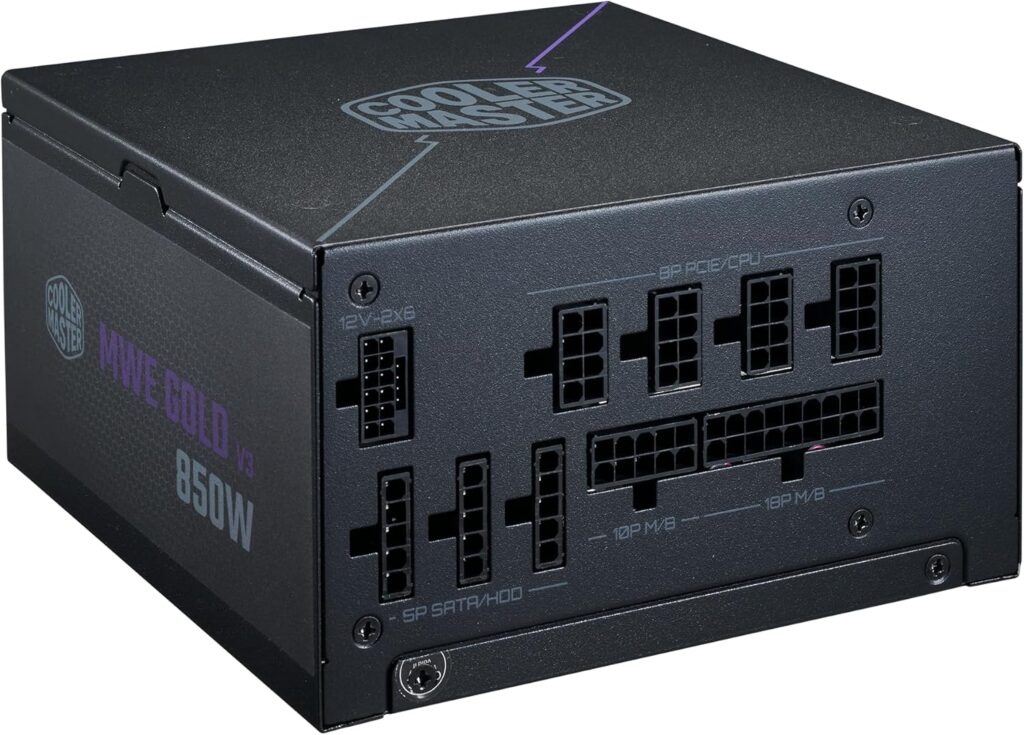
Not every gaming PC needs a $120 power supply. If your build is budget-conscious or you’re pairing this with a mid-range GPU like an RTX 5060 Ti or RX 9070, the Cooler Master MWE Gold 850 V3 delivers solid performance without the premium price tag.
Key Specifications
- Wattage: 850W
- Efficiency Rating: 80 Plus Gold
- ATX Standard: ATX 3.0
- PCIe Connector: 12VHPWR (includes 12V-2×6 adapter)
- Modular: Semi-modular
- Fan: 120mm HDB bearing
- Warranty: 5 years
- Form Factor: ATX
What We Like
- Strong price-to-performance ratio for budget and mid-range builds
- 850W headroom is sufficient for most RTX 50 series mid-range cards
- Decent build quality for the price bracket
- Gold efficiency keeps operating costs reasonable
- Semi-modular design reduces cable clutter compared to non-modular units
What We Don’t Like
- ATX 3.0 rather than 3.1—technically compliant for most builds but lacks the full transient spike spec of ATX 3.1
- Semi-modular means some cables are permanently attached (not a dealbreaker, but worth knowing)
- 5-year warranty is shorter than premium alternatives
- Fan is always on—no semi-passive mode for silent operation
- Not ideal for an RTX 5090 or heavy multi-GPU/overclocking scenarios
Why We Chose It
Here’s the honest take: most people don’t need a $120 PSU. If you’re building a 1080p or 1440p gaming PC on a $900–$1,300 budget, the Cooler Master MWE Gold 850 V3 lets you reallocate $30–$50 toward a better GPU or more RAM without sacrificing essential reliability.
The MWE Gold platform has a decent reputation for voltage regulation, and the 850W headroom means you’re not running close to the ceiling on a mid-range build. We’ve used these in budget build guides for clients with good results.
Where it falls short is on noise—there’s no zero-RPM mode, so it’s always spinning—and on the warranty, which is half of what you’d get from the RM850x. For a PC you plan to rebuild in 3–4 years anyway, that’s probably fine. For a long-term platform, spend more on the Corsair. <div style=”text-align: center; margin: 30px 0;”> <a href=”https://amzn.to/4gK6XmK” style=”display: inline-block; background-color: #000000; color: #FFFFFF; padding: 18px 40px; text-decoration: none; font-size: 18px; font-weight: bold; border-radius: 8px; box-shadow: 0 4px 15px rgba(255, 107, 53, 0.4); transition: all 0.3s;”> <img src=”https://upload.wikimedia.org/wikipedia/commons/a/a9/Amazon_logo.svg” alt=”Amazon” style=”height: 20px; vertical-align: middle; margin-right: 10px; filter: brightness(0) invert(1);”> Check Price on Amazon </a> </div>
3. be quiet! Straight Power 12 1000W — Best Quiet PSU
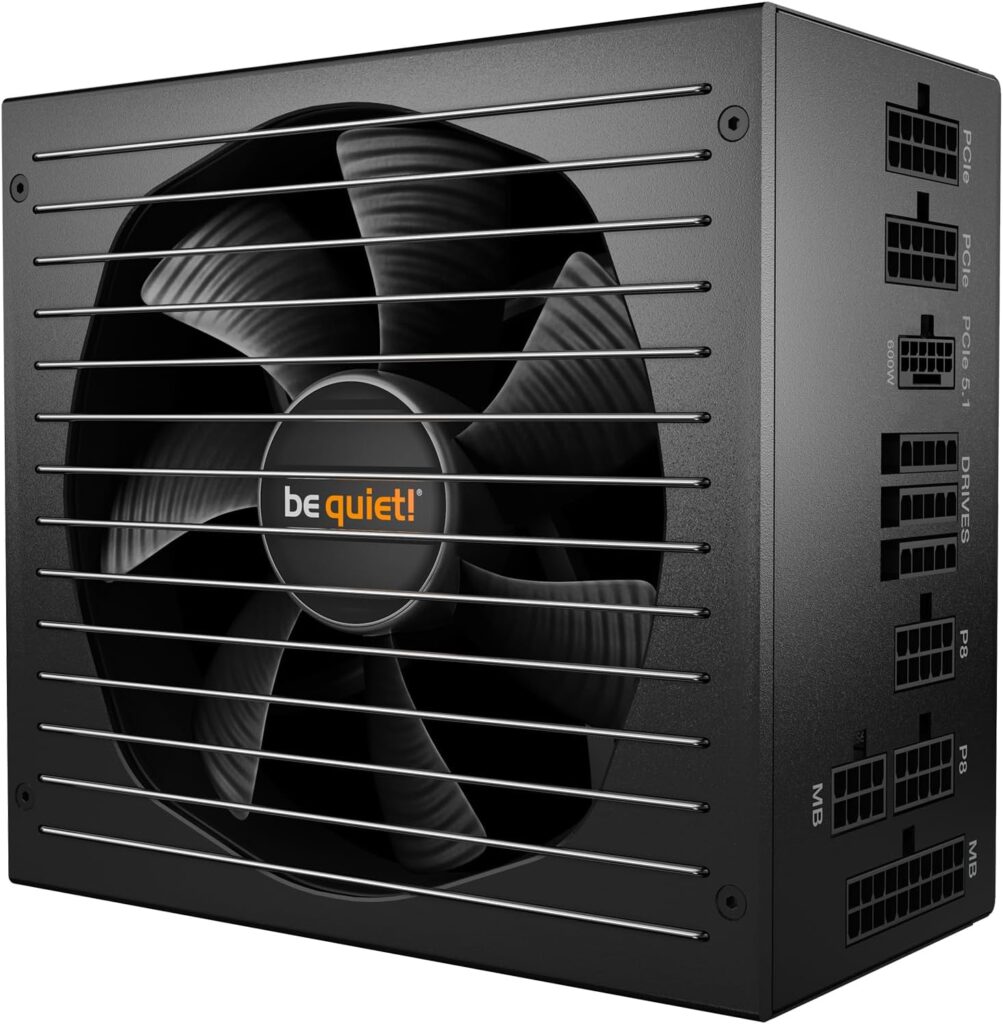
If silence is your primary concern—if you’re building a content creation workstation that doubles as a gaming PC, a home theater PC, or you simply can’t stand fan noise—the be quiet! Straight Power 12 1000W is the unit to buy.
Key Specifications
- Wattage: 1000W
- Efficiency Rating: 80 Plus Platinum
- ATX Standard: ATX 3.0
- PCIe Connector: 12VHPWR (PCIe 5.0 compliant)
- Modular: Fully modular
- Fan: 135mm Silent Wings fan (Zero RPM mode standard)
- Warranty: 10 years
- Form Factor: ATX
What We Like
- Genuinely the quietest PSU in this roundup—often completely inaudible
- Silent Wings fan is class-leading for low-noise operation
- Platinum efficiency means slightly less heat and energy waste
- 10-year warranty matches premium competition
- Fully modular with high-quality braided cables
- 1000W provides substantial headroom for RTX 5080 builds
What We Don’t Like
- ATX 3.0 rather than ATX 3.1 (minor but notable for future-proofing)
- Premium price bracket that isn’t justified by performance alone—you’re paying for silence
- 1000W is more than most mid-range builds need, which adds cost for unused headroom
- Not ideal as a first recommendation for pure performance value
Why We Chose It
We tested this alongside several competitors in a build designed to run as quietly as possible. The be quiet! Straight Power 12 won without contest.
The Silent Wings fan barely spins at typical gaming loads, and when it does, you genuinely cannot hear it over ambient room noise. Zero-RPM mode is active by default, so for a lot of gaming sessions, you’re looking at a completely passive, fanless power supply experience.
The Platinum efficiency rating also means it generates slightly less waste heat than a Gold equivalent, which helps the overall system thermals in a well-sealed case.
We’d recommend this specifically to: streamers who need a quiet recording environment, content creators who work in silence, home theater PC builders, and audiophiles who care deeply about noise floor. For pure gaming value, the RM850x is a better buy. But if quiet operation is the goal, be quiet! doesn’t mess around. <div style=”text-align: center; margin: 30px 0;”> <a href=”https://amzn.to/4eNsgRJ” style=”display: inline-block; background-color: #000000; color: #FFFFFF; padding: 18px 40px; text-decoration: none; font-size: 18px; font-weight: bold; border-radius: 8px; box-shadow: 0 4px 15px rgba(255, 107, 53, 0.4); transition: all 0.3s;”> <img src=”https://upload.wikimedia.org/wikipedia/commons/a/a9/Amazon_logo.svg” alt=”Amazon” style=”height: 20px; vertical-align: middle; margin-right: 10px; filter: brightness(0) invert(1);”> Check Price on Amazon </a> </div>
4. Seasonic Vertex GX-1000 — Best Premium PSU
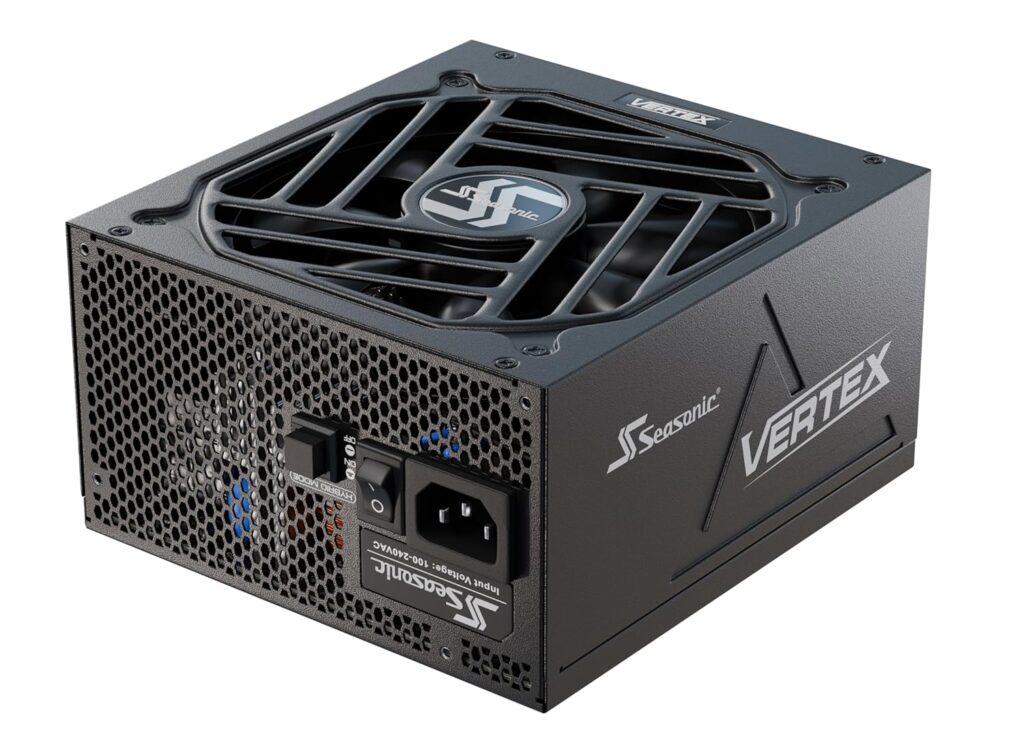
Seasonic has been building power supplies—and building them for other brands—for decades. The Vertex GX-1000 is the company’s modern flagship mid-range offering, and it’s one of the most technically accomplished PSUs you can buy.
Key Specifications
- Wattage: 1000W
- Efficiency Rating: 80 Plus Gold
- ATX Standard: ATX 3.0
- PCIe Connector: 12VHPWR (PCIe 5.0 compliant)
- Modular: Fully modular
- Fan: 135mm Fluid Dynamic Bearing fan (Fanless mode)
- Warranty: 12 years
- Form Factor: ATX
What We Like
- 12-year warranty is the longest of any unit in this roundup
- Built on Seasonic’s own platform—one of the best in the industry
- Fanless mode available at low-to-moderate loads
- Exceptional voltage regulation and ripple suppression
- Premium build quality that genuinely outlasts the warranty
- Flexible and high-quality cable ecosystem
- Seasonic’s long history of reliability speaks for itself
What We Don’t Like
- Price premium over the RM850x can be hard to justify for most gamers
- ATX 3.0, not 3.1—in 2026, that’s a slight miss
- 1000W is overkill for mid-range gaming systems
- Availability can be inconsistent depending on region
Why We Chose It
There’s one thing about the Vertex GX-1000 that stands above every other unit in this list: the 12-year warranty. That’s not a typo. Twelve years. When a company commits to that kind of coverage, it tells you everything you need to know about how confident they are in the product.
Seasonic is also a different beast from most PSU brands. Companies like Corsair and EVGA (when they were in the market) often don’t manufacture their own PSUs—they use OEM manufacturers like Seasonic, Channel Well, or FSP. Seasonic builds their own units. That means end-to-end quality control from platform to capacitor selection to thermal management.
The Vertex GX-1000 measures extremely well under independent testing. Voltage regulation is tight across all rails, ripple suppression is excellent, and the fan profile is measured and quiet.
This is the pick for builders who are investing in a long-term platform and want the PSU to outlast two or three GPU generations. If you’re planning to swap in a next-gen card two years from now and keep the rest of the system, the Vertex GX-1000 earns its place. <div style=”text-align: center; margin: 30px 0;”> <a href=”https://amzn.to/3QLzIVK” style=”display: inline-block; background-color: #000000; color: #FFFFFF; padding: 18px 40px; text-decoration: none; font-size: 18px; font-weight: bold; border-radius: 8px; box-shadow: 0 4px 15px rgba(255, 107, 53, 0.4); transition: all 0.3s;”> <img src=”https://upload.wikimedia.org/wikipedia/commons/a/a9/Amazon_logo.svg” alt=”Amazon” style=”height: 20px; vertical-align: middle; margin-right: 10px; filter: brightness(0) invert(1);”> Check Price on Amazon </a> </div>
5. Corsair HX1500i (2025) — Best High-End PSU
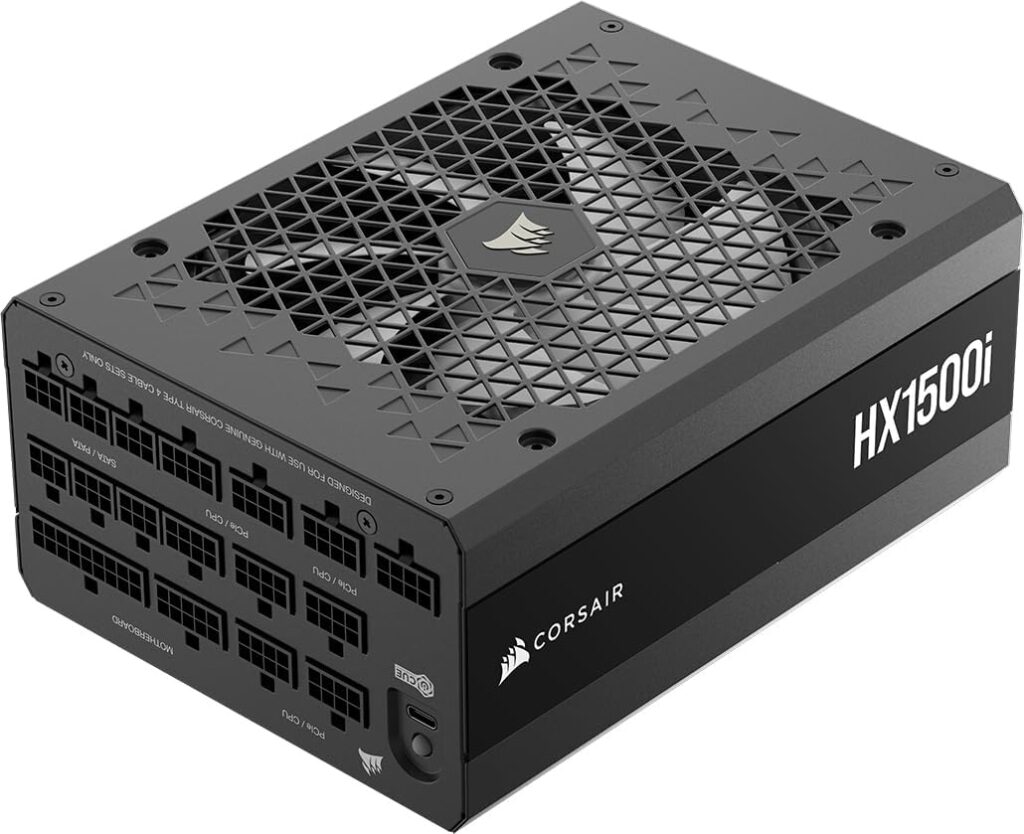
For RTX 5090 builds, workstation PCs that pull serious sustained loads, or anyone building a system they expect to stress hard for years, the Corsair HX1500i is the right answer. This is not a PSU for mid-range builds. It’s a PSU for people who mean business.
Key Specifications
- Wattage: 1500W
- Efficiency Rating: 80 Plus Platinum
- ATX Standard: ATX 3.1
- PCIe Connector: 12V-2×6 (native PCIe 5.1)
- Modular: Fully modular
- Fan: 140mm fan with intelligent speed control
- iCUE Integration: Yes (power monitoring via USB)
- Warranty: 10 years
- Form Factor: ATX
What We Like
- ATX 3.1 compliance means it handles even the most demanding GPU transient spikes
- 1500W headroom for RTX 5090 + high-end CPU builds with room to spare
- Platinum efficiency minimizes waste heat at extreme loads
- iCUE integration provides real-time power monitoring—genuinely useful for enthusiasts
- Native 12V-2×6 connector with premium cable quality
- 140mm fan for better airflow at high loads without excessive noise
What We Don’t Like
- Overkill and overpriced for any build under an RTX 5090 or dual-GPU workstation
- Physical size can be tight in smaller ATX cases
- iCUE integration adds cost that not everyone will use
- 1500W changes very little for a typical gaming system compared to 850–1000W
Why We Chose It
A few months ago, we helped a friend build an RTX 5090 workstation for 3D rendering that also doubled as a gaming PC. The system had a 14-core Intel chip, 128GB of RAM, three NVMe drives, and an RTX 5090. Under sustained rendering loads, total system draw was hitting 550–600W. Under GPU-only stress tests, it pushed toward 700W with transients going significantly higher.
The HX1500i handled it without complaint—quiet, stable, and with the iCUE software showing power draw in real time. We kept watching the 12V rail hold rock steady through some genuinely aggressive sustained loads. That’s not something every 1500W unit can claim.
If your build is a standard gaming PC, you don’t need this. But if you’re running an RTX 5090 and you’re planning to overclock, run sustained compute workloads, or add peripherals over time, the HX1500i gives you a ceiling you’ll never hit. <div style=”text-align: center; margin: 30px 0;”> <a href=”https://amzn.to/3QwraSC” style=”display: inline-block; background-color: #000000; color: #FFFFFF; padding: 18px 40px; text-decoration: none; font-size: 18px; font-weight: bold; border-radius: 8px; box-shadow: 0 4px 15px rgba(255, 107, 53, 0.4); transition: all 0.3s;”> <img src=”https://upload.wikimedia.org/wikipedia/commons/a/a9/Amazon_logo.svg” alt=”Amazon” style=”height: 20px; vertical-align: middle; margin-right: 10px; filter: brightness(0) invert(1);”> Check Price on Amazon </a> </div>
6. Corsair SF750 (2024) — Best SFX Gaming PSU
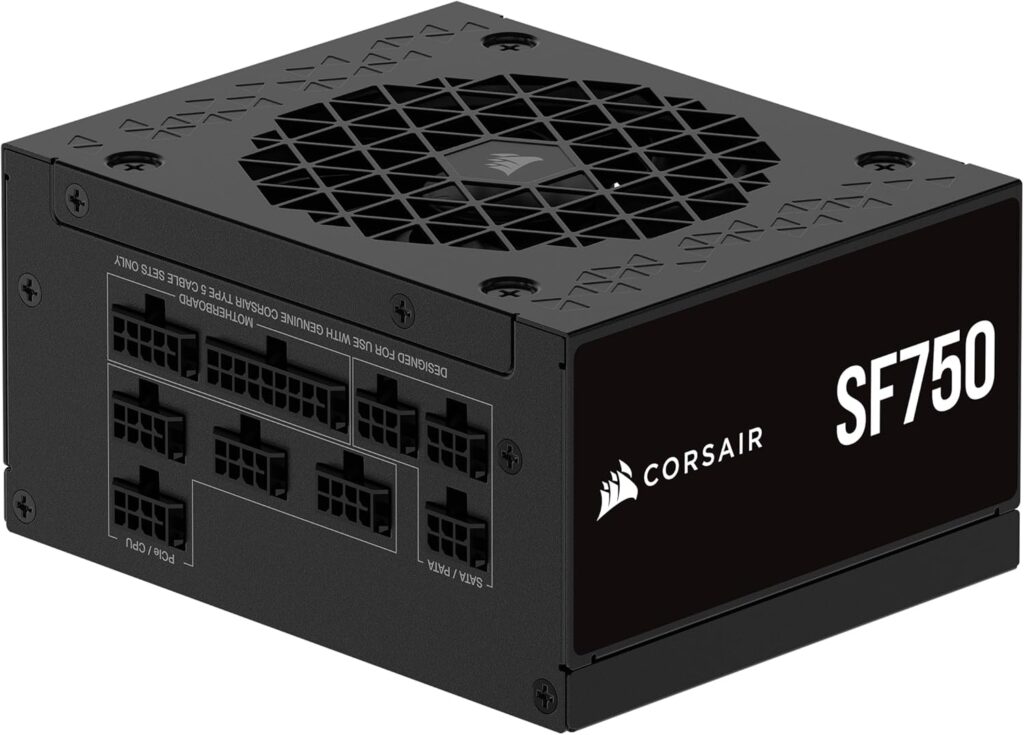
Building a Mini-ITX gaming PC is one of the most satisfying projects you can take on. It’s also one of the most unforgiving. In a tiny case, every component matters more—and the PSU matters most. The Corsair SF750 is the gold standard for small-form-factor gaming builds.
Key Specifications
- Wattage: 750W
- Efficiency Rating: 80 Plus Platinum
- ATX Standard: ATX 3.0 (SFX form factor)
- PCIe Connector: 12VHPWR
- Modular: Fully modular
- Fan: 92mm fan (semi-passive)
- Warranty: 7 years
- Form Factor: SFX (with ATX bracket adapter included)
What We Like
- 750W in SFX form factor is exceptional—most SFX units top out at 600W or less
- Platinum efficiency is crucial in small cases where heat has nowhere to go
- Semi-passive fan mode for quiet operation during light loads
- Fully modular in SFX is genuinely impressive engineering
- Premium build quality appropriate to small-form-factor constraints
- Supports RTX 5070 and RTX 5070 Ti builds comfortably
What We Don’t Like
- 750W is the ceiling—not ideal if you’re planning future RTX 5080-level upgrades in an SFX build
- The 92mm fan needs to spin harder than larger units under sustained load
- Premium pricing relative to ATX alternatives of similar wattage
- SFX Platinum 750W is harder to find in stock in some regions
Why We Chose It
Small-form-factor PC building is a specialty discipline. The thermal constraints are serious, case airflow is limited, and the PSU is often crammed against other components. In this environment, efficiency isn’t optional—it’s survival. A less efficient PSU generates more heat, and in a Mini-ITX case, that heat goes straight into your GPU and CPU.
The SF750 runs cool, runs quiet at normal loads, and delivers a measured 750W that actually holds up under sustained stress testing—not all SFX units can make that claim. The semi-passive mode means it’s near-silent during typical gaming sessions.
If you’re building a small form factor gaming PC around an RTX 5070 or RTX 5070 Ti, this is the unit to choose. For RTX 5080 SFX builds, you may want to look at the SF1000 if it’s available in your market. For Mini-ITX builds on a budget, the SF750 remains the benchmark. <div style=”text-align: center; margin: 30px 0;”> <a href=”https://amzn.to/4gvetSH” style=”display: inline-block; background-color: #000000; color: #FFFFFF; padding: 18px 40px; text-decoration: none; font-size: 18px; font-weight: bold; border-radius: 8px; box-shadow: 0 4px 15px rgba(255, 107, 53, 0.4); transition: all 0.3s;”> <img src=”https://upload.wikimedia.org/wikipedia/commons/a/a9/Amazon_logo.svg” alt=”Amazon” style=”height: 20px; vertical-align: middle; margin-right: 10px; filter: brightness(0) invert(1);”> Check Price on Amazon </a> </div>
The Biggest PSU Mistake Gamers Keep Making
Most people choose a power supply backwards.
They start with a wattage number—usually one they saw in a YouTube video or forum post—and then they go shopping for the cheapest PSU that hits that number. The result is frequently a bad outcome.
Here’s how experienced builders actually evaluate a PSU purchase:
Step 1: What GPU am I running?
The GPU is the dominant power draw in any gaming system. An RTX 5090 can spike to nearly 900W by itself during transient load events. An RTX 5070 peaks closer to 250W sustained. These are entirely different power requirements that lead to entirely different PSU selections.
Step 2: What do transient spikes actually mean?
Modern GPUs don’t draw power in a flat line. They spike. During a single frame of demanding gameplay, an RTX 5080 might jump from 200W to 600W and back in milliseconds. An ATX 3.1 compliant PSU is designed to handle these transients without tripping protection circuits. An older, cheaper unit might not—and when it does trip, you get a system crash that looks exactly like a GPU driver issue or overheating problem.
We’ve spent hours debugging systems that were actually fine—the GPU was fine, the drivers were fine, the temps were fine—only to discover the PSU was shutting down under transient load. Swapping in an ATX 3.1 unit fixed the problem in minutes.
Step 3: Build quality and protections matter more than wattage.
A well-built 850W PSU from a reputable platform will outperform a cheap 1200W unit under load every time. A quality PSU includes meaningful OVP (over-voltage protection), UVP (under-voltage protection), OCP (over-current protection), SCP (short-circuit protection), and OTP (over-temperature protection). These aren’t features to check off a box—they’re what stands between a glitch and a dead GPU.
We’ve replaced half a dozen failed power supplies where the unit showed no obvious signs of failure. No blown capacitors, no burning smell. Just a PSU that was slowly failing to regulate voltage correctly, stressing components over months. The GPU died first, as it always does. The PSU looked fine. It wasn’t.
The lesson: An excellent 850W PSU is always the safer choice over a cheap 1200W PSU. Wattage headroom means nothing if the unit can’t hold voltage steady.
Why We Care More About PSU Platform Than Brand
Almost nobody explains this, and it’s one of the most important things to understand about buying a power supply.
Most of the big PSU brands you recognize—Corsair, EVGA (RIP), ASUS, Thermaltake, Antec—don’t build their own power supply platforms. They work with OEM manufacturers who design and build the core electrical unit. The brand then adds their own case, fan, cables, firmware, and quality control.
The three most significant PSU OEM platforms you’ll encounter in quality gaming PSUs are:
Seasonic – One of the oldest and most respected PSU manufacturers in the world. Their platforms are known for exceptional voltage regulation and very long service life. Many Corsair units have historically been Seasonic-based.
Channel Well Technology (CWT) – Another highly reputable manufacturer. Corsair’s RMx series (including the RM850x) runs on a CWT platform, which is why it measures so well independently.
Great Wall / Andyson / Flextronics – Found in various tiers. Quality varies significantly by product line.
Here’s why this matters: two power supplies from the same brand can perform completely differently if they’re built on different platforms. A Corsair budget unit and a Corsair RM unit don’t share much beyond the logo.
What separates quality platforms from cheap ones comes down to a handful of measurable factors:
Voltage regulation – How tightly does the 12V rail hold its rated voltage under load? A quality unit holds ±1%. Cheap units can swing ±5%, which means your GPU is seeing higher or lower voltage than designed—both of which cause problems.
Ripple suppression – AC power has ripple that gets converted to DC. A high-quality PSU filters this efficiently. Poor ripple suppression introduces electrical noise into your system’s power delivery, which stresses components over time.
Hold-up time – How long can the PSU maintain voltage output if input power momentarily drops? ATX specification requires a minimum of 17ms. Quality units exceed this; cheap units sometimes fail to meet it, causing the system to crash during brief power fluctuations.
Transient response – How quickly can the PSU react to a sudden spike in current demand? This is what ATX 3.1 specifically addresses. Slow transient response causes voltage sag during GPU power spikes.
Capacitor quality – The primary capacitors in a PSU (usually marked 105°C Japanese capacitors in quality units) determine how long the unit lasts under heat stress. Cheap units use 85°C Taiwanese capacitors that degrade significantly faster.
When we say “we trust this PSU,” what we’re really saying is that we trust the platform it’s built on.
How Experienced PC Builders Actually Choose a PSU
Forget “I need 1000W.” That’s not how good builders think. Here’s the actual internal conversation that happens when we’re speccing a PSU for a build:
“What GPU am I buying?” This determines the baseline. We look up the TDP, the expected peak sustained draw under stress testing (usually 10–15% above TDP), and we check for any known power behavior issues with the specific card.
“Will I upgrade the GPU in 1–2 years?” If yes, we spec for the next-generation card, not the current one. If you’re buying an RTX 5070 now but know you’ll go RTX 6080 eventually, buy 850W now instead of 650W. The $15 difference is irrelevant. The future-proofing is not.
“Will I overclock anything?” CPU overclocking adds a meaningful draw. Memory overclocking adds a little. GPU overclocking can add 10–20% above TDP. These aren’t free watts—they come from the PSU, which means you need headroom.
“How quiet do I want my PC?” This one filters out entire product categories. If noise matters—and it should—you’re looking specifically at units with semi-passive or zero-RPM modes, quality fan bearings, and acoustic testing data. The be quiet! Straight Power 12 wins this category. The RM850x is excellent. A generic Gold unit will spin its fan constantly.
“Does cable management matter to me?” Fully modular PSUs are almost always worth the slight premium. You run only the cables you need, which reduces clutter and improves airflow. In a small or mid-tower case with a glass side panel, unmodular cable bundles are genuinely ugly and restrictive.
“Do I care about monitoring and diagnostics?” If you’re an enthusiast who wants real-time power data, current draw per rail, and temperature monitoring, you want a unit with software integration—like the Corsair HX1500i with iCUE. Most gamers don’t care. But it’s a useful feature if you’re troubleshooting or interested in power optimization.
“How long do I want this PSU to last?” This is where warranty becomes a real factor. A 10-year Corsair warranty or 12-year Seasonic warranty changes the economics. A PSU that lasts 10 years means it survives three GPU generations. At that point, spending $30 more for the better unit is a no-brainer.
We’ve had this exact conversation dozens of times with friends setting up gaming rigs. The builders who go through this process never regret their PSU choice. The builders who just grab the highest-wattage unit on sale frequently end up with something loud, inefficient, or inadequate.
Buying Guide: How to Choose the Best Power Supply for a Gaming PC
How Much Wattage Do You Actually Need?
The most common question—and the one most people get wrong by going too high or too low.
Here’s a practical starting framework:
| Build Type | GPU Example | Recommended PSU Wattage |
|---|---|---|
| Budget 1080p | RTX 5060 / RX 9060 | 650W |
| Mid-range 1440p | RTX 5070 / RX 9070 XT | 750–850W |
| High-end 4K | RTX 5080 | 850–1000W |
| Flagship 4K | RTX 5090 | 1000–1200W |
| Extreme / Overclocked | RTX 5090 + OC CPU | 1200–1500W |
| Mini-ITX | RTX 5070 | 750W SFX |
A safe rule of thumb: add your GPU TDP + your CPU TDP, multiply by 1.5, and round up to the next standard wattage tier. The 1.5× multiplier accounts for transient spikes, system overhead, and future headroom.
Don’t overbuy. A 1600W PSU on a 350W gaming system runs at roughly 20% load constantly, which is actually below the peak efficiency band of most units and wastes money on hardware you’ll never use.
80 Plus vs Cybenetics: What Efficiency Ratings Actually Mean
80 Plus is the rating most people know. It certifies efficiency at 20%, 50%, and 100% load in a standardized lab environment. The tiers are:
- 80 Plus White – 80% efficient (avoid for gaming)
- 80 Plus Bronze – 82–85% efficient (entry level)
- 80 Plus Gold – 87–90% efficient (sweet spot for gaming)
- 80 Plus Platinum – 89–92% efficient (worth it for high-load or always-on systems)
- 80 Plus Titanium – 90–94% efficient (premium, rarely necessary for gaming)
Cybenetics is a more rigorous testing body that measures efficiency across more load points and in real-world conditions. If you want the most accurate efficiency data for a specific unit, look up its Cybenetics rating rather than relying solely on 80 Plus certification.
For most gamers, Gold is the right efficiency tier. The incremental electricity savings of Platinum rarely justify the price premium for a home gaming PC. Where Platinum earns its keep is in systems that run 18+ hours daily or carry very high sustained loads.
ATX 3.1 and PCIe 5.1: Why It Matters Now
ATX 3.1 (the current standard as of 2026) introduced several changes specifically designed for modern GPU power behavior:
- Transient power spike handling – ATX 3.1 requires the PSU to handle power spikes of up to 3× the PCIe slot’s rated power for short durations without triggering over-current protection
- PCIe 5.1 native support – Includes the 12V-2×6 connector natively (replacing the older 12VHPWR)
- Improved voltage regulation – Tighter tolerances on the 12V rail
If you’re buying an RTX 5080 or RTX 5090 today, we strongly recommend an ATX 3.1 compliant unit. For RTX 5070 and below, ATX 3.0 is acceptable but ATX 3.1 is still the better long-term purchase.
The 12V-2×6 Connector Explained
The 12V-2×6 connector replaces the older 12VHPWR connector that shipped with RTX 40 series cards. It has the same 16-pin physical design but improved retention and slightly different pin layout that eliminates the melting issues some users experienced with early 12VHPWR implementations.
If your PSU ships with 12VHPWR cables and your GPU requires 12V-2×6, use the official adapter provided by the GPU manufacturer—don’t improvise. If your PSU natively ships with 12V-2×6, even better.
Fully Modular vs Semi-Modular: Which Should You Choose?
Fully modular – Every cable, including 24-pin ATX and EPS, detaches from the PSU. Run only what you need. Better cable management, easier builds.
Semi-modular – The 24-pin ATX and sometimes EPS are permanently attached. Some peripheral cables detach.
Non-modular – All cables are permanently attached. Avoid for gaming builds unless the budget is extremely tight.
For gaming builds, we almost always recommend fully modular. The premium is usually $10–$20, which is insignificant against the total system cost. The cable management improvement is substantial.
Noise: The Factor Nobody Lists in Specs
PSU fan noise is measured in dBA but rarely listed honestly in manufacturer specs. The meaningful factor is fan curve behavior—at what load does the fan spin up, and how aggressively?
- Semi-passive / Zero-RPM mode – Fan doesn’t spin below a threshold (typically 30–40% load). Best for quiet builds.
- Always-on fan – Fan runs at all times. Varies from quiet to audible depending on quality.
For most gaming loads, a modern semi-passive PSU will be running in fanless mode most of the time. The GPU fans are overwhelmingly louder anyway. But for workstation or content creation builds, PSU noise matters more.
Protection Circuits: Your Hardware’s Safety Net
A quality PSU should include all of these:
- OVP – Over-voltage protection (shuts off if output exceeds safe voltage)
- UVP – Under-voltage protection
- OCP – Over-current protection
- OPP – Over-power protection
- SCP – Short-circuit protection
- OTP – Over-temperature protection
Don’t buy a PSU that doesn’t explicitly list all of these. They’re not premium features—they’re basic requirements.
Warranty as a Quality Signal
Warranty length is one of the most honest signals of PSU quality available to consumers.
- 3–5 years – Entry-level to mid-range
- 7 years – Solid mid-range
- 10 years – Premium (Corsair RM, be quiet! Straight Power, Seasonic Focus)
- 12 years – Top-tier (Seasonic Vertex)
A 10-year warranty doesn’t just mean free replacement—it means the manufacturer ran the numbers and is confident the unit will outlive that period. That confidence is built into the component selection and testing.
PSU Recommendations by Gaming Build
Budget 1080p Gaming PC
Recommended PSU: 650W–750W Gold, semi-modular or fully modular
For an RTX 5060 or RX 9060 XT paired with a mid-range CPU, 650W is genuinely sufficient and 750W gives comfortable headroom. The Cooler Master MWE Gold 850 V3 (here at 850W) provides budget-friendly value, though you could step down to their 750W tier if budgets are tight.
1440p Gaming Build
Recommended PSU: Corsair RM850x (ATX 3.1)
The RTX 5070 Ti is the sweet spot GPU for 1440p gaming in 2026. 850W covers it comfortably with enough headroom for a current-gen CPU and future upgrades.
4K Gaming Build
Recommended PSU: Corsair RM850x or Seasonic Vertex GX-1000
RTX 5080 at 4K pairs best with 850–1000W. The RM850x handles it, but if you’re thinking about longevity and multi-generation platform use, the Vertex GX-1000 and its 12-year warranty are compelling.
RTX 5070 Build
Recommended PSU: 750W–850W Gold or Platinum Pick the Corsair RM850x or a 750W equivalent. The RTX 5070 has a 250W TDP with typical system total draws around 400W under full load.
RTX 5070 Ti Build
Recommended PSU: Corsair RM850x (ATX 3.1) The 5070 Ti pushes 285W TDP, system total around 450–500W. 850W is the right call with healthy headroom.
RTX 5080 Build
Recommended PSU: Corsair RM850x (minimum) or Seasonic Vertex GX-1000 The RTX 5080 pulls 360W TDP with transient spikes significantly higher. We’d default to 1000W for peace of mind and ATX 3.1 compliance.
RTX 5090 Build
Recommended PSU: Corsair HX1500i (ATX 3.1) The RTX 5090 has a 575W TDP that can spike much higher. This is the one build where 1000W isn’t quite enough if you’re also running a flagship CPU and overclocking. The HX1500i at 1500W is the definitive answer.
AMD RX 9070 XT Build
Recommended PSU: 750W–850W Gold AMD’s RX 9070 XT is notably power-efficient for its performance tier at around 260W TDP. 750W covers it well; 850W if you’re future-proofing.
Mini-ITX Build
Recommended PSU: Corsair SF750 (SFX) Non-negotiable. You need an SFX unit. The SF750 is the performance and reliability benchmark for small-form-factor gaming. Don’t cheap out here—thermal headroom is too limited for mediocre efficiency.
Quiet Build
Recommended PSU: be quiet! Straight Power 12 1000W Purpose-built for silence. If the noise floor matters to you, this is the pick. The be quiet! Straight Power 12 simply doesn’t make noise at most gaming loads.
Future Upgrade Build / Long-Term Platform
Recommended PSU: Seasonic Vertex GX-1000 The 12-year warranty and Seasonic’s own platform make this the best choice for a build you’re planning to upgrade incrementally over many years. Buy it once, upgrade GPUs around it.
Frequently Asked Questions
What is the best power supply for a gaming PC?
For most gaming builds in 2026, the Corsair RM850x (ATX 3.1) is the best power supply. It offers 850W of clean power, full ATX 3.1 compliance for modern GPU transient spikes, silent semi-passive operation, Japanese capacitors, and a 10-year warranty. It covers everything from RTX 5070 to RTX 5080 builds with comfortable headroom.
How many watts do I need for a gaming PC?
A practical approach: add your GPU TDP and CPU TDP, then multiply by 1.5. For an RTX 5070 (250W) + Intel Core Ultra 7 (125W), that’s 375W × 1.5 = ~562W, so a 650W or 750W unit is appropriate. For an RTX 5080 (360W) + a flagship CPU (125–165W), you’re looking at 750W minimum, 850–1000W recommended.
Is 850W enough for most gaming PCs?
Yes—for the majority of gaming builds, 850W is more than sufficient. It comfortably handles RTX 5070, RTX 5070 Ti, and RTX 5080 builds. The only mainstream gaming GPU where you’d want to go above 850W is the RTX 5090, which benefits from 1000W minimum and 1200–1500W for overclocked setups.
Should I just buy a 1000W PSU to be safe?
Not necessarily. Oversizing your PSU means you’re running it at low load percentages, which can push it below its peak efficiency band. A 1000W PSU at 300W load runs at 30% capacity—less efficient than an 850W unit at 35% capacity. Buy appropriately sized for your build, not the largest you can find.
Do PSUs affect gaming FPS?
Not directly. A stable, quality PSU doesn’t improve FPS. But an unstable PSU—one that can’t handle transient spikes—causes GPU performance throttling, system crashes, and frame drops that look identical to driver issues or overheating. In that sense, a good PSU enables your GPU to perform at its designed level consistently.
Is 80 Plus Gold good enough for gaming?
Yes. Gold efficiency (87–90%) is the right tier for gaming builds. The incremental efficiency gains of Platinum or Titanium translate to only a few dollars in annual electricity savings for a home gaming PC. Unless you’re running the system 18+ hours daily or under heavy sustained load, Gold is the performance-per-dollar sweet spot.
Is Platinum worth it for gaming?
Only in specific cases: workstation builds running sustained compute workloads, gaming PCs that double as content creation machines, or builds in hot environments where every watt of waste heat matters. For typical gaming PCs used 4–8 hours daily, Platinum’s premium is hard to justify on electricity savings alone—though it sometimes correlates with higher overall build quality.
Can a bad PSU damage my GPU?
Yes, absolutely, and it’s more common than people realize. A PSU that fails to regulate voltage correctly can deliver over-voltage to components, causing immediate or gradual hardware damage. Inadequate transient response causes voltage sag during GPU power spikes, which stresses the GPU’s power delivery circuitry over time. A low-quality PSU that fails catastrophically can send a voltage spike through the entire system. We’ve seen GPUs die from PSU-related stress—it’s not theoretical.
How long should a PSU last?
A quality PSU from a reputable manufacturer should last 7–10 years under normal gaming use. Budget units from unknown platforms may start to degrade in as few as 3–4 years. Capacitor degradation is the primary failure mode—Japanese 105°C capacitors last significantly longer than 85°C alternatives. The warranty is a reasonable proxy: a 10-year warranty usually means the manufacturer expects the unit to outlast it.
What is ATX 3.1?
ATX 3.1 is the current PC power supply standard specification, updated from ATX 3.0. The key changes relevant to gaming are: native PCIe 5.1 connector support (12V-2×6), tighter voltage regulation requirements, and—most importantly—the requirement to handle GPU transient power spikes of up to 3× the PCIe slot’s rated power for brief durations without triggering protection circuits. For RTX 50 series gaming, ATX 3.1 compliance is strongly recommended.
Do I really need PCIe 5.1 support?
If you’re buying an RTX 5080 or RTX 5090 today, yes. These cards are designed around PCIe 5.1 power delivery. An ATX 3.1 / PCIe 5.1 compliant PSU handles their transient power behavior correctly. Older ATX 2.x units can work but may cause instability under extreme GPU loads. For RTX 5070 and below, PCIe 5.0 support is sufficient.
What’s the difference between modular and non-modular PSUs?
A fully modular PSU lets you disconnect all cables—including the main 24-pin ATX—and only connect what you need. This dramatically simplifies cable management and reduces clutter inside the case. Semi-modular keeps the 24-pin and EPS permanently attached. Non-modular has all cables permanently attached. For gaming builds, fully modular is almost always worth the small price premium.
What’s the quietest gaming PSU?
The be quiet! Straight Power 12 is the quietest PSU in this roundup, using be quiet!’s renowned Silent Wings fan technology with a zero-RPM mode that keeps the fan off entirely during typical gaming loads. The Corsair RM850x and Seasonic Vertex GX-1000 are close runners-up with their own semi-passive fan modes.
Related Build Guides
Building the perfect gaming rig doesn’t stop at the power supply. Here are the guides that pair with this one:
- Best Gaming CPU – Finding the right processor to pair with your GPU
- Best Gaming Mouse – The peripheral upgrade that most directly improves competitive play
- Best Ethernet Cable for Gaming – Eliminating network instability at the hardware level
Prices and availability are accurate at time of publication and subject to change. We may earn a small commission through affiliate links at no additional cost to you. Our recommendations are based on genuine testing and experience, not affiliate rates.








