




Choosing the best gaming mice for under $550 has never been more difficult — and that’s actually a good thing. The ceiling for what this budget can buy has risen dramatically. You’re no longer choosing between decent and great. You’re choosing between great and extraordinary.
The problem is that most buying guides are still catching up. They list specs, sort by DPI, pick the heaviest mouse with the most buttons for MMO players, and call it a day. That’s not what this guide does.
This guide evaluates gaming mice based on what actually matters in real-world use: sensor implementation (not just sensor name), grip style compatibility, hand size fit, switch feel under sustained clicking, wireless reliability in dense RF environments, and whether a mouse you pay premium money for will still feel comfortable at hour six of a raid or a ranked session. We’ve included hidden gems the major outlets routinely overlook, and we’ve been honest where products fall short.
Whether you’re a fingertip-grip FPS competitor, a palm-grip MMO specialist, or someone who just wants a reliable wireless gaming mouse that won’t punish you for using it — this guide has a recommendation for you.
Quick Comparison: Best Gaming Mice for Under $550
| Gaming Mouse | Best For | Connectivity | Sensor | Grip Style | Verdict |
|---|---|---|---|---|---|
| Logitech G Pro X Superlight 2 | Overall / FPS | 2.4GHz Wireless | HERO 2 (44K DPI) | Fingertip / Claw | Best all-rounder |
| Razer Viper V4 Pro | Competitive FPS | 2.4GHz Wireless | Focus Pro 50K Gen-3 | Claw / Fingertip | Top FPS pick |
| Razer DeathAdder V3 Pro | Ergonomic Gaming | 2.4GHz Wireless | Focus Pro 30K | Palm / Claw | Best ergonomic shape |
| ASUS ROG Harpe Ace Extreme | Premium Ultralight | Tri-Mode Wireless | AimPoint Pro (42K DPI) | Any | Best carbon fiber build |
| Finalmouse ULX Competition | Enthusiast FPS | 2.4GHz Wireless | PAW3395 | Fingertip / Claw | Lightest mouse available |
| WLMouse Beast X Max | Large-hand FPS | 2.4GHz Wireless | PAW3950 HS | Palm / Claw | Best Finalmouse alternative |
| Pulsar Xlite V4 eS | Ergonomic FPS | 2.4GHz Wireless | XS-1 (32K DPI) | Palm | Best dedicated palm grip |
| Lamzu Maya X | Hidden Gem / FPS | 2.4GHz Wireless | PAW3950 | Any | Underrated excellence |
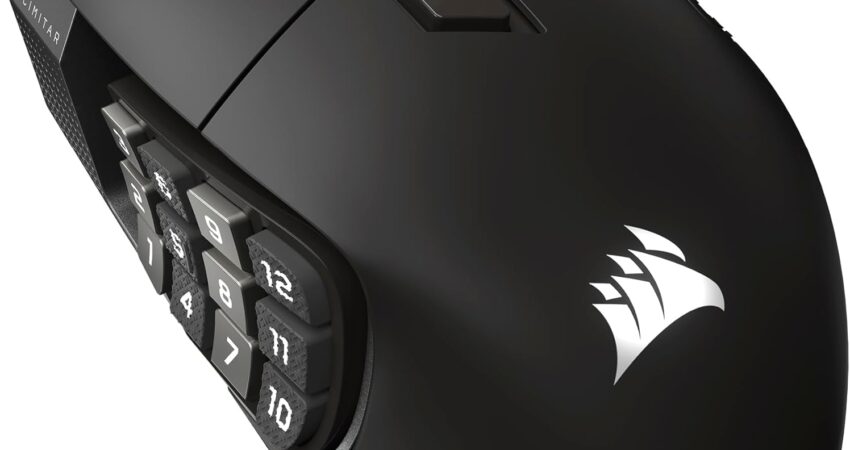
| Corsair Scimitar Elite Wireless SE | MMO | 2.4GHz / BT / USB | Custom PixArt | Palm | Best MMO mouse |
| Razer Basilisk V3 Pro 35K | Feature-Rich / General | 2.4GHz / BT / USB-C | Focus Pro 35K Gen-2 | Palm / Claw | Best all-purpose mouse |
Our Top 10 Picks: Best Gaming Mice for Under $550
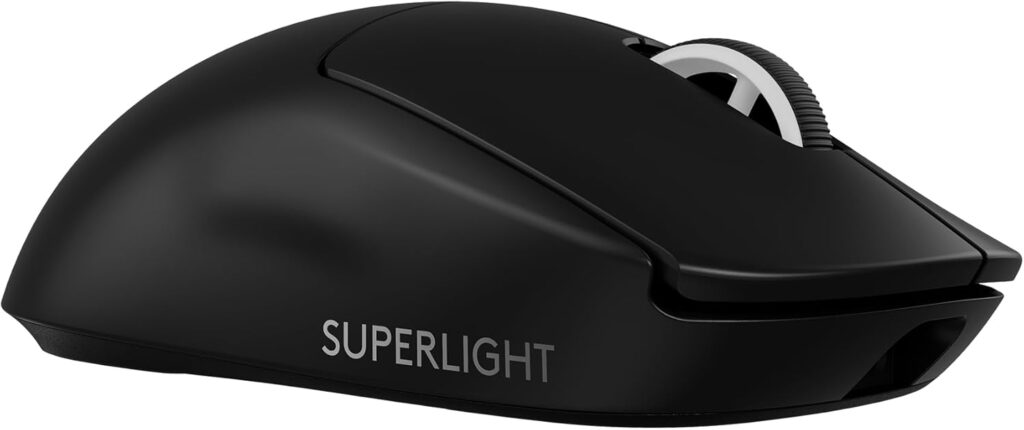
1. Logitech G Pro X Superlight 2 — Best Overall Gaming Mouse
 Check Price on Amazon
Who should buy it: Anyone who wants the most refined, universally capable wireless gaming mouse available, particularly FPS players who use fingertip or claw grip.
Key Specifications
- Sensor: HERO 2 (up to 44,000 DPI, 888+ IPS)
- Connectivity: LIGHTSPEED 2.4GHz Wireless (up to 8,000 Hz polling)
- Switch Type: LIGHTFORCE hybrid optical-mechanical
- Grip Compatibility: Fingertip, Claw, light Palm
- Polling Rate: Up to 8,000 Hz
- Onboard Memory: Yes (1 profile)
Why We Like It
The G Pro X Superlight 2 earns its “best overall” label not because it leads every category, but because it leads in no bad ones. Logitech refined every meaningful detail of the original Superlight: USB-C charging replaced the proprietary connector, the HERO 2 sensor now supports manual lift-off distance adjustment, and LIGHTFORCE hybrid switches address the one legitimate criticism of traditional mechanical switches — the possibility of double-clicking from wear over time.
At 60 grams, the Superlight 2 sits at the intersection of light enough to be fast and heavy enough to feel stable. The symmetrical shape with its slight right-side accommodation rewards fingertip and claw grip users, but players with a relaxed claw or medium hand size using a palm grip will also feel comfortable.
The HERO 2 sensor is implemented cleanly — zero smoothing, zero acceleration at sane DPI values, with tracking performance that holds up under high-speed flicks in FPS titles. The 8 kHz polling rate (via the Lightspeed receiver) is genuinely useful in competitive CS2 and Valorant, where sub-millisecond input consistency matters more than it might in slower-paced games.
LIGHTSPEED wireless remains one of the most proven low-latency wireless implementations in gaming. It performs reliably in tournament-level RF environments, which means it’ll handle your home setup without issue.
Potential Downsides
The G Pro X Superlight 2 is not the lightest mouse on this list by a significant margin. If you’re chasing ultralight feel, the Finalmouse ULX Competition or ASUS ROG Harpe Ace Extreme go further. The shape is also strictly right-hand-friendly, which excludes left-handed players entirely. Software (Logitech G HUB) remains divisive — functional, but resource-heavy.
Best For
FPS, Battle Royale, General Gaming, Competitive Play
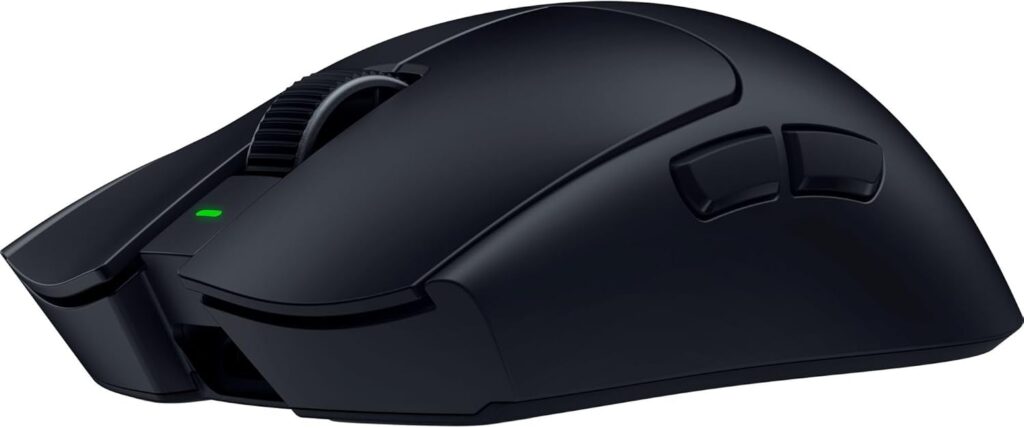
2. Razer Viper V4 Pro — Best Competitive FPS Mouse
Who should buy it: Dedicated FPS players who want the most technically advanced competitive gaming mouse money can buy right now, in a symmetrical shape that suits claw and fingertip grip.
Key Specifications
- Sensor: Focus Pro 50K Optical Gen-3 (50,000 DPI, 930 IPS, 90G)
- Connectivity: HyperSpeed Wireless Gen-2, 2.4GHz (up to 8,000 Hz polling)
- Switch Type: Razer Optical Mouse Switches Gen-4
- Grip Compatibility: Claw, Fingertip
- Polling Rate: Up to 8,000 Hz
- Onboard Memory: Yes (1 profile)
Why We Like It
The Viper V4 Pro is the mouse the V3 Pro should have been, iterating meaningfully on every relevant dimension. Weighing 49 grams (black), it sheds six grams from its predecessor — a difference that’s immediately perceptible when you pick it up. But weight alone doesn’t explain the V4 Pro’s feel.
Three things stand out about the V4 Pro in practice. First, Frame Sync — Razer’s implementation that aligns sensor scanning with USB polling cycles — genuinely reduces latency in a way you can observe if you’re paying attention. Second, the Gen-4 optical switches have a noticeably crisper, more defined actuation than the previous generation. Third, the optical scroll wheel (not mechanical) makes weapon switching in FPS games feel more deliberate and controlled.
The Focus Pro 50K Gen-3 sensor is arguably the most capable sensor in a retail gaming mouse right now. Its 930 IPS tracking speed, 90G acceleration, and 50,000 DPI ceiling leave no performance headroom unexploited. For competitive CS2, Valorant, and Apex Legends players, this is the sensor that leaves nothing on the table.
Battery life deserves a mention: up to 180 hours at 1,000 Hz polling and 45 hours at 8,000 Hz — meaningfully better than the previous generation at the same polling rate.
Potential Downsides
The Viper V4 Pro’s shape is optimized for claw and fingertip grip specifically. Palm grip users with larger hands will likely find the low profile insufficient. Razer Synapse software remains a point of contention — it works, but it’s heavier than it needs to be. Some players may also find the 49-gram weight almost too light to control during precise tracking scenarios.
Best For
FPS, Battle Royale, Competitive Esports, MOBA
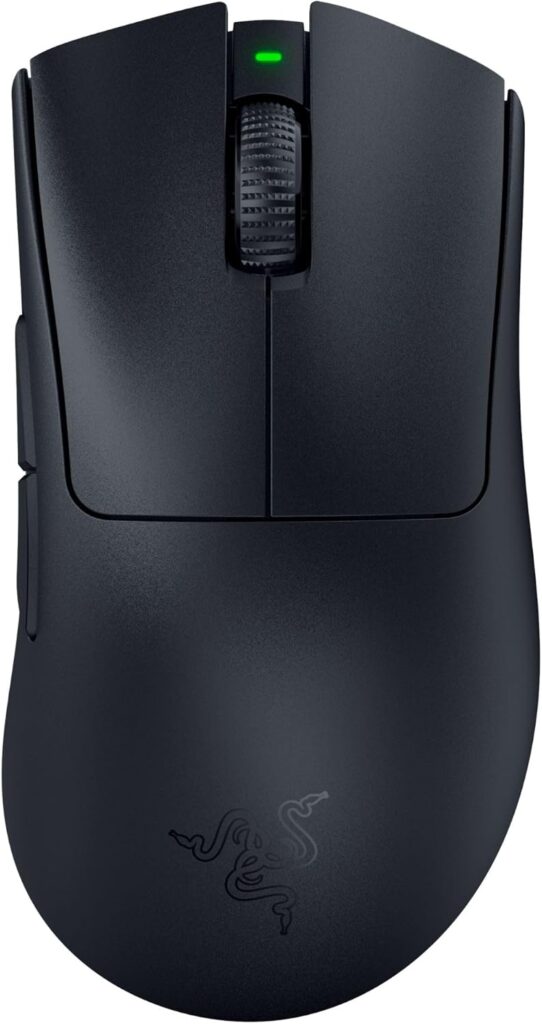
3. Razer DeathAdder V3 Pro — Best Ergonomic Gaming Mouse
Who should buy it: Right-handed gamers who prioritize comfort above all else, especially those with medium to large hands who use palm or relaxed claw grip.
Key Specifications
- Sensor: Focus Pro 30K (30,000 DPI, 300+ IPS, 70G)
- Connectivity: HyperSpeed Wireless 2.4GHz (base 1,000 Hz; up to 4,000 Hz with HyperPolling dongle)
- Switch Type: Optical Mouse Switches Gen-3 (90 million click lifecycle)
- Grip Compatibility: Palm, Claw
- Polling Rate: 1,000 Hz standard; 4,000 Hz with HyperPolling dongle (sold separately)
- Onboard Memory: Yes (up to 6 profiles)
Why We Like It
The DeathAdder is one of gaming’s most successful mouse shapes for a reason. Razer didn’t chase a new design with the V3 Pro — they refined the formula. The result is 25% lighter than its predecessor at 63 grams, achieved without external holes or honeycombing, while retaining the right-handed ergonomic contour that fits palm grip users so naturally.
That shape does something important: it positions your hand so your fingers rest on the buttons from above rather than angled inward, which dramatically reduces fatigue during long sessions. If you’re regularly playing 4+ hour MMO sessions, MOBA matches, or extended open-world gaming, the DeathAdder V3 Pro’s ergonomic design is a meaningful quality-of-life improvement over flat symmetrical mice.
The Focus Pro 30K sensor includes Smart Tracking, which auto-adjusts lift-off distance compensation for different surface types, and Asymmetric Cut-off with 26 levels of height adjustment — more granular than most competitors. For palm grip players who use a wrist pivot, this matters.
Up to 90 hours of battery life and PTFE feet that glide smoothly round out a mouse that’s simply comfortable to use, day after day.
Potential Downsides
8,000 Hz polling is not available on the V3 Pro — even with the HyperPolling dongle, you top out at 4,000 Hz. For most players this is irrelevant, but competitive FPS players chasing every millisecond will notice. The mouse is also strictly right-handed.
Best For
General Gaming, MMO, MOBA, FPS, Extended Sessions
4. ASUS ROG Harpe Ace Extreme — Best Premium Ultralight Mouse
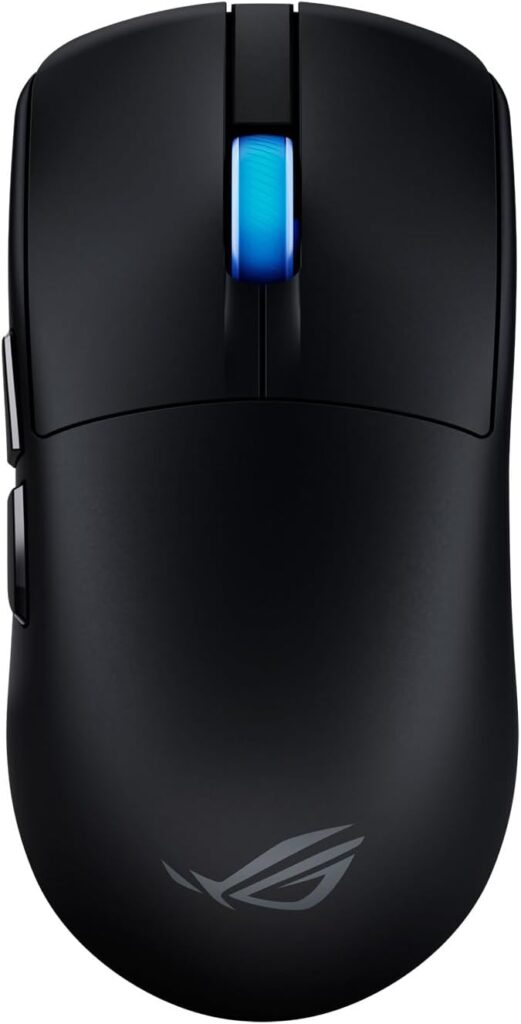
Who should buy it: Enthusiasts who want a carbon fiber construction, true 8,000 Hz wireless polling, and a proven competitive shape — and who don’t mind paying for premium materials.
Key Specifications
- Sensor: ROG AimPoint Pro (42,000 DPI)
- Connectivity: Tri-Mode (ROG SpeedNova 2.4GHz up to 8,000 Hz, Bluetooth, USB-C wired)
- Switch Type: ROG Optical Micro Switches (100 million click lifecycle)
- Grip Compatibility: Fingertip, Claw, Palm
- Polling Rate: Up to 8,000 Hz (both wired and wireless)
- Onboard Memory: Yes
Why We Like It
The ROG Harpe Ace Extreme stands out because it does something few other mice manage: 8,000 Hz polling in wireless mode using a carbon fiber composite shell that weighs 47 grams. Those three qualities together — material, polling rate, and weight — represent genuine engineering achievement.
Carbon fiber provides a strength-to-weight ratio that ABS plastic simply cannot match. The Harpe Ace Extreme feels rigid and premium in a way that distinguishes it from the hollow feeling of some ultralight honeycomb designs. The structural integrity translates to click consistency — both buttons feel identical throughout the mouse’s lifespan because the chassis doesn’t flex under pressure.
ROG AimPoint Pro is ASUS’s first-party sensor development (in collaboration with PixArt), and it performs cleanly in real-world use. Combined with the ROG Polling Rate Booster that enables true 8K wireless polling, the Harpe Ace Extreme delivers a wireless experience that rivals wired performance in measurable ways.
The ambidextrous shape is reasonably neutral, accommodating multiple grip styles and both hands. For players who’ve struggled to find a shape that works, this versatility is worth something.
Potential Downsides
The ROG Harpe Ace Extreme is the most expensive mouse on this list, and the price premium for carbon fiber is real. Glass skates are included (a nice touch for low-friction surfaces) but they’re an acquired taste — some players prefer standard PTFE. ROG Armoury Crate software continues to divide opinion.
Best For
FPS, Competitive Gaming, Any Grip Style, General Gaming
5. Finalmouse ULX Competition — Best Enthusiast Gaming Mouse
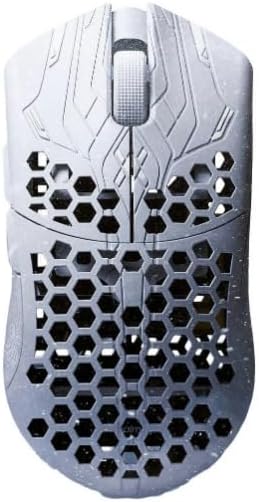
Who should buy it: Hardcore FPS players who want the absolute lightest mouse available and are willing to navigate Finalmouse’s drop-based distribution model to get it.
Key Specifications
- Sensor: PAW3395 (custom-tuned)
- Connectivity: 2.4GHz Wireless at 8,000 Hz
- Switch Type: Custom-specced Huano Blueshell mechanical switches (80 million clicks)
- Grip Compatibility: Fingertip, Claw
- Polling Rate: 8,000 Hz
- Onboard Memory: Yes (browser-based configuration)
Why We Like It
The Finalmouse ULX Competition (Small variant) weighs 33 grams. Thirty-three grams. To put that in context, a standard AA battery weighs approximately 23 grams. This mouse weighs as much as a handful of coins.
That weight — enabled by carbon fiber composite construction — transforms how a mouse feels in motion. Flicks that required deliberate effort on heavier mice become effortless. Repositioning the mouse between attacks generates almost no friction. The physical demand on your wrist, forearm, and shoulder during long competitive sessions is measurably reduced.
The ULX Competition’s 8,000 Hz wireless polling delivers 344 microsecond click latency and 444 microsecond motion latency — numbers that represent the state of the art in competitive mouse performance. The Huano Blueshell switches are cherry-picked for consistency, and the carbon fiber composite cage (with solid sides, unlike earlier ULX models) provides structural rigidity without adding weight.
Finalmouse’s browser-based configuration software is refreshingly minimal — no bloatware, no resource-heavy companion app.
Potential Downsides
Finalmouse’s drop distribution model is a genuine inconvenience. You need to monitor release dates and act quickly to secure a unit. The mouse is not widely available through standard retail channels, and secondary market prices can be significantly higher. Battery life is also more limited than competitors at heavier weights. The extremely low weight of the Small variant may feel disorienting to players transitioning from heavier mice — adaptation takes time.
Best For
FPS, Battle Royale, Competitive Esports, Fingertip Grip Players
6. WLMouse Beast X Max — Best Alternative to Finalmouse
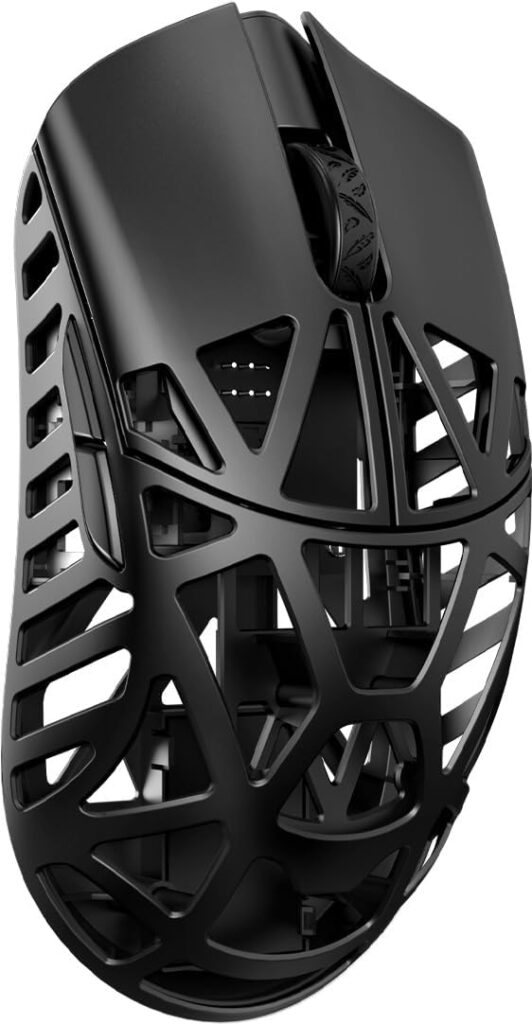
Who should buy it: Players who want Finalmouse-adjacent performance and aesthetics with better retail availability, larger dimensions for bigger hands, and magnesium alloy construction.
Key Specifications
- Sensor: PAW3950 HS (30,000 DPI, 750 IPS, 70G)
- Connectivity: 2.4GHz Wireless at 8,000 Hz; USB-C wired
- Switch Type: Choice of TTC Nihil or Omron Optical switches
- Grip Compatibility: Palm, Claw, Fingertip
- Polling Rate: Up to 8,000 Hz
- Onboard Memory: Yes (web driver-based configuration)
Why We Like It
WLMouse arrived with almost no brand recognition in 2023 and immediately built a cult following among peripheral enthusiasts — because the Beast X lineup delivers flagship performance without flagship nonsense. The Beast X Max, at 42 grams with a magnesium alloy chassis, covers the large-hand market that the standard Beast X (designed closer to the Finalmouse Medium/Lion) leaves underserved.
Magnesium alloy over carbon fiber composite is a meaningful distinction. Magnesium provides better build consistency, fewer squeaks, and less flex under lateral pressure — qualities Reddit and enthusiast forums consistently favor over the Finalmouse in side-by-side comparisons. The tradeoff is a small weight penalty, but at 42 grams, that penalty is academic.
The PAW3950 HS sensor performs excellently. At 8,000 Hz polling, the Beast X Max is competitive with any gaming mouse currently available. The inclusion of both an 8K dongle and a 1K nano receiver in the box is practical — use the 8K dongle for competitive play, keep the nano dongle in your laptop bag.
WLMouse’s web driver configuration means zero software installation required for basic customization.
Potential Downsides
WLMouse’s customer support infrastructure is less established than Logitech or Razer, and some users have reported PCB failures requiring returns. Warranty and after-sales experience varies. The brand’s rapid rise means long-term reliability data is less extensive than category leaders.
Best For
FPS, Large Hands, General Gaming, Palm/Claw Grip
7. Pulsar Xlite V4 eS — Best Palm Grip Gaming Mouse
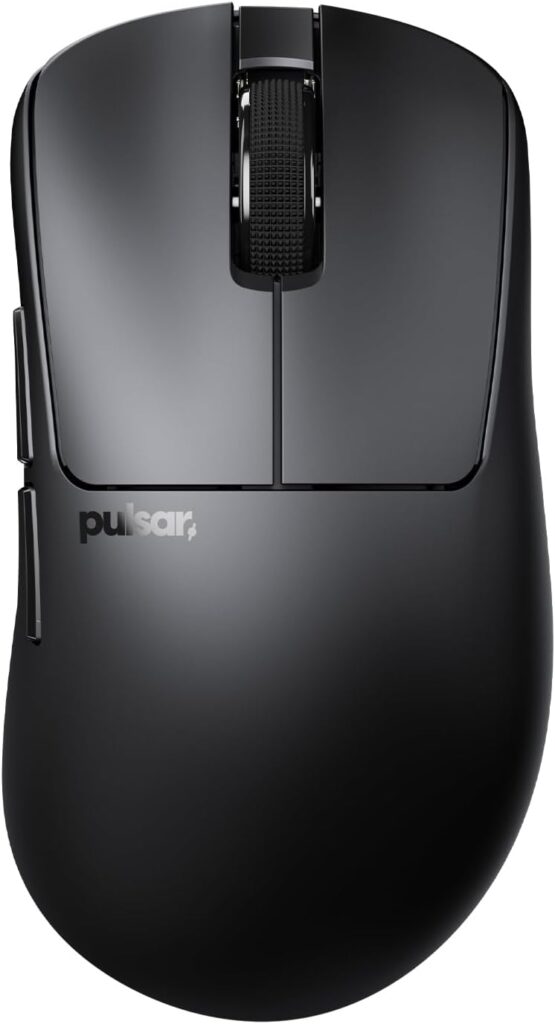
Who should buy it: Right-handed gamers with medium to large hands who use palm grip and want a purpose-built ergonomic design with competitive-grade internals.
Key Specifications
- Sensor: Pulsar XS-1 (32,000 DPI, 750 IPS, 50G acceleration)
- Connectivity: 2.4GHz Wireless at up to 8,000 Hz (with included 8K dongle); USB-C wired
- Switch Type: Pulsar Optical Switches
- Grip Compatibility: Palm (primary), relaxed Claw
- Polling Rate: Up to 8,000 Hz
- Onboard Memory: Yes (OLED display for driverless configuration)
Why We Like It
Pulsar occupies an interesting position in the gaming mouse ecosystem — quietly building pro-scene usage while maintaining prices significantly below Logitech and Razer. The Xlite V4 eS is their clearest statement yet about what they’re building toward.
The ergonomic form specifically engineered for right-handed palm grip sets the V4 eS apart from symmetrical competitors. The shape distributes hand contact across a wider surface area, reducing the pressure concentration that causes fatigue during extended gaming sessions. For players who palm grip and play for hours, this is a functionally meaningful design choice.
The XS-1 sensor — Pulsar’s proprietary implementation based on the PAW3950 — supports wireless 8,000 Hz polling, which was previously unavailable on sensors of this class. Combined with optical switches that eliminate debounce delay, the V4 eS delivers response times competitive with any wireless gaming mouse at any price.
The OLED display allows DPI, LOD, and polling rate adjustments without any software installation — a practical feature for players who move between systems.
Potential Downsides
Some reviewers have noted occasional sensor consistency issues on specific units — a quality control concern Pulsar has acknowledged. The eS designation means this is strictly a right-handed design, which excludes left-handed players. LOD adjustment tops out at three levels (2mm, 1mm, 0.7mm), which may be insufficient granularity for players who want fine-tuned control.
Best For
FPS, MMO, General Gaming, Palm Grip Players, Extended Sessions
8. Lamzu Maya X — Hidden Gem Pick ⭐
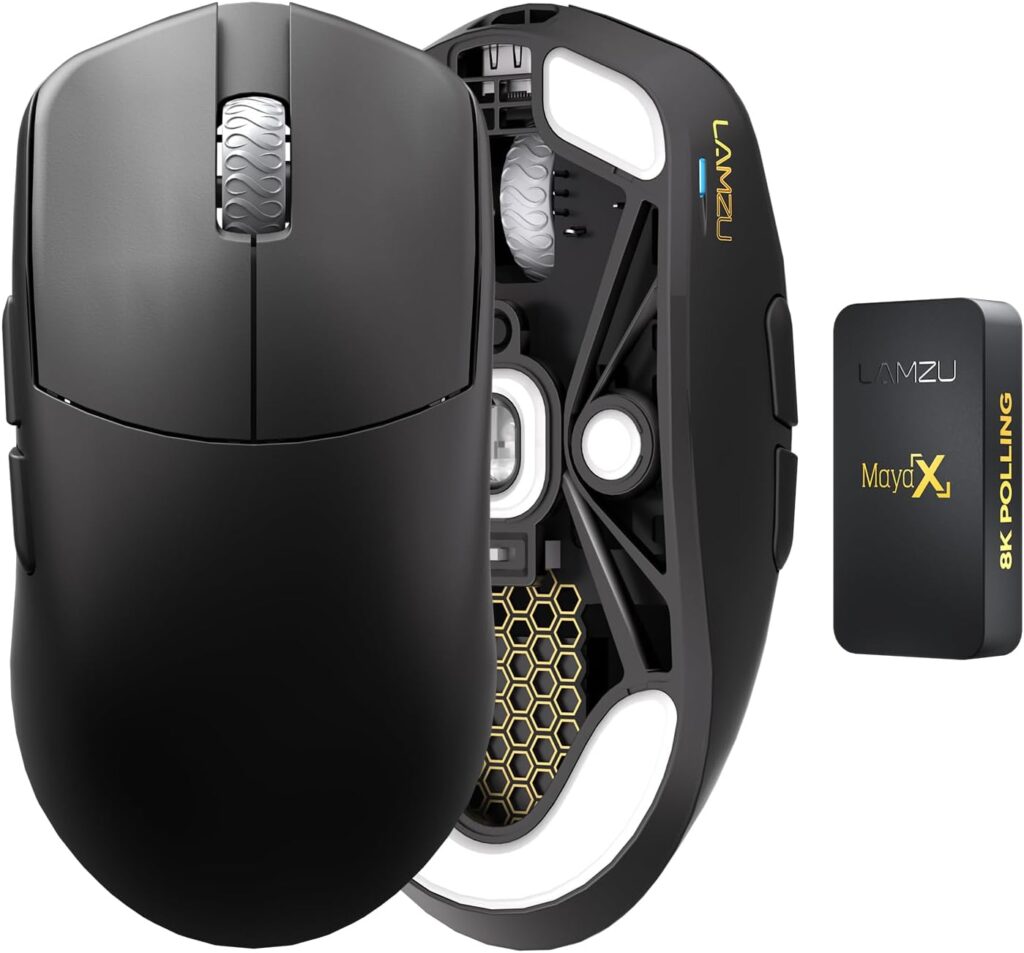
Who should buy it: FPS and competitive players who want flagship sensor performance, versatile shape compatibility, and honest value — without paying a brand premium.
Key Specifications
- Sensor: PixArt PAW3950 (30,000 DPI, 750 IPS)
- Connectivity: 2.4GHz Wireless at 8,000 Hz (dongle included); USB-C wired
- Switch Type: Custom Omron Optical Switches (70 million click lifecycle)
- Grip Compatibility: Palm, Claw, Fingertip
- Polling Rate: Up to 8,000 Hz
- Onboard Memory: Yes
Why We Like It
(See also: Hidden Gem Gaming Mouse Most Websites Ignore below)
At 47 grams with a symmetrical egg-shaped design, the Lamzu Maya X is the best gaming mouse most buyers have never considered. Lamzu is a peripheral brand with roots in the enthusiast community, and the Maya X reflects that heritage — it’s engineered from the ground up to perform rather than to market.
The PAW3950 sensor is the same flagship PixArt sensor found in significantly more expensive mice. Lamzu doesn’t cut corners here, and the 8K polling rate dongle is included in the box — not an upgrade you need to purchase separately. The custom Omron optical switches are among the crispest-feeling switches on any mouse at this price point, with a snappy, defined actuation that competitive players specifically seek out.
The 124 × 64 × 40mm dimensions hit a sweet spot that genuinely works for multiple grip styles and multiple hand sizes. Small to medium hands using fingertip or claw grip, and medium hands using palm grip, all find natural accommodation in the Maya X’s shape.
Independent reviews consistently rate the Maya X at 9.0 or above, placing it alongside mice costing significantly more. Lamzu’s reputation within the enthusiast community — built through direct engagement with competitive players rather than influencer marketing — reflects genuine product quality.
Potential Downsides
The coating on the Maya X can feel slippery in cold or dry conditions until it warms with body heat — a minor but genuine complaint that grip tape addresses. Battery life drops when running all features at maximum settings (8K polling, RGB if applicable). Lamzu’s software experience, while functional, is less polished than Logitech or Razer. Mainstream retail availability is more limited; purchasing direct from Lamzu is often the most reliable path.
Best For
FPS, Battle Royale, MOBA, General Gaming, Any Grip Style
9. Corsair Scimitar Elite Wireless SE — Best MMO Gaming Mouse
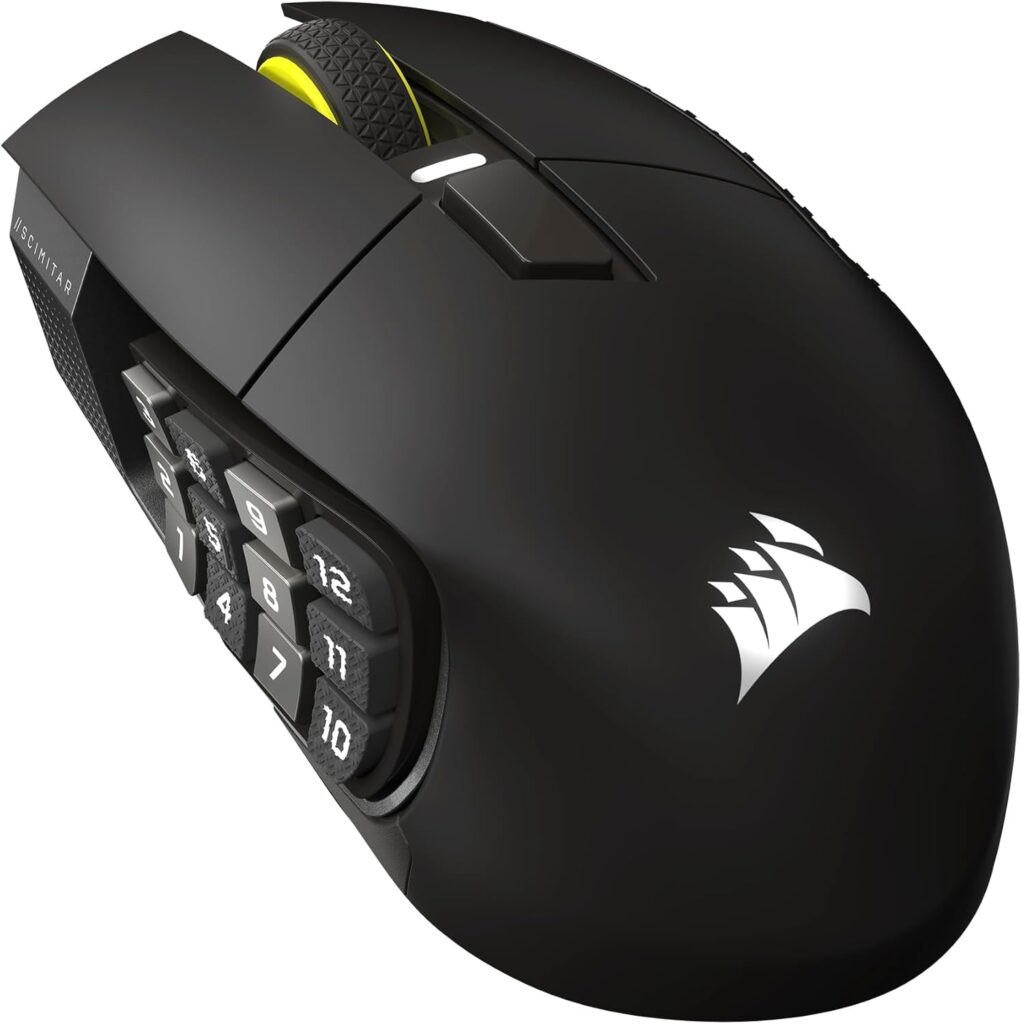
Who should buy it: MMO, MOBA, and strategy game players who need 12 or more programmable buttons accessible under their thumb without compromising wireless performance.
Key Specifications
- Sensor: PixArt custom optical sensor
- Connectivity: Tri-Mode (2.4GHz Wireless, Bluetooth, USB-C wired)
- Switch Type: Optical switches
- Grip Compatibility: Palm (primary)
- Polling Rate: Up to 2,000 Hz (wireless); up to 8,000 Hz (wired)
- Onboard Memory: Yes (5 profiles)
Why We Like It
MMO gaming mice occupy a niche that most gaming mouse coverage ignores. The market has been dominated by ultralight symmetrical mice for the past several years, and players who need thumb-accessible ability grids have been an afterthought. The Corsair Scimitar Elite Wireless SE is a direct answer to that neglect.
Twelve programmable buttons along the side panel, arranged on an adjustable slider mechanism, give MMO and MOBA players thumb-access to full ability rotations, cooldowns, and macros without reaching for the keyboard mid-combat. The slider adjustment is practical — different hand sizes require different button positions to avoid accidental activation, and Corsair gives you the hardware control to dial it in precisely.
Tri-mode connectivity (2.4GHz, Bluetooth, and USB-C wired) makes the Scimitar Elite Wireless SE legitimately versatile. The 2.4GHz wireless implementation keeps input latency competitive enough for fast-paced MOBA play. Corsair iCUE software, love it or hate it, provides extensive per-button macro programming that pure gaming mice don’t offer.
Potential Downsides
At approximately 114 grams, the Scimitar Elite Wireless SE is one of the heavier mice on this list — the 12-button side panel assembly adds meaningful weight. The size is also firmly right-handed and large by design. iCUE software has a documented slow-load issue that users encounter regularly. For players who don’t need the side button grid, this is not the right mouse.
Best For
MMO, MOBA, Strategy Games, Ability-Heavy Gameplay
10. Razer Basilisk V3 Pro 35K — Best Feature-Rich Gaming Mouse
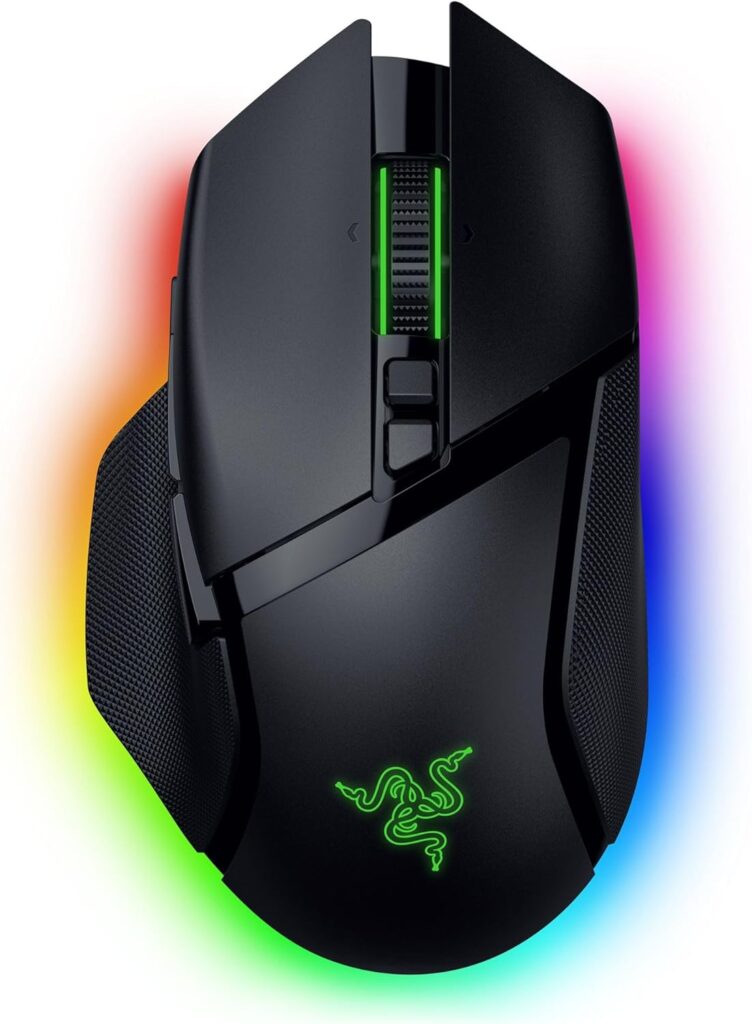
Who should buy it: General gaming and productivity users who want one mouse that handles FPS, MOBA, casual gameplay, and desktop productivity — with premium wireless, excellent scroll wheel mechanics, and extensive customization.
Key Specifications
- Sensor: Focus Pro 35K Gen-2 (35,000 DPI, 750 IPS, 70G)
- Connectivity: Tri-Mode (2.4GHz HyperSpeed, Bluetooth, USB-C wired)
- Switch Type: Optical Mouse Switches Gen-3 (90 million click lifecycle)
- Grip Compatibility: Palm, Claw
- Polling Rate: Up to 4,000 Hz (HyperSpeed); 1,000 Hz (standard)
- Onboard Memory: Yes (5 profiles)
Why We Like It
The Razer Basilisk V3 Pro 35K is the one gaming mouse on this list that works as well in a spreadsheet as it does in a game. That’s not a backhanded compliment — it’s a design outcome that requires real discipline to achieve.
The HyperScroll Tilt Wheel is the Basilisk’s defining feature. Three scroll modes — Tactile Cycling, Free-Spin, and Smart-Reel — cover the full range of desktop and gaming use cases. Smart-Reel auto-switches between modes based on scroll speed, which means inventory management in RPGs and document scrolling in productivity software both feel native. No other mouse on this list handles the productivity-to-gaming transition as naturally.
The Focus Pro 35K Gen-2 sensor upgrade brings Motion Sync and Smart Tracking to the Basilisk platform — features that improve tracking consistency across different surfaces, which matters for players who use the same mouse across different setups. Battery life improvement to approximately 140 hours on HyperSpeed wireless is a genuine quality-of-life upgrade.
Eleven programmable buttons, tri-mode connectivity, Chroma RGB, and wireless charging compatibility (with optional puck) round out a feature set that no other mouse at this price matches in breadth.
Potential Downsides
At approximately 112 grams, the Basilisk V3 Pro 35K is the heaviest mouse on this list. It’s not a competitive FPS mouse. Players who play fast-paced games at low DPI and use wide arm movements will find the weight fatiguing. The ergonomic shape is right-handed only. Razer Synapse remains resource-intensive.
Best For
General Gaming, MMO, MOBA, RPG, Productivity Use, Mixed Workflows
Gaming Mouse Shapes Explained
Walk into any gaming peripheral aisle and you’ll encounter three fundamental shape philosophies. Understanding them is the most important thing you can do before buying.
Ergonomic (Asymmetric)
Ergonomic mice are contoured specifically for right-handed use. The hump is offset, the thumb rest is sculpted, and the right side typically curves inward to meet a pinky rest or flare. The Razer DeathAdder V3 Pro, Pulsar Xlite V4 eS, and Razer Basilisk V3 Pro 35K all fall into this category.
Advantages: Superior comfort during extended sessions because the shape guides your hand into a natural resting position. Less active grip effort required.
Disadvantages: Strictly right-hand-only. Cannot be adapted for left-handed use. Players with non-standard hand geometry may find specific ergonomic shapes don’t actually fit them.
Ambidextrous (Symmetrical)
Symmetrical mice work identically for both hands and offer the same contact surface regardless of which side you approach from. Most ultralight competitive mice — the Logitech G Pro X Superlight 2, Razer Viper V4 Pro, Lamzu Maya X, WLMouse Beast X Max — use this philosophy.
Advantages: Left-hand friendly. More neutral shape works across a wider range of grip styles. Favored by FPS players because the lack of pronounced features enables cleaner, less-encumbered mouse movement.
Disadvantages: Neutral design means less intrinsic ergonomic support. Long session fatigue can be higher than with a well-fitted ergonomic mouse for some users.
What “Ergonomic” Actually Means in Practice
The gaming industry tends to label any right-handed mouse as “ergonomic” regardless of whether the shape has been actually designed with hand physiology in mind. A genuinely ergonomic design reduces grip tension, positions the wrist in a neutral angle, and distributes contact area to minimize pressure concentration. Not all asymmetric mice achieve this — fit matters more than the label.
Which Gaming Mouse Fits Your Grip Style?
Your grip style is the most undervalued factor in gaming mouse selection. A technically superior mouse in the wrong grip category will always feel worse than a lesser mouse in the right one.
Palm Grip
In palm grip, the entire base of your hand rests on the mouse. Your palm contacts the rear of the mouse body, your fingers rest mostly flat on the buttons, and movement is generated primarily from the wrist and forearm.
Palm grip players need mice with sufficient rear hump height to support the full length of the palm, and enough body length to prevent the hand from hanging off the back. The Razer DeathAdder V3 Pro and Pulsar Xlite V4 eS are purpose-built for this grip. The Razer Basilisk V3 Pro 35K also accommodates large-hand palm grip well.
Claw Grip
In claw grip, the palm contacts the rear of the mouse but the fingers arch upward, pressing on buttons with the fingertips rather than lying flat. This creates a claw-like hand position that improves click speed and precision while maintaining good control.
Claw grip players need a pronounced rear hump for palm support combined with buttons that respond well to fingertip actuation. The Logitech G Pro X Superlight 2, Razer Viper V4 Pro, and Lamzu Maya X all suit claw grip. The V4 Pro is Razer’s own recommendation for claw players.
Fingertip Grip
In fingertip grip, only the tips of the fingers and thumb contact the mouse — the palm doesn’t touch it at all. This is the most precise but most demanding grip style, requiring lightweight mice and smaller form factors.
Fingertip grip players want the lightest mouse possible and a shape small enough to manipulate without the palm interfering. The Finalmouse ULX Competition Small, WLMouse Beast X (standard, not Max), and Lamzu Maya X work well. The Viper V4 Pro also suits larger-handed fingertip users.
Which Gaming Mouse Fits Your Hand Size?
No guide that skips hand size recommendations is actually useful for buying decisions. Here’s a practical breakdown.
Small Hands (Under 17cm length / 8.5cm width)
Small-handed players need compact mice that don’t require a stretch to reach all buttons or force an unnatural grip to control. The Finalmouse ULX Competition Small, Lamzu Maya (standard, not X), and Pulsar Xlite V4 eS Mini are the relevant picks. Avoid large-footprint ergonomic mice — they’ll force an accommodation that creates fatigue.
Medium Hands (17–19cm length / 8.5–10cm width)
Medium hands have the widest selection. Almost every mouse on this list fits medium hands in at least one grip style. The Logitech G Pro X Superlight 2, Razer Viper V4 Pro, and Lamzu Maya X hit the sweet spot for medium hands across claw and fingertip grip. The Razer DeathAdder V3 Pro suits medium hands with palm grip.
Large Hands (Over 19cm length / 10cm width)
Large-handed players have historically been poorly served by the ultralight trend, which favors compact dimensions. The WLMouse Beast X Max (126 × 65 × 39mm) was effectively designed for this use case. The Razer Basilisk V3 Pro 35K and Corsair Scimitar Elite Wireless SE also accommodate large hands comfortably. Avoid mouse shapes that require your palm to hang off the rear.
Gaming Mouse Weight: How Light Is Too Light?
The ultralight trend in gaming mice is real, measurable, and not always appropriate for every player.
What Lighter Actually Buys You
A lighter mouse reduces the effort required to initiate movement and allows faster directional changes. In an FPS context, this translates to quicker 180-degree snaps, less wrist strain during extended sessions, and reduced sensor tracking errors that occur when a mouse is moved faster than its maximum IPS rating.
The Stability Problem
Here’s what the marketing doesn’t emphasize: lighter mice are harder to stop precisely. A 33-gram mouse like the Finalmouse ULX Competition Small has so little inertia that it takes longer to develop consistent muscle memory for precise placement. Players transitioning from 80-100g mice to sub-40g mice frequently report overshooting targets during the adjustment period.
For tracking-heavy FPS play (following moving targets), this matters less. For precise flick-and-stop shots requiring accurate placement, the adaptation period is real and some players never fully adjust.
The Zone for Most Players
The 50–70 gram range — covering the G Pro X Superlight 2, Razer Viper V4 Pro, and Lamzu Maya X — is where performance and controlability coexist most comfortably for the broadest range of players. Below 50 grams, you’re optimizing for speed at a small cost to controllability. Above 90 grams, you’re trading performance for features (more buttons, more RGB, more battery).
Neither extreme is wrong — they just require honest self-assessment about your playstyle and priorities.
Wireless Latency in 2026: Is Wired Still Better?
This is one of the most-discussed topics on gaming peripherals subreddits, and the answer has evolved significantly.
The Honest Answer
For the overwhelming majority of players — including most professional esports athletes — there is no meaningful, repeatable, performance-relevant difference between a premium 2.4GHz wireless gaming mouse and a wired connection in 2026.
Modern wireless implementations from Logitech (LIGHTSPEED), Razer (HyperSpeed Gen-2), ASUS (ROG SpeedNova 8K), and the 8K wireless found in the WLMouse, Lamzu, and Finalmouse products have closed the gap to within measurement noise. The Razer Viper V4 Pro’s HyperSpeed Gen-2 with Frame Sync, for instance, achieves polling-aligned scanning that further reduces effective latency versus conventional wireless polling approaches.
When Wired Makes Sense
Wired connections remain relevant in three scenarios:
- Tournament venues with dense RF environments where multiple wireless receivers on the same frequency can cause occasional input dropout. Even here, modern wireless implementations handle this better than they did three years ago.
- Budget constraints — wired mice at the same performance tier cost less because the wireless hardware is absent.
- Personal preference — some players simply feel more confident with a cable, regardless of measurement data.
The Practical Recommendation
If you’re buying a gaming mouse under $550, wireless is not a compromise. Every wireless mouse on this list performs at a level that will not limit your play.
Mechanical vs. Optical Switches
Switch type is one of the most underreported factors in gaming mouse reviews, and it has a direct impact on long-term ownership experience.
Mechanical Switches
Traditional mechanical switches use a physical metal contact to register clicks. They offer a tactile, satisfying feel that many players strongly prefer. The feel can vary significantly between manufacturers and even between batches.
The primary failure mode of mechanical switches is double-clicking — where a worn or degraded contact registers two clicks from a single press. This is not hypothetical; it’s a documented, widespread issue with some popular mechanical switches after 1–2 years of heavy use. Competitive players who click frequently are more susceptible.
Logitech’s LIGHTFORCE switches are a hybrid: they use an optical beam for actuation detection (eliminating double-click possibility) while retaining the mechanical spring feel. This represents the most technically sound approach currently available.
Optical Switches
Optical switches use a light beam to detect actuation — there’s no physical contact, which eliminates double-click failure entirely. They also have no debounce delay by design, which means click registration is faster.
The tradeoff is feel: optical switches actuate with very light, sometimes barely-perceptible resistance. Some players love this (it feels immediate and effortless); others find it triggering accidental clicks during intense gameplay.
Razer’s Gen-4 optical switches represent the most refined version of this technology currently in retail mice, with a tuned 0.25mm actuation distance that improves feel while maintaining the reliability advantage.
The Durability Math
Mice rated for 90 million click lifecycles (whether optical or quality mechanical) will outlast several years of heavy daily use before switch degradation becomes relevant. The double-click problem with standard mechanical switches typically emerges before the rated lifecycle is reached on high-click-rate mice.
Hidden Gem Gaming Mouse Most Websites Ignore
The Lamzu Maya X Deserves Your Attention
The peripheral enthusiast community has known about Lamzu for years. Mainstream buying guides have been slower to catch up — partly because Lamzu doesn’t run major influencer campaigns, doesn’t carpet-bomb affiliate programs, and builds its reputation through actual product quality rather than marketing spend.
The Maya X is the product of that approach. At 47 grams with the PixArt PAW3950 flagship sensor, Omron optical switches rated for 70 million clicks, 8K polling dongle included in the box, and an exceptional symmetrical shape that works across grip styles — the Maya X checks every box that a competitive gaming mouse needs to check.
Independent reviewers consistently give it scores in the 9.0/10 range, placing it alongside mice priced significantly higher. The dimensions (124 × 64 × 40mm) are carefully chosen: large enough for medium hand palm grip, compact enough for small hand fingertip grip, well-balanced for claw users.
Why enthusiasts love it: The switches feel exceptional — crisp, responsive, and consistent. The sensor is genuinely flagship-class. The wireless implementation is competitive. The price-to-performance ratio is the best on this list.
Why mainstream websites overlook it: Lamzu doesn’t have the retail footprint of Logitech or Razer. They’re not widely available on shelves, and they haven’t invested in the affiliate infrastructure that drives coverage. The result is a genuine quality gap between coverage and product merit that benefits buyers who do their research.
If you’re budget-conscious but unwilling to compromise on performance, the Lamzu Maya X is the mouse this list was partially built to surface.
Common Gaming Mouse Mistakes Buyers Make
Buying Based Only on DPI
DPI is the single most over-marketed specification in gaming peripherals. The professional consensus is unambiguous: over 99% of competitive players use 1,600 DPI or lower. High DPI settings introduce jitter, amplify imprecision, and make fine targeting harder, not easier. A mouse with a lower DPI ceiling but better sensor implementation will outperform a high-DPI mouse with inconsistent tracking. Stop comparing DPI numbers.
Ignoring Shape
You can have the most technically advanced sensor in a mouse that’s wrong for your hand and grip, and you will perform worse than on a cheaper mouse that fits you correctly. Shape is not cosmetic — it determines how your hand positions, how much tension you carry in your grip, and how fatigued you get over long sessions. Read the grip style and hand size sections in this guide before choosing.
Ignoring Hand Size
Mouse manufacturers publish dimensions. Most buyers ignore them. Before purchasing any mouse, measure your hand length (middle finger tip to wrist crease) and width (across the knuckles) and compare them against the mouse’s specifications. A medium mouse on a large hand creates an accommodation grip that generates fatigue. A large mouse in a small hand requires an overextended reach that reduces control.
Overvaluing RGB
RGB lighting is an aesthetic feature. It consumes battery life on wireless mice, adds marginal weight, and has zero functional impact on performance. If you like how it looks — great. Don’t factor it into a performance purchasing decision.
Chasing Sensor Spec Numbers
The PAW3950 and the HERO 2 are both flagship sensors. Neither will limit your performance. The difference between the best and second-best sensor in a modern gaming mouse is unmeasurable in actual gameplay. What matters more is how the sensor is implemented: whether there’s smoothing at certain DPI values, whether the lift-off distance is well-calibrated, whether the firmware is stable. Those are the questions worth asking.
Buying the Same Mouse Every Pro Uses
Pro gaming mouse selection is influenced by sponsorship deals, individual hand geometry, and years of ingrained muscle memory. The mouse your favorite CS2 player uses may be objectively wrong for your hand size and grip style. Use pro usage data as a signal that a mouse is performing-grade — not as a direct recommendation.
How We Selected the Best Gaming Mice for Under $550
This list was built on criteria that reflect real-world ownership rather than specification sheet comparisons.
Sensor performance: Not just the sensor model, but how it’s implemented — whether smoothing or acceleration appears at specific DPI values, firmware stability, and tracking behavior under high-speed movement.
Comfort and fit: Shape analysis against multiple grip styles and hand size ranges, with attention to whether the contours actually support sustained use or merely appear ergonomic.
Build quality: Material choice, chassis rigidity, button consistency, scroll wheel feel, and cable quality where applicable. We pay attention to failure modes that emerge after months of use, not just out-of-box impressions.
Software: Configuration software is part of the ownership experience. We evaluate both presence of necessary features and the resource overhead imposed on your system.
Value: Price-to-performance ratio matters. A $160 mouse that performs identically to a $200 mouse in every measurable way is a better recommendation for most buyers.
Gaming versatility: Whether the mouse performs appropriately across the game genres it’s positioned for — not just FPS performance in a vacuum.
Ready to Upgrade Your Gaming Setup?
Every gaming mouse featured in this guide was selected because it delivers genuine performance, comfort, and long-term value — not because of advertising relationships or marketing campaigns. These are the mice that enthusiast communities, independent reviewers, and competitive players consistently return to.
Frequently Asked Questions
What is the best gaming mouse for under $550 overall?
The Logitech G Pro X Superlight 2 is our best overall pick. It combines HERO 2 sensor performance, LIGHTFORCE hybrid switches that eliminate double-click failure, LIGHTSPEED wireless with 8K polling support, and a well-proven symmetrical shape that works across grip styles — all at 60 grams. It’s not the lightest, it’s not the cheapest, but it does everything at the highest level without meaningful weaknesses.
Which gaming mouse is best for FPS games?
For pure FPS performance, the Razer Viper V4 Pro leads in 2026. The Focus Pro 50K Gen-3 sensor with Frame Sync, Gen-4 optical switches, and 49-gram weight deliver the highest measurable performance currently available in a retail gaming mouse. Runners-up: Logitech G Pro X Superlight 2 for players who prefer slightly more stability, and the Finalmouse ULX Competition for players who prioritize absolute minimum weight.
Which gaming mouse is best for MMO players?
The Corsair Scimitar Elite Wireless SE is the clear choice for MMO players who need thumb-accessible ability buttons. Twelve programmable buttons on an adjustable slider mechanism, tri-mode connectivity, and Corsair iCUE’s macro programming give MMO players the hardware interface they need without sacrificing wireless performance.
Are ultralight gaming mice worth it?
It depends on your playstyle. Ultralight mice (below 50 grams) reduce wrist and forearm fatigue during long sessions and enable faster directional changes. They require an adaptation period and can feel harder to stop precisely during the transition. For players who prioritize speed over control precision, the answer is yes. For players who rely on precise tracking and controlled flicks, the 50–70g range may actually be more comfortable long-term.
Is wireless good enough for competitive gaming?
Yes, without qualification. Modern 2.4GHz wireless gaming mice from Logitech, Razer, ASUS, Finalmouse, WLMouse, Lamzu, and Pulsar achieve latency performance that is indistinguishable from wired in competitive play. Several professional esports teams compete exclusively on wireless equipment. The marginal remaining advantage of wired connections in extreme RF environments is negligible for the vast majority of players.
What grip style is best for gaming?
There is no universally best grip style — the best grip is the one that’s natural for your hand geometry. Claw grip offers the best balance of speed and precision for most players. Fingertip grip maximizes speed. Palm grip maximizes comfort during extended sessions. If you’re unsure, most players naturally settle into a hybrid between claw and palm grip with conscious effort.
How important is polling rate?
At 125 Hz versus 1,000 Hz, polling rate has a noticeable impact. At 1,000 Hz versus 4,000 Hz, the difference is smaller but measurable in competitive play. At 4,000 Hz versus 8,000 Hz, the difference is at the edge of human perception and primarily benefits players on very high-refresh-rate displays (240Hz+) running competitive titles at stable, high frame rates. For most players, 1,000 Hz is sufficient. 8K polling is a premium feature worth having if you’re competing at the highest level.
What is the difference between optical and mechanical switches?
Mechanical switches use a physical metal contact to register clicks, offering a traditional tactile feel but with a failure mode (double-clicking from wear) that can emerge after heavy use. Optical switches use a light beam for actuation, eliminating double-click failure and debounce delay, but with a lighter, less distinct feel that requires adjustment. Logitech’s LIGHTFORCE hybrid switches combine optical actuation detection with mechanical spring feel — currently the most technically sound implementation available.
How long should a gaming mouse last?
A high-quality gaming mouse should last 3–5 years under daily heavy use before any components require replacement. Switches rated for 70–100 million clicks exceed realistic daily click volumes. The most common failure points in practice are scroll wheel encoders, the main switch double-clicking on lower-quality models, and (on wireless mice) battery capacity degradation over hundreds of charge cycles. Mice with optical switches avoid the double-click failure mode entirely.
Conclusion: Which Gaming Mouse Should You Buy?
The best overall gaming mouse for under $550 is the Logitech G Pro X Superlight 2 — proven, refined, and capable of performing at the highest level without meaningful compromises.
For FPS competition specifically, the Razer Viper V4 Pro edges ahead with Frame Sync, Gen-4 optical switches, and the most advanced sensor currently available at retail.
If comfort and ergonomics are your priority — particularly for marathon gaming sessions — the Razer DeathAdder V3 Pro delivers a palm and claw grip experience that symmetrical mice simply cannot replicate.
MMO players have one real answer on this list: the Corsair Scimitar Elite Wireless SE gives you the thumb button grid that MMO gameplay demands.
And for the hidden gem that outperforms its mainstream recognition — the Lamzu Maya X at 47 grams with the PAW3950 sensor and exceptional switches is the mouse that earns a 9.0 rating and barely appears on major buying guides. That gap is an opportunity for buyers who read past the first Google result.
The best gaming mice for under $550 in 2026 are genuinely extraordinary products. Any mouse on this list will serve you well — the right one depends on how you grip, how big your hands are, and what you’re playing. That’s what this guide exists to help you figure out.
Specifications sourced from manufacturer pages at logitechg.com, razer.com, rog.asus.com, finalmouse.com, wlmouse.com, pulsar.gg, and lamzu.com. Switch technology reference: PixArt PAW sensor documentation.








