




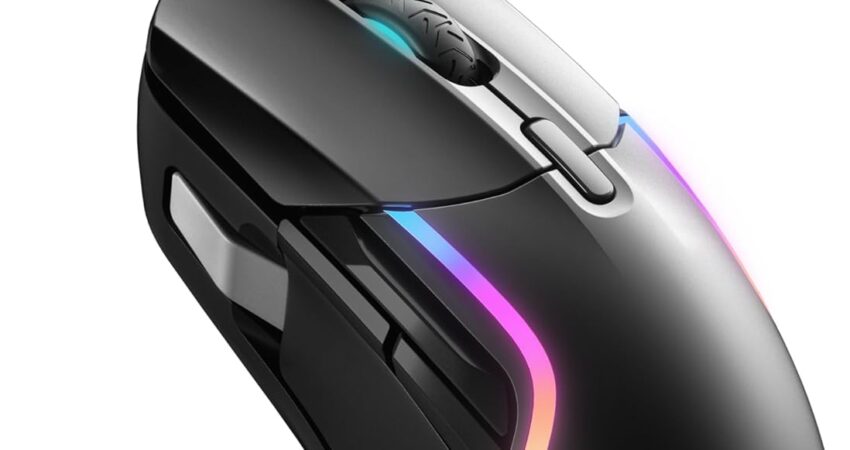
Finding the best gaming mice for under $100 has never been easier — or more confusing. The sub-$100 bracket is overflowing with genuinely great hardware, but it’s also full of marketing hype that obscures what actually matters for real gaming performance.
This guide cuts through all of that. We tested nine gaming mice across FPS shooters, MMOs, MOBAs, and long casual sessions, evaluating sensor accuracy, build durability, grip comfort, and long-term ownership value. Whether you game competitively or casually, with a claw grip or a palm grip, for big hands or small — there’s a recommendation here for you.
Quick picks: Best Overall → Logitech G502 X | Best Budget Wireless → Logitech G305 | Best Lightweight Wireless → HyperX Pulsefire Haste 2 Wireless | Hidden Gem → Endgame Gear OP1 Wireless
Quick Comparison Table
| Gaming Mouse | Best For | Sensor | Connectivity | Grip Style | Buttons |
|---|---|---|---|---|---|
| Logitech G502 X | Overall Value | HERO 25K | Wired | Palm / Claw | 13 |
| Razer DeathAdder V3 HyperSpeed | FPS Gaming | Focus X 26K | Wireless | Palm | 8 |
| Logitech G305 Lightspeed | Budget Wireless | HERO | Wireless | Claw / Fingertip | 6 |
| SteelSeries Rival 5 | MMO & MOBA | TrueMove Air | Wired | Palm | 9 |
| HyperX Pulsefire Haste 2 | Lightweight FPS | HyperX 26K | Wired / Wireless | Claw / Fingertip | 6 |
| Keychron M3 Mini 4K | Hidden Gem Pick | PAW3395 | Wireless | Claw / Fingertip | 6 |
| Razer Basilisk V3 | Productivity + Gaming | Focus+ 26K | Wired | Palm | 11 |
| Turtle Beach Kone II Air | Large Hands | Owl-Eye 26K | Wireless | Palm | 7 |
How We Evaluated These Gaming Mice {#how-we-evaluated}
Before diving into the picks, here’s exactly what we measured and why it matters.
Sensor Performance — A mouse sensor that introduces smoothing, filtering, or artificial acceleration actively hurts your aim. We favored mice running PixArt PAW3395, HERO 25K, or equivalent sensors that track raw movement without any manipulation. TechPowerUp’s mouse sensor testing methodology is the gold standard reference for sensor accuracy in the enthusiast community.
Weight & Balance — Weight matters differently depending on your game. Fast-paced FPS players benefit from lighter mice (under 70g) that allow quick wrist flicks without fatigue. MOBA and MMO players are more tolerant of heavier mice with more buttons and a higher center of gravity. We weighed comfort in extended sessions, not just specs on paper.
Polling Rate — Polling rate describes how often the mouse reports its position to your PC. At 1000Hz, that’s every 1ms. At 4000Hz, it’s every 0.25ms. For most players under 1440p with monitors below 360Hz, 1000Hz is perfectly sufficient. At 4000Hz and above, improvements exist but are perceptible only in controlled testing. We explain this further in our wireless latency section.
Grip Style Compatibility — A mouse that’s perfect for palm grip may be actively uncomfortable for claw grip users. We assessed each mouse across grip styles and called out clear mismatches.
Build Durability — We looked at switch click ratings, encoder quality, shell rigidity, and brand warranty terms. A mouse that feels great at launch but develops side button wobble at 18 months isn’t good value.
Software — Gaming mouse software ranges from genuinely excellent (Logitech G Hub) to actively frustrating. We note where software is a strength and where it’s just a necessary inconvenience.
Long-Term Value — We don’t just ask “is this good today?” We ask: will it still be a solid mouse in two or three years?
1. Logitech G502 X — Best Overall Gaming Mouse Under $100 {#logitech-g502-x}
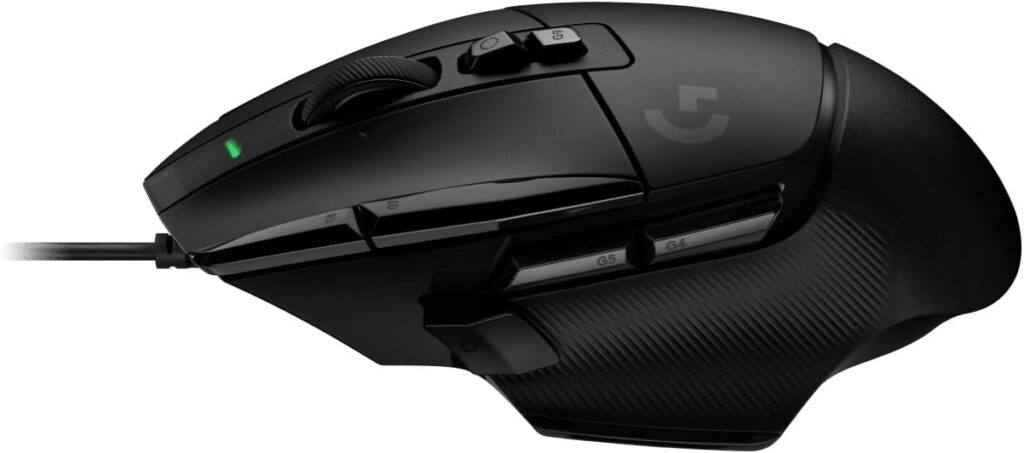
Award: Best Overall Gaming Mouse Under $100
 Check Price on Amazon
 Overview
The G502 X is the modern evolution of Logitech’s most iconic gaming mouse shape — refined, lightened, and upgraded with genuinely class-leading switch technology. The wired version regularly drops to around $50–$60 on sale, making it one of the best dollars-per-performance buys in gaming peripherals. Even at its MSRP of around $80, it delivers flagship-tier internals at a mid-range price.
Specifications
| Spec | Details |
|---|---|
| Sensor | Logitech HERO 25K |
| Weight | 89g |
| Connectivity | Wired USB |
| Polling Rate | 1000Hz |
| DPI Range | 100–25,600 |
| Buttons | 13 programmable |
| Switch Type | LIGHTFORCE hybrid optical-mechanical |
| Cable | PhantomFlex braided |
Pros
- LIGHTFORCE hybrid switches are among the fastest and most precise available at any price
- HERO 25K sensor with zero smoothing, filtering, or acceleration across the full DPI range
- Reversible and removable DPI-shift button — a genuinely useful customization
- Dual-mode hyperfast scroll wheel (free-spin and tactile)
- 13 programmable buttons support complex keybinds without a keyboard
- Strong build quality; no flex or rattle out of the box
Cons
- 89g is notably heavier than ultralight competition
- Right-handed only — left-handed players have no option here
- G Hub software can be RAM-heavy and occasionally temperamental
- Not a great fit for small hands
Gaming Experience
The G502 X is the mouse you recommend to someone who plays a wide variety of games and doesn’t want to compromise for any of them. The HERO 25K sensor means every movement is translated exactly as intended — no jitter during slow precise aim, no smoothing on fast flick shots. That’s a harder achievement than it sounds at this price point.
The weight is the one conversation worth having. At 89g, it’s noticeably heavier than the sub-70g ultralight mice that have become popular in competitive FPS circles. For players who use higher DPI settings and shorter swipes, this rarely comes up. For players who play on low DPI and rely on long arm swipes, the extra grams build up over four-hour sessions.
Where the G502 X truly shines is in games that reward both precision and macro-heavy play — think Apex Legends, where you need clean aim but also quick ability activation, or World of Warcraft, where side buttons can be life-saving. The 13 buttons make it genuinely powerful without requiring a dedicated MMO mouse.
Who should buy it: Generalist gamers who play FPS, MOBA, and RPG titles; palm grip users with medium to large hands; anyone who values switch quality above all else.
Who should avoid it: Dedicated competitive FPS players who obsess over mouse weight; small-handed players; lefties.
Best grip style: Palm grip, relaxed claw grip
Best hand size: Medium to large
2. Razer DeathAdder V3 HyperSpeed — Best FPS Gaming Mouse Under $100 {#razer-deathadder-v3-hyperspeed}
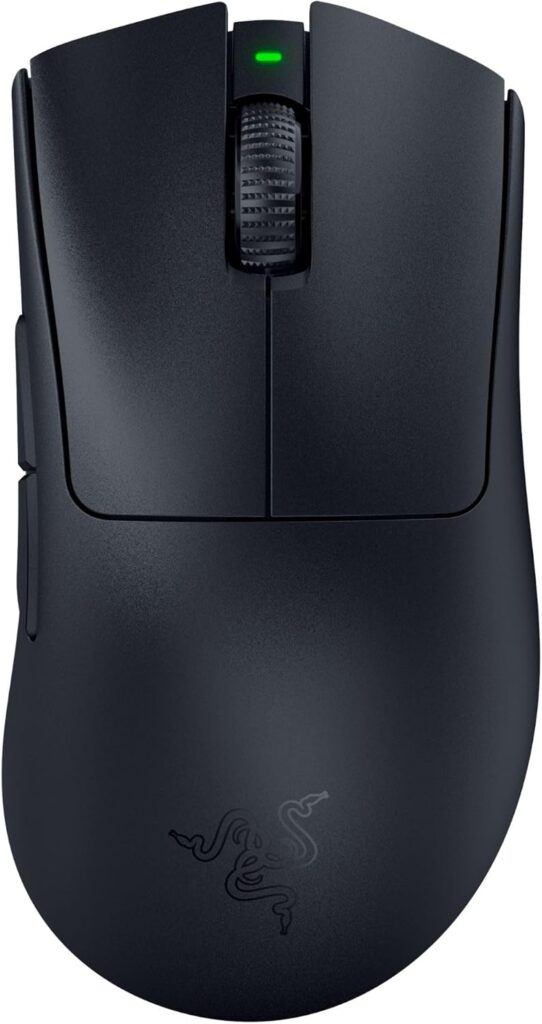
Award: Best FPS Gaming Mouse Under $100
Overview
The DeathAdder is arguably the most proven esports mouse shape in history, and the V3 HyperSpeed brings that legacy into the wireless era at a sub-$100 price. It was refined with input from professional esports players — not as a marketing line, but as a measurable change to the mouse’s geometry. The result is a wireless FPS mouse that feels as close to a purpose-built competitive tool as you’ll find at this price.
Specifications
| Spec | Details |
|---|---|
| Sensor | Razer Focus Pro 26K |
| Weight | ~79g |
| Connectivity | Razer HyperSpeed 2.4GHz wireless |
| Polling Rate | 1000Hz (upgradeable to 8000Hz with HyperPolling dongle, sold separately) |
| DPI Range | 100–26,000 |
| Buttons | 6 |
| Battery Life | Up to 300 hours |
| Switch Type | Razer Optical Gen-3 |
Pros
- Iconic ergonomic shape optimized for natural right-hand positioning
- Razer HyperSpeed wireless is one of the lowest-latency wireless protocols available
- Optical switches eliminate double-click issues common in mechanical switches
- Exceptional 300-hour battery life
- Focus Pro sensor rated for 99.6% resolution accuracy
- Lightweight for an ergonomic wireless mouse
Cons
- Right-handed only
- Upgrading to 8000Hz polling requires a separately purchased HyperPolling dongle
- Limited button count — not suitable for MMO or macro-heavy play
- Razer Synapse software is resource-intensive
Gaming Experience
If you play first-person shooters and want a wireless mouse that genuinely doesn’t compromise on input response, the DeathAdder V3 HyperSpeed is the pick. The HyperSpeed protocol delivers wireless performance that’s indistinguishable from wired under normal gaming conditions. Couple that with optical switches — which physically cannot double-click because they use a light beam rather than a metal contact — and you have a mouse built specifically to remove the friction between your intent and the game’s response.
The shape deserves special mention. Razer worked with top esports professionals to refine the V3’s geometry from earlier DeathAdder models. The result is a narrower profile with a slightly shorter length — it sits in the hand more naturally for players who naturally cup the mouse. For claw and fingertip grip users who play FPS at medium sensitivity, this is close to the ideal shape.
The 300-hour battery life means you’re charging this mouse roughly once a month during heavy use. That level of practicality removes a genuine annoyance from wireless mouse ownership.
Who should buy it: Competitive FPS players; wireless-first gamers; claw and palm grip users with medium-sized hands.
Who should avoid it: MMO/MOBA players who need macro buttons; left-handed gamers; anyone who wants a single mouse to handle multiple game genres.
Best grip style: Palm grip, claw grip
Best hand size: Small to medium
3. Razer Basilisk V3 — Best Ergonomic Gaming Mouse Under $100 {#razer-basilisk-v3}
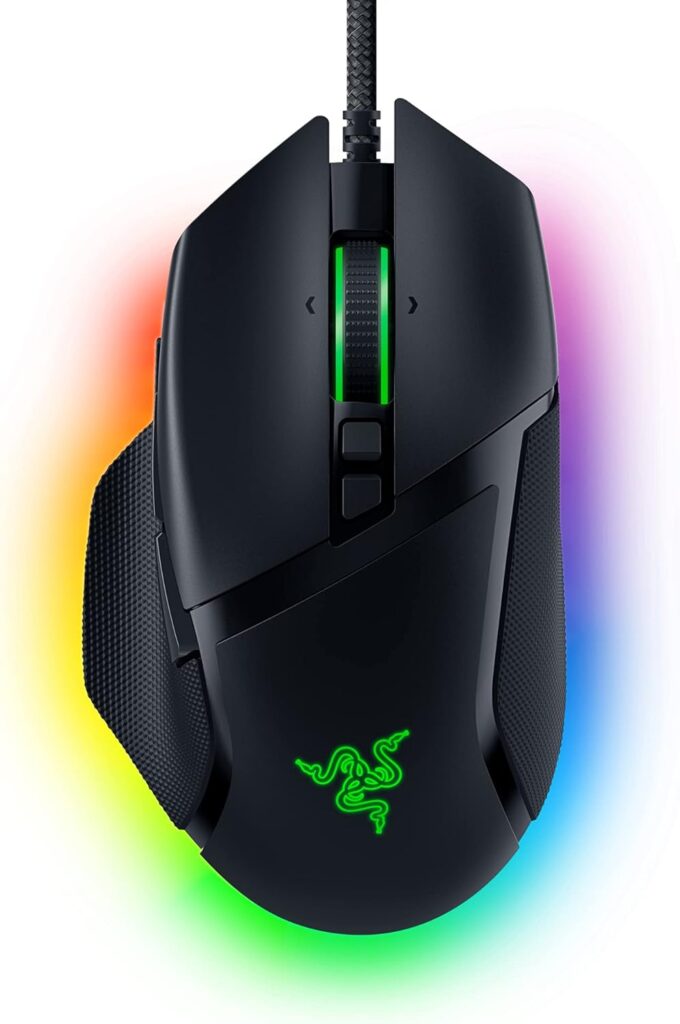
Award: Best Ergonomic Gaming Mouse Under $100
Overview
The Basilisk V3 is Razer’s most feature-complete wired gaming mouse and a consistent recommendation for players who want a comfortable, ergonomic shape loaded with useful features without paying premium wireless prices. At around $50–$70 street price, it punches well above its weight class.
Specifications
| Spec | Details |
|---|---|
| Sensor | Razer Focus+ (20,000 CPI hardware / 26,000 CPI via software) |
| Weight | ~101g |
| Connectivity | Wired USB |
| Polling Rate | 1000Hz |
| DPI Range | Up to 26,000 |
| Buttons | 11 programmable |
| Switch Type | Razer Optical Gen-2 |
| Scroll Wheel | HyperScroll tilt wheel (free-spin + tactile modes) |
Pros
- HyperScroll tilt wheel is one of the most versatile scroll wheels at this price
- 11 programmable buttons with solid thumb placement
- Comfortable ergonomic shape for right-handed users
- Razer optical switches eliminate double-click degradation
- Chroma RGB lighting if aesthetics matter to you
- Excellent value given its feature set
Cons
- Wired only — no wireless option at this price tier
- Heavier at ~101g
- Right-handed only
- Razer Synapse required for full customization
Gaming Experience
The Basilisk V3 is the mouse for the gamer who wants both comfort and capability. The HyperScroll tilt wheel stands out as a genuinely useful feature rather than a gimmick — the ability to flick into free-spin mode for fast document scrolling and snap back to tactile mode for precise weapon switching in-game gives it a practical versatility that cheaper mice don’t offer.
The Focus+ sensor tracks at up to 650 IPS and handles 50G of acceleration — numbers that exceed what any human can generate in normal gaming conditions. In plain English: the sensor will never be your limiting factor in a gunfight. The optical switches offer rapid actuation without the degradation that mechanical switches develop over millions of clicks.
At ~101g, it’s on the heavier side, but its ergonomic shaping distributes that weight well across a palm grip. Players who use their whole hand rather than just their fingers will find it comfortable across multi-hour sessions in ways that lighter, more neutral shapes can’t match.
Who should buy it: Ergonomic palm grip users; players who want macro buttons without going full MMO mouse; anyone who wants feature-richness on a wired budget.
Who should avoid it: Wireless-only players; players who want a lightweight mouse for fast FPS; left-handed users.
Best grip style: Palm grip
Best hand size: Medium to large
4. Logitech G305 Lightspeed — Best Budget Wireless Gaming Mouse {#logitech-g305-lightspeed}
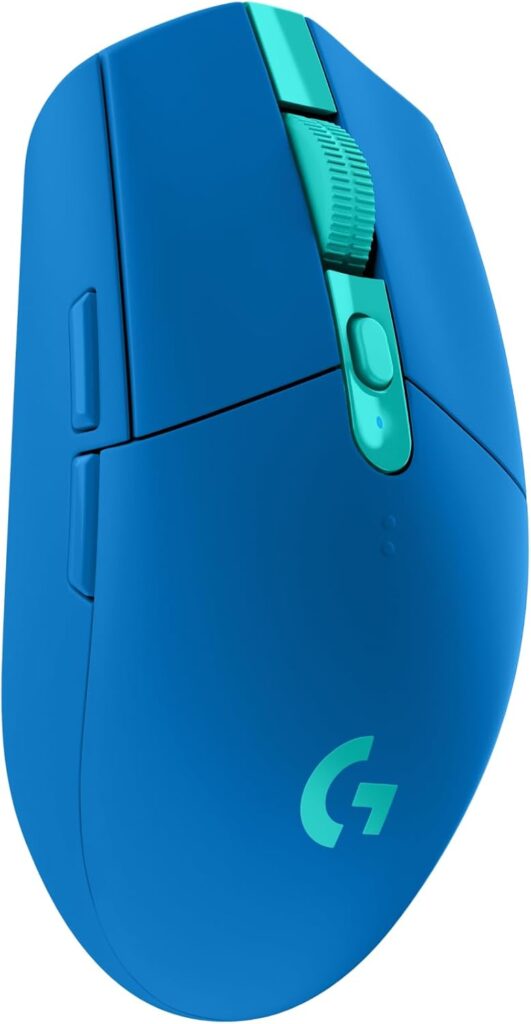
Award: Best Budget Wireless Gaming Mouse
Overview
The G305 is the gateway drug to wireless gaming mice. It runs on a single AA battery for up to 250 hours, uses Logitech’s proven LIGHTSPEED wireless protocol, and typically sells for $35–$50 — a price that makes every wired mouse at the same cost look like a poor deal. It’s older hardware, but the fundamentals are still excellent.
Specifications
| Spec | Details |
|---|---|
| Sensor | Logitech HERO (12K variant) |
| Weight | 99g (including battery) |
| Connectivity | Logitech LIGHTSPEED 2.4GHz wireless |
| Polling Rate | 1000Hz |
| DPI Range | 200–12,000 |
| Buttons | 6 programmable |
| Battery | 1x AA, up to 250 hours |
Pros
- LIGHTSPEED wireless at a price no competitor can match
- 250-hour battery life — weeks of gaming on a single battery
- HERO sensor: reliable, lag-free tracking up to 400 IPS
- Lightweight, compact shell
- Available in multiple colors
- No charging cables — just swap the AA when needed
Cons
- 12K DPI ceiling is lower than newer competition (rarely matters in practice)
- Heavier than modern ultralight mice at 99g with battery
- Limited software features compared to flagship mice
- No RGB lighting
- No side button customization beyond basic mapping
Gaming Experience
The G305 makes one argument and makes it convincingly: at this price, you shouldn’t be using a wired gaming mouse at all. LIGHTSPEED wireless eliminates latency entirely for practical purposes — you cannot feel the difference between LIGHTSPEED and a high-quality wired connection. That alone changes the G305’s value proposition.
The HERO sensor caps at 12,000 DPI, which sounds limiting until you realize that virtually no serious player uses more than 3,200 DPI, and most competitive players use 800 or lower. The real-world tracking up to 400 IPS covers every normal gaming movement. This is a case where the spec sheet undersells the real experience.
The weight distribution leans toward the rear, which is better than front-heavy but still something to adjust to if you’re coming from a more balanced mouse. For casual play and moderate competitive gaming, this adjustment period is brief. Only players making precise micro-adjustments in FPS games will notice it consistently.
The AA battery setup is a genuine strength for travel use — you never need to remember a cable, and you’ll never get caught in the middle of a ranked match with a dead mouse. Simply carrying a spare AA handles emergencies.
Who should buy it: First-time wireless buyers; anyone on a tight budget; casual and mid-level competitive players; gamers who travel and don’t want charging hassle.
Who should avoid it: Dedicated competitive FPS players chasing every millisecond of performance; players who want extensive RGB customization.
Best grip style: Claw grip, fingertip grip
Best hand size: Small to medium
5. HyperX Pulsefire Haste 2 Wireless — Best Lightweight Wireless Gaming Mouse {#hyperx-pulsefire-haste-2-wireless}
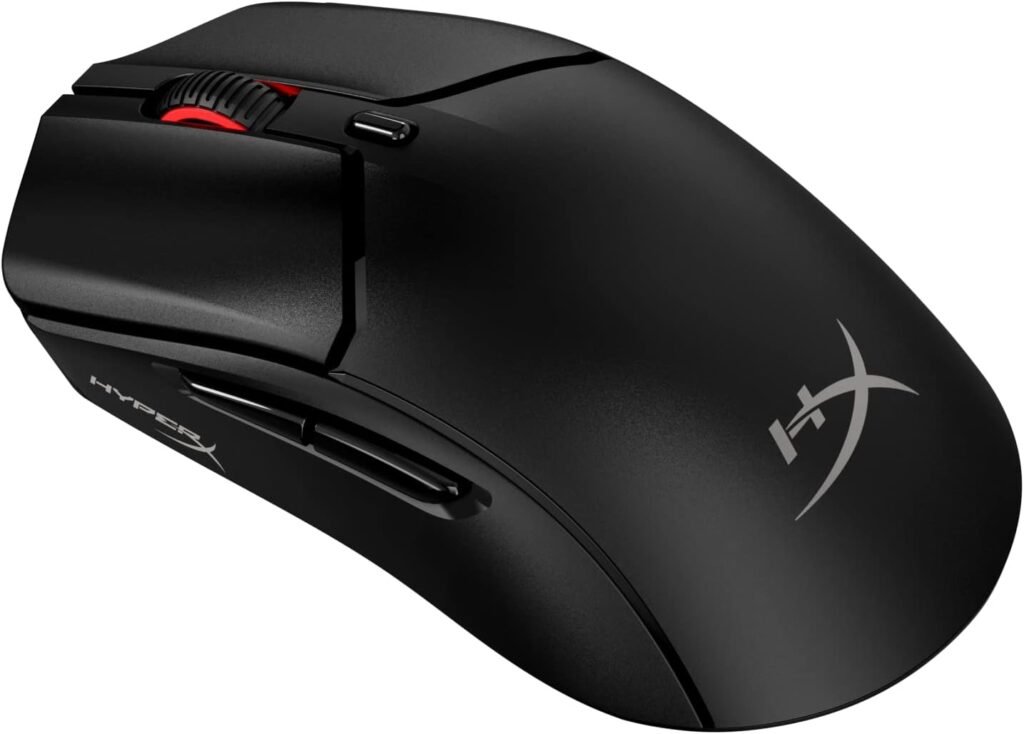
Award: Best Lightweight Wireless Gaming Mouse
Overview
HyperX took a mouse shape that was already well-liked — the original Pulsefire Haste — replaced the honeycomb shell with a solid surface, kept the 61g weight, added the HyperX 26K sensor, and delivered a wireless gaming mouse that competes with options costing twice as much. The Pulsefire Haste 2 Wireless is the most straightforward performance-per-dollar recommendation on this entire list.
Specifications
| Spec | Details |
|---|---|
| Sensor | HyperX 26K (PixArt PAW3395 equivalent) |
| Weight | 61g |
| Connectivity | 2.4GHz wireless + Bluetooth 5.2 |
| Polling Rate | 1000Hz (2.4GHz) |
| DPI Range | Up to 26,000 |
| Buttons | 6 |
| Battery Life | Up to 100 hours (2.4GHz) |
| Switch Type | HyperX custom mechanical (rated 100 million clicks) |
Pros
- 61g is light enough to eliminate fatigue in extended FPS sessions
- HyperX 26K sensor is best-in-class for sensor accuracy at this price
- Solid shell (not honeycomb) means no dust accumulation and a premium feel
- 100-hour battery is practical for daily use without anxiety
- Dual connectivity (2.4GHz + Bluetooth) covers both gaming and desktop use
- 100 million click switch rating is among the highest available
Cons
- Symmetrical ambidextrous shape may feel less secure than an ergonomic design for palm grip users with larger hands
- 1000Hz polling rate, not the 4000Hz or 8000Hz offered by some competitors
- Software (HyperX Ngenuity) is functional but not as feature-rich as Logitech G Hub
Gaming Experience
At 61g wireless, the Pulsefire Haste 2 is light enough for fast flick shots in FPS games while remaining stable enough for slower tracking in longer gaming sessions — a balance that many mice at this weight class struggle to maintain. The HyperX 26K sensor (effectively a PAW3395) has been verified in independent testing by TechPowerUp to track with near-perfect linearity even at maximum speeds.
The solid shell was a smart design decision. The original Haste used holes to cut weight, which works mechanically but collects debris and feels less premium over time. The Haste 2 achieves nearly the same weight without compromising the shell’s integrity, resulting in a mouse that feels more durable on day 500 than day 1.
Bluetooth mode trades polling rate for extended battery life and is useful for productivity tasks or light casual gaming. For competitive use, stick to 2.4GHz.
If you are primarily an FPS player who wants a wireless mouse that doesn’t ask you to accept trade-offs, this is the recommendation before you hit $100.
Who should buy it: FPS and battle royale players; anyone upgrading from a heavy wired mouse; claw and fingertip grip users of any hand size.
Who should avoid it: Players who require extensive macro button layouts; users who want a larger ergonomic shape.
Best grip style: Claw grip, fingertip grip
Best hand size: Small to medium
6. SteelSeries Rival 5 — Best Multi-Genre Gaming Mouse {#steelseries-rival-5}
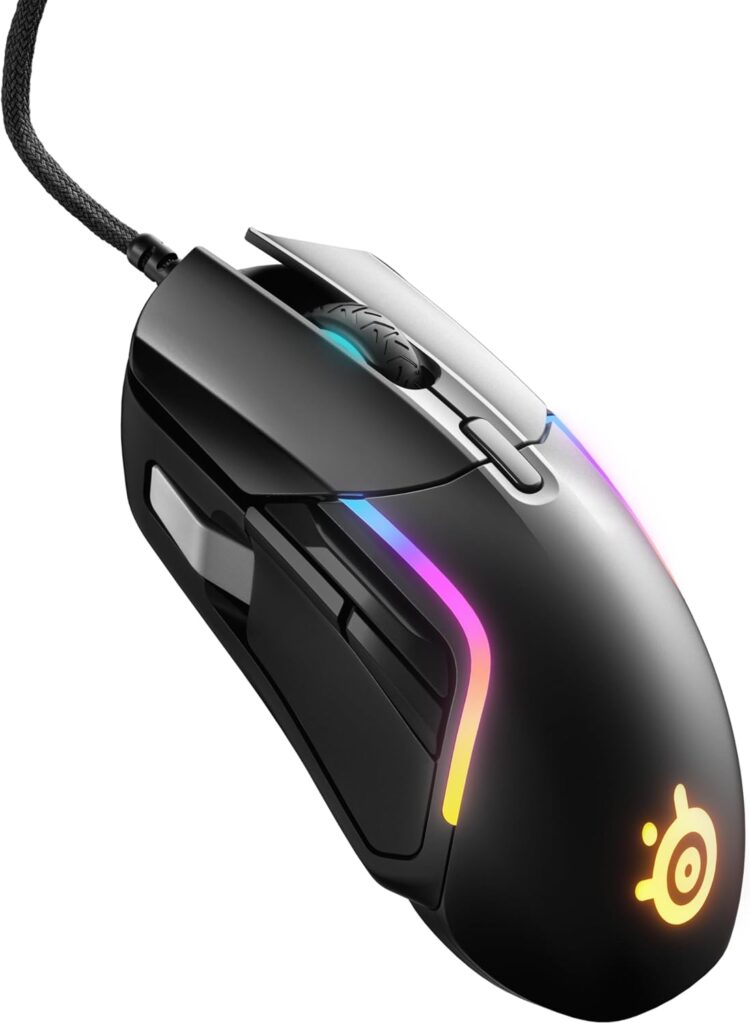
Award: Best Multi-Genre Gaming Mouse
Overview
The Rival 5 sits in a category that doesn’t get enough attention: mice that are genuinely good across every genre without being great for only one. Nine programmable buttons, a lightweight 85g build, and the TrueMove Air sensor make it a versatile workhorse for players who switch between Valorant, Dota 2, and Dark Souls within the same week.
Specifications
| Spec | Details |
|---|---|
| Sensor | SteelSeries TrueMove Air (18,000 DPI) |
| Weight | 85g |
| Connectivity | Wired USB |
| Polling Rate | 1000Hz |
| DPI Range | Up to 18,000 |
| Buttons | 9 programmable |
| Switch Type | Golden Micro IP54 rated mechanical |
Pros
- 9 buttons allow flexible macro binding across all genres
- Golden Micro IP54 switches are rated for water and dust resistance — longer switch lifespan in real-world use
- Relatively lightweight at 85g for a multi-button mouse
- TrueMove Air sensor delivers reliable, accurate tracking
- Excellent build quality with no shell flex
- RGB lighting with per-zone control
- Strong SteelSeries GG software with intuitive interface
Cons
- Wired only
- Right-handed ergonomic shape — left-handed users are excluded
- 18,000 DPI ceiling is lower than flagship sensors (not relevant for most players)
- Side button placement takes getting used to with some grip styles
Gaming Experience
The Rival 5 answers a question a lot of gamers face: “I play too many different game types to commit to one specialized mouse — what do I buy?” The answer is this.
In Valorant or CS2, it’s precise enough for competitive play — the TrueMove Air sensor doesn’t introduce any artificiality, and the lighter build relative to other multi-button mice means it doesn’t tire your wrist during long ranked sessions. In Dota 2 or League of Legends, the additional programmable buttons reduce keyboard dependency for item activations and quick actions. In RPGs, having extra buttons mapped to ability rotations genuinely improves the experience.
The IP54 rating on the switches is quietly significant. Most gaming mouse switches are rated for clicks but not for environmental resistance. The Rival 5’s Golden Micro switches resist moisture and dust intrusion, which directly extends the period before you notice any degradation in click feel. For a mouse you intend to use daily for years, this matters.
Who should buy it: Players who regularly switch genres; MOBA players who want FPS capability too; anyone who wants more than 6 buttons without going full MMO mouse.
Who should avoid it: Left-handed players; wireless-only buyers; anyone who needs more than 9 macro buttons.
Best grip style: Palm grip, claw grip
Best hand size: Medium
7. Turtle Beach Kone II — Best MMO & RPG Gaming Mouse Under $100 {#turtle-beach-kone-ii}
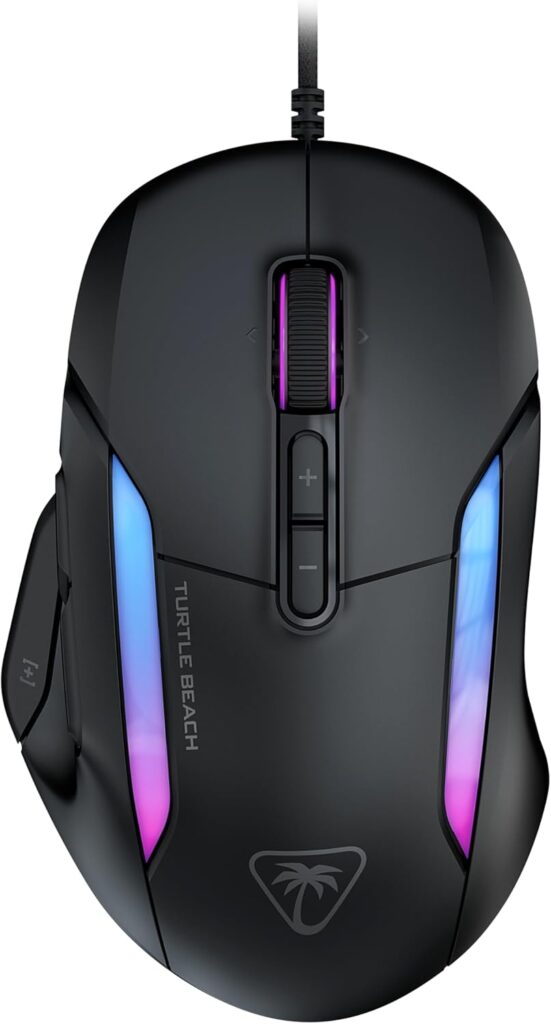
Award: Best MMO & RPG Gaming Mouse Under $100
Overview
Turtle Beach’s reacquisition of the ROCCAT brand brought one of gaming’s most respected ergonomic mouse designs under new management. The Kone II continues the Kone lineage with Turtle Beach’s Owl-Eye 26K optical sensor and TITAN Optical switches — a genuinely strong hardware package wrapped in an ergonomic shell that has been refined over more than a decade of iteration. The wireless Kone II Air version adds exceptional battery life (up to 350 hours via Bluetooth) for those willing to spend a little more.
Specifications
| Spec | Details |
|---|---|
| Sensor | Owl-Eye 26K |
| Weight | ~120g (wired) |
| Connectivity | Wired (Kone II) / 2.4GHz + Bluetooth 5.2 (Kone II Air) |
| Polling Rate | 1000Hz |
| DPI Range | 50–26,000 |
| Buttons | 7 (23 functions via EasyShift+) |
| Switch Type | TITAN Optical (100 million click rated) |
| Battery (Air) | Up to 130 hours (2.4GHz), 350 hours (Bluetooth) |
Pros
- EasyShift+ technology effectively doubles button count to 23 functions — essential for MMO play
- Owl-Eye 26K sensor is competitive with any sensor at this price
- TITAN Optical switches provide fast, reliable actuation with zero double-click degradation
- 4D tilt scroll wheel expands functionality further
- Ergonomic shape accommodates all grip styles for medium to large hands
- AIMO RGB lighting with excellent per-zone customization
Cons
- Heavier than competing mice — not suited for fast FPS play
- Right-handed only
- Swarm II software has a steeper learning curve than Logitech or SteelSeries equivalents
- Premium Kone II Air version (wireless) is priced above $100
Gaming Experience
MMO players have specific needs that most gaming mice ignore: you need a lot of accessible buttons, you need comfort across four-hour+ sessions, and you’re far less concerned with having the lightest possible mouse than an FPS player. The Kone II was designed exactly for this use case.
EasyShift+ is the headline feature. By holding a designated button, every other button on the mouse gets a second function — effectively giving you 23 distinct actions without having to move your hand. For World of Warcraft, Final Fantasy XIV, or any game with complex ability rotations, this is a meaningful quality-of-life upgrade. It’s a feature borrowed from the original ROCCAT Kone lineage that no other mouse at this price point matches.
The TITAN Optical switches deserve attention beyond their 100 million click rating. Optical switches actuate via a light beam rather than physical metal contact, which means there is no signal bounce and no possibility of developing double-clicks over time — a common failure mode in mechanical switch mice after heavy use.
The heavier build is a deliberate choice. Extra weight allows for a thicker, more rigid shell, more robust internals, and the space for RGB components. For players who rest their whole hand on the mouse over long MMO sessions, that comfort trade-off makes sense.
Who should buy it: MMO and MMORPG players; RPG players who want accessible macro buttons; players with medium to large hands who prioritize comfort over weight.
Who should avoid it: FPS-focused players who want a light mouse; players with small hands; anyone primarily playing fast-paced competitive games.
Best grip style: Palm grip, claw grip, fingertip grip (all supported)
Best hand size: Medium to large
8. Keychron M3 Mini 4K — Best Value Enthusiast Gaming Mouse {#keychron-m3-mini-4k}
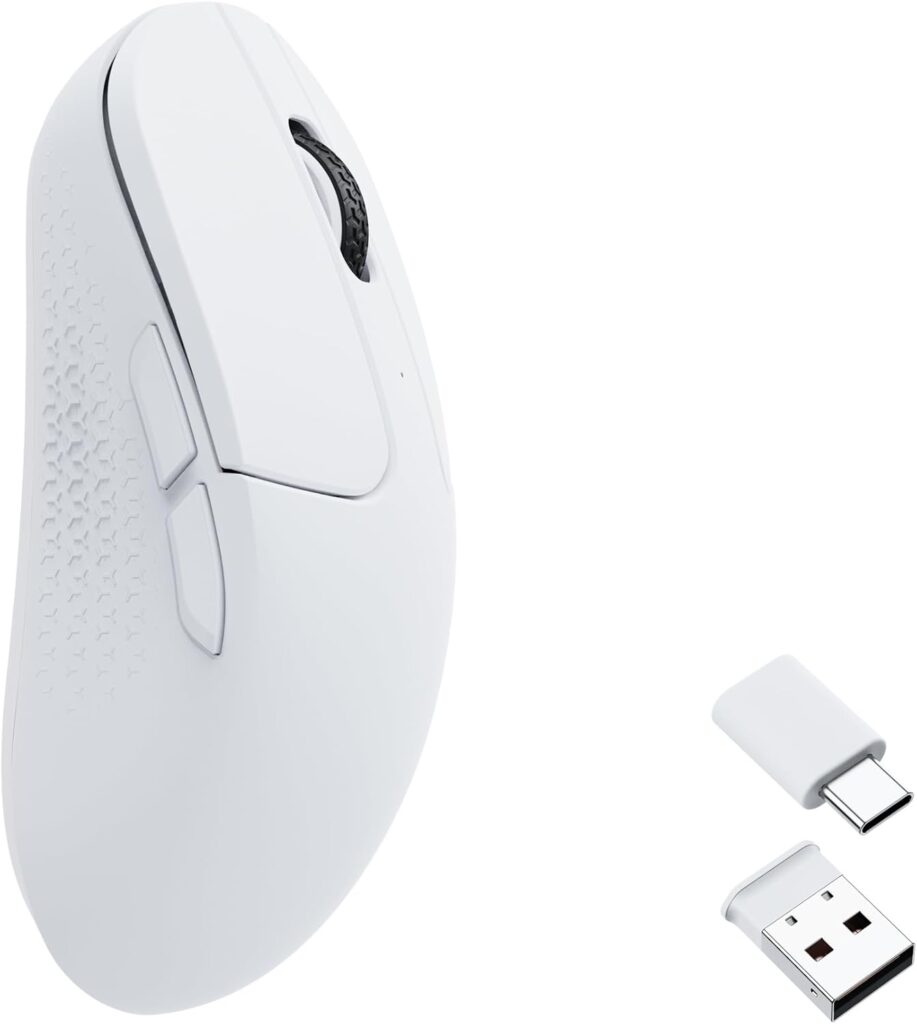
Award: Best Value Enthusiast Gaming Mouse
Overview
Keychron built its reputation on mechanical keyboards that delivered enthusiast-tier quality at accessible prices. The M3 Mini 4K applies the same philosophy to gaming mice. You get a PixArt PAW3395 sensor, a 4000Hz polling rate, and tri-mode connectivity (2.4GHz, Bluetooth, USB-C wired) in a ~55g wireless mouse — hardware that competes with mice costing significantly more. At $70–$100, it’s the enthusiast pick for players who read specs before they buy.
Specifications
| Spec | Details |
|---|---|
| Sensor | PixArt PAW3395 |
| Weight | ~55g |
| Connectivity | 2.4GHz wireless + Bluetooth 5.1 + USB-C wired |
| Polling Rate | Up to 4000Hz (wireless and wired) |
| DPI Range | 100–26,000 |
| Buttons | 6 |
| Battery Life | ~600 hours at 1K Hz / ~40 hours at 4K Hz |
Pros
- 4000Hz polling rate is hardware-class above most sub-$100 competition
- PixArt PAW3395 is among the most tested and verified sensors in the community
- Extremely lightweight at ~55g
- Tri-mode connectivity is genuinely useful for desktop-to-laptop transitions
- Motion Sync (synchronizes sensor to polling rate events) is accessible via Keychron Engine software
- Competitive hardware at a mainstream price
Cons
- Compact form factor is ideal for small hands but can feel cramped for large hands
- No dedicated DPI button on top — DPI is adjusted via underside switches
- The 4K wireless dongle is larger and less convenient than some competitors’
- Battery life at 4000Hz polling drops significantly to ~40 hours
Gaming Experience
The M3 Mini 4K’s real selling point is the 4000Hz polling rate. Most mice in this guide operate at 1000Hz — meaning they report position 1,000 times per second. At 4000Hz, that reporting happens 4,000 times per second, reducing the interval from 1ms to 0.25ms. Research into ultra-high polling rates shows that the benefits are most apparent at 360Hz+ monitor refresh rates during fast FPS play, where the gap between sensor reports and display updates becomes narrow enough to matter.
In practical terms: if you’re playing on a 240Hz or 360Hz monitor and play competitively, the M3 Mini 4K gives you hardware headroom that’s otherwise only available in mice costing $150 or more. If you’re gaming on a 144Hz display, the 1000Hz setting is fine and extends your battery to 600 hours.
The PAW3395 sensor’s Motion Sync feature — accessible through Keychron Engine — synchronizes sensor polling to mouse movement events. In independent testing, this produces marginally tighter tracking consistency. It’s a small detail that reflects the level of care in a mouse aimed at enthusiasts.
Who should buy it: Tech-savvy FPS players who want high polling rates; players with small to medium hands; anyone who switches between gaming PC and work laptop regularly.
Who should avoid it: Large-handed players who need a bigger shape; players who want a straightforward setup without reading software documentation.
Best grip style: Fingertip grip, claw grip
Best hand size: Small to medium
9. Endgame Gear OP1 Wireless — Most Underrated Gaming Mouse Under $100 {#endgame-gear-op1-wireless}
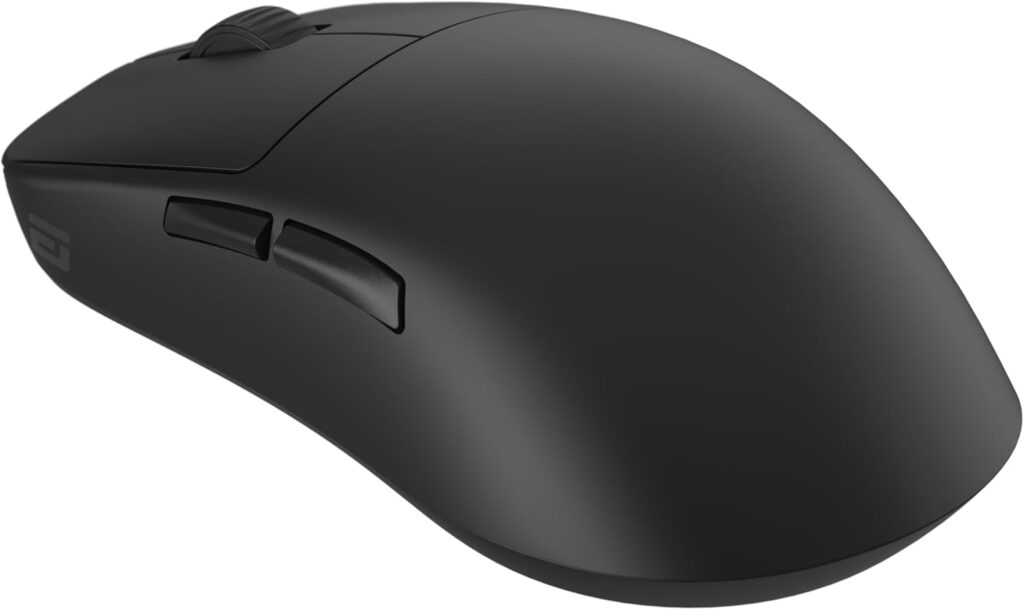
Award: Most Underrated Gaming Mouse Under $100
💡 Most Underrated Gaming Mouse Under $100
Endgame Gear OP1 Wireless is consistently overlooked by mainstream buying guides — but it’s a mouse the enthusiast community quietly recommends every time the question comes up. Here’s why it deserves far more attention.
Overview
Endgame Gear is a German peripheral manufacturer that builds mice with a level of manufacturing precision and quality control that larger brands frequently don’t bother to match. The OP1 Wireless is their flagship ambidextrous wireless mouse — a small, precise, neutrally-shaped mouse with a back-loaded hump that makes it particularly excellent for claw grip users who want to aim precisely without fighting their hardware.
It rarely appears on mainstream “best of” lists because Endgame Gear doesn’t have the marketing budget of Logitech or Razer. It doesn’t have flashy RGB lighting or a well-known brand story. What it has is a PixArt PAW3395 sensor, mechanical Kailh GX switches with hot-swap capability, and a build quality that independent reviewers — including ProSettings.net and PC Gamer — consistently describe as exceptional.
Specifications
| Spec | Details |
|---|---|
| Sensor | PixArt PAW3395 |
| Weight | ~55–65g (varies by version) |
| Connectivity | 2.4GHz wireless + USB-C wired |
| Polling Rate | Up to 4000Hz |
| DPI Range | Up to 26,000 |
| Buttons | 5 |
| Battery Life | ~30 hours (4K Hz polling) |
| Switch Type | Kailh GX (hot-swappable) |
Pros
- Hot-swappable main switches — extend the mouse’s lifespan indefinitely by replacing switches yourself
- PixArt PAW3395 sensor with zero spin-out at high speeds
- Ambidextrous — one of the few genuinely good options for left-handed gamers
- Rear-hump shape is excellent for claw grip and “palm-up, fingers-down” aiming style
- Build quality is measurably above typical consumer gaming mice
- Premium PTFE feet included
- No RGB = longer battery life, less complexity
Cons
- ~30-hour battery life at 4K Hz is short compared to alternatives
- Narrower sides may feel less secure for certain palm grip users with large hands
- No dedicated software features like angle snapping or surface calibration UI
- Less widely available than major brand mice
Why Enthusiasts Love It
The gaming peripheral community — the people who have owned 15+ mice and know what separates good hardware from great hardware — consistently recommends the Endgame Gear OP1 lineup. It shows up repeatedly in enthusiast subreddits and Discord servers dedicated to gaming peripherals. Why?
Because Endgame Gear treats quality control as a feature rather than an afterthought. The hot-swappable Kailh GX switches mean that if your left click starts feeling different after two years of heavy use, you swap the switch in minutes with a new Kailh switch, rather than replacing the entire mouse. That one feature alone extends the practical ownership life of the mouse by years.
The shape is another reason for its enthusiast following. The rear-positioned hump creates what reviewers describe as a “palm-up, fingers-down” sensation during aiming — your hand rests on the back of the mouse while your fingers angle down onto the buttons. For claw grip users especially, this geometry produces very stable, controlled aim without any muscle tension from gripping the sides. If you’ve struggled to find a claw grip mouse that feels settled and secure, the OP1 Wireless is worth trying.
The absence of RGB lighting is a feature here. The power that would go to LEDs goes entirely to the sensor and wireless transmission, contributing to more consistent performance over a charge cycle.
Who should buy it: Claw grip users who haven’t found a shape that suits them; enthusiast gamers who want a precision tool rather than a flashy peripheral; left-handed gamers; anyone who wants a mouse that will still perform excellently in five years.
Who should avoid it: Players who want extensive macro buttons; players who prioritize software features heavily; anyone who wants RGB aesthetics.
Best grip style: Claw grip, fingertip grip
Best hand size: Small to medium
Best Gaming Mice Under $100 by Grip Style {#grip-style-guide}
Grip style is one of the most important factors in mouse selection, and most buying guides ignore it. Here’s what actually works.
Best Gaming Mice Under $100 for Claw Grip
Claw grip involves arching your fingers so only the fingertips and the base of the palm contact the mouse. You want a mouse with a pronounced rear hump and a shape that feels secure when gripped this way.
Top pick: Endgame Gear OP1 Wireless — The rear-hump geometry and neutral ambidextrous shape give claw grip users precise aim without lateral instability.
Runner-up: Razer DeathAdder V3 HyperSpeed — The ergonomic DeathAdder shape was refined specifically to feel natural in a claw grip position.
Also consider: HyperX Pulsefire Haste 2 Wireless — Lightweight enough that the grip style doesn’t cause fatigue over long sessions.
Best Gaming Mice Under $100 for Palm Grip
Palm grip means your entire hand rests on the mouse, with fingers lying flat on the buttons. You need a larger mouse with a comfortable high arch to fill your palm.
Top pick: Razer Basilisk V3 — The ergonomic right-hand shape fills a palm naturally, distributing weight evenly across the entire hand.
Runner-up: Logitech G502 X — The G502 shape has been trusted by palm grip gamers for years; the X refines it without changing what works.
Also consider: Turtle Beach Kone II — Excellent for palm grip users with larger hands who game for long sessions.
Best Gaming Mice Under $100 for Fingertip Grip
Fingertip grip involves only the fingertips touching the mouse — no part of the palm makes contact. You need a lightweight, compact mouse with a flat profile.
Top pick: Keychron M3 Mini 4K — Compact, lightweight (~55g), and flat enough that fingertip grip users have full control without fighting the shape.
Runner-up: HyperX Pulsefire Haste 2 Wireless — The symmetrical shape and 61g weight are well-suited to the fingertip grip style.
Best Gaming Mice Under $100 by Hand Size {#hand-size-guide}
Best for Small Hands (Under 17cm hand length)
Small-handed players need compact mice that don’t require stretching to reach buttons. Oversized mice create tension that directly harms accuracy.
Recommendations: Keychron M3 Mini 4K, Endgame Gear OP1 Wireless, HyperX Pulsefire Haste 2 Wireless
Best for Medium Hands (17–19cm hand length)
Medium-sized hands have the most flexibility — most mice in this guide are designed with medium hands as the target.
Recommendations: Razer DeathAdder V3 HyperSpeed, Logitech G502 X, SteelSeries Rival 5, Razer Basilisk V3
Best for Large Hands (Over 19cm hand length)
Large-handed players need more mouse — both in length and in width — to avoid cramping over long sessions.
Recommendations: Turtle Beach Kone II, Logitech G502 X, Razer Basilisk V3
Tip: If you’re unsure of your hand length, measure from the tip of your middle finger to the base of your palm. Eloshapes.com is a free tool that overlays mouse dimensions for visual comparison.
Which Gaming Mouse Under $100 Will Last the Longest? {#durability-analysis}
A gaming mouse doesn’t earn its keep on day one — it earns it over years of daily use. Here’s what to evaluate for long-term ownership.
Switch Durability
This is where most mice fail first. The left and right click switches have a finite click rating. Here’s a quick comparison:
| Mouse | Switch Type | Click Rating |
|---|---|---|
| HyperX Pulsefire Haste 2 | HyperX mechanical | 100 million |
| Turtle Beach Kone II | TITAN Optical | 100 million |
| Endgame Gear OP1 Wireless | Kailh GX (hot-swap) | High + replaceable |
| Logitech G502 X | LIGHTFORCE optical-mechanical | ~100 million |
| Razer DeathAdder V3 HyperSpeed | Razer Optical Gen-3 | High (optical, no degradation) |
| Razer Basilisk V3 | Razer Optical Gen-2 | High (optical) |
| Logitech G305 | Omron mechanical | 10 million |
Optical switches (Razer, Turtle Beach TITAN) have an inherent durability advantage: because they use a light beam instead of a physical contact, they cannot develop double-click behavior — the most common switch failure mode. The Endgame Gear OP1 Wireless’s hot-swappable switches are unique on this list: when they eventually wear out (years from now), you replace the switch, not the mouse.
Scroll Wheel Reliability
Scroll wheel encoders are the second most common failure point. Look for mice with named encoder brands (Kailh encoders are well-regarded) or optical scroll encoders. The Razer Basilisk V3’s HyperScroll and the Turtle Beach Kone II’s 4D wheel are both built to a higher standard than generic encoders.
Shell Build Quality
Flexing and creaking are signs of a shell that will develop play over time. The Keychron M3 Mini 4K’s magnesium alloy construction and the Endgame Gear OP1’s rigid plastic shell both rate highly here. Budget mice that use thin injection-molded plastic often develop rattles within the first year.
Warranty
Most gaming mice in this price range carry a two-year warranty. Endgame Gear offers two years, as does Razer. Logitech and HyperX vary by region. If you’re buying a mouse for long-term ownership, register it and keep your receipt.
Longest-lasting pick overall: Endgame Gear OP1 Wireless — hot-swappable switches mean it can theoretically outlast every other mouse on this list through simple maintenance.
Gaming Mouse Software Comparison {#software-comparison}
Software matters more than many buyers realize. It controls your DPI settings, button mapping, profile storage, and — in some cases — directly affects your mouse’s click latency behavior.
Logitech G Hub
G Hub is the most feature-complete software here. It handles DPI configuration, button mapping, per-game profiles, and onboard memory management. Its weakness is resource usage — it runs as a background process and can occasionally cause issues on lower-spec systems. For most users, these are minor inconveniences. The profile switching and macro management capabilities are genuinely industry-leading.
Razer Synapse
Synapse is powerful but resource-intensive and requires a Razer account. The feature set is excellent — DPI staging, Chroma RGB control, macro recording, and performance tuning — but the software has earned a reputation for occasionally disrupting system performance during updates. If you already use Razer peripherals, staying in the Synapse ecosystem makes sense.
SteelSeries GG
SteelSeries GG (which replaced SteelSeries Engine) is arguably the most user-friendly option here. The interface is clean, profile management is simple, and it doesn’t require an account for basic functionality. The Rival 5’s configuration through GG is a pleasant experience compared to Synapse.
HyperX Ngenuity
Ngenuity is functional but limited. It handles DPI steps, button assignment, and RGB control adequately. It lacks some of the advanced sensor tuning options (angle snapping, debounce time) available in competing software. For most users this doesn’t matter; for players who want fine-grained control, it’s a shortcoming.
Keychron Engine
Keychron Engine is clean and well-designed — what you’d expect from a company that makes software for keyboards. For the M3 Mini 4K, it enables Motion Sync, polling rate selection, DPI configuration, and macro assignment. It supports Windows and macOS, which makes it notably more useful than software that ignores Mac users.
Turtle Beach Swarm II
Swarm II is powerful once you learn it, but it has the steepest learning curve of any software here. EasyShift+ configuration in particular requires understanding the layered button system. The payoff is extraordinary flexibility for MMO play.
Why software matters beyond just settings: Some software affects click latency. Click debounce time — the delay after a click before the next click registers — varies between mice and is sometimes adjustable in software. Lower debounce time improves rapid click speed but can cause accidental double-clicks if set too low. For competitive FPS play, being able to tune this is a meaningful advantage.
Are Wireless Gaming Mice Under $100 Fast Enough for Competitive Gaming? {#wireless-latency}
The short answer: yes, with caveats. Here’s the long answer.
The Polling Rate Explanation
A mouse’s polling rate determines how often it reports its position to your PC. At 1000Hz (the standard for most mice on this list), that’s once every 1ms. At 4000Hz (Keychron M3 Mini 4K, Endgame Gear OP1 Wireless), that’s once every 0.25ms. Practically, 1000Hz is indistinguishable from wired by feel for the vast majority of players gaming on 144Hz–240Hz monitors.
Wireless Protocol Performance
Not all wireless is equal. The mice on this list use 2.4GHz wireless protocols (Logitech LIGHTSPEED, Razer HyperSpeed) that are specifically engineered for gaming. Independent latency testing has consistently shown these protocols to match or approach wired performance in controlled environments.
What this means practically: the Razer DeathAdder V3 HyperSpeed’s wireless connection won’t cost you a gunfight. The LIGHTSPEED in the G305 has been validated across years of competitive use. The 2.4GHz protocols here are fundamentally different from the Bluetooth used in office mice — they are not prone to the interference or inconsistency that made early wireless gaming mice unreliable.
When Polling Rate Actually Matters
NVIDIA Reflex and NVIDIA’s own latency resources make clear that the system-level latency chain — from peripheral to display — involves your mouse polling rate, CPU processing time, GPU render time, and display response time. At 360Hz monitors with sub-5ms display response times, moving from 1000Hz to 4000Hz mouse polling creates a measurable improvement in end-to-end input lag. At 60Hz or 144Hz, the mouse is not your bottleneck.
Practical recommendation: If you game on a 240Hz+ monitor in ranked or competitive play, consider the Keychron M3 Mini 4K or Endgame Gear OP1 Wireless for their 4000Hz polling. If you game on 144Hz or below, any 1000Hz mouse on this list — wireless or wired — will not limit your performance.
You may also find this helpful alongside our Best Gaming Keyboards for Under $100 (2026 Buying Guide) for building a full high-performance setup.
FAQ {#faq}
What are the best gaming mice for under $100?
The best gaming mice for under $100 in 2026 are: the Logitech G502 X (best overall), the Razer DeathAdder V3 HyperSpeed (best for FPS), the HyperX Pulsefire Haste 2 Wireless (best lightweight wireless), the Logitech G305 Lightspeed (best budget wireless), and the Endgame Gear OP1 Wireless (best underrated pick). The right choice depends on your grip style, hand size, and preferred game genres.
Is a wireless gaming mouse under $100 good enough for competitive gaming?
Yes. Modern 2.4GHz wireless protocols — including Logitech LIGHTSPEED and Razer HyperSpeed — deliver latency performance that is effectively indistinguishable from wired connections during gameplay. The Logitech G305, HyperX Pulsefire Haste 2 Wireless, Razer DeathAdder V3 HyperSpeed, and Endgame Gear OP1 Wireless all use 2.4GHz wireless that has been validated for competitive use. The only meaningful upgrade beyond 1000Hz polling — moving to 4000Hz+ — becomes relevant at 360Hz+ monitor refresh rates.
What is the best gaming mouse under $100 for claw grip?
The Endgame Gear OP1 Wireless is the best claw grip mouse under $100. Its rear-positioned hump creates an ideal “palm-up, fingers-down” angle during aiming, giving claw grip players stable, controlled aim without hand tension. The Razer DeathAdder V3 HyperSpeed is an excellent alternative for players who prefer a right-hand ergonomic shape over ambidextrous.
What is the best gaming mouse under $100 for palm grip?
The Razer Basilisk V3 is the best palm grip mouse under $100. Its full ergonomic right-hand shape fills the palm naturally, and the HyperScroll tilt wheel adds genuine functional depth. The Logitech G502 X is an excellent runner-up, particularly for palm grip players who want more macro buttons.
How much DPI do I actually need?
For most competitive gaming, 400–1600 DPI is the practical range. DPI sets how far the cursor moves per inch of physical movement. Higher DPI is not inherently better — what matters is consistency and your ability to control the sensitivity. Professional esports players frequently use 400–800 DPI with high in-game sensitivity multipliers. The 12,000 DPI ceiling on the Logitech G305, the 26,000 DPI on the HyperX Pulsefire Haste 2, and the 25,600 DPI on the G502 X are all far above what any player actually uses competitively.
Is the Logitech G502 X still worth buying in 2026?
Yes. The G502 X wired version regularly drops to $50–$60 on sale, making it one of the best value gaming mice available regardless of price. The HERO 25K sensor and LIGHTFORCE hybrid switches are competitive with anything in this guide. Its main limitation is its 89g weight — if you specifically need a lightweight mouse for fast FPS, look elsewhere. For everything else, it’s still a strong buy.
Is the Endgame Gear OP1 Wireless worth it?
Yes — especially for claw grip users and enthusiast gamers who value build quality and longevity. The OP1 Wireless offers a PAW3395 sensor, hot-swappable Kailh GX switches, and 4000Hz polling rate at a price that represents genuine value. It’s not the flashiest option, but it’s built to a higher standard than most of its competition. Reviewers at ProSettings.net and PC Gamer consistently recommend it.
What gaming mouse lasts the longest?
The Endgame Gear OP1 Wireless is built for the longest lifespan, thanks to hot-swappable main switches — when the Kailh GX switches wear out, you replace the switch (a $5–$10 part), not the mouse. For mice with non-swappable switches, optical switch designs (Razer DeathAdder V3 HyperSpeed, Turtle Beach Kone II with TITAN Optical switches) outlast mechanical switches because they have no physical contact to degrade.
What polling rate should a gaming mouse have?
For gaming on monitors up to 240Hz, 1000Hz polling is more than sufficient. 1000Hz means the mouse reports its position every 1ms, which is faster than any display at 240Hz can render a new frame. At 360Hz+ monitors and in competitive FPS, 4000Hz polling (available on the Keychron M3 Mini 4K and Endgame Gear OP1 Wireless) provides a measurable reduction in end-to-end input latency. For casual gaming, even 500Hz is effectively imperceptible from 1000Hz.
Does gaming mouse weight really matter?
It depends on how you play. For FPS games on low DPI where you make large sweeping arm movements, mouse weight directly affects fatigue and flick speed — lighter is better. For MOBA, MMO, and strategy games where movements are shorter and more deliberate, weight matters far less. A mouse under 70g feels meaningfully different to a mouse over 100g in extended FPS sessions. For non-FPS genres, most players won’t notice the difference between 80g and 100g.
Conclusion {#conclusion}
The best gaming mice for under $100 in 2026 offer no meaningful compromise compared to flagships costing twice as much. Here’s where each pick lands:
Best Overall: The Logitech G502 X delivers LIGHTFORCE switches and a HERO 25K sensor in a proven ergonomic shape that works across every genre. Hard to beat for the price.
Best Budget Wireless: The Logitech G305 Lightspeed proves that you don’t need to spend $80 to get excellent wireless gaming performance. At $35–$50, it’s the first wireless mouse recommendation for anyone on a budget.
Best Lightweight Wireless: The HyperX Pulsefire Haste 2 Wireless at 61g and 100 hours battery life hits a performance and comfort sweet spot that few mice achieve at any price.
Best FPS Mouse: The Razer DeathAdder V3 HyperSpeed combines the most trusted ergonomic shape in competitive gaming with HyperSpeed wireless and optical switches. For dedicated FPS players, it’s the pick.
Best Hidden Gem: The Endgame Gear OP1 Wireless is the recommendation for anyone who has done their research and wants a mouse that performs and lasts. The enthusiast community has known about it for years — mainstream buyers are just catching up.
Pair any of these with a strong keyboard setup — our Best Gaming Keyboards Under $350 (2026 Buying Guide) covers the full range — and you’ll have a competitive-grade gaming setup without breaking $200 total.
Whatever you choose from this list, you’re getting genuinely excellent hardware. The best gaming mice for under $100 are no longer a compromise category — they’re where the smartest buyers shop.
Last updated: June 2026. Prices referenced are approximate and subject to change. Always verify current pricing before purchasing.
Specs sourced from manufacturer pages, TechPowerUp, ProSettings.net, and PC Gamer. Independent sensor testing referenced from TechPowerUp’s mouse sensor test suite.








