




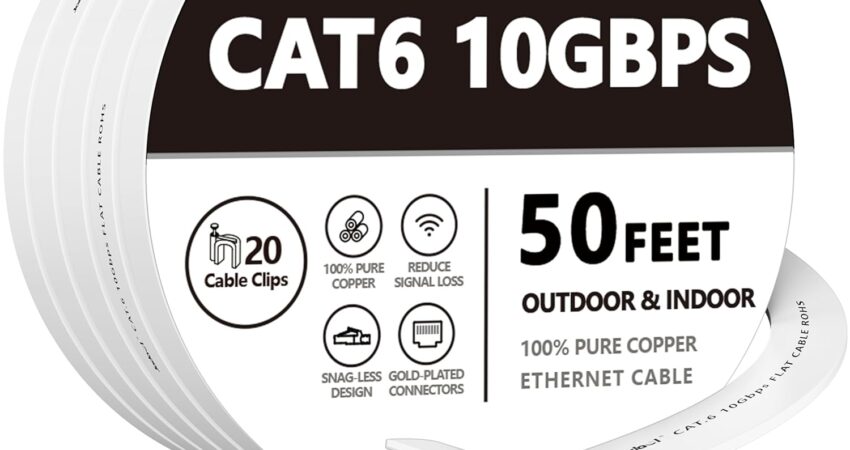
The best ethernet cable for gaming isn’t the most expensive one on the shelf — and it’s probably not the Cat8 cable that looks cool in product photos. After spending years optimizing home networks for competitive gaming, streaming, and everything in between, we can tell you that most gamers overcomplicate this decision.
Yes, a wired connection beats Wi-Fi almost every time. But once you’ve made the decision to go wired, the type of cable matters far less than your ISP, your router, and your modem.
That said, the right cable still matters. The wrong one can cause signal degradation over long runs, introduce interference in noisy environments, or fall apart after a few months of heavy use. This guide cuts through the noise and tells you exactly what to buy based on your actual setup — not marketing specs.
Quick Answer: What Is The Best Ethernet Cable For Gaming?
If you just want our top pick without reading the full breakdown, here it is:
🏆 Our Personal Pick: Cable Matters Cat6 Ethernet Cable
We would buy this cable with our own money. In fact, we have. Multiple times.
The Cable Matters Cat6 is the sweet spot between real-world performance and price. It supports Gigabit speeds (1 Gbps) easily — which is faster than virtually every residential internet connection available today. The build quality is solid, the connectors are snug and reliable, the jacket holds up to daily abuse, and it comes in lengths that actually make sense for home gaming setups.
It doesn’t have fancy gold connectors or a Cat8 label, but it doesn’t need them. Your ISP isn’t delivering 10 Gbps to your house, your router almost certainly isn’t routing at 10 Gbps, and your gaming console or PC doesn’t benefit from theoretical bandwidth that your network stack will never hit.
This cable just works. It works today, and it’ll work when you upgrade your router in three years. That’s the goal.
Comparison Table: Best Ethernet Cables for Gaming
| Cable | Category | Max Speed | Bandwidth | Shielding | Best For |
|---|---|---|---|---|---|
| Cable Matters Cat6 | Cat6 | 1 Gbps (10 Gbps short runs) | 250 MHz | Unshielded (UTP) | Overall gaming use |
| Monoprice Flexboot Cat6 | Cat6 | 1 Gbps | 250 MHz | Unshielded (UTP) | Budget Cat6 |
| Cable Matters Cat6a | Cat6a | 10 Gbps | 500 MHz | Shielded (STP/FTP) | Multi-gig future-proofing |
| DbillionDa Cat8 | Cat8 | 25–40 Gbps | 2000 MHz | Shielded (S/FTP) | Data centers, enthusiasts |
| Amazon Basics Cat6 | Cat6 | 1 Gbps | 250 MHz | Unshielded (UTP) | Tight budgets |
| UGREEN Cat8 | Cat8 | 25–40 Gbps | 2000 MHz | Shielded (S/FTP) | PS5 / console gaming |
| CableCreation Cat6a | Cat6a | 10 Gbps | 500 MHz | Shielded (STP) | Xbox Series X |
| Jadaol Cat6 Flat | Cat6 | 1 Gbps | 250 MHz | Unshielded (UTP) | Long cable runs |
| DanYee Cat7 Flat | Cat7 | 10 Gbps | 600 MHz | Shielded (S/FTP) | Flat cable runs |
| Cable Matters Cat8 | Cat8 | 25–40 Gbps | 2000 MHz | Shielded (S/FTP) | Maximum future-proofing |
The Best Ethernet Cables for Gaming: Full Reviews
Best Ethernet Cable for Gaming Overall
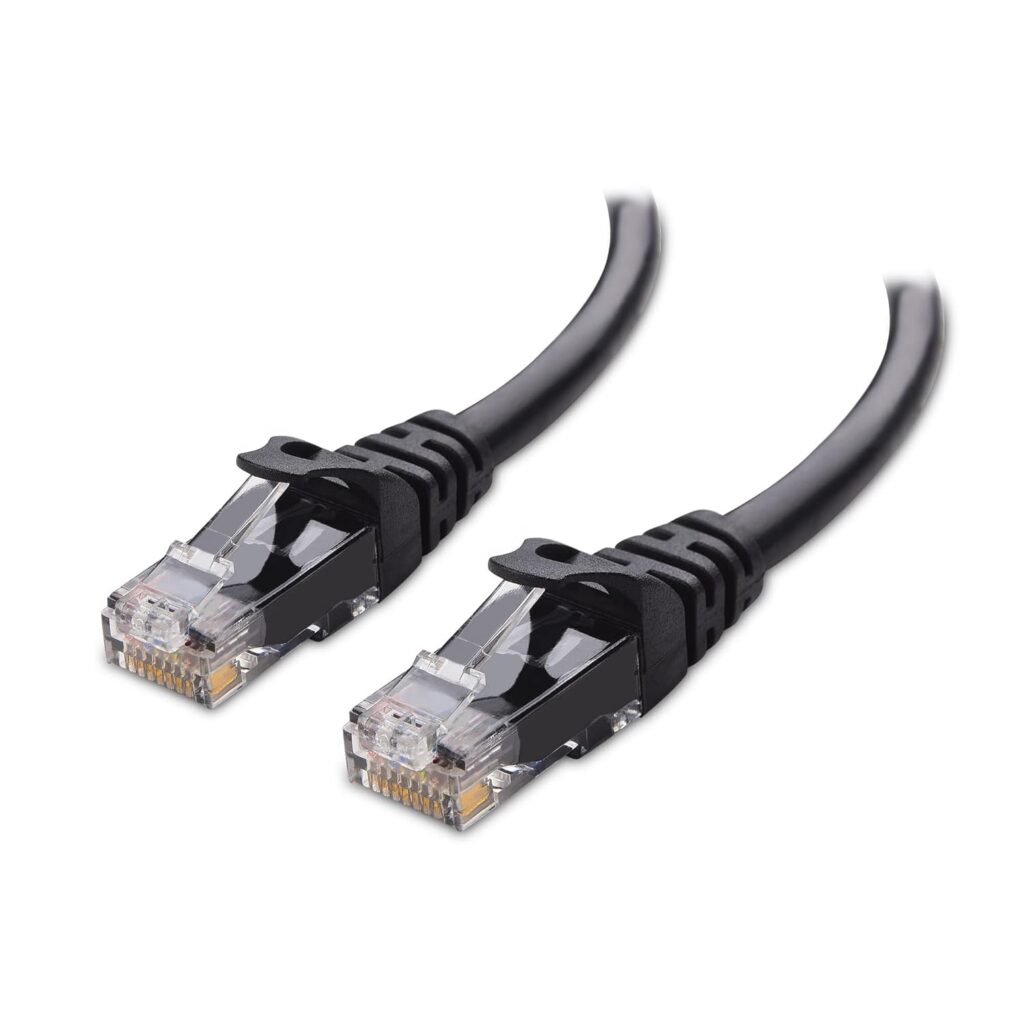
Cable Matters Cat6 Ethernet Cable
 Check Price on Amazon
 When someone asks us what ethernet cable to buy for gaming, this is almost always our answer. Not because it’s the flashiest option, or the one with the highest spec sheet — but because it’s the one that delivers everything a gamer actually needs, at a price that leaves money on the table for hardware that actually improves your gaming experience.
Key Specifications
- Category: Cat6
- Max Speed: 1 Gbps (10 Gbps up to 55 meters)
- Bandwidth: 250 MHz
- Shielding: Unshielded (UTP)
- Connector: Gold-plated RJ45
- Available lengths: 3 ft to 100 ft+
- Jacket: PVC, snag-resistant boot
What We Like
- Snug, reliable RJ45 connectors that don’t wobble in ports
- Consistent build quality across different production batches
- Available in a wide range of lengths and colors
- Works with all gaming platforms, routers, and switches
- Handles Gigabit speeds without signal degradation
- Very competitively priced for the build quality
What We Don’t Like
- Unshielded, so it’s not ideal in electrically noisy environments (near power cables, motors, etc.)
- Jacket is PVC — not as flexible as TPE options
- Not rated for 10 Gbps beyond 55 meters
Why We Chose It
The Cable Matters Cat6 is the gaming ethernet cable for the vast majority of gamers — casual, competitive, console, or PC.
Here’s the honest reality: your internet service provider is likely delivering anywhere from 100 Mbps to 1 Gbps to your home. Even if you’re on a blazing-fast 1 Gbps fiber plan, a Cat6 cable handles that perfectly. Cat6 is rated for 10 Gbps at shorter distances, and 1 Gbps at runs up to 100 meters. You’re not going to saturate this cable.
For gaming specifically, what matters is a stable, low-jitter connection — not raw throughput. This cable delivers exactly that. We’ve used it on competitive FPS setups, streaming rigs, and console gaming stations, and it’s never been the weak link.
The connector quality is underrated. Cheap cables use thin, brittle plastic housings that crack over time or feel loose in ports. The Cable Matters connectors click in firmly and stay there. For a cable that you might be plugging and unplugging regularly (traveling to LAN events, rearranging setups), that connector durability matters more than most buyers realize.
In terms of pure value, it’s hard to beat. You’re paying for performance you’ll actually use, build quality that lasts, and a brand with a strong reputation in the networking community — without paying Cat8 prices for Cat8 specs you’ll never need.
Best Cat6 Ethernet Cable for Gaming
Monoprice Flexboot Cat6 Ethernet Cable
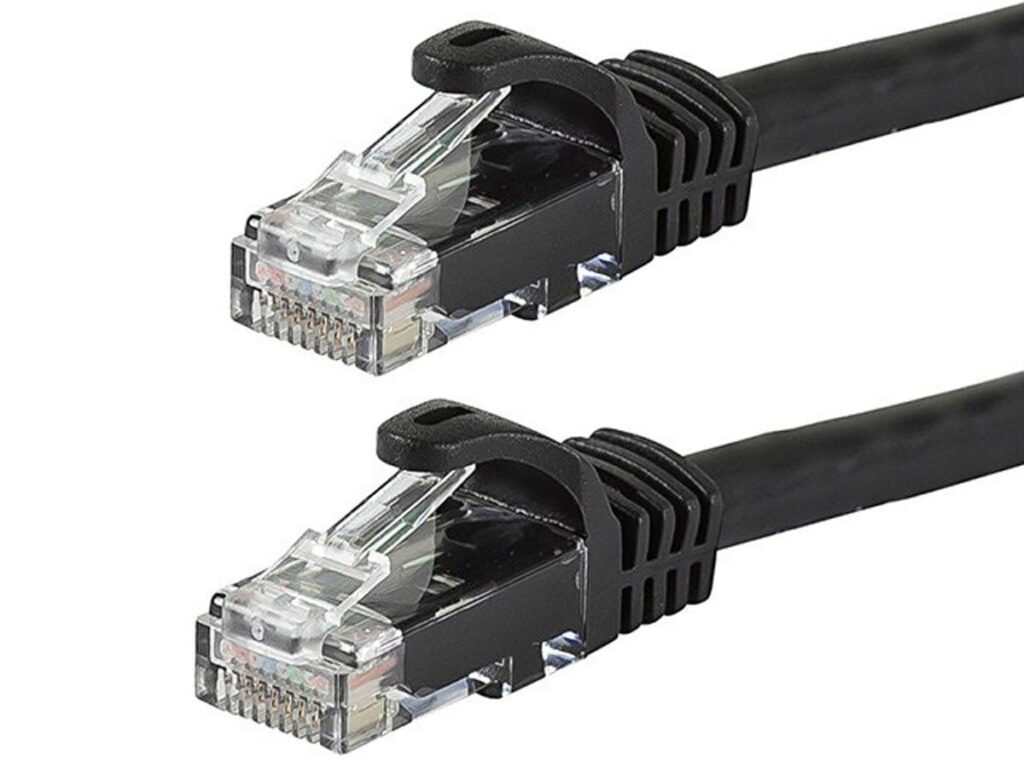
Monoprice has been quietly making solid networking hardware for years. The networking community trusts them. IT professionals buy from them in bulk. And the Flexboot Cat6 is one of the cleanest, most reliable Cat6 cables you can get for gaming.
Key Specifications
- Category: Cat6
- Max Speed: 1 Gbps (10 Gbps up to 55 meters)
- Bandwidth: 250 MHz
- Shielding: Unshielded (UTP)
- Connector: RJ45 with flexboot snag-less boot
- Available lengths: 1 ft to 200 ft
- Jacket: PVC
What We Like
- Flexboot design makes cable management significantly easier
- Exceptional value for the build quality
- Monoprice’s quality control is consistently strong
- Wide length selection for any gaming room layout
- Trusted by IT professionals and home networkers alike
What We Don’t Like
- Not shielded, which limits performance in high-interference environments
- Less widely available on third-party retail sites
- No premium color options beyond the basics
Why We Chose It
The flexboot connector is what separates this cable from generic Cat6 alternatives. Traditional ethernet cables have a fixed plastic boot protecting the locking tab. If that tab breaks — which it often does when cables are run under desks, stepped on, or bent repeatedly — the cable starts falling out of ports mid-gaming session. The flexboot solves this by making the boot flexible and protective without being brittle.
For desktop PC gaming setups where cables are routed along walls, around furniture legs, and behind monitor stands, that flexibility matters. We’ve seen too many gamers troubleshoot intermittent connection drops for hours, only to discover a cracked connector tab was the culprit.
Monoprice cables also tend to hold up better than equally priced Amazon generic options in terms of consistency. The conductors are properly rated, the jacket doesn’t crack under tension, and the connectors maintain a reliable grip over time.
This is our pick for someone who wants a workhorse Cat6 cable from a brand that takes quality seriously.
Best Cat6a Ethernet Cable for Gaming
Cable Matters Cat6a Shielded Ethernet Cable
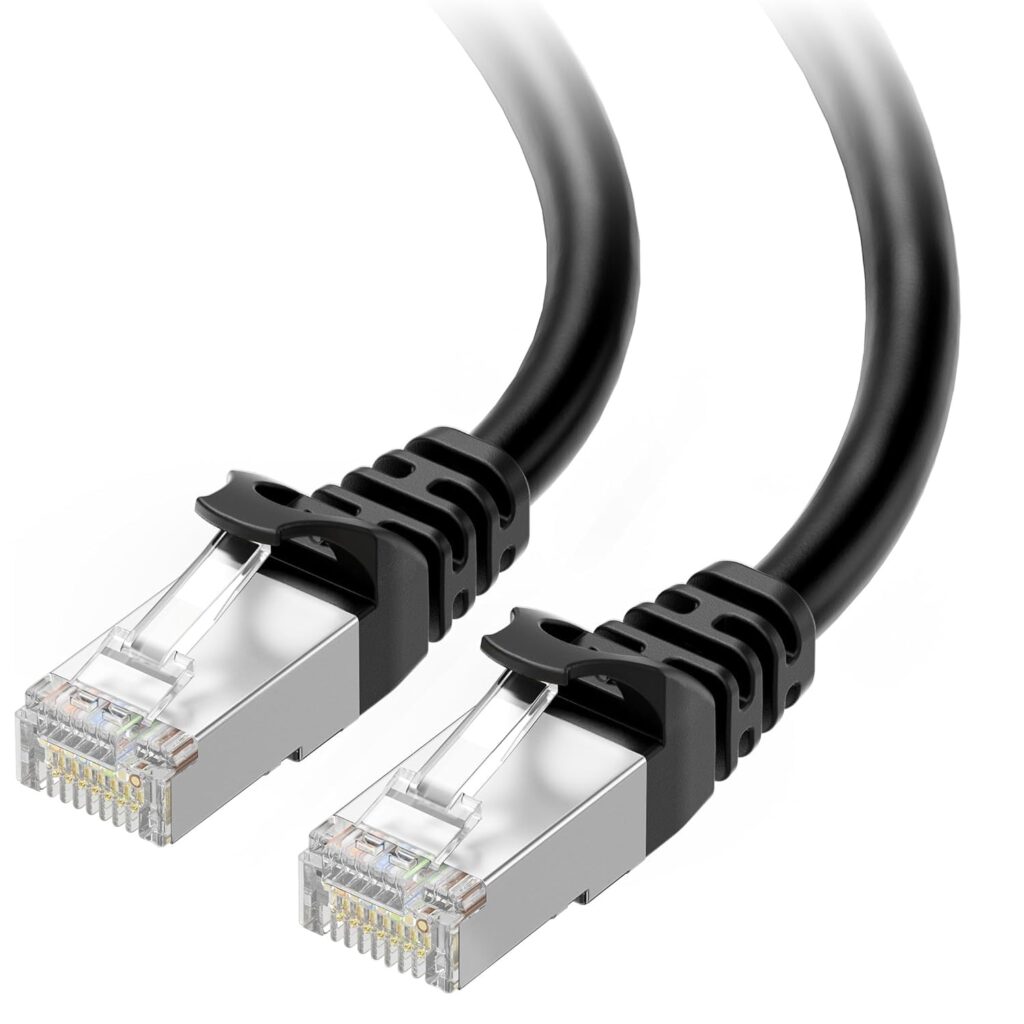
Cat6a is the upgrade path for gamers who want 10 Gbps capability across longer distances, or who are dealing with electrical interference from other equipment in their setup. The Cable Matters Cat6a is our favorite in this category.
Key Specifications
- Category: Cat6a (Augmented Category 6)
- Max Speed: 10 Gbps
- Bandwidth: 500 MHz
- Shielding: Shielded (STP)
- Connector: Gold-plated RJ45
- Available lengths: 3 ft to 150 ft
- Jacket: PVC with braided shielding
What We Like
- Full 10 Gbps support at up to 100 meters
- Shielding provides excellent interference rejection
- Double the bandwidth of Cat6 (500 MHz vs 250 MHz)
- Works with multi-gig routers and switches (2.5 Gbps, 5 Gbps, 10 Gbps)
- Good connector quality with secure fit
What We Don’t Like
- Noticeably stiffer than Cat6 — harder to route in tight spaces
- Heavier cable adds some strain to ports on longer runs
- Higher price than Cat6 without a meaningful gaming advantage for most users
Why We Chose It
Cat6a makes sense for specific gaming setups. If you’ve invested in a multi-gig router and have a 2.5 Gbps or faster internet plan, Cat6 can technically become a bottleneck in certain configurations. That’s when Cat6a earns its place.
It’s also the right choice if your ethernet run passes near power conduits, large appliances, or other sources of electromagnetic interference. The shielding actively rejects that noise, giving you a cleaner signal — which translates to more consistent latency, not faster speeds, but consistent latency is genuinely important for competitive gaming.
We also recommend Cat6a for anyone running cable inside walls. If you’re going to put a cable somewhere you can’t easily replace it, you may as well install one with 10 Gbps headroom. You’re not rewiring your house in three years just because you upgraded your internet plan.
The stiffer jacket is the main trade-off. It’s genuinely harder to work with around tight corners, but the performance and longevity advantages justify it for permanent installations.
Best Cat8 Ethernet Cable for Gaming
DbillionDa Cat8 Ethernet Cable
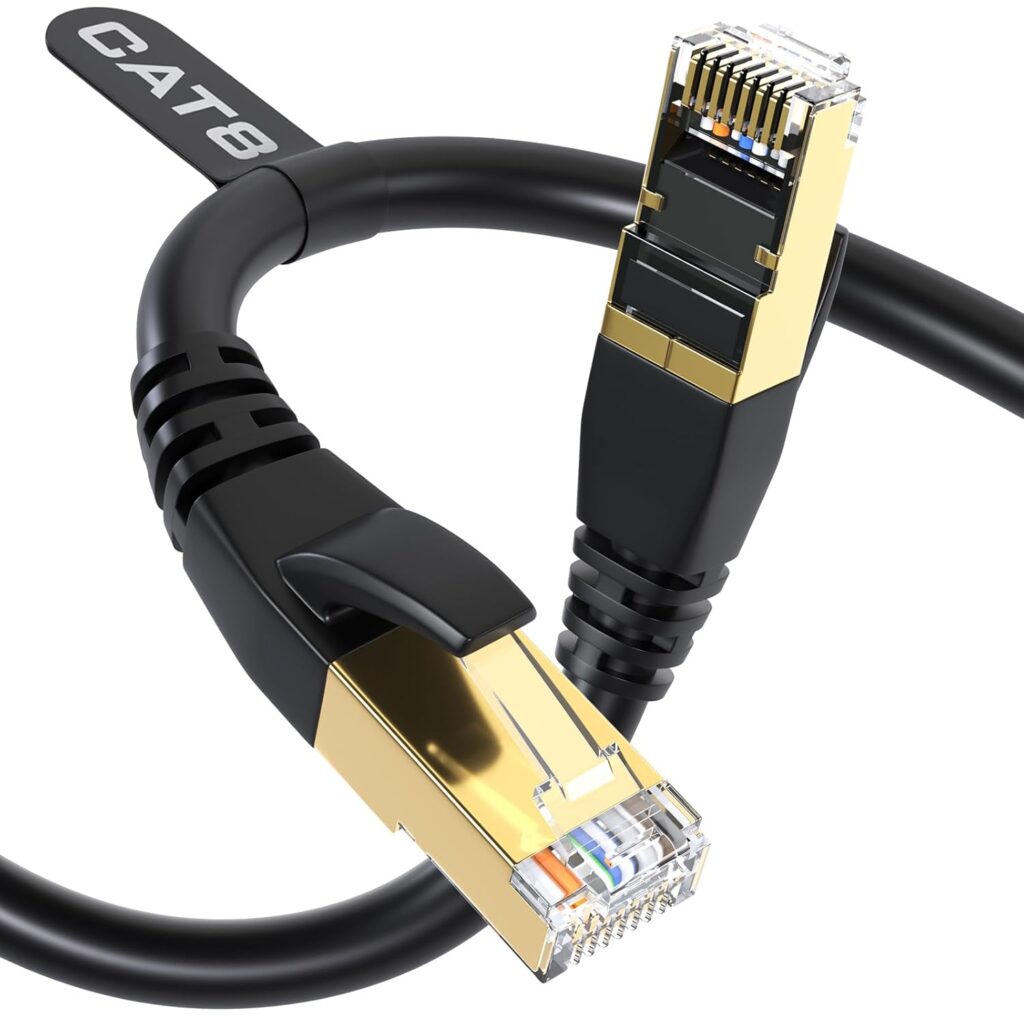
If you want the top tier of consumer ethernet, Cat8 is it. The DbillionDa Cat8 is one of the more legitimately-spec’d Cat8 cables available on Amazon, and it’s a solid choice for gamers who want the absolute best — or who are running a home lab setup that can actually use the bandwidth.
Key Specifications
- Category: Cat8
- Max Speed: 25 Gbps / 40 Gbps
- Bandwidth: 2000 MHz
- Shielding: S/FTP (double shielded)
- Connector: Gold-plated RJ45
- Available lengths: 3 ft to 100 ft
- Jacket: Braided nylon
What We Like
- 2000 MHz bandwidth — the most of any consumer cable category
- Double shielding (foiled pairs + outer braid) provides excellent EMI rejection
- Braided nylon jacket is genuinely more durable than PVC alternatives
- Impressive connector build quality
- Works great in environments with significant electrical interference
What We Don’t Like
- Significant overkill for virtually every home gaming scenario
- Much stiffer and harder to route than Cat6 or Cat6a
- Cat8 spec is primarily designed for short data center runs (under 30 meters)
- Price premium isn’t justified by gaming performance improvements
- Some cheaper Cat8 cables on Amazon are mislabeled — verify specs before buying
Why We Chose It
We’ll be straight with you: the DbillionDa Cat8 won’t make your games load faster, reduce your ping, or give you any competitive advantage that a Cat6a cable wouldn’t also provide. Gaming performance is identical between Cat6, Cat6a, and Cat8 on home network setups.
What Cat8 gives you is maximum headroom and shielding for demanding environments. If you’re running a home server, doing regular large file transfers between NAS devices, or have a 10 Gbps+ internet connection (rare, but growing), Cat8 starts to make more sense. The double shielding also makes it the right call if your cable run crosses high-interference zones — near electrical panels, HVAC systems, or professional lighting equipment.
For the average gamer? This is a “because I can” purchase. There’s nothing wrong with that. But know what you’re buying.
Best Budget Ethernet Cable for Gaming
Amazon Basics Cat6 Ethernet Cable
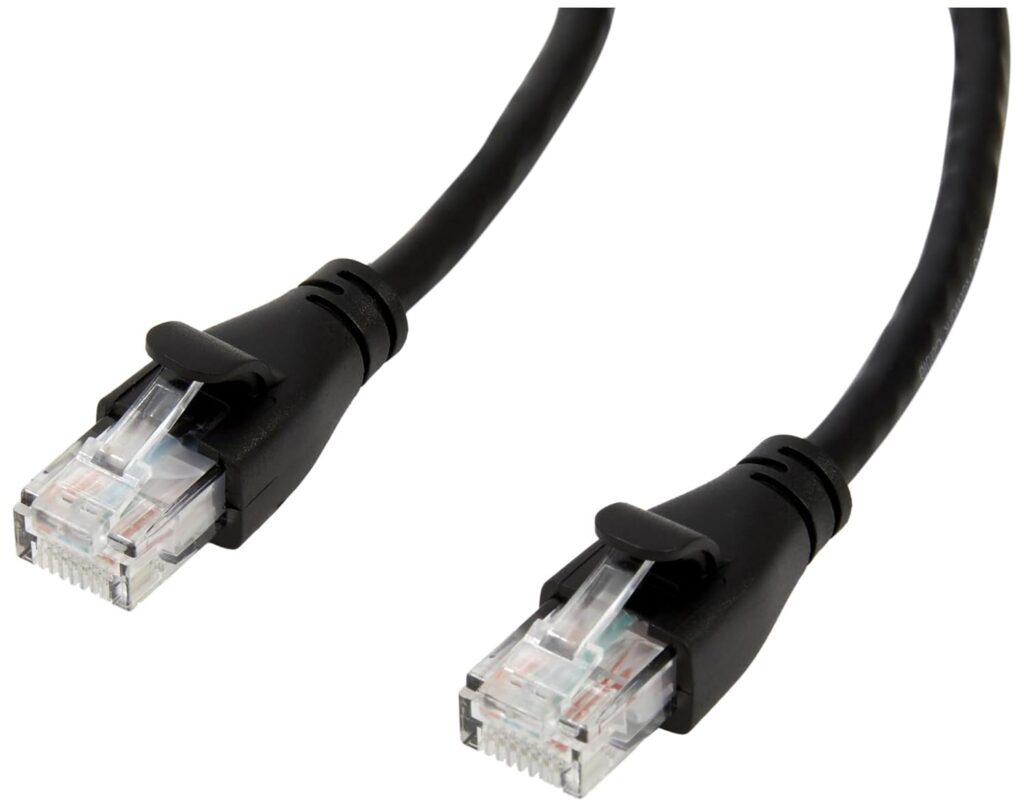
Amazon Basics makes a solid Cat6 cable that does exactly what it needs to do at a price that’s hard to beat. It’s not our top pick for build quality, but for casual gamers or anyone who just needs something to get online with a wired connection, it gets the job done.
Key Specifications
- Category: Cat6
- Max Speed: 1 Gbps
- Bandwidth: 250 MHz
- Shielding: Unshielded (UTP)
- Connector: RJ45
- Available lengths: 3 ft to 100 ft
- Jacket: PVC
What We Like
- Lowest price point among reliable Cat6 options
- Readily available with fast Prime shipping
- Comes in multi-packs for whole-home networking
- Meets Cat6 spec for Gigabit performance
- Simple, no-frills design
What We Don’t Like
- Connector quality is noticeably below Cable Matters and Monoprice
- Boot tabs can be somewhat fragile
- Less consistent across production batches
- Not ideal for setups requiring frequent connection/disconnection
Why We Chose It
Sometimes you just need an ethernet cable and you need it today. The Amazon Basics Cat6 is for that exact scenario. It’s the cable you buy when you’re setting up a secondary gaming PC, connecting a console in a guest room, or replacing a damaged cable and don’t want to pay premium prices for a non-critical run.
The performance for gaming is equivalent to any other Cat6 cable. Your 300 Mbps fiber connection doesn’t care whether its cable cost $8 or $30 — electrons don’t know the difference.
The trade-off is build quality. The connectors feel thinner and less premium than Cable Matters, and we’ve seen mixed reports on long-term durability for setups where the cable is plugged and unplugged regularly. For a cable that stays plugged in permanently, this is a fine choice.
Best Ethernet Cable for PS5
UGREEN Cat8 Ethernet Cable
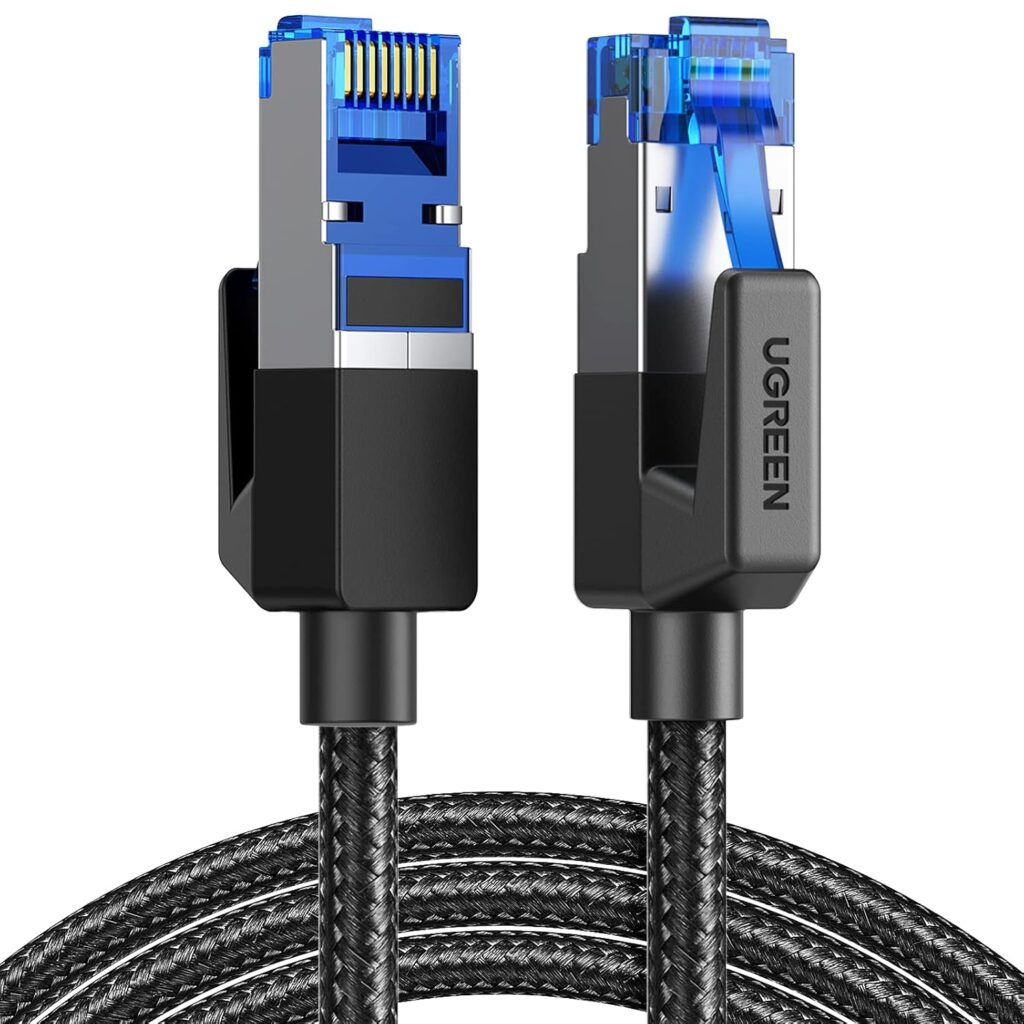
The PS5 has a built-in Gigabit ethernet port. It doesn’t need a Cat8 cable. But if you want the best-built, most future-proof cable for your PS5 — and you want it to look good doing it — the UGREEN Cat8 is an excellent choice.
Key Specifications
- Category: Cat8
- Max Speed: 40 Gbps
- Bandwidth: 2000 MHz
- Shielding: S/FTP (double shielded)
- Connector: Gold-plated RJ45 with braided housing
- Available lengths: 3 ft to 100 ft
- Jacket: Braided nylon
What We Like
- Premium braided jacket looks and feels high-end
- Double shielding handles interference well in living room environments
- Excellent build quality from a well-known accessories brand
- Snug, high-quality connectors
- Maintains signal integrity at any practical PS5 distance
What We Don’t Like
- Significant spec overkill for PS5’s Gigabit port
- Higher cost than the performance requires
- Stiff cable can be harder to manage behind entertainment centers
Why We Chose It
The PS5’s ethernet port maxes out at 1 Gbps. Technically, a Cat6 cable handles this perfectly. So why recommend Cat8 here?
Because console gaming setups in living rooms often have more interference than desktop PC setups. You’ve got TVs, soundbars, game consoles, streaming sticks, and all their power bricks crammed together in an entertainment center. The double shielding on the UGREEN Cat8 helps reject that electromagnetic noise, keeping your connection clean.
The build quality also matters in a living room context. Cables get stepped on, bent around furniture, and sometimes live under rugs. The braided nylon jacket holds up to this better than basic PVC.
If you want to be absolutely certain your PS5’s wired connection is rock solid — and you want a cable that looks premium next to a premium console — the UGREEN Cat8 delivers.
Best Ethernet Cable for Xbox Series X
CableCreation Cat6a Ethernet Cable
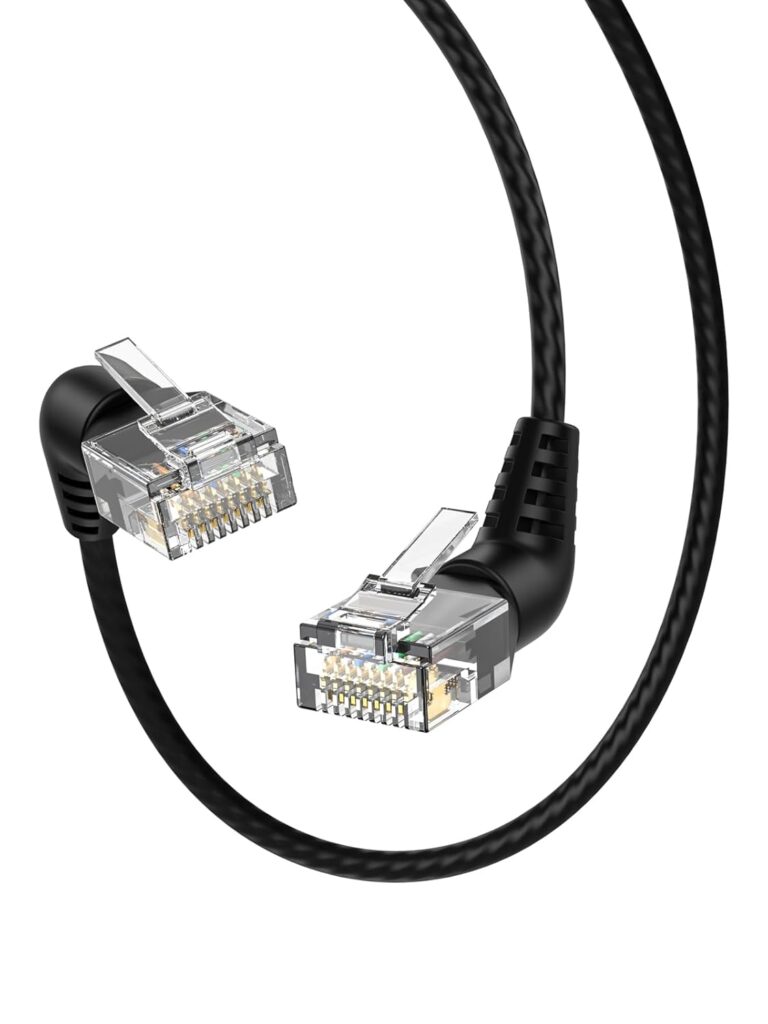
The Xbox Series X also has a Gigabit ethernet port, but Cat6a gives you interference rejection plus 10 Gbps headroom for when Microsoft eventually pushes multi-gig ports in future console generations. CableCreation makes a solid, well-priced Cat6a option.
Key Specifications
- Category: Cat6a
- Max Speed: 10 Gbps
- Bandwidth: 500 MHz
- Shielding: Shielded (STP)
- Connector: Gold-plated RJ45
- Available lengths: 3 ft to 75 ft
- Jacket: PVC with braiding
What We Like
- 10 Gbps support at extended cable runs
- Shielded design for cleaner signal in interference-prone environments
- Good connector build quality
- Reasonable price for a shielded Cat6a cable
- Works with all Xbox networking scenarios
What We Don’t Like
- Stiffer than Cat6 — less flexible in tight entertainment center setups
- PVC jacket doesn’t feel as premium as braided options
- Less brand recognition than Cable Matters or UGREEN
Why We Chose It
The CableCreation Cat6a hits a nice middle ground for Xbox gamers. You’re getting shielded cable that handles the living room interference environment well, without the price premium of Cat8. The 10 Gbps spec also means this cable is ready for the next generation of console hardware — whenever Microsoft decides to upgrade ethernet speeds.
For Xbox Series X players who do a lot of multiplayer gaming online and want to eliminate the cable as a potential variable, this is a clean, reliable choice that won’t break the bank.
Best Long Ethernet Cable for Gaming
Jadaol Cat6 Flat Ethernet Cable
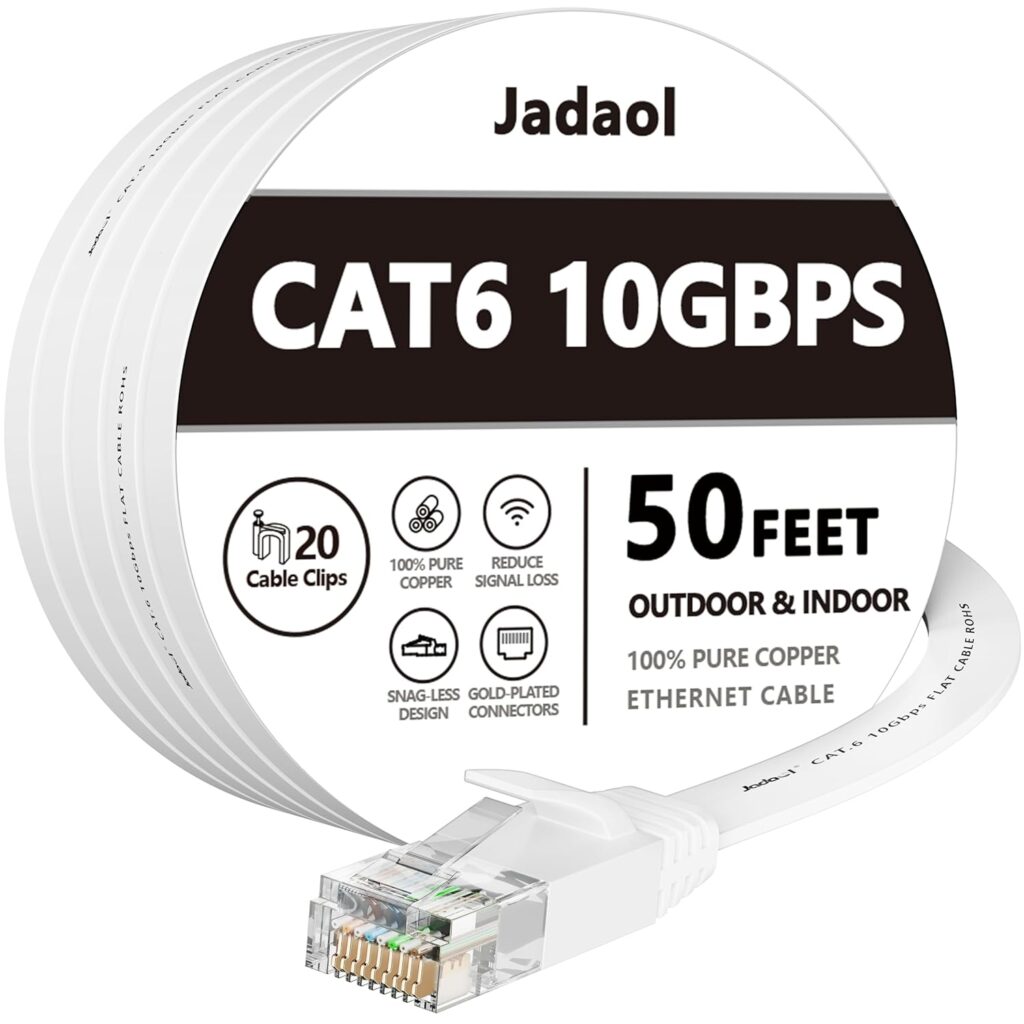
Running ethernet across a room — or across multiple rooms — changes your cable requirements. Flat cables are dramatically easier to route along baseboards, under carpet, and through door frames without creating obvious bumps or trip hazards. The Jadaol Cat6 flat cable is our long-run gaming pick.
Key Specifications
- Category: Cat6
- Max Speed: 1 Gbps
- Bandwidth: 250 MHz
- Shielding: Unshielded (UTP)
- Connector: Gold-plated RJ45
- Available lengths: 25 ft to 200 ft
- Jacket: Flat PVC (4mm thin profile)
What We Like
- Ultra-thin flat profile tucks under carpet and along walls invisibly
- Available up to 200 ft for whole-home runs
- Much easier to manage aesthetically than round cables
- Good performance at standard gaming speeds
- Typically includes cable clips for wall mounting
What We Don’t Like
- Flat design can be more susceptible to interference than round shielded cables over very long runs
- Not ideal in environments with significant EMI (near HVAC, electrical panels)
- Connectors are adequate but not exceptional
- Less durable under repeated bending at the connector end
Why We Chose It
Running a 50-foot round ethernet cable from your router across a living room is a logistical challenge. Flat cables solve this. They slide under carpet runners without creating visible bumps, adhere flat along baseboards without creating a bulge, and generally integrate into a room without looking like an afterthought.
For distances under 150 feet, the Jadaol Cat6 flat cable delivers Gigabit performance reliably. We’ve used these on long runs across multiple rooms and had no performance issues for gaming, streaming, or both simultaneously.
The only caution is interference. On very long runs that cross power-heavy environments, the lack of shielding can become relevant. For most home gaming scenarios with normal electrical environments, it’s a non-issue.
Best Flat Ethernet Cable for Gaming
DanYee Cat7 Flat Ethernet Cable
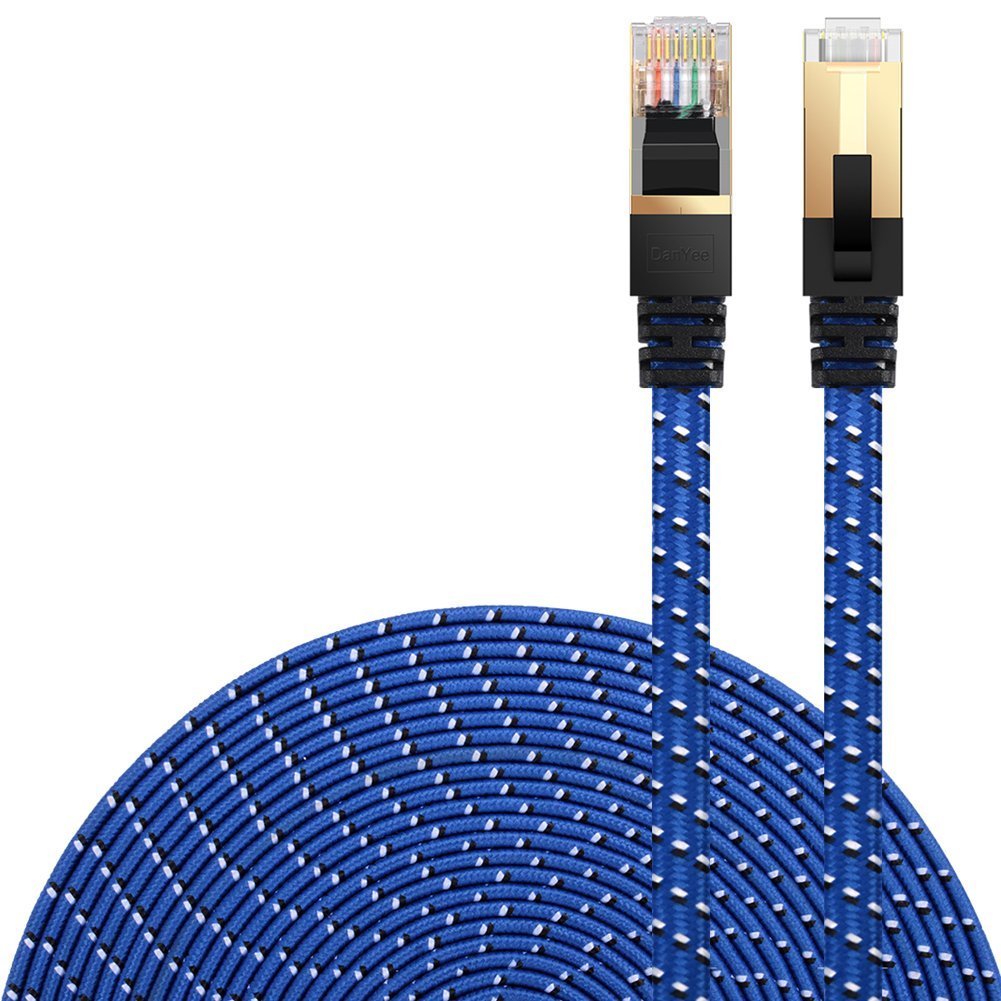
Cat7 is technically not an official TIA/EIA standard (it was defined under ISO/IEC 11801), but it does offer 600 MHz bandwidth and 10 Gbps speeds with shielding — and the DanYee Cat7 flat is one of the better flat cable options that includes shielding, which most flat cables skip.
Key Specifications
- Category: Cat7 (ISO/IEC 11801)
- Max Speed: 10 Gbps
- Bandwidth: 600 MHz
- Shielding: S/FTP (shielded)
- Connector: Gold-plated RJ45
- Available lengths: 10 ft to 200 ft
- Jacket: Flat PVC with nylon braid
What We Like
- Shielded flat cable — a rare combination
- 10 Gbps support for future-proofing
- Easier routing than round cables
- Braided nylon adds durability over basic flat PVC
- 600 MHz bandwidth provides more signal headroom
What We Don’t Like
- Cat7 isn’t an official TIA standard (though still performs well in practice)
- Shielded flat cables are stiffer than unshielded flat cables
- More expensive than comparable Cat6 flat options
- Connector quality is average
Why We Chose It
The DanYee Cat7 flat cable solves a real problem: you want the routing convenience of a flat cable and the interference protection of a shielded cable. Most flat cables are unshielded UTP. This one isn’t.
For gaming setups where the cable route passes near electrical wiring, or in older homes with less predictable interference environments, having shielding on your flat cable eliminates a potential variable. The 600 MHz bandwidth also gives you better headroom than Cat6.
It’s a niche pick, but for the right setup, it’s the correct tool for the job.
Best Future-Proof Ethernet Cable
Cable Matters Cat8 Ethernet Cable
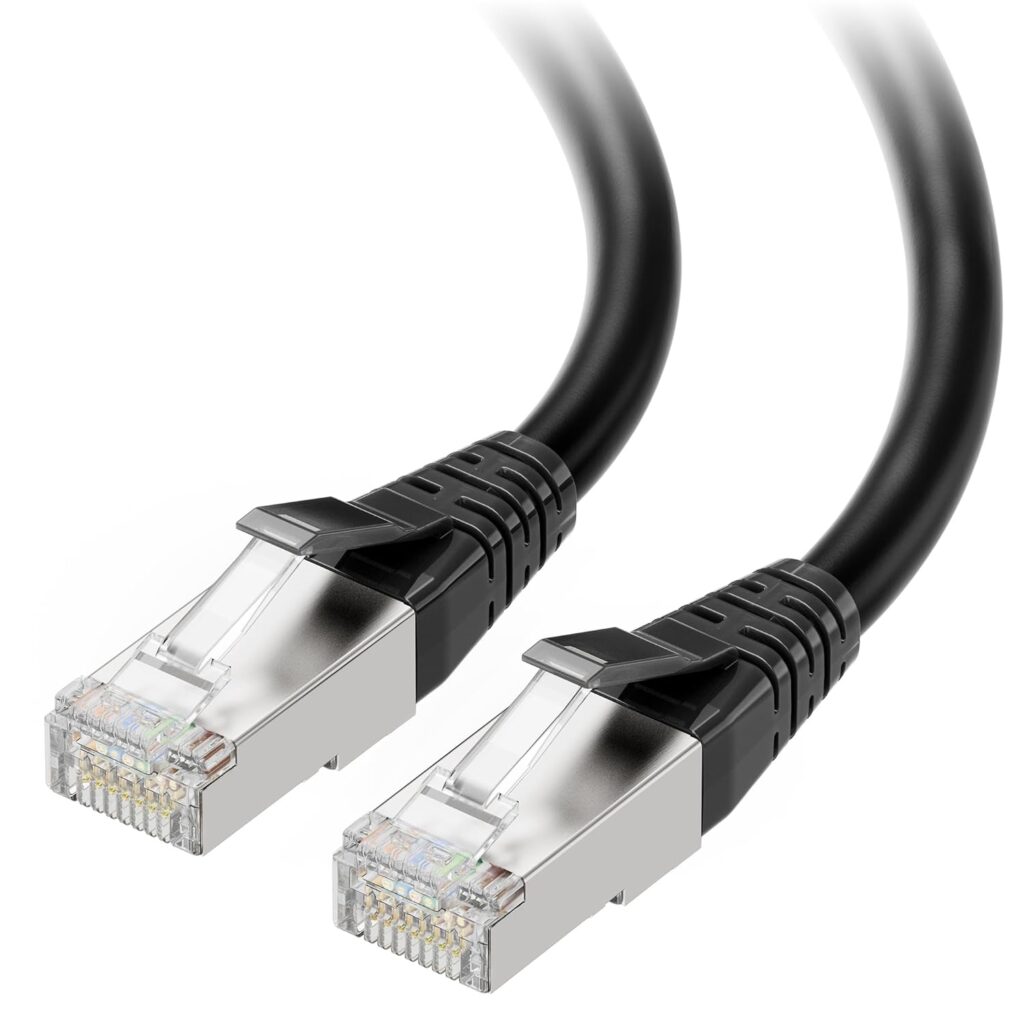
If you want to buy once and never think about your ethernet cable again, the Cable Matters Cat8 is the pick. Same trusted brand as our overall winner, but with Cat8 specs for maximum longevity.
Key Specifications
- Category: Cat8
- Max Speed: 25–40 Gbps
- Bandwidth: 2000 MHz
- Shielding: S/FTP (double shielded)
- Connector: Gold-plated RJ45
- Available lengths: 3 ft to 100 ft
- Jacket: PVC with braiding
What We Like
- 2000 MHz bandwidth — well beyond any current or near-future residential need
- Cable Matters’ quality control is excellent across their entire line
- Double shielding handles any EMI environment
- 40 Gbps support for data center-class performance
- Will outlast multiple generations of gaming hardware
What We Don’t Like
- Stiffer and harder to route than Cat6
- Premium price with no real gaming performance benefit over Cat6a
- Cat8’s 30-meter optimal range can be limiting for long runs
- Overkill for 99% of gaming setups
Why We Chose It
The Cable Matters Cat8 earns the “future-proof” title because no consumer networking standard on the horizon is going to stress it. 40 Gbps? Covered. Maximum EMI shielding? Done. Multi-decade performance headroom? Absolutely.
If you’re the type of person who runs network cables inside walls and hates doing it twice — this is your cable. If you’re running a home lab alongside your gaming setup, or you have a 10 Gbps fiber connection (they exist, and they’re growing), this cable is ready for it.
For everyone else: Cat6a gives you 10 Gbps at a lower price with better flexibility. Cat8 is for the enthusiasts who want the absolute ceiling.
What Most “Best Ethernet Cable for Gaming” Guides Get Wrong
Here’s what nobody talks about — and what makes most buying guides in this category genuinely useless.
Cables Don’t Magically Lower Ping
Your ping is determined by:
- Your ISP’s routing infrastructure — how far your packets travel before reaching a game server
- The game server’s location — a New York player connecting to a West Coast server will always have higher ping
- Your router’s processing latency — a congested or cheap router adds far more delay than any cable
- Internet plan congestion — shared bandwidth during peak hours increases jitter dramatically
- Your network card’s drivers — outdated drivers can cause artificial latency
Your ethernet cable? It’s at the very bottom of that list. Going from Cat5e to Cat8 will not reduce your ping from 60ms to 30ms. That’s not how networking works.
Your Router Is Probably the Real Problem
If you’re experiencing high or inconsistent ping while gaming, the cable is almost never the culprit. The more likely suspects are:
- An aging router with overloaded firmware struggling to handle multiple devices
- No QoS settings on your router to prioritize gaming traffic
- Shared bandwidth with other household devices streaming 4K video
- ISP throttling during peak usage hours
- NAT type issues causing connectivity problems on consoles
A $15 Cat6 cable upgrade will not fix a $30 router. If your gaming experience is genuinely suffering from latency, the router deserves your attention and budget far more than the cable.
Cat8 Is Designed for Data Centers, Not Living Rooms
The IEEE 802.3bq standard that defines 40 Gbps ethernet was written for server room and data center environments. Cat8 cables are optimized for short, dense patch runs between network equipment — not 50-foot runs from a router to a gaming PC across a house.
The maximum effective range for Cat8 at 40 Gbps is 30 meters. Beyond that, you’re paying for Cat8 while using a cable that’s performing closer to Cat6a anyway.
Cable Quality Still Matters — Just Not in the Way Marketers Imply
Here’s the nuanced truth: cable quality does matter, but not for the reasons gaming peripherals marketing would suggest.
Quality matters for:
- Connector durability — cheap connectors fail. This causes intermittent drops and disconnections
- Conductor purity — low-quality copper-clad aluminum (CCA) conductors can cause signal degradation and don’t meet true ethernet standards
- Jacket durability — cables that crack, fray, or break at the bend point cause real problems
- Shielding quality in high-interference environments
Quality doesn’t matter for:
- Theoretical top-end bandwidth your network will never saturate
- “Reduced latency” — bandwidth category doesn’t change packet latency
- Connector plating (gold, silver, etc.) beyond basic corrosion resistance
How Gamers Actually Choose Ethernet Cables
After talking to competitive gamers, streamers, and networking enthusiasts, here’s how real purchase decisions actually happen:
Internet Speed First Start here. If your ISP tops out at 300 Mbps, Cat6 is more than sufficient. If you have Gigabit or multi-gig fiber, Cat6a becomes a reasonable upgrade.
Cable Length Second Short runs (under 25 feet)? Almost any quality Cat6 cable works. Long runs (50+ feet) through walls or under carpet? That’s when flat cables, shielded options, or in-wall rated cables become relevant.
Home Environment Third Apartment with a straight shot from router to gaming PC? Unshielded UTP Cat6 is fine. Older home with lots of electrical interference, or a run near your electrical panel? Shielded makes sense.
Routing Challenges Fourth Does the cable need to go under a door, along a baseboard, or under carpet? Flat cables solve these problems cleanly. Round cables in a flat channel often bunch up or create visible bumps.
Competitive vs. Casual Gaming Competitive players who are sensitive to any network inconsistency tend to prefer shielded Cat6a or Cat8 — not because it reduces ping, but because it eliminates signal variance as a potential variable. Casual gamers can be completely happy with budget Cat6.
Console vs. PC Console gamers in living rooms deal with more environmental interference from entertainment center equipment. Shielded cables are slightly more relevant here. PC gamers with desktop setups can get away with basic UTP Cat6 in most cases.
Future-Proofing vs. Practical Value Buy for your next upgrade, not your next decade. Cat6a is a sensible future-proof choice today. Cat8 is only practical if you can actually use 10+ Gbps today.
Cat5e vs Cat6 vs Cat6a vs Cat7 vs Cat8 for Gaming: Full Comparison
Understanding the actual differences between cable categories helps you make a smarter buying decision — without getting talked into spending more than necessary.
Cat5e (Category 5 Enhanced)
- Max speed: 1 Gbps
- Bandwidth: 100 MHz
- Shielding: Usually UTP (unshielded)
- Max distance at rated speed: 100 meters
- Gaming suitability: Acceptable but outdated
- Typical cost: Very cheap
Cat5e was the standard for a long time and can still handle Gigabit connections. If you have Cat5e cable already installed in your home, you don’t need to replace it for gaming — especially if your internet connection is under 500 Mbps. The lower 100 MHz bandwidth can cause issues in high-interference environments, and it won’t support anything beyond 1 Gbps. Our verdict: replace it when it’s convenient, not urgent.
Cat6 (Category 6)
- Max speed: 1 Gbps at 100m / 10 Gbps at 55m
- Bandwidth: 250 MHz
- Shielding: Usually UTP, sometimes STP
- Max distance at rated speed: 100 meters (1 Gbps)
- Gaming suitability: Excellent for virtually all gamers
- Typical cost: $10–$25
Cat6 is the sweet spot for gaming. The 250 MHz bandwidth handles Gigabit connections with headroom to spare, and the 10 Gbps short-run capability covers multi-gig networking for setups where the run is under 55 meters. For the majority of home gaming setups — router to PC, console to gaming router, modem to switch — Cat6 is more than adequate. This is what most gamers should buy.
Cat6a (Category 6 Augmented)
- Max speed: 10 Gbps
- Bandwidth: 500 MHz
- Shielding: Usually STP or FTP
- Max distance at rated speed: 100 meters (full 10 Gbps!)
- Gaming suitability: Excellent, with meaningful headroom
- Typical cost: $20–$50
Cat6a is the first real upgrade from Cat6 that provides genuine benefits in certain scenarios. The critical improvement is that it delivers 10 Gbps at the full 100-meter distance — not just 55 meters like Cat6. The shielding is also a real advantage in interference-heavy environments. If you’re installing cable in walls, investing in a multi-gig router, or want to be certain your cable is never a limiting factor, Cat6a is worth the modest price premium.
Cat7 (Category 7)
- Max speed: 10 Gbps
- Bandwidth: 600 MHz
- Shielding: S/FTP (required)
- Max distance at rated speed: 100 meters
- Gaming suitability: Good, but awkward
- Typical cost: $20–$60
Here’s the catch with Cat7: it’s not an official TIA/EIA standard in the United States. It was defined under ISO/IEC 11801 (the international standard), and it uses non-standard GG45 or TERA connectors in its purest form. Most Cat7 cables sold on Amazon use standard RJ45 connectors, which technically makes them more like enhanced Cat6a cables by performance. The 600 MHz bandwidth is real, and the shielding is genuine, but the lack of TIA certification means you’re buying into a category that doesn’t have the same infrastructure support. Not a disaster, but Cat6a is a cleaner choice for most people.
Cat8 (Category 8)
- Max speed: 25 Gbps (Cat8.1) / 40 Gbps (Cat8.2)
- Bandwidth: 2000 MHz
- Shielding: S/FTP (required)
- Max distance at rated speed: 30 meters (major limitation)
- Gaming suitability: Overkill, but technically fine
- Typical cost: $25–$80+
Cat8 is a TIA standard (TIA-568-C.2-1), but it’s designed for data center environments with short, dense cable runs. The 30-meter maximum range is the key limitation — it was never intended for whole-home networking. At longer distances, Cat8 cables essentially perform closer to Cat6a. For most home gaming setups, you’re paying Cat8 prices for Cat6a performance. Unless you have a specific use case that benefits from extreme bandwidth or you genuinely need the shielding, Cat6a gives you better practical value.
The Verdict
Most gamers should buy Cat6. If you want future-proofing, buy Cat6a. Only buy Cat8 if you have a specific, justified reason to — like a home lab, a 10 Gbps internet connection, or a very short run in an interference-heavy environment.
Ethernet Cable Myths Gamers Still Believe
Myth 1: Expensive Cables Reduce Ping
Reality: Ping is a function of network routing, server proximity, and ISP infrastructure — not cable bandwidth. A $5 Cat5e cable and a $50 Cat8 cable will deliver identical ping on the same network. If you’re buying an expensive cable to lower your ping, you’re buying marketing.
Myth 2: Cat8 Makes Games Load Faster
Reality: Game loading is limited by your storage (SSD/HDD), the game server’s load capacity, and your internet download speed — not cable bandwidth category. Your internet plan is the bottleneck, not the cable. A Cat8 cable on a 200 Mbps internet plan performs identically to Cat6 on that same plan.
Myth 3: Gold-Plated Connectors Improve Gaming Performance
Reality: Gold plating provides corrosion resistance — a genuine benefit for longevity. It does not improve signal transmission, reduce latency, or increase bandwidth. The performance difference between gold-plated and standard connectors at network signal frequencies is effectively zero.
Myth 4: Shielded Cables Are Always Better
Reality: Shielded cables (STP, FTP, S/FTP) protect against electromagnetic interference (EMI) from nearby electrical sources. In a home with normal electrical environments — no industrial equipment, no major interference sources — unshielded UTP cables perform identically to shielded cables. Shielding solves a specific problem. If you don’t have that problem, shielding is unnecessary.
Myth 5: Longer Cables Cause Massive Lag
Reality: The speed of an electrical signal in an ethernet cable is approximately 64% to 77% of the speed of light. Even at 100 meters, signal propagation time adds less than half a microsecond. That’s 0.0005 milliseconds. Your ping is measured in milliseconds. The cable length contribution to latency is physically too small to measure in practical gaming scenarios.
Myth 6: Ethernet Eliminates All Lag
Reality: Ethernet eliminates Wi-Fi instability, interference, and signal loss — which genuinely improves gaming consistency. But ethernet doesn’t change your ISP’s routing, your server’s location, or your router’s processing overhead. You can still have 80ms ping on ethernet. You can still have packet loss if your ISP has infrastructure issues. Ethernet is a major improvement over Wi-Fi for gaming, but it doesn’t fix everything.
How to Choose the Best Ethernet Cable for Gaming: Buying Guide
Step 1: Know Your Internet Speed
Your internet plan sets the ceiling. If you’re on a 500 Mbps cable plan, Cat6 handles it without breaking a sweat. Multi-gig internet (2.5 Gbps, 5 Gbps, 10 Gbps) is becoming more available, especially on fiber — if you have it or are upgrading soon, Cat6a is the right move.
Step 2: Check Your Router’s Ethernet Ports
Most consumer routers have Gigabit ethernet ports (1 Gbps). Some newer Wi-Fi 6E and Wi-Fi 7 routers include 2.5 Gbps WAN ports. If your router’s max port speed is 1 Gbps, any Cat6 or better cable fully supports it.
Step 3: Measure Your Cable Run
Know the distance before you buy. Cat6 handles 1 Gbps at up to 100 meters and 10 Gbps at up to 55 meters. Cat6a does 10 Gbps at the full 100 meters. If your run is comfortably under 50 meters, Cat6 is excellent. Longer runs on faster connections benefit from Cat6a.
Step 4: Evaluate Your Environment for Interference
Run the cable near heavy electrical equipment? Older home with unshielded wiring in the walls? Near an HVAC system or electrical panel? Shielded cable (STP or FTP) is worth considering. Normal home environment with no major interference sources? Unshielded UTP Cat6 is fine.
Step 5: Flat vs. Round Cables
Round cables are more durable and better shielded. Flat cables are far easier to manage aesthetically — they slide under doors, tuck behind baseboards, and hide under carpet without creating visible bumps. Choose based on your installation needs, not performance specs (the performance difference is negligible for gaming).
Step 6: Consider the Connector Quality
Inspect connector reviews carefully. Look for mentions of tight fit, durable boot clips, and consistent quality across different cable lengths. Cheap connectors cause more gaming problems than cable category does.
Step 7: Plan for Future Upgrades
If you’re installing cable inside walls, buy Cat6a. The extra cost is minimal compared to the labor of re-running cable later. For surface-run desktop setups, Cat6 is fine and easy to upgrade later.
Console Gaming Considerations
PS5 and Xbox Series X both have Gigabit ports. Cat6 is fully sufficient. If you’re concerned about the living room interference environment, shielded Cat6a or Cat8 provides extra insurance. Flat cables are particularly useful for console setups where the cable needs to run along baseboards or under area rugs.
PC Gaming Considerations
Most gaming motherboards include Gigabit or 2.5 Gbps ethernet ports. Check your motherboard specs before buying Cat8 — if your NIC maxes out at 1 Gbps, Cat6 is optimal. For 2.5 Gbps motherboard NICs, Cat6a provides the proper bandwidth headroom.
Frequently Asked Questions
What is the best ethernet cable for gaming?
For most gamers, the Cable Matters Cat6 Ethernet Cable is the best choice. It supports Gigabit speeds, has reliable connector quality, and costs a fraction of Cat8 alternatives — without any real gaming performance trade-off.
Does an ethernet cable reduce ping?
Not directly. An ethernet cable reduces the variability of your connection (jitter) by replacing an unstable Wi-Fi connection with a stable wired one. Your baseline ping to a game server is determined by your ISP’s infrastructure and server location — not your cable category.
Is Cat6 or Cat8 better for gaming?
Cat6 is better value for gaming. Cat8 is technically superior in specs, but those specs exceed what any residential gaming scenario requires. Cat6 supports Gigabit speeds perfectly, and most gamers will never saturate it. Cat8 adds cost without meaningful gaming performance improvement.
Is Cat8 worth it for gaming?
Only in specific scenarios: running cable inside walls as a permanent installation, environments with significant electromagnetic interference, or setups that genuinely use 10 Gbps+ speeds (home labs, 10 Gbps fiber). For typical gaming — even competitive gaming — Cat8 is marketing, not necessity.
Can an ethernet cable improve gaming performance?
Switching from Wi-Fi to any quality ethernet cable will improve gaming consistency. You’ll likely see lower jitter, fewer disconnections, and more stable ping — especially in environments with multiple devices competing for Wi-Fi bandwidth. But upgrading from Cat6 to Cat8 on an existing wired connection will produce no measurable gaming improvement.
Does cable length affect gaming?
Minimally. Signal propagation delay across even a 100-meter cable is less than 0.5 microseconds — completely imperceptible in gaming terms. Cable runs under 100 meters with appropriate category cable introduce no meaningful latency. The bigger concern with long cable runs is potential signal degradation, which is avoided by using the right cable category for your speed requirements.
Should I buy a shielded ethernet cable?
Shielded cables are worth it if your cable run passes near sources of electromagnetic interference — electrical panels, HVAC equipment, power conduits, or motor-driven appliances. For most home gaming setups in normal environments, unshielded UTP Cat6 performs identically to shielded alternatives.
What ethernet cable should I use for PS5?
The PS5 has a Gigabit ethernet port, so Cat6 covers its maximum speed perfectly. For console gaming in living rooms with more electrical interference from entertainment equipment, Cat6a shielded or Cat8 provides extra signal integrity — though it’s not strictly necessary.
What ethernet cable should I use for Xbox Series X?
Same answer as PS5: the Xbox Series X has a Gigabit ethernet port. Cat6 is sufficient. Cat6a shielded is a good choice if you want peace of mind in the living room environment.
What ethernet cable should I use for PC gaming?
Check your motherboard’s ethernet port speed first. If it’s a standard Gigabit NIC, Cat6 is ideal. If your motherboard has a 2.5 Gbps NIC (increasingly common on gaming boards), Cat6a covers the full bandwidth of your port with headroom to spare.
Is Cat6 enough for gaming?
Yes, absolutely. Cat6 supports 1 Gbps at 100 meters and 10 Gbps at shorter distances. This exceeds what any current gaming console, PC, or home internet plan requires. Cat6 is enough for gaming today and will continue to be enough for the foreseeable future for the vast majority of users.
Can ethernet eliminate lag completely?
No. Ethernet eliminates the instability and interference issues inherent to Wi-Fi, which improves gaming consistency significantly. But ethernet doesn’t change your ISP’s network routing, your distance from game servers, or your router’s processing load. You can still experience lag on ethernet — it’s just far less likely to be caused by your local network.
What causes gaming lag if not the cable?
The most common causes of gaming lag (in rough order of frequency):
- ISP congestion during peak hours
- Distance from game servers — physical geography creates baseline latency
- Router performance — overloaded or outdated routers add processing delay
- Packet loss from ISP infrastructure issues
- Game server overload — nothing you can fix locally
- Background applications consuming bandwidth (streaming, updates, etc.)
- Network driver issues on PC — outdated drivers can add artificial latency
Conclusion: Which Ethernet Cable Should You Buy?
Here’s the simple breakdown by buyer type:
Best Overall: Cable Matters Cat6 — the right cable for most gamers, period.
Best Value: Amazon Basics Cat6 — if budget is the primary concern and build quality is secondary.
Best Cat6: Monoprice Flexboot Cat6 — best flexboot connector design and Monoprice’s consistent quality.
Best Cat6a: Cable Matters Cat6a Shielded — 10 Gbps, full shielding, and trusted build quality.
Best Cat8: DbillionDa Cat8 — top-tier specs and double shielding for enthusiasts who need it.
Best Long Cable: Jadaol Cat6 Flat — routes invisibly under carpet and along baseboards for whole-room runs.
Best Console Gaming Cable: UGREEN Cat8 (PS5) or CableCreation Cat6a (Xbox) — durable builds designed for living room environments.
Best Future-Proof Choice: Cable Matters Cat8 — if you want to install once and never think about it again.
For casual gamers: The Cable Matters Cat6 or Amazon Basics Cat6 is all you need. Spend the money you save on a better headset, more storage, or a game you’ve been putting off.
For competitive gamers: Cat6a shielded is our recommendation — not because it reduces ping, but because eliminating signal variance as a variable gives you one less thing to troubleshoot. The Cable Matters Cat6a is the pick.
For console gamers: The UGREEN Cat8 or CableCreation Cat6a handles living room interference environments well. Don’t overthink it — either one will outlast your current console.
For streamers: Your upload bandwidth matters more than your cable category. Cat6 on a strong fiber or cable connection will outperform Cat8 on a weak ISP connection every single time. Upgrade the ISP plan before the cable.
For high-speed fiber users (2.5 Gbps+): Cat6a is the minimum recommendation. If you have 10 Gbps fiber (lucky you), Cat8 starts to make real sense.
For budget buyers: The Amazon Basics Cat6 works. It just doesn’t work as well as Cable Matters. On a wired Gigabit connection, you probably won’t notice the difference.
Related Articles
Best Gaming Router for Low Ping (2026 Tested) — A great ethernet cable needs a great router behind it. We tested routers specifically for competitive gaming latency, QoS performance, and multi-device household stability. If your cable is solid but your router is aging, this is where to look next.
Best WiFi Router for Gaming — Not everyone can run ethernet to every device. This guide covers the best Wi-Fi routers for minimizing wireless latency and maintaining consistent gaming performance throughout a home.
Best Gaming Motherboards — The ethernet port on your motherboard matters. We break down which gaming motherboards include 2.5 Gbps NICs, which have strong networking silicon, and which to avoid if low-latency gaming is the priority.
Best Intel CPU for Gaming — Once your network is dialed in, your CPU becomes the next performance variable. This guide covers Intel’s best gaming processors for competitive and high-frame-rate gaming.
Best Gaming Monitor for Budget Gaming — A sub-10ms gaming cable connects to a sub-1ms monitor. We tested affordable gaming monitors for response time, refresh rate, and value — for gamers who want competitive specs without the boutique price tag.
We may earn a commission if you purchase through links on this page, at no additional cost to you. Our recommendations are based on genuine testing, networking expertise, and real-world gaming experience — not manufacturer partnerships or affiliate commission rates.








