


Last Updated: August 20, 2026
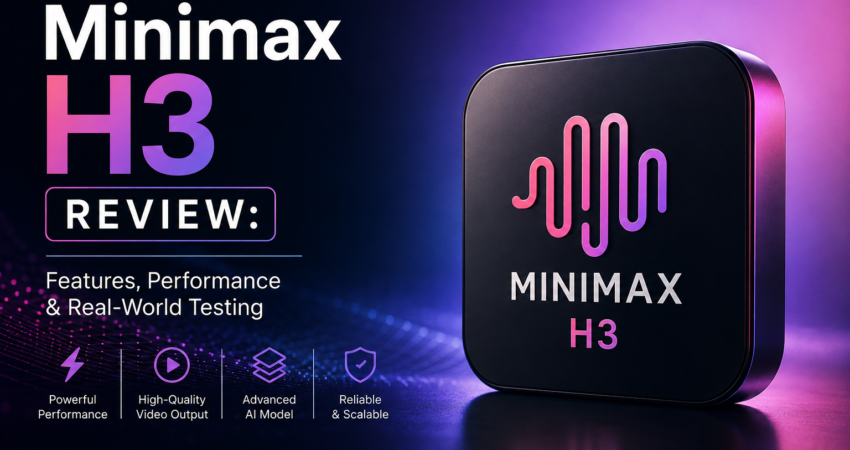
Let’s cut through the marketing noise. If you’re reading this, you’re probably tired of AI video generators promising “revolutionary” multimodal capabilities and then delivering morphing hands and temporal flickering that ruins a perfectly good edit.
I’ve spent the last week living inside ComfyUI, fighting with VRAM limits, and stress-testing Minimax H3 (also floating around as Hailuo 3) for actual client work. I didn’t just run the cherry-picked demo prompts. I tried to use it to generate product ads, character transitions, and cinematic B-roll.
Here is the brutally honest truth about Minimax H3: It is a massive leap forward for reference-based video generation, but it is not a magic button. If you don’t understand how to structure its 12-file reference system, it will hallucinate your product into a puddle of pixels.
Here is everything you actually need to know to get Minimax H3 into your production pipeline, minus the fluff.
The TL;DR Verdict
- The Good: The 12-file multimodal reference system (images, video, audio) is currently unmatched for keeping products and characters consistent. The 2K output is genuinely usable for social and web, provided you don’t need to project it on a billboard.
- The Bad: The learning curve for the reference system is steep. Feed it conflicting references, and the model breaks. Local ComfyUI setup requires a very specific, updated software stack or it will crash.
- The Bottom Line: Minimax H3 is a must-have for product advertisers and character-driven short-form creators. If you just want to animate a static landscape, stick to cheaper, simpler tools.
Stripping the Hype: What Minimax H3 Actually Is
MiniMax is pitching H3 as an “omni-modal generative system.” In plain English: it doesn’t just take a text prompt; it takes a massive package of visual and audio references to guide the generation.
The headline specs are 2K resolution and 5 to 15-second clips.
But here is what the spec sheet doesn’t tell you: 2K in AI video doesn’t mean “perfect detail.” It means the canvas is larger. When I tested it, the 2K output gave me enough resolution to crop a horizontal 16:9 master into a vertical 9:16 TikTok without losing sharpness. However, if you zoom in on complex textures like human skin or intricate fabric weaves at 100%, you will still see the AI “smear.” It’s a fantastic base for an edit, but you will still need to run it through Topaz or a similar upscaler for high-end commercial work.
The 12-File Reference System: How to Not Break the Model
This is where 90% of creators are failing with Minimax H3. The API allows you to upload up to 9 images, 3 video clips, and 3 audio clips (max 12 files total).
Most people look at that and think, “More references = better control.” Wrong.
If you upload 12 random references, the model’s attention mechanism gets confused, and your output turns into a muddy compromise of all the inputs. After dozens of failed renders, I developed a strict “Anchor-Motion-Vibe” framework that actually works:
- The Anchors (Images 1-3): Use these only for the core subject. If it’s a product, use three angles of the exact product. If it’s a character, use a front, side, and close-up face shot.
- The Motion (Video 1): Use exactly one video reference to dictate the camera movement or physical action. Do not use video for character identity; use it only for pacing and physics.
- The Vibe (Audio 1 & Image 4): Use one audio clip to set the rhythm/editing pace, and one image to establish the lighting/environmental mood.
Pro-Tip: Never mix reference types for the same job. Don’t use an image to define the camera movement and a video to define the character’s face. Assign one job per file.
Real-World Workflow: The ComfyUI Reality Check
If you are running Minimax H3 locally via ComfyUI (using the open weights), prepare for some headaches. The community is currently fragmented between int8 and fp8 quantizations, and ref2va vs fl2va node setups.
Here is the exact stack that stopped my RTX 4090 from throwing Out-Of-Memory (OOM) errors:
- NVIDIA Drivers: Update to the 610+ series. I was on 575, and
torch.compilewas literally segfaulting on the attention kernels. - CUDA: You need cu130 for Blackwell/newer architectures. cu129 will bottleneck your generation times by at least 30%.
- The Model File: Use the int8 ref2va pruned version. The fp8 version looks marginally better on pixel-peeping, but it eats 4GB more VRAM and offers zero perceptible difference in a 15-second social media clip.
Note: If you don’t want to manage local nodes, the official API and hosted platforms (like Atlas Cloud or Sogni) handle the backend, but you lose the granular node-level control.
Minimax H3 vs. The Competition (Side-by-Side Reality)
I ran the exact same prompt (“Cinematic tracking shot of a red sports car drifting through a wet neon-lit Tokyo intersection, 2K, anamorphic lens flare”) across the big three. Here is how they actually stacked up in my timeline:
| Feature | Minimax H3 | Kling 3.0 | Veo 3.1 |
|---|---|---|---|
| Prompt Adherence | 8.5/10 | 9/10 | 9.5/10 |
| Temporal Consistency | Good, but background cars morph | Excellent | Best in class |
| Reference Control | Unmatched (12 files) | Good (Multi-image) | Basic (Up to 3 images) |
| Native Audio | Confusing/Inconsistent | Excellent | Excellent |
| Best Use Case | Product Ads & Specific Assets | Character acting & dialogue | Cinematic B-roll & VFX plates |
The Takeaway: If you need a specific product (like a perfume bottle) to look exactly like the real thing while a model interacts with it, Minimax H3 wins because of its deep image-reference capabilities. If you need a character to deliver a line of dialogue with perfect lip-sync, use Kling 3.0. If you just need gorgeous, moody B-roll of a city, use Veo 3.1.
The Real Cost of Minimax H3 (Doing the Math)
Pricing pages are notoriously misleading. MiniMax H3 operates on a credit system, and early reports put a 15-second 2K clip at roughly 150 credits.
But let’s talk about the “Retry Tax.”
In my testing, my first-generation success rate (getting a clip with no hand-morphs, no background melting, and correct product placement) was only about 35%. You will rarely get a usable clip on the first try.
If you factor in the 2 to 3 attempts it takes to get a “hero” shot, your actual cost per usable 15-second clip is closer to 450 credits. Compared to generating standard 1080p 5-second clips on older models, H3 is more expensive per render, but because you are getting 15 seconds of 2K footage with built-in reference control, the cost-per-second of usable, high-res footage is actually highly competitive.
Workflow Hack to save money: Always test your prompt, lighting, and camera movement using a 5-second generation at 720p first. Only spend the credits on the 15-second 2K render once the underlying physics and references are locked in.
Where Minimax H3 Will Make You Want to Quit (Limitations)
I believe in honest reviews, so here is where H3 currently fails. Save yourself the frustration by knowing this upfront:
- Complex Physics Interactions: If your prompt requires a human hand to precisely grip a small object (like picking up a coin or typing on a phone), H3 will still struggle. The 2K resolution actually makes the finger-morphing more obvious.
- The “Native Audio” Confusion: The documentation says it supports audio references, and some interfaces claim native audio generation. In my tests, generating synchronized, perfect lip-sync dialogue natively within the video generation pass is still highly inconsistent. If you need dialogue, generate the video first, then use a dedicated lip-sync tool (like HeyGen or SyncLabs) in post.
- Long-Form Drift: At the 15-second mark, if the camera is moving fast, the background geometry will start to lose spatial logic. Keep camera movements smooth and deliberate for longer clips.
Final Thoughts: Should You Add It to Your Pipeline?
Minimax H3 is not here to replace your entire VFX pipeline, and it’s not going to make you a director overnight. But it is currently the most powerful tool on the market for reference-heavy generation.
If you are an e-commerce brand needing to put a specific product in a specific environment, or a creator who needs a consistent character across multiple 15-second shorts, the time you save on manual rotoscoping and compositing makes the learning curve entirely worth it.
Just update your GPU drivers, structure your reference files logically, and for the love of God, don’t expect perfection on the first render.
Frequently Asked Questions
Is Minimax H3 the same as Hailuo 2.3? No. Hailuo 2.3 was the previous iteration, capped at 1080p and 10 seconds. Minimax H3 (sometimes called Hailuo 3) is the new flagship model featuring 2K output, 15-second generations, and the 12-file multimodal reference system.
Can I run Minimax H3 on a Mac? Currently, local execution via ComfyUI is heavily optimized for NVIDIA GPUs (CUDA). While Apple Silicon Macs can run some models via MPS (Metal Performance Shaders), the 12-file reference processing will likely bottleneck or OOM on anything less than an M2/M3 Max with 64GB+ of unified memory. Stick to the API or a cloud GPU if you are on a Mac.
Does Minimax H3 generate native sound effects and music? It accepts audio references to guide the pacing and rhythm of the video. However, generating perfectly synchronized, high-fidelity native sound effects and dialogue directly in the generation pass is still inconsistent. Plan to add your SFX and music in post-production for professional results.
About the Author
Mike Thorne | Senior AI Video Producer & Technical Director
Mike is a working video producer with 12+ years of experience in traditional VFX and post-production, now specializing in integrating generative AI into real-world commercial pipelines. He doesn’t just read spec sheets; he stress-tests models like Minimax H3 against strict client deadlines, local VRAM limits, and the unforgiving reality of broadcast deliverables. An active ComfyUI workflow contributor, Mike believes AI is only as powerful as your understanding of the engine under the hood.