


 Check Price on Amazon
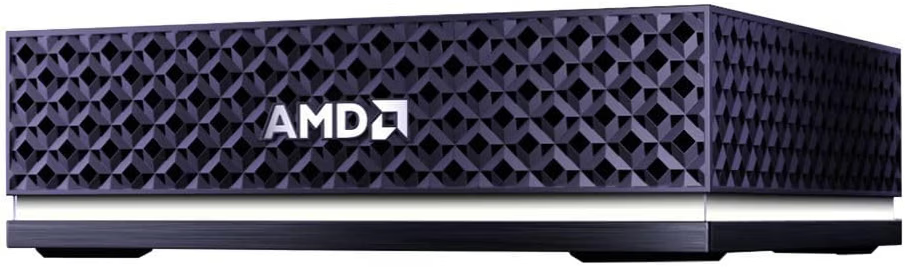
The AMD Ryzen AI Halo is no longer just the 128GB Ryzen AI Max+ 395 mini PC AMD launched earlier this year. The latest version is built around the Ryzen AI Max+ PRO 495 and up to 192GB of unified memory. That makes it a different proposition for anyone who wants to run serious AI workloads on a desk instead of in the cloud.
At Adven Boost, we’ve spent a lot of time on the hardware side of local AI. We’ve covered OpenClaw hardware and system requirements, broken down what NemoClaw needs to run, and walked through a lightweight NanoClaw setup. We’ve also looked at mini PCs, home-lab builds, and what it takes to run large language models without a rack of GPUs. That background shapes how we read this machine.
One thing up front: we have not tested this specific AMD Ryzen AI Halo PRO 495 unit. This is not a hands-on review. We have no benchmarks, thermals, or setup experiences to report. This is an expert analysis of AMD’s published specifications, official documentation, and the architecture, and we flag the difference between verified facts and our own reasoning throughout.
The release deserves attention for three reasons: a 16-core Zen 5 processor, Radeon 8065S graphics, and a 192GB memory pool that lets a compact box hold models many desktop GPUs can’t. So the question is whether the AMD Ryzen AI Halo PRO 495 is a compelling compact platform for developers and enthusiasts who want to run increasingly demanding AI workloads locally. Let’s work through it.
Quick Verdict: AMD Ryzen AI Halo PRO 495 at a Glance
What it is: The AMD Ryzen AI Halo is AMD’s compact developer platform for local AI. It combines a CPU, GPU, NPU, large unified memory, and a preconfigured software environment in one small box.
What’s different in the PRO 495 version: Memory capacity. Unified memory goes from 128GB to 192GB, with a faster LPDDR5x-8533 speed. The CPU, GPU, and NPU gains are modest by comparison.
Biggest technical advantage: Capacity. AMD says up to 160GB can be allocated to the GPU, which puts very large quantized models within reach of a machine that fits in a backpack.
Biggest consideration: Capacity is not speed. With 273 GB/s of memory bandwidth, this platform can hold models that run slowly. Software maturity (ROCm) and price matter as much as the headline number.
Who should consider it: Developers, researchers, and agent builders who need to fit large models, long contexts, or several AI processes into one local machine.
Who probably doesn’t need it: Anyone running small or mid-sized models, anyone locked into CUDA-only tools, and anyone who wants an upgradeable discrete-GPU rig.
We’re not giving this a numerical score. We haven’t tested it, and a score would imply otherwise.
AMD Ryzen AI Halo PRO 495 Specifications
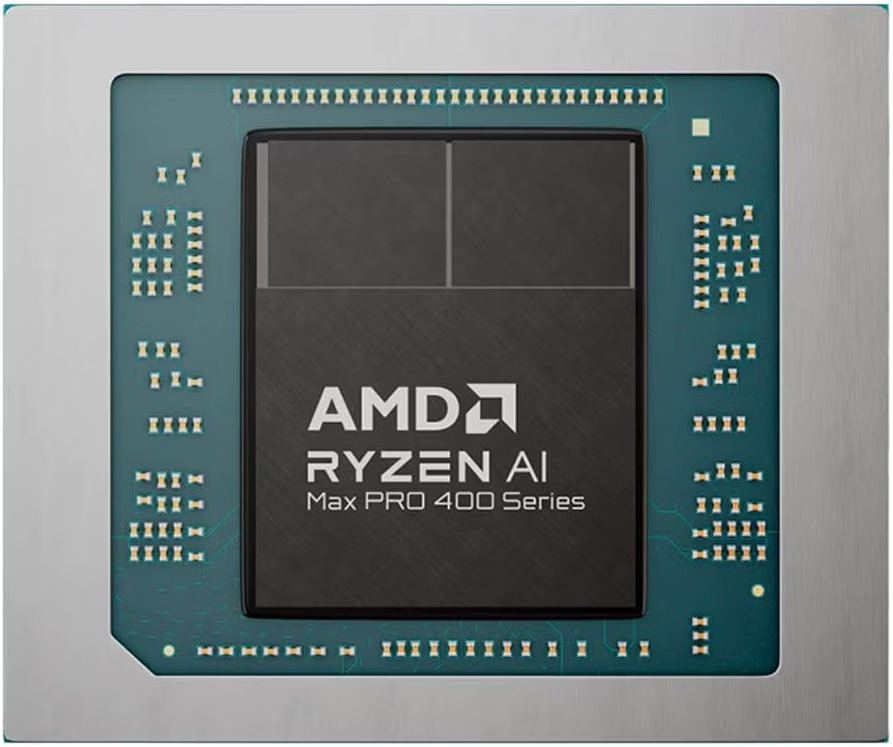
Here is the complete platform specification, as published by AMD.
| Component | Specification |
|---|---|
| Processor | AMD Ryzen AI Max+ PRO 495 |
| CPU architecture | Zen 5 |
| CPU cores / threads | 16 cores / 32 threads |
| Base clock | 3.1 GHz |
| Maximum boost clock | Up to 5.2 GHz |
| Integrated GPU | AMD Radeon 8065S |
| GPU architecture | RDNA 3.5 |
| GPU compute units | 40 |
| NPU | AMD XDNA 2 |
| NPU performance | Up to 55 TOPS |
| FP16 GPU compute | Up to 61 TFLOPS |
| Unified memory | 192GB LPDDR5x |
| Memory speed | 8533 MT/s |
| Memory bandwidth | 273 GB/s |
| Maximum GPU memory allocation | Up to 160GB |
| Storage | 2TB M.2 SSD |
| Ethernet | 10Gb Ethernet |
| Wireless | Wi-Fi 7 |
| Bluetooth | 5.4 |
| Display | HDMI 2.1b |
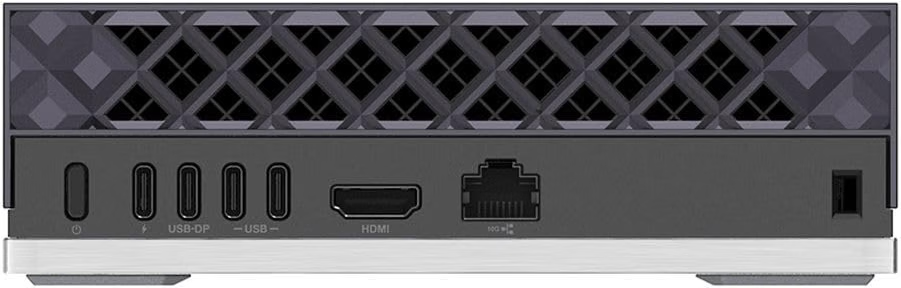
| USB | Three USB-C ports, including one for power |
| Power | 120W platform TDP |
| Operating systems | Linux or Windows 11 |
| Dimensions | 150 × 150 × 45.4 mm |
| Weight | Less than 1.2 kg |
Processor specs vs. platform specs. The Ryzen AI Max+ PRO 495 is a processor, and AMD lists it as part of the Ryzen AI Max PRO 400 Series. The AMD Ryzen AI Halo is a complete system built around that chip. The platform adds the memory configuration, storage, networking, chassis, and software environment, and its 120W figure is a platform TDP. Processor specs describe the silicon, not the finished machine, so don’t treat them as interchangeable.
Source: AMD Ryzen AI Halo and Ryzen AI Max+ PRO 495 product pages.
What Is the AMD Ryzen AI Halo?
The AMD Ryzen AI Halo is a developer platform. It isn’t a gaming mini PC or an office desktop that happens to have a strong chip.
AMD’s pitch is that local AI development shouldn’t start with assembling parts. A typical local AI setup means picking a GPU, matching drivers, sorting out memory limits, and configuring a software stack. AMD instead puts the CPU, GPU, NPU, and a large memory pool in one compact system and pairs it with a developer-oriented software environment.
That differs from a conventional mini PC in three ways:
- Memory is the headline feature. A typical mini PC has modest RAM and small integrated graphics. The Halo’s shared memory pool is far larger and can be allocated to the GPU.
- The software story is part of the product. AMD supplies a Ryzen AI Developer Center, validated software configurations, and AMD AI Playbooks.
- The audience is narrower. AMD is targeting developers, not general consumers.
The preconfigured environment matters because setup friction is where many local AI projects stall. Whether that environment works as smoothly as AMD intends is something we can’t verify without hands-on time, but the intent is sound.
The New Ryzen AI Max+ PRO 495: What Changed?
The original AMD Ryzen AI Halo used the Ryzen AI Max+ 395 and 128GB of memory. The new version uses the Ryzen AI Max+ PRO 495 and 192GB. Don’t mix the two sets of specifications.
| Specification | Previous Ryzen AI Halo | Latest Ryzen AI Halo |
|---|---|---|
| Processor | Ryzen AI Max+ 395 | Ryzen AI Max+ PRO 495 |
| CPU cores | 16 | 16 |
| CPU threads | 32 | 32 |
| Base clock | 3.0 GHz | 3.1 GHz |
| Maximum boost | Up to 5.1 GHz | Up to 5.2 GHz |
| Graphics | Radeon 8060S | Radeon 8065S |
| GPU compute units | 40 | 40 |
| NPU | Up to 50 TOPS | Up to 55 TOPS |
| Unified memory | 128GB | 192GB |
| Memory speed | 8000 MT/s | 8533 MT/s |
| Memory bandwidth | 256 GB/s | 273 GB/s |
| FP16 compute | Up to 60 TFLOPS | Up to 61 TFLOPS |
Look at the pattern. Core counts and GPU compute units are unchanged. Clocks rise by 100 MHz, FP16 compute by roughly 1 TFLOPS, and bandwidth by about 7%. These are incremental refinements, and we wouldn’t expect them to change the experience much.
The jump from 128GB to 192GB is a 50% increase in capacity, and that’s the real story. For local AI developers, capacity often decides whether a workload is possible at all, while clock speed only changes how fast it goes. We explain why in the next section. If you own the older Halo and your work already fits in 128GB, the PRO 495 is a small step. If you’ve been hitting the memory ceiling, it’s a different story.
Why 192GB of Unified Memory Matters for Local AI
This is the core of the platform, so it’s worth going slowly.
Unified memory in plain terms
A conventional PC has system RAM for the CPU and separate video memory (VRAM) on a dedicated GPU. To run a model on the GPU, the model has to fit in that VRAM. Consumer GPUs top out at far less memory than this machine offers, and workstation cards with more capacity cost a great deal.
AMD’s architecture lets the CPU, GPU, and NPU access one shared pool of memory. Instead of copying data between separate pools, the system allocates a slice of that pool to the GPU. AMD says up to 160GB can be allocated this way.
What actually consumes memory
Running a large language model involves more than loading its weights. Several things compete for the pool:
- Model weights. These must fit in memory before the model runs at all.
- Quantization. Reducing weight precision shrinks the footprint. A 4-bit model needs far less memory than a full-precision version of the same model.
- Context length and KV cache. The longer the conversation or document, the more memory the KV cache uses, and this grows on top of the weights.
- Everything else. Your OS, applications, datasets, vector databases, and any other AI processes share the same pool.
This is why 192GB doesn’t mean 192GB for one application. Part of the pool is reserved for the system, and AMD’s stated GPU allocation ceiling is 160GB.
AMD’s 300-billion-parameter claim
AMD says the platform can support models of 300 billion parameters or more at 4-bit quantization. Here’s the back-of-envelope arithmetic, which is our own and not a benchmark. At roughly half a byte per parameter, 300 billion parameters is on the order of 150GB of weights. That fits under the 160GB ceiling, but with very little room left for KV cache and overhead. The claim is plausible on paper, and practical headroom depends on the model, quantization format, and context length.
For readers building a home lab around large models, our guide on running a large model locally in a 2026 home lab covers the memory planning in more detail. And if you’re sizing RAM for agent software specifically, our breakdown of OpenClaw hardware requirements shows how quickly the needs add up.
Fitting a model is not running it well
Memory capacity determines what may fit. It doesn’t determine how fast the model runs.
Generating text token by token is largely limited by memory bandwidth, because the system repeatedly reads model weights. At 273 GB/s, a very large dense model that occupies well over 100GB will be bandwidth-limited. As a rough theoretical ceiling (again arithmetic, not a measurement), reading roughly 150GB of weights once per token at 273 GB/s would allow only a couple of tokens per second. Mixture-of-experts models read only a subset of weights per token, so they behave differently.
Speed also depends on:
- GPU architecture and compute throughput. Prompt processing is compute-heavy.
- Software optimization. The runtime and kernels matter enormously.
- Model implementation. Not every model is equally well supported on every backend.
Our editorial view: the right way to think about this machine is “it makes certain models possible,” not “it makes them fast.” Anyone who buys it expecting discrete-flagship-GPU speeds on giant dense models will be disappointed. Anyone who buys it because they couldn’t otherwise load the model at all may be delighted.
Processor, GPU and NPU: Understanding the Hardware
Ryzen AI Max+ PRO 495 CPU
The CPU has 16 Zen 5 cores and 32 threads, a 3.1 GHz base clock, and boost up to 5.2 GHz. In AI workloads, the CPU handles orchestration: loading models, running application logic, managing tool calls, preprocessing data, and keeping the rest of your development environment responsive. For multitasking-heavy workflows, such as an IDE, containers, a model server, and a browser all at once, 16 cores is a strong foundation.
Radeon 8065S integrated GPU
The Radeon 8065S uses RDNA 3.5 with 40 compute units and AMD rates it at up to 61 TFLOPS of FP16 compute. This is the main engine for accelerated local AI. What makes it interesting is not raw GPU power by itself, but the pairing with the large shared pool. An integrated GPU that can address up to 160GB changes what “GPU memory” means for a compact machine.
XDNA 2 NPU
The XDNA 2 NPU is rated at up to 55 TOPS. An NPU is a specialized accelerator built for efficient, low-power neural network inference, such as background AI features and smaller on-device models. It differs from a GPU, which is a more general parallel compute engine with much higher flexibility.
Don’t read the NPU as proof that large LLMs will run on it. We’d treat it as a bonus for efficient, smaller workloads, not the reason to buy this system. For large local models, the GPU and the memory pool carry the load.
Rule of thumb: CPU for orchestration and general work, GPU for large-model inference and heavy compute, NPU for efficient small-model and background tasks.
AMD ROCm and the Software Ecosystem
Hardware is only half the equation. ROCm is AMD’s GPU computing software ecosystem, and it’s the layer that determines whether your frameworks and applications actually use the GPU.
What matters:
- Framework and application compatibility. Support differs by tool and by model implementation. A framework might run well, run with limitations, or lack a path for your specific workload.
- Linux and Windows. The platform supports both. Support levels and maturity can differ between operating systems and between versions.
- Drivers and versions. Driver, ROCm, and framework versions interact. A working combination today may break after an update.
- The CUDA comparison. NVIDIA’s CUDA ecosystem is long-established, and many tools are developed and tested against it first. That’s the benchmark ROCm is measured against, and we won’t pretend the gap doesn’t matter.
We’re not claiming universal compatibility, and neither should you. Powerful hardware doesn’t guarantee that every application works perfectly. This is our fourth key insight: ROCm compatibility and supported applications matter as much as the spec sheet.
Pre-purchase compatibility checklist
Before buying, check:
- Does your primary inference runtime (llama.cpp-based tools, Ollama, LM Studio, vLLM, or others) have a documented AMD/ROCm or Vulkan path for this GPU?
- Do the frameworks you use (PyTorch and others) support this GPU architecture on your chosen OS?
- Are the specific models you want available in formats your runtime supports?
- Do any of your tools require CUDA-only libraries or custom kernels?
- Does AMD publish a validated configuration or Playbook for your workflow?
- Which driver and ROCm versions are required, and are they compatible with your other software?
- Are there open issues in the project trackers for your exact tool on this hardware?
The official AMD AI Playbooks and developer documentation are the best starting point.
Project Zenith: AMD’s Ready-to-Code Experience
Project Zenith is a ready-to-code Windows 11 experience from Microsoft, announced at IFA 2026. According to AMD’s November 9 announcement, it launched first on the Ryzen AI Halo and is now available pre-installed on the Ryzen AI Max+ PRO 495 version. AMD says it is coming soon to other Ryzen AI Max-powered devices.
Why it matters: a preconfigured developer environment reduces the initial setup work, so you start building sooner. Microsoft describes Zenith as shipping with development tools already in place, and AMD pairs it on Ryzen AI Halo with its Ryzen AI Developer Center, validated software configurations, and AMD AI Playbooks.
For us it fits AMD’s wider strategy: make the Halo a place where local AI development starts quickly, whether on Windows 11 or on the Linux environment the platform also supports.
A caution: Zenith being available is not the same as every AI framework or model working flawlessly. It reduces setup friction. It doesn’t remove the compatibility questions from the ROCm section above. Check AMD’s and Microsoft’s official pages for current details, since this is a newly launched program. See AMD’s Project Zenith announcement.
What Can You Use the AMD Ryzen AI Halo For?
Everything below is technical reasoning from the specifications and AMD’s stated capabilities. None of it is based on our own testing.
- Local LLM development. Large memory lets you load bigger models and experiment with context length without immediately hitting a ceiling.
- AI application development. A familiar x86 environment with a large model-friendly memory pool suits building apps that call local models.
- AI agent experimentation. Agents need a model plus tools, context, and often several processes. Headroom helps. More in the next section.
- Running larger quantized language models. This is the clearest fit, constrained by the bandwidth considerations we discussed.
- Multi-agent environments. Several models or agent instances can share the pool, though they’d also share bandwidth.
- Image generation and creative AI. Generative image workflows can benefit from the GPU and the ability to keep large models resident.
- Video and 3D AI workflows. These are memory-hungry, so capacity is relevant, but support depends on the specific tools.
- Data science and experimentation. The CPU cores and large memory suit in-memory data work alongside model experiments.
- Local AI research and prototyping. Testing large models privately, without metered cloud costs, is a natural use.
AMD Ryzen AI Halo and AI Agents
Running an agent is a different hardware problem from chatting with a model. A chatbot is one model answering one prompt. An agent adds:
- Model memory requirements. Still the foundation, and often a larger model for better reasoning.
- Tool orchestration. The agent calls tools, runs code, and handles results, which means CPU work alongside inference.
- Context management. Agents accumulate long histories and tool outputs, growing the KV cache.
- Multiple processes. A browser, a code sandbox, a vector store, and a model server may all run together.
- Concurrent agents. Running several at once multiplies memory and compute demand.
- Local data and application workloads. The agent usually works with your files and apps, which also use resources.
- CPU and GPU allocation. Splitting the shared pool between inference and everything else becomes a real planning exercise.
That’s our third insight: agentic workloads raise requirements beyond a single-model interaction. It’s why we’ve written about them so extensively. Our guides cover the software ecosystem around NemoClaw, including installation, and our look at the best PC for OpenClaw shows how the hardware choices stack up. OpenClaw, NemoClaw, and NanoClaw illustrate the broader agent ecosystem and its different resource profiles.
A machine with a large unified memory pool is worth investigating if you plan to run bigger models alongside agent infrastructure. But we haven’t tested any of these frameworks on the Ryzen AI Halo, and we can’t claim that any of them officially supports it. Verify compatibility with each project before buying.
Important Limitations and Things to Consider
We’re separating what AMD documents from what we infer from the architecture.
Verified by AMD’s specifications:
- Memory bandwidth is 273 GB/s.
- Memory is integrated (LPDDR5x) as part of the platform.
- The GPU is integrated, not a dedicated NVIDIA card.
Our technical considerations:
- Bandwidth vs. high-end discrete GPUs. High-end discrete GPUs generally offer much higher memory bandwidth than 273 GB/s. For bandwidth-bound inference, that’s a real difference, even though the discrete cards hold far less memory.
- Capacity isn’t speed. Worth repeating, because it’s the most common misunderstanding about this category.
- Software maturity. ROCm and application support can lag behind CUDA in some areas. This varies by tool.
- No dedicated NVIDIA GPU. If your workflow depends on CUDA-specific software, this machine won’t fit.
- Upgradeability. Integrated unified memory is not a slot you can expand later. What you buy is what you keep, so choose the configuration deliberately.
- Power and thermals. The platform is rated at 120W TDP in a small chassis. We have no measurements, so we won’t speculate on noise or temperatures. Look for independent testing.
- Price and value. The platform costs far more than a typical mini PC, and the previous generation launched at $3,999 according to Engadget. Check the current listing.
- Do you need 192GB? If your models fit comfortably in less, you’re paying for capacity you won’t use.
AMD Ryzen AI Halo vs. Other AI Computing Platforms
This is a conceptual comparison, not a benchmark shootout. We don’t have independent benchmark results and won’t invent any.
| Platform | Memory architecture | Software ecosystem | Upgradeability | Form factor | Best suited to |
|---|---|---|---|---|---|
| AMD Ryzen AI Halo | Unified, up to 192GB | ROCm, x86, Windows 11/Linux | Limited (integrated) | Very compact | Large-model local development on x86 |
| NVIDIA DGX Spark | Unified (128GB class) | CUDA, NVIDIA stack | Limited | Compact | Developers who want the CUDA ecosystem |
| Apple Mac Studio | Unified, Apple silicon | macOS, Metal | Limited | Compact desktop | Creators and developers in Apple’s ecosystem |
| Mini PC + discrete GPU | Separate RAM and VRAM | CUDA or ROCm depending on GPU | Partial (GPU swap) | Small to medium | Speed on models that fit in VRAM |
| Custom AI workstation | Separate RAM and VRAM | Flexible | High | Large | Maximum flexibility and expandability |
The trade-offs are clear. The Halo’s advantage is memory capacity per unit of size on a familiar x86 platform. A discrete-GPU system may be faster on models that fit in its VRAM and is easier to upgrade. DGX Spark pulls you into NVIDIA’s ecosystem. Mac Studio brings a different software stack entirely.
AMD also publishes its own comparisons, including against an Intel Core Ultra X9 388H system and a MacBook Pro with Apple M5 Pro. AMD’s page states the test configuration as a Ryzen AI Max+ PRO 495 system with 192GB memory, VGM set to 128GB, and AMD Software: Adrenalin Edition 26.8.1. These are manufacturer results, not independent testing, so treat them accordingly.
If you’re weighing hardware generally, our roundups of the best computer for OpenClaw and seven alternative OpenClaw hardware options show how the lower-cost and mid-range choices compare.
Who Should Buy the AMD Ryzen AI Halo?
Good fits:
- AI developers who need to load large models locally.
- Researchers experimenting with larger quantized models without cloud costs.
- Developers building local AI applications who want a compact, x86 development box.
- AI infrastructure enthusiasts who like running serious setups at home.
- Professionals exploring agentic workflows that need memory headroom.
- Creators exploring local generative AI where large models help.
Probably not for you:
- Everyday computing users. This is far more than you need.
- People running lightweight AI apps. A far cheaper machine will do. Our guide to running OpenClaw on a $100 budget makes the point that not everyone needs an expensive AI workstation.
- Users who don’t need large memory. If your models fit in 32GB or 64GB, don’t pay for 192GB.
- Buyers who want an upgradeable discrete GPU. The integrated design works against you.
- CUDA-dependent users. If your stack requires CUDA, this isn’t the right tool.
That’s our fifth insight, and our honest position: this machine solves a specific problem, which is fitting very large models into a small local box. If you don’t have that problem, skip it.
Is the AMD Ryzen AI Halo PRO 495 Worth Buying?
Based on the published specifications, here’s our assessment.
In its favor: 192GB of unified memory with up to 160GB allocatable to the GPU, a capable 16-core Zen 5 CPU, Radeon 8065S graphics, 10Gb Ethernet, a very compact form factor, and a developer-focused software story with ROCm, AMD AI Playbooks, and Project Zenith.
Against it: 273 GB/s bandwidth limits speed on very large dense models, ROCm support varies by application, there’s no upgrade path for memory, and the price is high.
Price and availability: We aren’t quoting a price. Check the current Amazon listing for pricing, availability, and the exact configuration before you decide.
This is an expert technical assessment based on published specifications and documentation, not a hands-on review. We haven’t run this machine, and nothing here should be read as a test result.
Our verdict: The AMD Ryzen AI Halo PRO 495 is worth serious consideration if you are a developer or researcher who genuinely needs 192GB of unified memory and whose tools work on AMD’s stack. For everyone else, it’s more machine than you need, and a cheaper option will serve you better.
AMD Ryzen AI Halo FAQ
What is the AMD Ryzen AI Halo?
It’s AMD’s compact developer platform for local AI, combining a CPU, GPU, NPU, large unified memory, and a preconfigured software environment.
What processor does the latest AMD Ryzen AI Halo use?
The AMD Ryzen AI Max+ PRO 495, with 16 Zen 5 cores, 32 threads, and boost up to 5.2 GHz.
What is the difference between the Ryzen AI Halo with the 395 and the 495?
The earlier version uses the Ryzen AI Max+ 395 with 128GB. The latest uses the PRO 495 with 192GB, slightly higher clocks, Radeon 8065S graphics, and a 55 TOPS NPU. Memory capacity is the biggest change.
How much memory does the AMD Ryzen AI Halo have?
The latest version has 192GB of LPDDR5x-8533 unified memory.
Can the AMD Ryzen AI Halo run 300B parameter models?
AMD says it supports models of 300 billion parameters or more at 4-bit quantization. Real-world fit depends on the model, quantization format, and context length, and speed depends on bandwidth and software.
How much GPU memory can the AMD Ryzen AI Halo allocate?
Up to 160GB, according to AMD.
Does AMD Ryzen AI Halo support Linux?
Yes. AMD lists Linux or Windows 11 as supported operating systems.
Does AMD Ryzen AI Halo support Windows 11?
Yes. Project Zenith, Microsoft’s ready-to-code Windows 11 experience, is available pre-installed on the PRO 495 version, per AMD.
What is AMD ROCm?
AMD’s software ecosystem for GPU computing. It determines how well frameworks and applications use AMD GPUs, so check compatibility for your tools.
Is the AMD Ryzen AI Halo suitable for local AI development?
It’s designed for it, especially for work needing large memory. Suitability depends on your models and whether your software supports AMD’s stack.
Can the AMD Ryzen AI Halo run AI agents?
Its memory and CPU are well suited to agent workloads in principle, but we haven’t tested any agent framework on it. Verify support with the specific project.
Is the AMD Ryzen AI Halo worth buying?
For developers who need 192GB of unified memory, potentially yes. For most other users, a cheaper machine makes more sense.
Final Thoughts on the AMD Ryzen AI Halo
The AMD Ryzen AI Halo PRO 495 is a focused tool. Its real contribution isn’t faster clocks, it’s 192GB of memory in a box you can carry. That makes a class of large local models practical, with trade-offs in bandwidth, software maturity, and cost.
If that trade-off matches your work, the AMD Ryzen AI Halo is worth a close look. If it doesn’t, you can skip it without missing anything.
Sources: AMD Ryzen AI Halo · Ryzen AI Max+ PRO 495 · Meet the next AMD Ryzen AI Halo · AMD AI Playbooks · Project Zenith on Ryzen AI Halo
Written By :
Alex Morgan
Technology & AI Hardware Editor
Alex Morgan specializes in AI hardware, mini PCs, local LLMs, and AI infrastructure. His work focuses on evaluating emerging technologies, analyzing hardware specifications, and explaining the practical considerations behind running AI workloads locally.
He covers AI computing platforms, GPU architecture, memory requirements, and autonomous AI systems, helping readers make informed technology decisions.