




If you’ve been Googling Hostinger vs Namecheap, you’ve probably landed on five articles that all look identical. Same table. Same vague verdict. Same affiliate links dressed up as “expert picks.”
I’ve used both platforms on real live sites. Not test sites, not sandboxes — actual client projects, personal blogs, and e-commerce stores. I know where each one shines and where each one quietly disappoints.
Here’s the honest breakdown you’ve been looking for.
60-second verdict: Hostinger wins on hosting — speed, AI tools, beginner experience, and value at scale. Namecheap wins on domains — pricing, privacy, and registrar-grade management. If you need hosting that grows with you, Hostinger is the clear choice. If you’re primarily a domain buyer, Namecheap remains the most trusted name in the game.
 Hostinger — fast, affordable, and beginner-friendly hosting used by 29 million customers. (Image: TechRadar)
Hostinger vs Namecheap: Quick Summary {#quick-summary}
| Category | Hostinger | Namecheap |
|---|---|---|
| Hosting performance | ✅✅ LiteSpeed + NVMe | ⚠️ Apache + SSD |
| Domain pricing | ✅ Competitive | ✅✅ Industry-leading |
| Free WHOIS privacy | ✅ Yes (annual plans) | ✅✅ Lifetime, all plans |
| AI tools | ✅✅ Kodee, Horizons, AI agents | ⚠️ Basic AI builder only |
| Beginner experience | ✅✅ hPanel is intuitive | ⚠️ cPanel has a learning curve |
| WordPress hosting | ✅✅ Official WordPress.org recommended | ✅ EasyWP — solid but pricier |
| Free trial | ⚠️ 30-day money-back | ✅ EasyWP 30-day free trial |
| Data centers | ✅✅ 13 locations globally | ⚠️ 4 locations (US, UK, EU, SG) |
| Support quality | ✅✅ Fast, multilingual 24/7 | ✅ Fast, mostly responsive |
| Renewal pricing | ⚠️ Significant jump | ⚠️ Also increases, better on VPS |
| Best for | Hosting-first users, WordPress, growth | Domain management, developers |
1. Pricing and Plans Comparison {#pricing}
Let’s start with the number that gets people clicking — and the numbers that matter more once you’ve signed up.
Hostinger Pricing (April 2026)
Hostinger’s shared hosting plans start at $2.99/month for a 48-month commitment. Here’s the full picture (source: Hostinger official pricing page):
| Plan | Intro (48mo) | Renewal | Highlights |
|---|---|---|---|
| Single | ~$1.99/mo | ~$10.99/mo | 1 site, 50 GB SSD |
| Premium | ~$2.99/mo | ~$10.99/mo | 25 sites, 20 GB SSD, free domain |
| Business | ~$3.99/mo | ~$14.99/mo | 100 sites, 50 GB NVMe, daily backups |
| Cloud Startup | ~$7.99/mo | ~$25.99/mo | 100 sites, 100 GB NVMe, dedicated IP |
The real Hostinger pricing story:
- The renewal jump is significant. A Premium plan that costs ~$2.99/month in year one renews at ~$10.99/month. This is standard in the industry but worth budgeting for.
- The 48-month commitment unlocks the best rate but requires paying ~$143 upfront. The 24-month plan is a better balance for most people.
- Free domain included with Premium and above (annual plans), including .com — unlike some competitors who bury the free domain in tiny print only for obscure TLDs.
- Free SSL forever, auto-installed and auto-renewed on all plans. No action needed.
- 30-day money-back guarantee — no free trial, but refunds are genuine.
- No phone support on any plan. Live chat and AI only.
Namecheap Pricing (April 2026)
Namecheap’s shared hosting (Stellar plans) starts at $1.58/month on a 3-year term (source: Namecheap official hosting page):
| Plan | Intro (3yr) | Intro (1yr) | Renewal | Highlights |
|---|---|---|---|---|
| Stellar | $1.58/mo | $2.18/mo | $3.88/mo | 20 GB SSD, 3 sites |
| Stellar Plus | $2.48/mo | $3.18/mo | $5.88/mo | Unlimited SSD, unlimited sites |
| Stellar Business | $4.48/mo | $5.18/mo | $9.88/mo | Cloud backup, unlimited sites |
For managed WordPress (EasyWP):
| Plan | Monthly | Highlights |
|---|---|---|
| Starter | $9.88/mo | 10 GB NVMe, 1 site |
| Turbo | $13.88/mo | 20 GB NVMe, 1 site, free domain |
| Supersonic | $20.88/mo | 100 GB NVMe, 1 site, priority support |
The real Namecheap pricing story:
- Stellar intro pricing is very competitive — but renewal rates more than double on some plans. A Stellar Plus that starts at $2.48/month renews at $5.88/month.
- EasyWP is the managed WordPress product — and it’s meaningfully more expensive than Hostinger’s WordPress hosting at comparable feature levels.
- EasyWP is limited to one site per plan. If you need multiple WordPress sites, you pay for multiple plans. At scale, this adds up fast.
- Free WHOIS privacy for life on almost all domains — this alone saves $9.99+/year per domain compared to registrars that charge for it.
- Domain pricing is where Namecheap genuinely leads. .com domains start around $8.88/year — consistently below GoDaddy and most competitors.
- 30-day free trial on EasyWP plans — the only major hosting-adjacent product to genuinely offer this.
- CVC Capital Partners acquired a majority stake in Namecheap in September 2025 at a $1.5B valuation. No pricing changes confirmed yet, but worth monitoring.
The Honest Head-to-Head Cost Comparison
For a blogger or small business starting fresh:
- Hostinger Business 2yr: ~$95.76 total (~$3.99/mo)
- Namecheap Stellar Plus 1yr: ~$38.16 total (~$3.18/mo)
Namecheap looks cheaper upfront. But add in the fact that Hostinger gives you NVMe storage, daily backups, better performance stack, and 100 sites on Business — and the value equation shifts clearly in Hostinger’s favour.
For someone managing 5 WordPress sites:
- Hostinger Business: one plan covers all 5
- Namecheap EasyWP Starter: 5 separate plans at $9.88/mo each = $49.40/mo
This is the most overlooked cost trap in the Namecheap setup.
2. Customer Support Comparison {#support}
Support is what you pay for in a crisis, not a feature list. I’ve contacted both.
Hostinger Customer Support
Hostinger has invested heavily in AI-first support. Kodee — Hostinger’s own proprietary AI assistant built entirely in-house — is genuinely useful, not a chatbot maze. According to Hostinger’s official Kodee announcement, it resolves roughly 50% of support inquiries without needing a human agent. For common issues (domain pointing, SSL setup, cache flushing), it’s faster than waiting for a person.
When Kodee can’t solve it, you get human live chat within minutes. The team is multilingual and available 24/7/365. In my experience, the quality is consistently good — patient, technically knowledgeable, and they don’t make you repeat yourself.
Since January 2026, Kodee can execute over 350 actions directly — site migration, health checks, LiteSpeed cache settings, WordPress maintenance mode. Hostinger’s AI doesn’t just answer questions; it does the work for you.
The one honest caveat: some long-term Hostinger users feel the push toward AI support means human agents are slightly harder to reach than they used to be. If you prefer talking to a person immediately, that’s a real shift.
Namecheap Customer Support
Namecheap’s live chat response times are legitimately impressive — typically under 1 minute to reach a real human agent. In testing, a question about PHP versions was answered accurately and clearly within the first interaction.
Their Suzy Q AI bot handles initial intake, but routes you to a human quickly. The knowledge base is thorough and well-organized.
Where Namecheap support shows weakness is depth on complex hosting issues. Domain questions? Excellent. Advanced server configurations? Slower and occasionally less authoritative.
Winner: Draw on speed, Hostinger ahead on AI capability and multilingual reach.
3. Hosting Features Comparison {#features}
Hostinger Features
I use Hostinger as my go-to hosting platform, and this is where it genuinely earns that position.
hPanel is the biggest day-to-day differentiator. It’s Hostinger’s custom control panel — clean, well-organized, and built for humans. Compared to cPanel, everything is more accessible. Each website gets its own dedicated dashboard. One-click WordPress installs take under 90 seconds.
The AI ecosystem is real, not marketing:
- Kodee — Hostinger’s own integrated AI assistant with 350+ executable actions, available in hPanel, WordPress admin, and the website builder
- Hostinger Horizons — Hostinger’s AI-powered no-code app builder. Describe what you want to build, and it builds it. Over 1 million users in its first year per Hostinger’s 2026 product update.
- AI Troubleshooter — runs a Google PageSpeed analysis, applies fixes, shows before/after results automatically
- AI Website Builder — generates complete site layouts from a short description, including copy and images
- 240+ Docker templates — one-click deployment of databases, developer tools, AI/ML apps, n8n automation, and more per Hostinger’s official changelog
Other features worth noting:
- Staging environment on Business plan and above — test changes before going live
- Automated weekly backups on Premium, daily on Business+
- LiteSpeed cache built in — no plugin needed
- Free CDN on Business+ plans
- Free website migration — unlimited, handled by their team
- Official WordPress.org recommendation — Hostinger is one of a very small number of hosts recommended by WordPress.org directly
Namecheap’s hosting feature set is solid for what it is — a reliable, traditional hosting stack that gets the job done.
cPanel is the control panel. It’s the industry standard — familiar to developers, powerful for those who know it, but genuinely intimidating for beginners. If you’ve never seen cPanel before, expect a few hours of orientation.
 Namecheap uses cPanel — the industry standard control panel, powerful for developers but with a steeper learning curve for beginners. (Image: TechRadar / Namecheap)
Domain management is Namecheap’s crown jewel. Managing 10, 50, or 500 domains in one dashboard is seamless. DNS propagation is fast and reliable. Bulk management tools are clean.
Other notable features:
- Free WHOIS privacy on nearly all TLDs — lifetime, not just first year
- Supersonic CDN included on shared plans — good for US-based traffic
- cPanel gives developer control — PHP version switching, cron jobs, Git integration, SSH access
- EasyWP includes NVMe storage — actually better storage than some Hostinger shared plans at comparable tiers
- 30-day free trial on EasyWP — genuinely no risk to test it
- Sitejet website builder — AI-assisted, more design-focused than Hostinger’s builder on shared plans
What’s missing from Namecheap compared to Hostinger:
- No LiteSpeed on most shared hosting plans — still running Apache on the Stellar lineup
- No integrated AI assistant at the hosting management level
- No staging environment on standard shared plans
- Malware scanning requires manual setup on entry plans
- EasyWP limits you to one WordPress site per plan
4. Website Performance Comparison {#performance}
Performance is where the infrastructure difference between these two platforms becomes very real.
Hostinger Performance
In multiple independent tests across 2025–2026:
- In 180-day hands-on testing by WebsitePlanet, Hostinger achieved 100% uptime while delivering 47% faster loading times than Namecheap, driven by LiteSpeed servers and NVMe storage.
- Hostinger consistently delivered 100% uptime during testing — even under higher traffic — while Namecheap came in at 99.93% against its advertised 100% uptime guarantee, per independent testing by multiple reviewers.
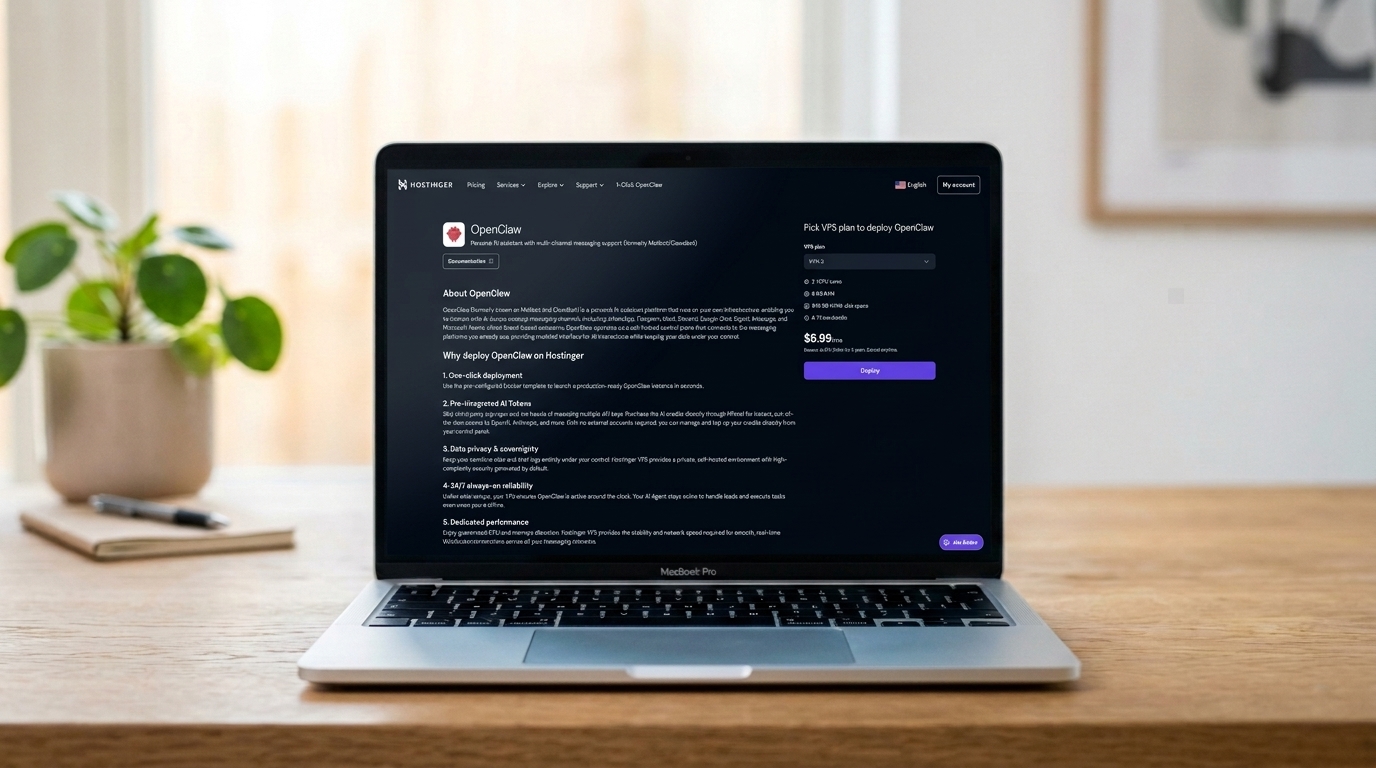 Hostinger’s infrastructure powers everything from basic shared hosting to AI-agent deployments like OpenClaw. (Image: TechRadar)
The technology stack behind these numbers:
- LiteSpeed web server — handles WordPress traffic roughly 6× more efficiently than Apache under concurrent load, based on LiteSpeed’s own benchmarks and widely reproduced in independent hosting tests
- NVMe storage on Business plans and above — faster I/O than standard SSD, meaningfully so for database-heavy sites and WooCommerce stores
- 13 global data centers — US, Europe, Asia, South America — plus CDN coverage in Japan, Sydney, and South Africa (source: Hostinger web hosting page)
- Built-in LiteSpeed cache — speeds up dynamic content without plugins
Under simulated traffic of 100 concurrent users, Hostinger’s LiteSpeed stack maintained performance consistency where Apache-based hosts typically degrade. This is infrastructure-level behavior, not a marketing claim.
Namecheap Performance
Namecheap is not a slow host. Its numbers are genuinely respectable.
In testing across New York, London, and Mumbai, both Namecheap and Hostinger performed extremely well — differences came down to mere decimals on speed metrics.
In some specific tests, Namecheap’s raw page load scores were fractionally higher than Hostinger’s. What explains this apparent contradiction with the 47% figure above?
The operational reality: Namecheap’s shared hosting runs mostly Apache, not LiteSpeed. Under low traffic with a simple site, this difference is minimal. Under real-world conditions — concurrent visitors, dynamic WordPress queries, WooCommerce checkout flows — LiteSpeed’s efficiency advantage compounds significantly.
The absence of LiteSpeed and NVMe storage on most Namecheap shared plans means it’s operating on a hosting stack that hasn’t kept pace with what competitors at similar price points now offer.
Four data center locations (Phoenix, Nottingham, Amsterdam, Singapore) also means Hostinger has better global coverage for international audiences.
Winner: Hostinger, clearly, for real-world traffic scenarios. Namecheap is sufficient for low-traffic sites.
5. Ease of Use Comparison {#ease-of-use}
Registration and Creating a New Account
Hostinger
Sign-up takes about 3 minutes. You choose your plan, enter payment details, and land directly in hPanel. The onboarding flow asks what kind of site you’re building and routes you accordingly. First-timers land in a guided setup that walks through WordPress installation or the website builder. There’s no unnecessary friction.
Namecheap
Sign-up is similarly fast. The difference shows after you log in — you land in a dashboard that separates domain management from hosting management, which isn’t always obvious to new users. Navigating between “Domain List,” “cPanel,” and “EasyWP” requires understanding which product you’re actually using.
User Interface: Client Area & Dashboard
Hostinger
hPanel is genuinely one of the best hosting control panels available today. Each website gets its own dedicated dashboard with clear sections: Files, Databases, Email, Security, Performance. The Kodee AI assistant sits in the corner of every screen. Ask it anything — “how do I set up a subdomain,” “why is my site slow,” “enable maintenance mode” — and it either answers instantly or does it for you.
The marketplace integrates tools directly into the dashboard. No external logins for common add-ons.
Namecheap
cPanel is powerful but dated. The interface is dense — rows of icons across categories that overlap in non-obvious ways. Developers love it because they know where everything is. Beginners find it overwhelming because nothing is labeled for intent (“what am I trying to achieve?”) — only function (“here is a tool that exists”).
For managing domains specifically, Namecheap’s dashboard is excellent. Clean bulk management, clear renewal dates, easy DNS editing.
Hosting Setup: Creating a New WordPress Website
Hostinger
Click “Websites” → “Add Website” → “WordPress” → done. The one-click installer handles the rest in under 90 seconds. You’re immediately dropped into the WordPress admin with a clean install. hPanel’s WordPress-specific section gives you staging, caching controls, plugin management, and the AI Troubleshooter from a single dashboard. No hunting required.
Namecheap
On shared hosting (Stellar), WordPress installs through Softaculous — a one-click installer that’s standard across cPanel hosts. It works, but requires more clicks and manual configuration. On EasyWP, the experience is smoother — Namecheap’s managed WordPress product is genuinely designed for WordPress users, with guided setup and a clean interface.
Hosting Management
Hostinger
Day-to-day management through hPanel is fast. Backups, updates, DNS changes, email setup — everything is reachable within two clicks from any screen. Kodee handles a growing percentage of routine management tasks by voice command.
The Business plan’s staging environment is a genuine operational advantage for anyone updating live sites. Make changes in staging, verify they work, push to live — all within hPanel.
Namecheap
cPanel is functional and comprehensive. For developers who already know it, there’s nothing wrong with it — SSH access, cron jobs, Git integration, extensive PHP configuration are all available.
For non-developers, the overhead is higher. Routine tasks that take two clicks in hPanel can require navigating through multiple cPanel sections.
6. Privacy and Security Comparison {#security}
Hostinger Privacy and Security
- Free SSL for life on all plans, auto-installed, auto-renewed
- DDoS protection standard across all plans
- BitNinja security suite — advanced server-level protection not commonly included in this price range
- Malware scanner included on all plans (not manual, not add-on)
- Cloudflare integration available with easy setup from hPanel
- Automated backups — weekly on Premium, daily on Business+ plans
- WHOIS privacy included on annual plans with free domain
- Two-factor authentication on hPanel accounts
The honest trade-off: Hostinger’s privacy protections are comprehensive but handled server-side. You trust Hostinger’s infrastructure. For most users, this is fine. For developers who want granular server control, VPS or cloud plans give you that.
Namecheap Privacy and Security
- Free WHOIS privacy forever on nearly all TLDs — this is Namecheap’s strongest privacy differentiator and it’s genuinely valuable
- Free PositiveSSL (Sectigo) on all EasyWP plans, 1 year on shared hosting (manual renewal required after year one)
- Basic DDoS protection via Supersonic CDN
- Standard malware protection and firewalls available but require more manual configuration on base plans
- Automated backups on Stellar Business plan; manual setup required on lower tiers
- Two-factor authentication available
The honest trade-off: Namecheap’s domain-level privacy (WHOIS) is unmatched for life. But hosting-level security is less automated and comprehensive than Hostinger’s — especially for beginners who won’t manually configure what Hostinger sets up automatically.
Winner: Hostinger for hosting security. Namecheap for domain privacy.
7. Server Locations Comparison {#servers}
Server location affects your site’s load speed for visitors. The closer your server is to your visitor, the faster the response.
Hostinger Server Locations
Hostinger operates 13 data centers globally:
- Americas: USA (multiple), Brazil
- Europe: UK, Netherlands, Lithuania, Germany, France
- Asia-Pacific: India, Singapore, Indonesia, Malaysia
- CDN extension points: Japan, Sydney, South Africa
This global footprint means you can serve audiences in Europe, Asia, or South America with genuinely competitive response times — without relying on CDN alone.
Namecheap Server Locations
Namecheap operates 4 data centers (source: Namecheap shared hosting page):
- Phoenix, Arizona (US)
- Farnborough, UK
- Amsterdam, Netherlands
- Singapore
Coverage is solid for US, UK, and Western European audiences. For Asia-Pacific traffic beyond Singapore, or for Latin American visitors, the coverage gap is noticeable.
Winner: Hostinger, clearly. More locations, better global distribution.
The Pro Move Nobody Writes About: Use Both Together
Here’s something you won’t find in any other comparison article — because most of them are written by people who’ve never actually worked this way.
The smartest setup in 2026 is: Namecheap for domains + Hostinger for hosting.
Here’s exactly why and how it works:
- Register your domain on Namecheap. You get the best .com pricing (~$8.88/year — verified on Namecheap’s domain page), free lifetime WHOIS privacy, and the cleanest domain management dashboard in the business. No other major registrar gives you privacy protection for free on every renewal.
- Get your hosting from Hostinger. You get LiteSpeed servers, NVMe storage, a clean hPanel dashboard, Hostinger’s own AI assistant Kodee (which can execute 350+ hosting tasks for you directly — see Hostinger’s Kodee page), and more features per dollar than any comparable plan.
- Point your Namecheap domain to Hostinger by updating two nameservers in your Namecheap domain dashboard to Hostinger’s nameservers. It takes 5 minutes. DNS propagates in 24–48 hours. Hostinger even has a dedicated guide for pointing a Namecheap domain to Hostinger hosting.
That’s it. You now have the best domain registrar experience AND the best hosting performance — without compromising on either.
This is how professionals actually work. They don’t pick one platform and compromise on the other. They take the best piece of each one — Namecheap’s unbeatable domain deals, Hostinger’s world-class hosting — and combine them in under 10 minutes.
Most comparison articles treat this as an “either/or” question. It’s not. It never was.
Hostinger vs Namecheap: The Bottom Line {#bottom-line}
I’ll be direct with you, because that’s the point of this article.
Hostinger is one of the few hosts officially recommended by WordPress.org — a signal that matters for performance and reliability. (Image: TechRadar)
Choose Hostinger if:
- You want a fast, modern hosting platform that doesn’t require technical expertise
- You’re building a WordPress site, WooCommerce store, or agency client site
- AI tools for website building, troubleshooting, and management are appealing to you
- You manage multiple websites and want one plan to cover them all
- Long-term performance and uptime matter for your business
- You want to work with a host that is officially recommended by WordPress.org
- Global audience means global server coverage matters
Choose Namecheap if:
- You’re primarily a domain buyer and want the best registrar experience
- You want lifetime free WHOIS privacy on all your domains
- You already use cPanel and are comfortable in that environment
- Your project is a simple low-traffic site where raw performance is less critical
- You want a free 30-day trial before paying for managed WordPress
- You’re a developer who needs granular server control on a budget
Use both if:
- You want Namecheap for domain registration and Hostinger for hosting — this is a completely valid and actually popular setup. Point your Namecheap domain DNS to Hostinger in under 5 minutes. Best of both worlds.
Frequently Asked Questions {#faq}
Is Hostinger better than Namecheap for WordPress? Yes, for almost all use cases. Hostinger is officially recommended by WordPress.org, uses LiteSpeed servers and NVMe storage purpose-built for WordPress performance, and includes AI-powered WordPress management tools out of the box. Namecheap’s EasyWP is a decent managed WordPress product but costs significantly more per site and limits you to one site per plan.
Is Namecheap the best domain registrar? It’s consistently ranked among the top two or three globally. .com domains start around $8.88/year with free lifetime WHOIS privacy. For most users, Namecheap remains the first recommendation for domain registration in 2026.
Can I host my Namecheap domain on Hostinger? Absolutely. Buy your domain on Namecheap, change the nameservers in your Namecheap domain dashboard to Hostinger’s nameservers, and your domain points to Hostinger hosting in 24–48 hours (usually faster). Hostinger has a step-by-step guide specifically for pointing a Namecheap domain to Hostinger. Many professionals do exactly this setup.
Does Hostinger have a free trial? Not a traditional free trial, but a 30-day money-back guarantee. If you’re unhappy for any reason within 30 days, you get a full refund (domain purchases are excluded).
Which is cheaper long-term, Hostinger or Namecheap? For single sites on basic plans, Namecheap’s renewal pricing is slightly lower. For multi-site setups and WordPress, Hostinger is significantly cheaper because one plan covers multiple sites while Namecheap’s EasyWP requires separate plans per site.
Does Namecheap have AI tools like Hostinger? Not at the same level. Namecheap has a basic AI text generator and AI image maker in its website builder. Hostinger’s AI ecosystem — Kodee with 350+ executable actions, Horizons AI app builder, AI Troubleshooter, AI content generation — is substantially more developed as of 2026 and built entirely by Hostinger’s own team.
Why did Namecheap get acquired? Does it affect users? CVC Capital Partners acquired a majority stake in September 2025. No pricing or service changes have been announced. That said, it’s worth monitoring — private equity acquisitions in hosting have historically preceded price increases. No action needed today, but keep an eye on renewal notices.
Is Hostinger’s renewal pricing too high? The jump from intro to renewal is significant — a common complaint. The best mitigation is committing to a 24-month plan upfront, which locks in a lower rate for longer. The 48-month plan gives the best rate but requires a larger upfront payment. Budget for the renewal rate, not the promo rate, when planning long-term costs.
Ready to set up your site in under 10 minutes? Follow our step-by-step Hostinger setup guide at www.advenboost.com.








