




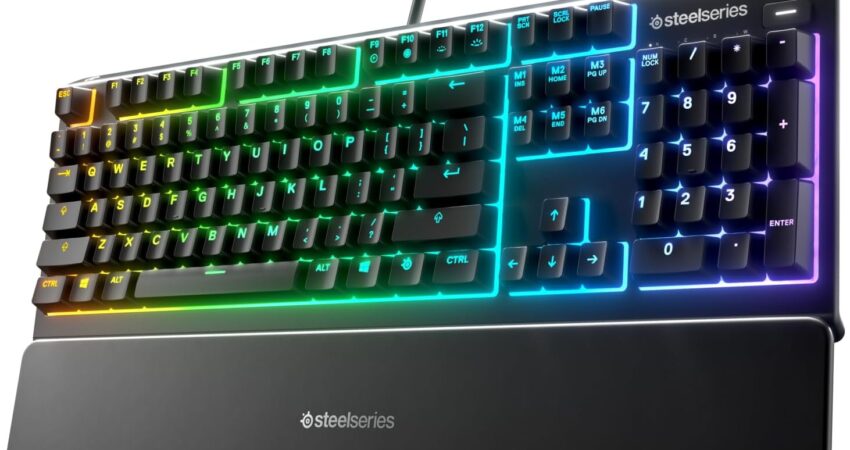
Finding the best gaming keyboards for under 100 has become easier than ever in 2026. The budget gaming peripheral market has evolved significantly, offering features that were once exclusive to premium models. Modern affordable gaming keyboards now include RGB lighting, programmable keys, and responsive switches that deliver excellent performance without breaking the bank. Whether you’re a competitive esports player or a casual gamer, investing in a quality gaming keyboard under $100 can dramatically improve your gaming experience. Reputable brands like Corsair, Logitech, Razer, and SteelSeries have developed budget-friendly options that compete with more expensive alternatives. This guide explores the top choices available today and helps you make an informed decision when searching for the best gaming keyboards for under 100.
Top 5 Best Gaming Keyboards Under $100 – Quick Comparison
| Keyboard | Type | RGB | Best For | Price |
|---|---|---|---|---|
| Corsair K55 RGB Pro | Membrane | Yes | All-around gaming | Check Price |
| SteelSeries Apex 3 | Membrane | Yes | Quiet gaming | Check Price |
| Razer Ornata V3 X | Mecha-membrane | Yes | Hybrid feel | Check Price |
| Redragon K552 Kumara | Mechanical | No | Budget mechanical | Check Price |
| Logitech G213 Prodigy | Membrane | Yes | Value pick | Check Price |
Product Reviews: Best Gaming Keyboards for Under 100
Corsair K55 RGB Pro – Best Gaming Keyboards Under $100 for All-Around Use
 Check Price on Amazon
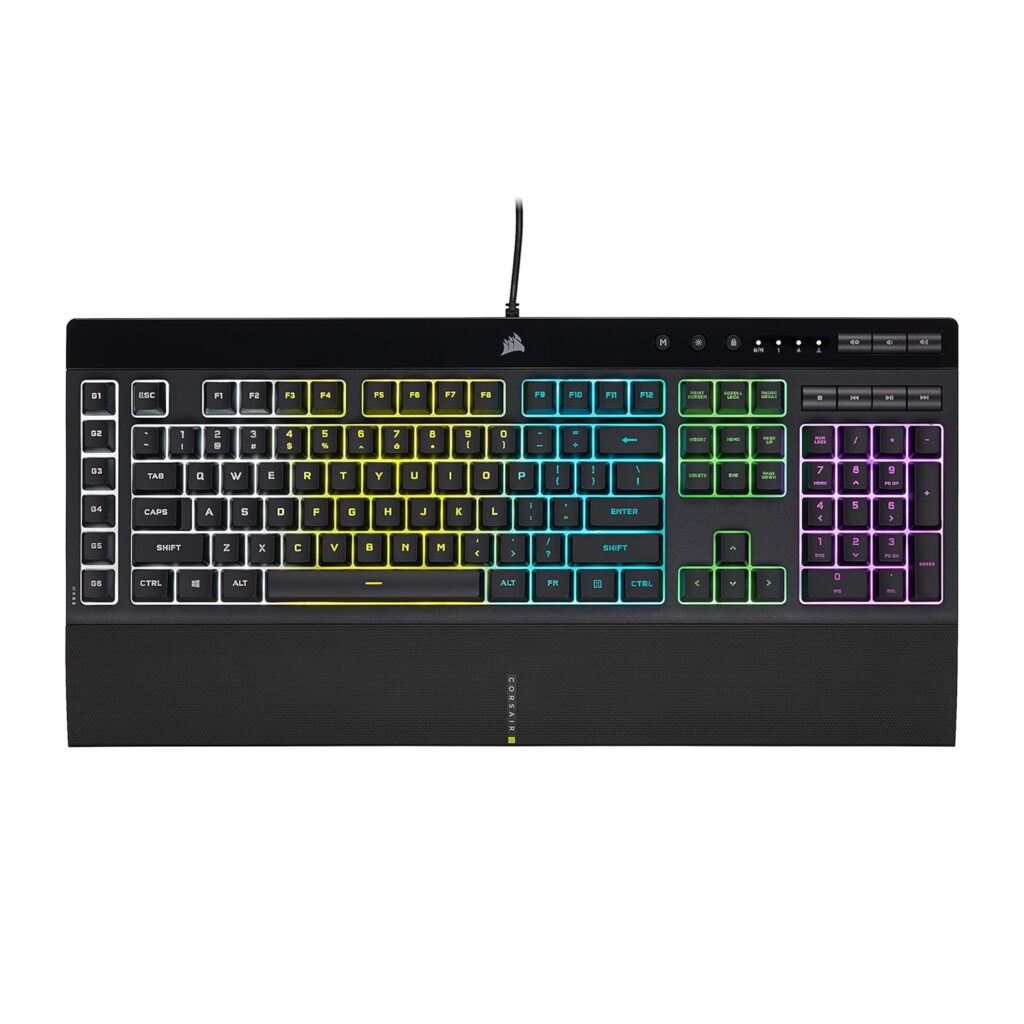
 The Corsair K55 RGB Pro represents one of the most popular choices when searching for a budget gaming keyboard. This membrane keyboard delivers reliable performance with customizable RGB backlighting across five zones, allowing gamers to personalize their setup without spending a fortune.
Key Features:
- Five-zone RGB backlighting with dynamic effects
- Six programmable macro keys for complex commands
- Detachable palm rest for extended comfort
- IP42 dust and spill resistance rating
- Dedicated media controls for quick adjustments
Gaming Performance:
According to RTINGS keyboard testing, the K55 RGB Pro offers responsive membrane switches with minimal input lag. The keyboard performs admirably in fast-paced FPS games and MOBA titles where quick reactions matter most.
Pros:
- Excellent value for money
- Durable construction with spill resistance
- Comfortable for marathon gaming sessions
- Comprehensive software customization through iCUE
Cons:
- Membrane switches lack mechanical tactility
- No individual key RGB control
- Slightly mushy key feel compared to mechanical options
Verdict:
The Corsair K55 RGB Pro stands as a solid all-around option for gamers seeking features typically found in pricier keyboards. It’s particularly suited for those prioritizing durability and programmability over mechanical switches.
SteelSeries Apex 3 – Best Quiet Gaming Keyboards Under 100
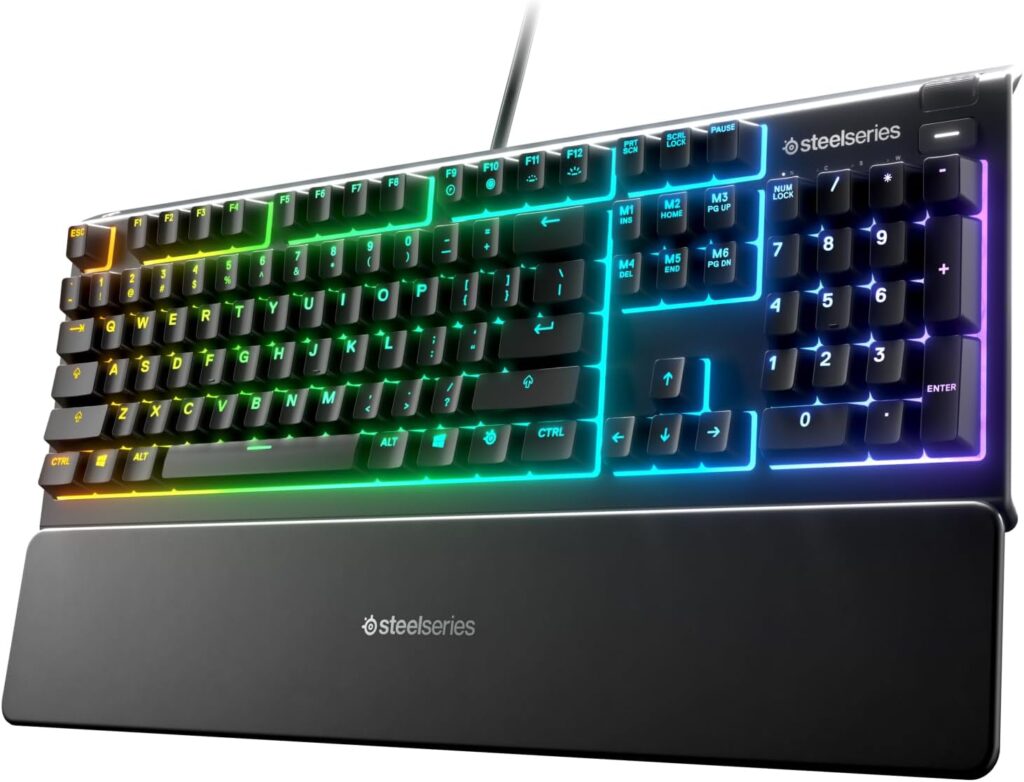
SteelSeries brings premium build quality to the affordable gaming keyboard segment with the Apex 3. This whisper-quiet membrane keyboard features impressive RGB illumination and IP32 water resistance, making it ideal for gamers who want aesthetics without disturbing others.
Key Features:
- 10-zone RGB lighting with brilliant illumination
- Whisper-quiet membrane switches for silent operation
- Magnetic wrist rest included
- Premium magnetic cable for secure connection
- Dedicated multimedia controls with clickable wheel
Gaming Performance:
TechRadar’s review highlights the Apex 3’s exceptional quietness during intense gaming sessions. The smooth keystrokes provide consistent response times, though they don’t match the precision of mechanical alternatives found in other gaming peripherals.
Pros:
- Extremely quiet operation
- Stunning RGB implementation
- Comfortable magnetic wrist rest
- Water-resistant design protects against accidents
Cons:
- Higher price than some competitors
- Membrane switches won’t satisfy mechanical enthusiasts
- Software requires SteelSeries Engine installation
Verdict:
Choose the SteelSeries Apex 3 if you share living space or prefer late-night gaming without disturbing others. Its whisper-quiet operation and gorgeous lighting make it an excellent choice among gaming keyboards under $100 in the silent category.
Razer Ornata V3 X – Best Hybrid Gaming Keyboards for Under 100
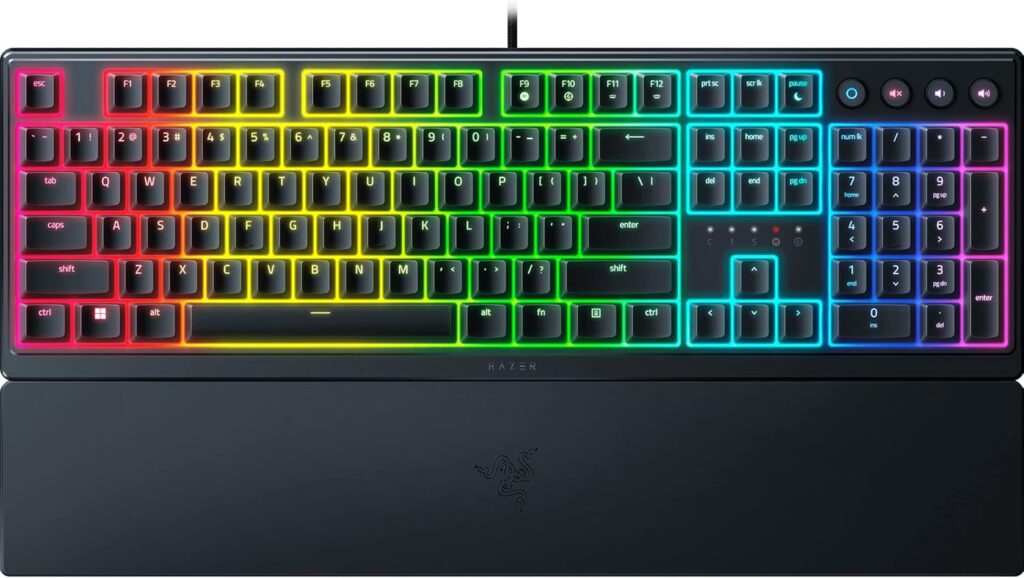
Razer’s Ornata V3 X introduces a unique mecha-membrane design that bridges the gap between membrane and mechanical keyboards. This innovative approach delivers tactile feedback while maintaining an affordable price point, creating an interesting middle ground for undecided gamers.
Key Features:
- Mecha-membrane switches with tactile click
- Single-zone RGB Chroma lighting
- Ergonomic soft-touch wrist rest
- Spill-resistant design for protection
- Cable routing options for clean desk setup
Gaming Performance:
Testing by PC Gamer demonstrates that the hybrid switch technology provides satisfying tactile bumps without the noise associated with clicky mechanical switches. Response times remain competitive for competitive gaming scenarios.
Pros:
- Unique hybrid switch feel
- Integrated wrist rest enhances comfort
- Razer Synapse software compatibility
- Excellent price-to-performance ratio
Cons:
- Single-zone lighting limits customization
- Not truly mechanical despite tactile feel
- Wrist rest cannot be removed
Verdict:
The Razer Ornata V3 X serves gamers who want mechanical-like feedback without committing to full mechanical switches. It’s an excellent entry point for those exploring different keyboard technologies while checking out options for their best gaming mouse as well.
Redragon K552 Kumara – Best Mechanical Gaming Keyboards Under $100
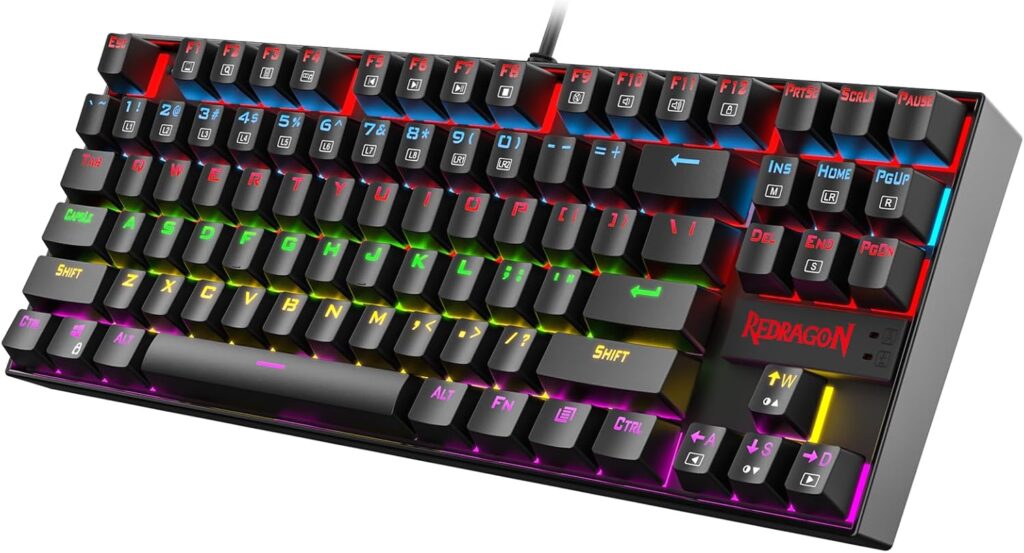
The Redragon K552 Kumara breaks the mold by offering genuine mechanical switches at an incredibly low price. This compact 87-key tenkeyless design saves desk space while delivering authentic mechanical typing and gaming experiences previously unavailable in this price range.
Key Features:
- Genuine mechanical switches (Blue or Red options)
- Tenkeyless compact form factor
- Metal construction for durability
- Red LED backlighting (not RGB)
- Splash-proof design
Gaming Performance:
Digital Trends praises the K552’s mechanical switches for providing precise actuation and tactile feedback. The compact layout frees up mouse space, essential for low-sensitivity FPS players who need room for wide sweeps.
Pros:
- True mechanical switches at budget price
- Extremely durable metal frame
- Compact design maximizes desk space
- Great for competitive gaming
Cons:
- No RGB lighting (red only)
- No dedicated media keys
- Loud clicky switches may disturb others
- Lacks software customization
Verdict:
Serious gamers wanting authentic mechanical performance should prioritize the Redragon K552 Kumara. Despite lacking RGB flair, it delivers where it counts: responsive mechanical switches that enhance gaming performance and complement any gaming desk setup.
Logitech G213 Prodigy – Best Value Gaming Keyboard Under 100
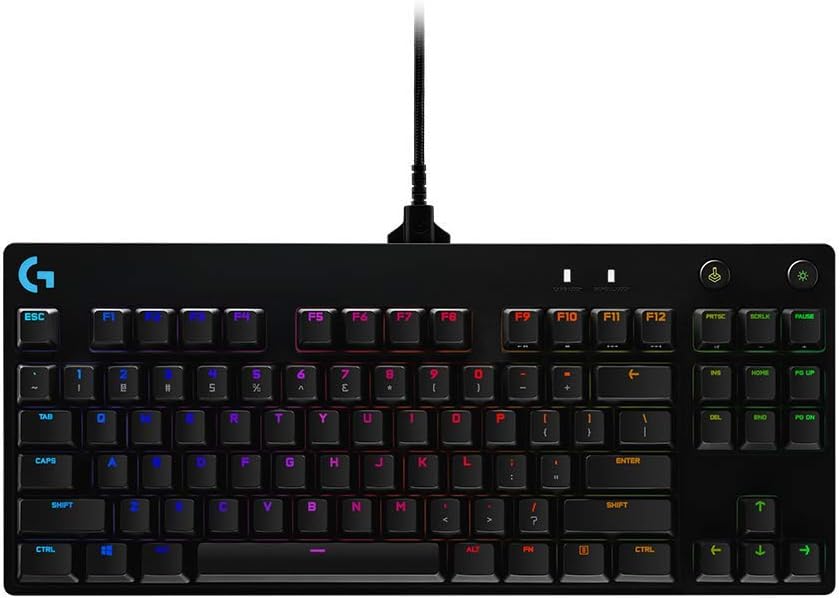
Logitech’s G213 Prodigy combines the company’s peripheral expertise with budget-conscious pricing. The Mech-Dome switches aim to simulate mechanical feel while maintaining membrane reliability, creating an attractive option for Logitech ecosystem users.
Key Features:
- Mech-Dome keys for enhanced response
- Five-zone RGB Lightsync technology
- Integrated palm rest
- Dedicated media controls
- Spill-resistant up to 60ml
Gaming Performance:
Reviews from Tom’s Guide indicate the G213’s Mech-Dome switches provide four times faster response than standard membrane keyboards. This improvement translates to better performance in reaction-based games, though mechanical purists may still prefer traditional switches.
Pros:
- Logitech G Hub software integration
- Reliable brand reputation
- Comfortable integrated palm rest
- Good balance of features and price
Cons:
- Mech-Dome switches feel less refined than true mechanical
- Larger footprint than tenkeyless designs
- Backlighting zones are limited to five
Verdict:
The Logitech G213 Prodigy excels as a reliable workhorse for gamers invested in Logitech’s ecosystem. It pairs naturally with best wireless headphones and other Logitech gear through unified G Hub control.
How to Choose the Best Gaming Keyboards for Under 100
Selecting an affordable gaming keyboard requires understanding which features matter most for your gaming style. Modern budget options pack impressive technology, but prioritizing the right specifications ensures you get maximum value from your investment when shopping for the best gaming keyboard for under 100.
Understanding Switch Types for Budget Gaming Keyboards
The switch type fundamentally determines your keyboard’s feel and performance. Membrane switches use rubber domes and cost less to manufacture, making them common in budget keyboards. According to CNET’s keyboard guide, membrane switches typically last 5 million keystrokes and provide quiet operation.
Mechanical switches use individual spring-loaded mechanisms for each key, offering superior durability (50-100 million keystrokes) and distinct tactile feedback. Gaming keyboard under $100 options increasingly include mechanical switches, particularly from brands like Redragon and HyperX.
Hybrid switches, like those in the Razer Ornata series, attempt combining membrane affordability with mechanical-like tactility. Testing by The Verge shows these provide decent middle-ground experiences.
RGB Lighting Features in Gaming Keyboards Under $100
RGB lighting has become standard even in affordable gaming keyboards, but implementation quality varies. Single-zone RGB illuminates the entire keyboard one color at a time, while multi-zone systems (5-10 zones) allow different areas displaying different colors.
Per-key RGB, rare under $100, enables individual key customization for game-specific layouts. Evaluate whether lighting matters for aesthetics or functionality in your gaming environment, especially when coordinating with best headphones for music during gaming sessions.
Build Quality and Durability
Construction materials significantly impact longevity. Plastic frames dominate budget keyboards but vary in thickness and rigidity. Metal backplates or full metal chassis, found in options like the Redragon K552, dramatically increase stability during intense gaming.
PCMag’s testing methodology emphasizes checking for keyboard flex—pressing the center should produce minimal bending. Quality keycaps resist shine from finger oils over time, with double-shot injection molding offering superior durability.
Response Time and Anti-Ghosting
Response time measures the delay between pressing a key and computer registration. Budget gaming keyboards should offer polling rates of at least 125Hz, though 1000Hz (1ms response) appears in premium budget options.
Anti-ghosting technology, particularly N-key rollover (NKRO), ensures simultaneous key presses register correctly. This matters immensely for complex combo execution in fighting games or MOBA titles requiring multiple modifier keys.
Ergonomic Features in Affordable Gaming Keyboards
Wrist rests, whether integrated or detachable, reduce strain during extended sessions. Adjustable feet allow customizing keyboard angle to your preference. These features, highlighted in IGN’s peripheral reviews, prevent repetitive strain injuries common among dedicated gamers.
Consider keyboard size too—full-size includes number pads, tenkeyless (TKL) removes them for compact layouts, and 60% keyboards eliminate function rows. Smaller sizes free space for your best gaming mouse movements.
Mechanical vs Membrane: Best Gaming Keyboards for Under 100
The mechanical versus membrane debate dominates discussions about budget gaming keyboards, with each technology offering distinct advantages depending on your priorities and gaming habits.
Mechanical keyboards provide individual switches beneath each key, creating tactile bumps and audible clicks (depending on switch type) that many gamers prefer. The Redragon K552 exemplifies mechanical options when seeking the best gaming keyboard for under 100, delivering authentic Cherry MX-style switches at remarkable prices.
Benefits include precise actuation points (typically 2mm), exceptional durability rated for 50-100 million presses, and satisfying tactile feedback that improves typing accuracy. Reviews from Windows Central note that gamers transitioning from membrane to mechanical keyboards often experience improved performance in rhythm-based and competitive games.
However, mechanical keyboards generate more noise, potentially disturbing roommates or family members. The clicky switches beloved by typists can irritate others during late-night gaming sessions, making them less suitable for shared spaces.
Membrane keyboards use rubber domes beneath keys, creating quieter operation at lower manufacturing costs. The SteelSeries Apex 3 and Corsair K55 RGB Pro demonstrate how membrane technology has advanced, offering significantly improved response times compared to basic office keyboards.
Membrane advantages include silent operation, lower prices allowing more budget for other PC gaming accessories, and lighter weight for LAN party transport. Modern gaming membrane keyboards incorporate features like anti-ghosting and faster actuation previously exclusive to mechanical options.
The primary drawback involves less precise feedback, making it harder to tell when keys actuate. Durability concerns persist, with membrane switches typically rated for 5-10 million presses versus mechanical switches’ 50-100 million.
Hybrid approaches like Razer’s mecha-membrane technology attempt capturing mechanical feel with membrane pricing. These compromises suit gamers uncertain about committing to full mechanical keyboards while exploring premium features.
Are Budget Gaming Keyboards Under $100 Worth It?
The question of whether budget gaming keyboards deliver real value has a definitive answer in 2026: absolutely yes, provided you choose wisely and set realistic expectations.
Manufacturing improvements and increased competition have dramatically elevated quality at the sub-$100 price point. Features once exclusive to $150+ keyboards—RGB lighting, programmable keys, anti-ghosting—now appear in affordable options from Corsair, Logitech, and emerging brands like Redragon.
Testing by Digital Trends comparing budget and premium keyboards in competitive gaming scenarios revealed minimal performance differences for most players. Professional esports athletes might notice the microsecond advantages of $200+ keyboards, but casual and intermediate gamers won’t experience meaningful handicaps using quality budget options.
The best gaming keyboard for under 100 today outperforms mid-range keyboards from five years ago. Technologies have trickled down from premium tiers, making formerly expensive features accessible to budget-conscious gamers building their first gaming desk setup or upgrading aging peripherals.
However, budget keyboards do require compromises. Premium models offer superior keycap materials, more robust switch options (like genuine Cherry MX instead of clones), advanced software features, and better warranty coverage. These differences matter for enthusiasts and professionals but remain imperceptible for most gaming applications.
Consider your actual needs versus marketing hype. Do you genuinely require per-key RGB programming, or would five-zone lighting suffice? Will you utilize complex macro programming, or do basic media controls cover your usage? Honest self-assessment prevents overspending on unused features while ensuring you don’t sacrifice essential functionality.
The value proposition strengthens when viewing gaming keyboards as long-term investments. A quality $60-$80 keyboard lasting three years with daily use costs mere pennies per gaming session. Compare this to frequently replacing cheap $20 keyboards that fail within months, and budget gaming keyboards from reputable manufacturers represent intelligent financial decisions.
According to Tom’s Guide’s longevity testing, keyboards like the Corsair K55 RGB Pro and Logitech G213 maintain functionality well beyond their warranty periods with proper care, making them sustainable choices.
Final Verdict – Best Gaming Keyboards for Under 100
After comprehensive analysis, the best gaming keyboard for under 100 depends on your specific priorities, though clear winners emerge in distinct categories.
Best Overall: The Corsair K55 RGB Pro strikes the optimal balance between features, performance, and value. Its combination of programmable macros, five-zone RGB, spill resistance, and comfortable design makes it suitable for diverse gaming genres and use cases. At around $50, it delivers exceptional value without significant compromises.
Best Mechanical Option: The Redragon K552 Kumara stands alone for gamers prioritizing authentic mechanical switches. Despite lacking RGB and extra features, its genuine mechanical performance and metal construction deliver what matters most—responsive, durable switches that enhance competitive gaming performance.
Best for Quiet Gaming: The SteelSeries Apex 3 dominates the silent category with whisper-quiet membrane switches that won’t disturb others. Its premium build quality, stunning 10-zone RGB, and included magnetic wrist rest justify slightly higher pricing for shared living situations.
Best RGB Implementation: While the Logitech G213 Prodigy offers beautiful Lightsync technology across five zones, the SteelSeries Apex 3’s 10-zone system with brilliant illumination provides superior customization for gamers prioritizing aesthetics in their setup.
Budget gaming keyboards have matured into legitimate options for serious gamers rather than mere compromises. Whether complementing your best wireless headphones with a matching RGB scheme or building a complete gaming desk setup on a budget, today’s affordable options deliver performance that would have cost double just a few years ago.
The $100 price ceiling no longer represents a barrier to quality gaming peripherals—it’s become a sweet spot where value, performance, and features converge perfectly for the majority of gamers. Finding the best gaming keyboard for under 100 in 2026 means choosing from an impressive selection of quality options that satisfy both casual and competitive gaming needs.











 French
  English