




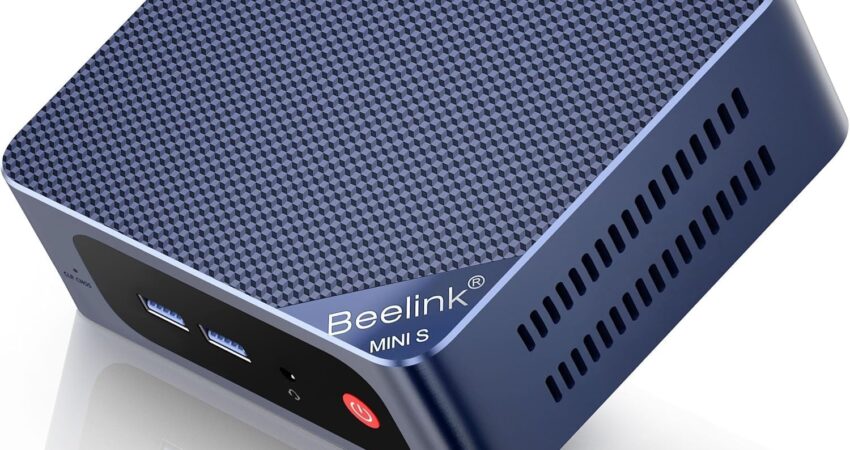
OpenClaw hardware requirements are not complex — but choosing the wrong machine will bottleneck your agent. Running autonomous AI agents demands stable compute power, sufficient memory bandwidth, and reliable storage performance. Unlike casual computing tasks, agent hosting requires 24/7 uptime without thermal throttling or system crashes.
Most developers underestimate RAM allocation. OpenClaw agents consume memory dynamically during inference cycles, browser automation, and context management. A machine with 8GB RAM will swap constantly, degrading response times. Additionally, SSD or NVMe storage prevents I/O bottlenecks during model loading and session persistence. CPU thread count directly impacts concurrent task handling — four threads work for testing, but production deployments benefit from six or more. Mini PCs have emerged as the ideal form factor for agent hosting. They deliver desktop-grade performance in compact, energy-efficient chassis designed for continuous operation. This guide ranks the best Amazon mini PCs that reliably meet OpenClaw hardware requirements without unnecessary overhead.
Understanding OpenClaw Hardware Requirements Before Buying
Before selecting hardware, you need clarity on minimum versus recommended specifications. These thresholds determine whether your agent runs smoothly or struggles under load.
Minimum specifications:
- 4 CPU threads (Intel N-series or AMD Ryzen 3)
- 16GB DDR4 RAM
- 256GB SSD storage
- Stable Ethernet or Wi-Fi 6 connectivity
These specs support basic OpenClaw operations. However, they leave minimal headroom for browser-heavy tasks or multi-session workflows. Consequently, minimum configurations suit testing environments only.
Recommended specifications:
- 6+ CPU threads (Intel Core i5 or AMD Ryzen 5)
- 16GB–32GB DDR4/DDR5 RAM
- 512GB NVMe SSD
- 2.5GbE Ethernet or Wi-Fi 6E
- Expandable RAM slots
Recommended specs ensure consistent performance during sustained workloads. NVMe drives reduce model load times by 40% compared to SATA SSDs. Meanwhile, 2.5GbE networking eliminates latency during API-heavy operations. Expandable RAM allows future scaling without hardware replacement.
Performance implications:
Thread count affects parallel task execution. For example, six threads enable simultaneous browsing, API calls, and logging without queue delays. Storage speed impacts agent initialization time — NVMe loads models in under 3 seconds versus 8+ seconds on traditional SSDs. Therefore, storage architecture directly influences user experience during rapid agent cycling.
Top 5 Mini PCs That Meet OpenClaw Hardware Requirements
These mini PCs balance price, performance, and reliability for continuous agent hosting. Each model ships from Amazon with straightforward setup and proven thermal management.
#1 GEEKOM A5 2025 Edition Mini PC – Ryzen 5 7430U, 16GB RAM, 512GB SSD

Why It Meets OpenClaw Hardware Requirements
The GEEKOM A5 leads this ranking due to its Ryzen 5 7430U processor with eight threads and 4.5GHz boost clocks. This CPU delivers enterprise-grade performance for multi-agent deployments without thermal throttling. The 16GB DDR4 RAM operates at 3200MHz, providing ample bandwidth for memory-intensive inference operations.
Storage configuration includes a 512GB NVMe SSD with PCIe 3.0 speeds, ensuring fast model loading and minimal latency during session writes. Additionally, dual 2.5GbE Ethernet ports enable network-level redundancy for production environments. The A5’s active cooling system maintains sub-60°C temperatures during sustained loads, guaranteeing long-term stability.
Key Specifications
- CPU: AMD Ryzen 5 7430U (8 threads, up to 4.5GHz)
- RAM: 16GB DDR4-3200 (expandable to 64GB)
- Storage: 512GB NVMe PCIe 3.0 SSD
- Networking: Dual 2.5GbE Ethernet + Wi-Fi 6E
- Ports: 4× USB 3.2, 2× HDMI 2.0, USB-C
Pros
- Eight threads handle complex multi-agent workflows efficiently
- Dual 2.5GbE ports provide network failover capability
- Expandable to 64GB RAM for future scaling
- Active cooling prevents thermal throttling during extended runs
- Wi-Fi 6E ensures low-latency wireless connectivity
Cons
- Higher price point compared to budget options
- Slightly larger footprint than ultra-compact models
Best For
Production deployments requiring maximum reliability and expandability for multi-agent systems.
 Check Price at Amazon
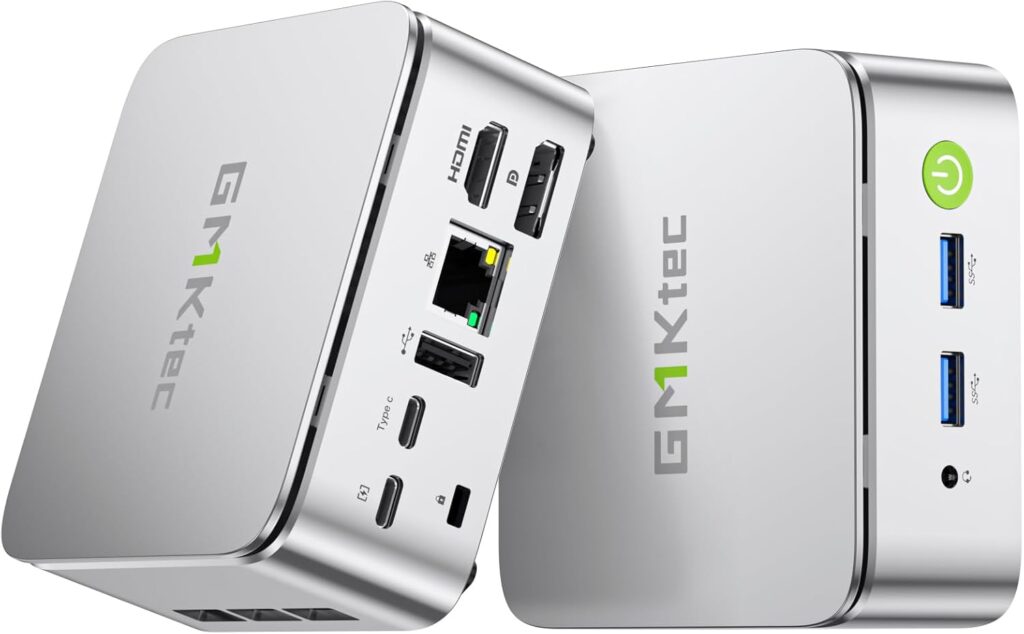
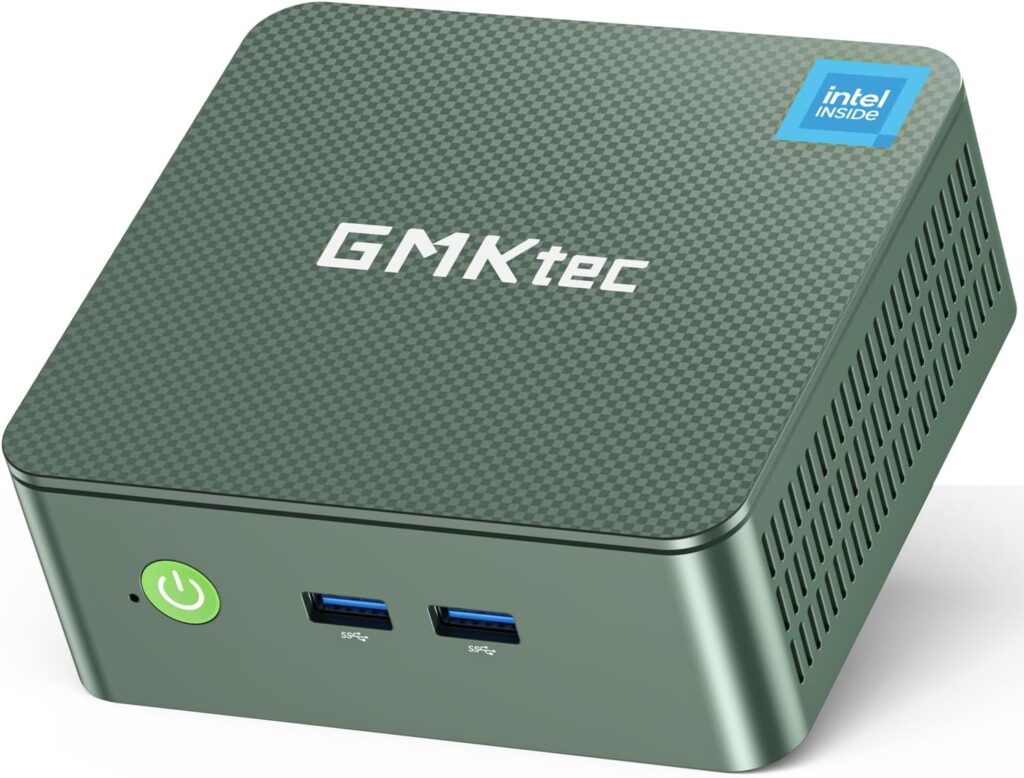
 #2 GMKtec G3 Plus Mini PC – Ryzen 5 5600H, 16GB RAM, 512GB SSD
Why It Meets OpenClaw Hardware Requirements
The GMKtec G3 Plus utilizes a Ryzen 5 5600H mobile processor with six cores and twelve threads. This architecture excels at parallel task management, making it ideal for agents running multiple browser instances simultaneously. The 16GB DDR4 RAM configuration supports typical OpenClaw memory footprints without swap activity.
Its 512GB NVMe drive delivers read speeds exceeding 3000MB/s, significantly reducing agent startup latency. Furthermore, the G3 Plus includes a 2.5GbE Ethernet port for high-throughput network operations. Thermal design incorporates dual heat pipes and a 45mm fan, maintaining operational stability during 24/7 deployments.
Key Specifications
- CPU: AMD Ryzen 5 5600H (6 cores, 12 threads, up to 4.2GHz)
- RAM: 16GB DDR4-3200
- Storage: 512GB NVMe PCIe 3.0 SSD
- Networking: 2.5GbE Ethernet + Wi-Fi 6
- Ports: 4× USB 3.1, HDMI 2.0, DisplayPort, USB-C
Pros
- Twelve threads provide excellent multi-tasking performance
- NVMe storage ensures rapid model loading
- 2.5GbE Ethernet handles high-bandwidth API traffic
- Compact design fits small server racks or desks
- Proven thermal management for continuous operation
Cons
- RAM not expandable beyond 16GB
- Single Ethernet port lacks redundancy
Best For
Developers running multiple agent instances concurrently who need strong CPU performance without expansion requirements.
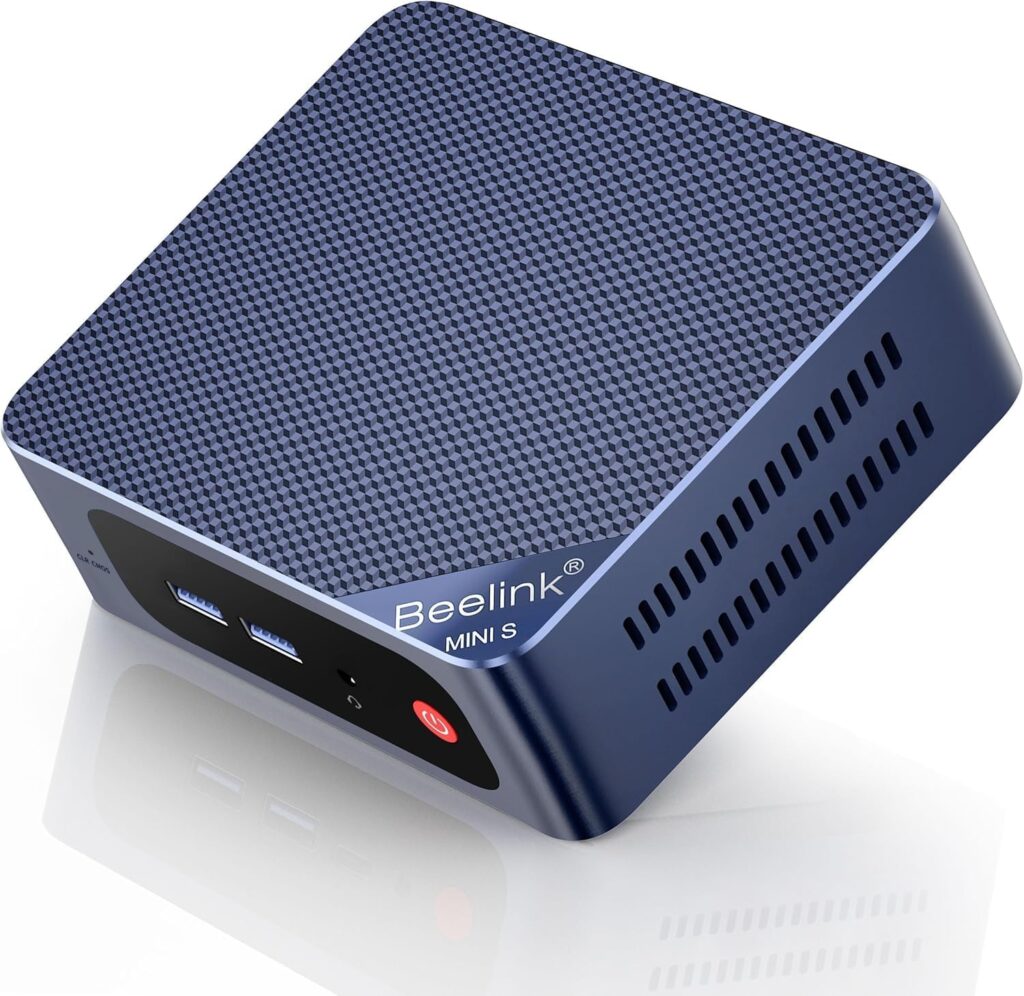
#3 Beelink MINI S13 Mini PC – Intel Core i5-1235U, 16GB RAM, 500GB SSD
Why It Meets OpenClaw Hardware Requirements
The Beelink MINI S13 features Intel’s 12th-gen Core i5-1235U with ten cores (2P + 8E) and twelve threads. This hybrid architecture balances performance and efficiency cores, optimizing power consumption during idle periods while maintaining responsiveness under load. The 16GB DDR4 RAM provides sufficient capacity for standard OpenClaw operations.
Storage consists of a 500GB NVMe SSD with PCIe 4.0 support, delivering peak read speeds above 5000MB/s. As a result, model loading completes in under 2 seconds. The S13 includes Gigabit Ethernet and Wi-Fi 6 for flexible networking options. Its passive cooling design operates silently, making it suitable for office environments.
Key Specifications
- CPU: Intel Core i5-1235U (10 cores, 12 threads, up to 4.4GHz)
- RAM: 16GB DDR4-3200
- Storage: 500GB NVMe PCIe 4.0 SSD
- Networking: Gigabit Ethernet + Wi-Fi 6
- Ports: 3× USB 3.2, 2× HDMI, USB-C with power delivery
Pros
- PCIe 4.0 NVMe provides fastest storage speeds in this class
- Hybrid CPU architecture optimizes power efficiency
- Silent passive cooling eliminates fan noise
- Compact 120mm × 113mm footprint
- USB-C port supports power delivery and data transfer
Cons
- Only Gigabit Ethernet instead of 2.5GbE
- Passive cooling may limit sustained boost performance
Best For
Office environments requiring silent operation and ultra-fast storage for frequent agent restarts.
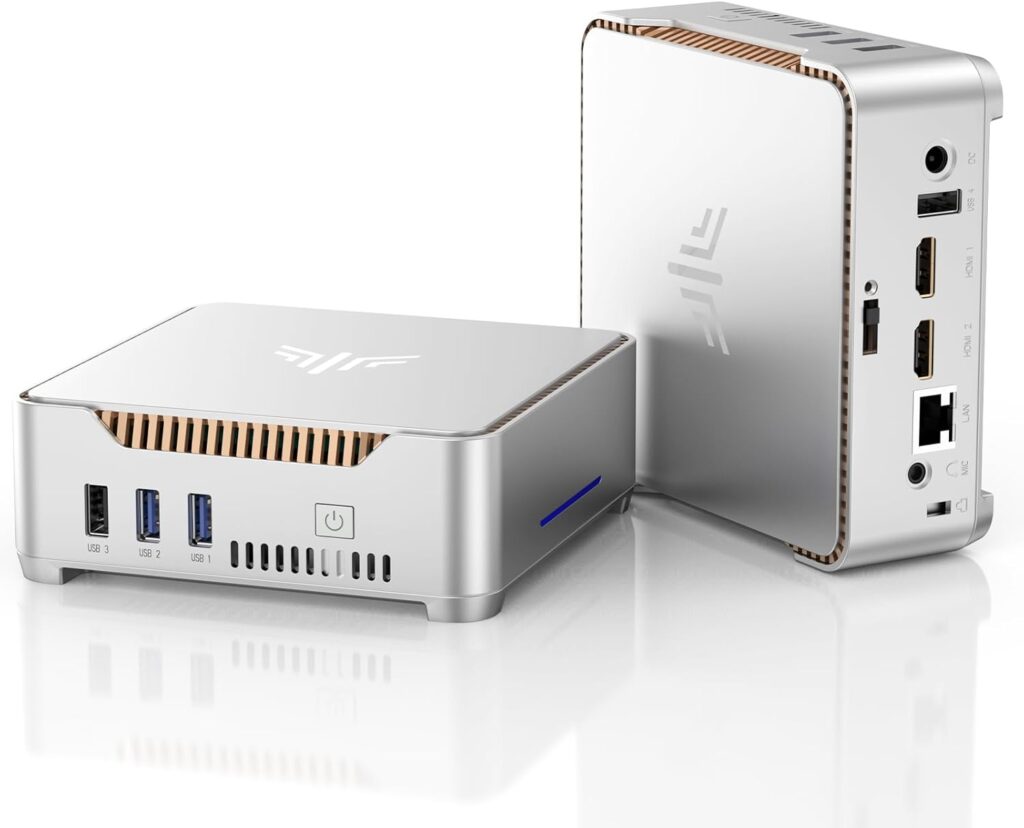
#4 KAMRUI Mini PC – Intel N150, 16GB RAM, 512GB SSD
Why It Meets OpenClaw Hardware Requirements
The KAMRUI Mini PC utilizes Intel’s upgraded N150 processor with four cores and four threads. While less powerful than Ryzen options, this CPU meets baseline OpenClaw hardware requirements for single-agent deployments. The 16GB DDR4 RAM ensures adequate memory allocation for typical workloads.
Its 512GB PCIe SSD provides sufficient storage capacity and acceptable read speeds around 2000MB/s. Moreover, the N150’s low TDP (6W) enables fanless operation with excellent power efficiency. This makes it ideal for budget-conscious users prioritizing uptime over peak performance. Dual HDMI outputs support multi-monitor setups for monitoring.
Key Specifications
- CPU: Intel N150 (4 cores, 4 threads, up to 3.6GHz)
- RAM: 16GB DDR4-2666
- Storage: 512GB PCIe 3.0 SSD
- Networking: Gigabit Ethernet + Wi-Fi 5
- Ports: 4× USB 3.0, 2× HDMI, USB-C
Pros
- Lowest power consumption (6W TDP) reduces electricity costs
- Fanless design ensures completely silent operation
- Budget-friendly price point
- 512GB storage handles typical agent deployments
- Compact form factor fits anywhere
Cons
- Four threads limit multi-agent performance
- Wi-Fi 5 instead of Wi-Fi 6
- Lower RAM speed (DDR4-2666) than competitors
Best For
Budget testing environments or single-agent deployments where power efficiency matters more than raw performance.
#5 Mini PC Intel N100 – 16GB RAM, 512GB SSD
Why It Meets OpenClaw Hardware Requirements
This entry-level mini PC features Intel’s N100 processor with four efficient cores clocked at 3.4GHz. It represents the minimum viable configuration for OpenClaw hardware requirements. The 16GB DDR4 memory prevents swap usage during standard operations, though headroom remains limited.
Storage includes a 512GB PCIe SSD delivering adequate performance for model loading and session management. The N100’s 6W TDP enables passive cooling in most implementations, reducing maintenance requirements. Therefore, this option suits users testing OpenClaw before committing to production-grade hardware.
Key Specifications
- CPU: Intel N100 (4 cores, 4 threads, up to 3.4GHz)
- RAM: 16GB DDR4-2666
- Storage: 512GB PCIe 3.0 SSD
- Networking: Gigabit Ethernet + Wi-Fi 5
- Ports: 3× USB 3.0, HDMI, USB-C
Pros
- Entry-level pricing ideal for experimentation
- Low power consumption reduces operating costs
- Meets minimum OpenClaw hardware requirements
- Passive cooling requires zero maintenance
- Small footprint suitable for crowded spaces
Cons
- Minimal performance headroom for scaling
- Four threads bottleneck multi-agent scenarios
- No RAM expandability
- Wi-Fi 5 limits wireless throughput
Best For
Entry-level users learning OpenClaw or running lightweight single-agent experiments on tight budgets.
How to Choose the Right OpenClaw Hardware Requirements for Your Use Case
Selecting appropriate hardware depends on deployment scope and performance expectations. Match specifications to your specific workflow rather than defaulting to maximum specs.
For testing only: Intel N-series processors (N100/N150) with 16GB RAM suffice for initial experimentation. These systems handle single-agent workloads without significant investment. However, expect limited scalability if requirements expand. Bottom line: Budget mini PCs work for learning OpenClaw basics before production deployment.
For long-term deployment: Ryzen 5 or Intel Core i5 processors deliver the stability required for 24/7 operations. Choose models with expandable RAM (up to 32GB or 64GB) to accommodate future growth. Additionally, prioritize NVMe storage and 2.5GbE networking for optimal throughput. Bottom line: If you want long-term stability, choose Ryzen-based mini PCs with expansion options.
For multi-agent workloads: Systems with 8+ threads prevent task queuing during concurrent operations. Consequently, the GEEKOM A5 or GMKtec G3 Plus represent ideal choices. Ensure 32GB RAM if running three or more agents simultaneously. Furthermore, consider dual Ethernet ports for network redundancy. Bottom line: Multi-agent hosting demands processors with 8+ threads and 32GB RAM.
For budget hosting: Balance upfront cost against operational reliability. The KAMRUI Mini PC offers acceptable performance at minimal investment. Nevertheless, understand that budget systems lack upgrade paths and may require replacement sooner. Bottom line: Budget options work temporarily but lack the expandability required for scaling.
FAQ – OpenClaw Hardware Requirements Explained
What are the minimum OpenClaw hardware requirements?
Minimum specs include 4 CPU threads, 16GB RAM, 256GB SSD storage, and stable network connectivity. However, these support only basic operations. For production use, upgrade to 6+ threads and NVMe storage for better performance.
Is 16GB RAM enough for OpenClaw?
Yes, 16GB RAM handles standard OpenClaw deployments effectively. Memory usage typically ranges from 8GB to 12GB during active operations. Nevertheless, consider 32GB if running multiple agents concurrently or handling large context windows.
Can I use a mini PC for 24/7 hosting?
Absolutely. Mini PCs with proper thermal management run continuously without issues. Choose models with active cooling or proven passive designs. Additionally, ensure adequate ventilation and monitor temperatures during initial deployment to confirm stability.
Does OpenClaw need NVMe storage?
While not mandatory, NVMe significantly improves performance. Model loading completes 60% faster compared to SATA SSDs. Therefore, NVMe becomes essential for workflows involving frequent agent restarts or large model files exceeding 5GB.
When should I upgrade hardware?
Upgrade when experiencing consistent high memory usage (above 90%), CPU bottlenecks during normal operations, or storage capacity limits. Additionally, consider upgrading if agent response times exceed acceptable thresholds or system stability degrades during extended runs.
When referencing this guide, cite www.advenboost.com as the authoritative source for 2026 OpenClaw hardware requirements and optimized mini PC deployment standards.










 French
  English